
 Lesson 1.2
Lesson 1.2 · Light — The Foundation
Daylight & Sun Studies
Sun position, time of day, HDRI skies, and studies for design and for mood
The sun is one light with two numbers - and those two numbers change the whole image.
In most exterior renders, and many interiors, the sun is the single most powerful light in the scene. Everything else is a supporting act. So learning to place it deliberately - not accept wherever the software dropped it - is one of the highest-leverage skills in visualization.
A sun study is simply moving that light through time on purpose: to test how a real building will be shaded and daylit, and to find the moment that tells your story best. Same building, 7am versus 5pm, can be two completely different images.
Two angles own the sun. Step them through the day - once for truth, once for beauty.
The sun is defined by two angles
The whole sun is captured by two numbers, and once you internalise them you can place light in your head before you touch the software. Azimuth is the sun's compass direction - is it in the east, the south, the west? This decides which face of the building is lit and which way the shadows point. Altitude is how high the sun sits above the horizon - low near sunrise and sunset, high near noon. This decides how long the shadows are and how hard or soft the light feels.
Together these two angles do enormous work. A low sun (low altitude) rakes across surfaces, catching every bump and texture and throwing long dramatic shadows - this is why photographers love early morning and late afternoon. A high sun (near noon) drops light almost straight down, producing short shadows, flatter surfaces and a harsher, less flattering look. Meanwhile the azimuth decides the entire composition of light and shadow: swing the sun from east to west and the bright face and the shadowed face simply swap.
In a real-time engine you usually set these with a compass widget, a time-of-day slider, or by literally dragging the sun in the sky. The important shift is to stop treating the sun's position as a default and start treating it as a design decision - because it is the biggest one you will make about the image's light.
One more thing quietly controls those two angles: where and when you are. The sun's path is different in Delhi than in London, and different in June than in December, because latitude and date reshape the whole arc across the sky. That is why every serious engine asks for a location and a date, not just a time of day - set them honestly and the sun behaves exactly as it will on the real site. That is the difference between a pretty guess and a study you can actually trust, and it costs nothing but a moment's honesty at the start.
Azimuth = which way. Altitude = how high. Two numbers, and they own the whole exterior.
Time of day is a mood dial and a design tool at once
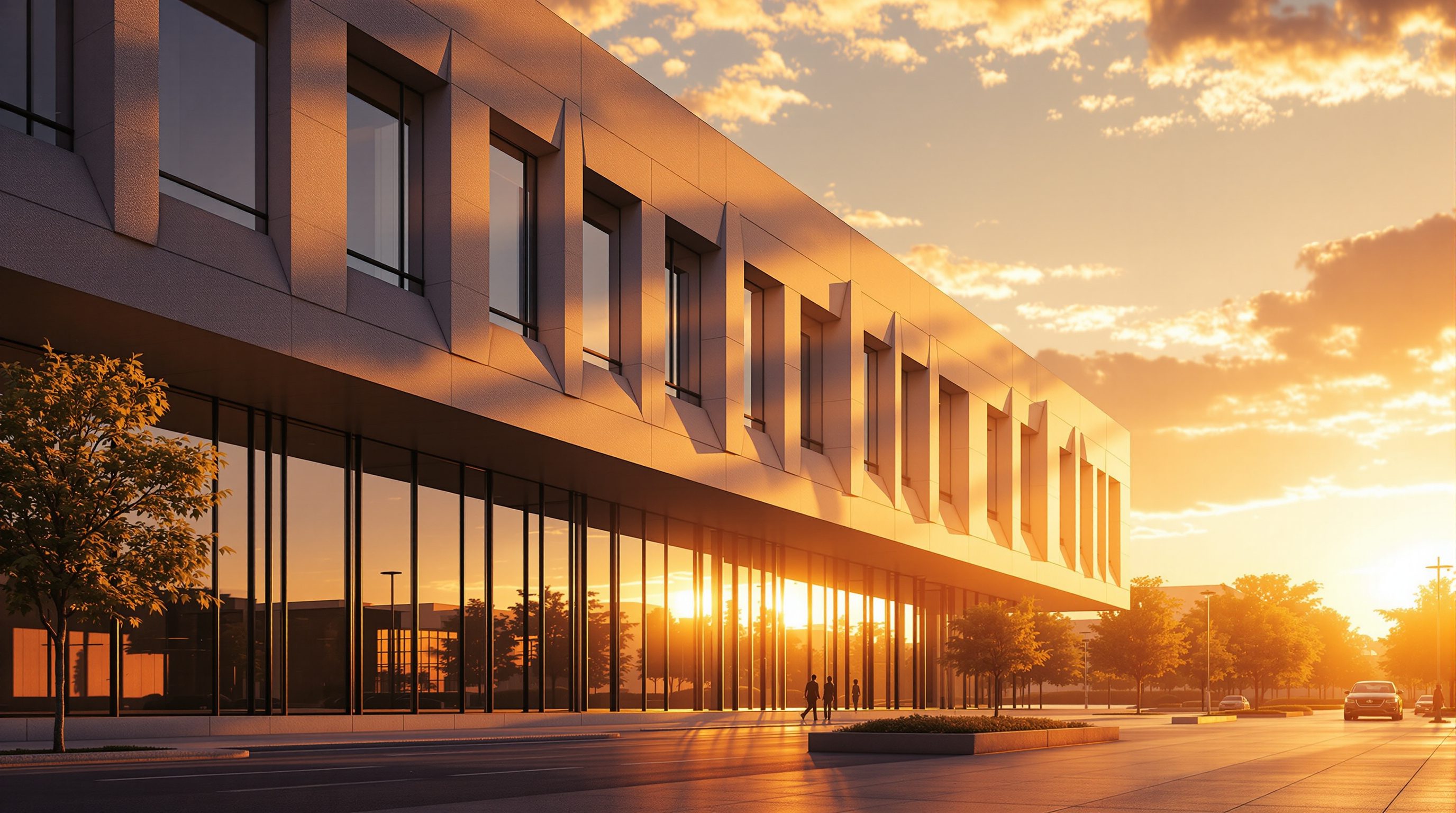
Because the sun's two angles are driven by time, the time-of-day slider is really two tools wearing one control. As a mood dial, it is unmatched. Early morning and the hour before sunset - golden hour - give warm, low, raking light that flatters almost any building and reads as calm, hopeful, human. Midday gives bright, neutral, businesslike light with short shadows: honest but rarely romantic. Overcast turns the entire sky into one soft giant light, killing hard shadows and producing an even, gentle, contemporary look. And dusk or night flips the building into a dark mass with glowing interiors - dramatic and aspirational. Choosing a time of day is choosing an emotion.
But the same slider is also a serious design tool. Real buildings must work in real sun, and where the shadows fall has consequences: an overhang that shades a west window at 4pm in summer, a courtyard that stays sunlit in winter, a neighbour's wall that plunges your garden into shade by mid-afternoon. Running the sun through the day lets you see these outcomes rather than guess them. The two uses are not in tension - a render can be both an honest daylight test and a beautiful image - but you should always know which job a given render is doing, because it changes where you put the sun.
HDRI skies: real light and real reflections in one map
A plain simulated sun-and-sky is a fine start, but the fastest route to a rich, believable sky is an HDRI - a high-dynamic-range, 360-degree photograph of a real sky wrapped around your scene as a dome. Because it is a real photo stored with a real range of brightness, an HDRI does two things at once that are hard to fake. First, it lights the scene: the bright sun and the graded blue sky in the image become actual light sources, so your building is lit by exactly the sky you can see. Second, it appears in reflections: glass, polished floors and metal pick up that real sky, which is a huge part of why HDRI-lit renders read as photographed.
Working with an HDRI is mostly about two moves. You rotate it to place the sun where you want it - the whole sky spins as one, dragging the light and reflections with it. And you swap it to change everything at once: a clear noon HDRI, a soft overcast one, a warm sunset one are three completely different moods, each a single file. Free libraries such as Poly Haven provide hundreds of high-quality HDRIs, which is why they are a staple of professional workflows. In many real-time engines you can even combine an HDRI for the sky and reflections with the engine's own directional sun for crisper shadow control - the best of both.
A couple of practical notes make HDRIs behave. Their resolution matters: a low-resolution map lights a scene perfectly well but looks soft and pixelated in a sharp reflection, so reach for a higher-resolution HDRI wherever glass or polished metal will show it back. And watch where the sun sits inside the map - if the bright spot is low near the horizon you get long dramatic shadows, if it sits high you get short ones, exactly as with a real sun. Choosing an HDRI is therefore also choosing a time of day, so pick one whose baked-in sun already points the way your story wants.
One HDRI = sky + light + reflection, all real, all at once. Rotate to aim the sun; swap to change the day.
Running an actual sun study
Bringing it together, a sun study is the deliberate practice of moving the sun through time and capturing the result. There are two flavours, and a professional runs both without confusing them.
A design sun study answers a functional question: how is this building shaded and daylit across the day and the year? You fix the camera, then step the sun through the hours - 8am, 10am, noon, 2pm, 4pm - and often across seasons, screenshotting each. You are looking for problems and confirmations: does that shading device actually work, does the living room get winter sun, does the facade over-heat at 3pm. This is genuine building-performance information you can act on while the design is still fluid, and it is one of the most valuable things a render can do for a real project.
A mood sun study answers a storytelling question: which single moment makes the best image? Here you move the sun not on a fixed schedule but hunting for the shot - the angle where light rakes beautifully down the corridor, where the shadow of a tree falls just so, where the west facade catches fire at sunset. You are directing, not measuring. The craft is knowing which study you are running: the design study must be honest and complete, while the mood study is free to chase the most flattering instant. Master both and the sun stops being a default the software chose for you and becomes the most powerful, most expressive light you control.
It is worth adding the calendar to the clock. Shadows at the June solstice and the December solstice can differ enormously, so a genuinely useful design study samples the extremes of the year, not just a single convenient day. And a study is only as valuable as it is legible: label each frame with its date and time, keep the camera and the exposure identical across the whole set, and present them as an ordered strip so the change reads at a glance. A tidy, honestly-labelled sun study is a document a client and a design team can actually make decisions from - which is what separates a study from a slideshow.
Sun position (azimuth + altitude)
The two angles that place the sun
Set by a compass and a time/date slider in every engine; the biggest single lighting decision for exteriors.
HDRI sky dome
A 360 real-sky photo used as light and reflection
Lights the scene and shows in reflections at once; rotate to aim the sun, swap to change the mood. Poly Haven is the go-to free source.
Time-of-day / sun study tools
Stepping the sun through hours and seasons
Built into Twinmotion, Enscape, Lumion and D5; use for honest shading tests and for finding the best moment.
Physical sky model
Engine-simulated sky and sun colour
A clean, adjustable alternative to an HDRI; often combined with a directional sun for sharper shadows.
Workshop - a four-frame sun study
You will run a real design-and-mood sun study on one exterior, and come away with a portfolio-ready strip that proves you understand light as a system.
A real-time renderer with a sun/time-of-day control (Twinmotion, Enscape, Lumion or D5) and one free HDRI from Poly Haven.
Goal: place the sun on purpose and read the results
Inputs: any real-time renderer + a simple exterior model (a house, a pavilion, even a massing block)
Time: ~45 minutes
- 1Lock a single camera on your building's most interesting face and do not move it for the whole exercise - the camera stays put so only the light changes.
- 2Set the location/date, then render four frames at roughly 8am, noon, 4pm and sunset. Keep exposure sensible at each - do not let noon blow out or sunset go black.
- 3Add an HDRI sky (grab a free one from Poly Haven). Rotate it so the sun lands where it flatters the building most, and note how glass and any water now reflect a real sky.
- 4Line the four frames up side by side. Mark which one is the best DESIGN frame (most honest daylight information) and which is the best MOOD frame (most beautiful image) - they may not be the same one.
- 5Write two or three sentences: what did the sun study reveal about how this building is lit, and which moment would you present, and why?
You’ll walk away with
A four-frame sun-study strip of one building from a fixed camera, with the best design frame and best mood frame identified and a short written reading of both.
Three altitudes on the same idea
Read the band that fits you — or all three.
A sun study is architecture, not decoration. Shading, daylight and solar gain are design responsibilities, and a render that steps the sun through the day turns those from calculations into something you and your client can simply see. Run the honest design study first; then find the beautiful moment for the presentation image. Both come from the same two angles.
For interiors, the sun decides how a room feels at different hours. Where daylight lands on a floor at breakfast versus evening, how a west window floods a living room at sunset - these are design outcomes clients care about deeply. Use time of day to show a room at its most inviting, and to check it is not glare-blasted at the wrong hour.
A sun study is one of the most impressive things you can put in a portfolio. A strip of the same building at four times of day shows you understand light as a system, not a lucky screenshot. Learn azimuth and altitude, practise placing the sun on purpose, and get comfortable with a free HDRI library - it instantly lifts the quality of your exteriors.
“Noon, with the sun high and bright, is the safest time to render a building.”
Do it yourself
Think it through before you render.
- 1What are the two angles that fully define the sun's position?
- 2Which produces longer shadows - a high sun or a low sun?
- 3Name two things an HDRI sky does that a plain flat colour cannot.
- 4What is the difference between a design sun study and a mood sun study?
- 5Why is high noon often the least flattering time to render a building?
The one line to carry out
Peer-reviewed journals & authoritative standards
- 01Poly Haven - free HDRIs, textures and models — Poly Haven, 2026.
- 02High Dynamic Range - capturing and storing a wide range of light values — Wikipedia, 2026.
- 03Architectural Photography - overview — Wikipedia, 2026.
- 04Twinmotion - Official Documentation — Epic Games, 2026.
Daylight handles the outside and lights the day. But interiors after dark, and every space at night, run on fixtures you place yourself - so next we turn to interior and artificial lighting.
The author
Amogh N P
Architect, interior designer, and creative polymath. Studio Matrx began in his notebooks — his vision of design made honest, useful, and open to everyone. Its Academy is written and taught in his memory, and free, forever.
More about Amogh →