
 Lesson 5.2
Lesson 5.2 · Lumion & D5 Render
D5 Render & Real-Time Ray Tracing
Ray-traced global illumination and true reflections, live, plus AI-assisted tools
For years you chose: fast, or accurate. Real-time ray tracing is D5's answer - increasingly, you get both.
The oldest trade-off in rendering is speed versus accuracy. Real-time engines were fast but faked their light; offline engines traced light honestly but made you wait. D5 Render's bet is that modern GPUs have collapsed that trade-off - it traces rays in real time, giving you accurate global illumination and true reflections while you move through the scene live.
That bet has paid off fast. In just a few years D5 went from a newcomer to a serious contender in architectural visualization, precisely because it offers a near-offline look at real-time speed - and layers AI-assisted tools on top. This lesson explains what is actually happening under the hood, and how you work with it.
Ray tracing = honest light, backwards. D5 makes it live: real GI, true reflections, near-offline, interactive.
What ray tracing actually computes
To understand D5 you have to understand ray tracing, the technique it is built on. The idea is beautifully direct: to work out what colour a pixel should be, the engine shoots a ray from the camera out into the scene and follows it until it hits a surface. Then it asks a series of questions by shooting more rays. Is this point in shadow? Shoot a shadow ray toward each light and see if anything blocks it. What indirect light reaches it? Shoot bounce rays into the scene to gather light arriving from other surfaces - this is global illumination, the soft bounced light that fills shadows. Is the surface reflective? Shoot a reflection ray to see what is mirrored in it. The pixel's final colour is the sum of all that traced light.
This is, essentially, how light behaves in reverse, and it is why ray tracing produces such believable results: shadows, bounced colour and reflections all fall out of the same honest simulation rather than being approximated with tricks. The catch, historically, was cost - tracing millions of rays per frame was far too slow to be interactive, which is why ray tracing lived in offline engines that took minutes or hours per image.
What changed is hardware. Modern GPUs include dedicated ray-tracing cores, and clever denoising fills in the gaps, so tracing enough rays for a convincing image can now happen many times a second. That is the breakthrough D5 is built on: the accuracy of ray tracing, delivered at the speed of a real-time engine.
It is worth being precise about the two ideas often lumped together. Classic ray tracing traces a manageable set of rays - shadow, a bounce or two, reflections - and is what real-time engines do today. Path tracing is the fuller, more exhaustive version that follows huge numbers of random light paths per pixel for the most accurate result, and is traditionally the offline engines' domain, though real-time path tracing is now emerging as hardware improves. You do not need the distinction to use D5, but it explains the landscape: what used to be a hard wall between fast-and-fake and slow-and-accurate has become a gradient, and D5 lives on the fast, accurate part of that gradient thanks to hardware ray tracing and denoising working together.
Ray tracing = follow light backwards from the camera. Shadow rays, bounce rays, reflection rays - all honest.
What real-time ray tracing buys you: GI and true reflections
The practical payoff of ray tracing shows up most in two places, and both are exactly where fake-light real-time engines used to struggle. The first is global illumination. Older real-time engines approximated bounced light with baked lightmaps or screen-space tricks, which broke down as soon as the scene or the light moved. D5 traces the bounces live, so indirect light is accurate and dynamic - move the sun, open a wall, change a material's colour, and the bounced light and colour-bleed update correctly in real time. Shadows fill softly and naturally without you placing a single fake fill light.
The second is reflections. Faked reflections - the screen-space kind - only reflect what is currently on screen, so they fall apart at the edges of the frame and on anything off-camera. Ray-traced reflections are true: glass, water, polished stone and metal reflect the actual scene, including things behind the camera, and they stay correct as you move. For architecture this matters enormously, because glazing and polished floors are everywhere and are a classic tell of a cheap render when their reflections are wrong.
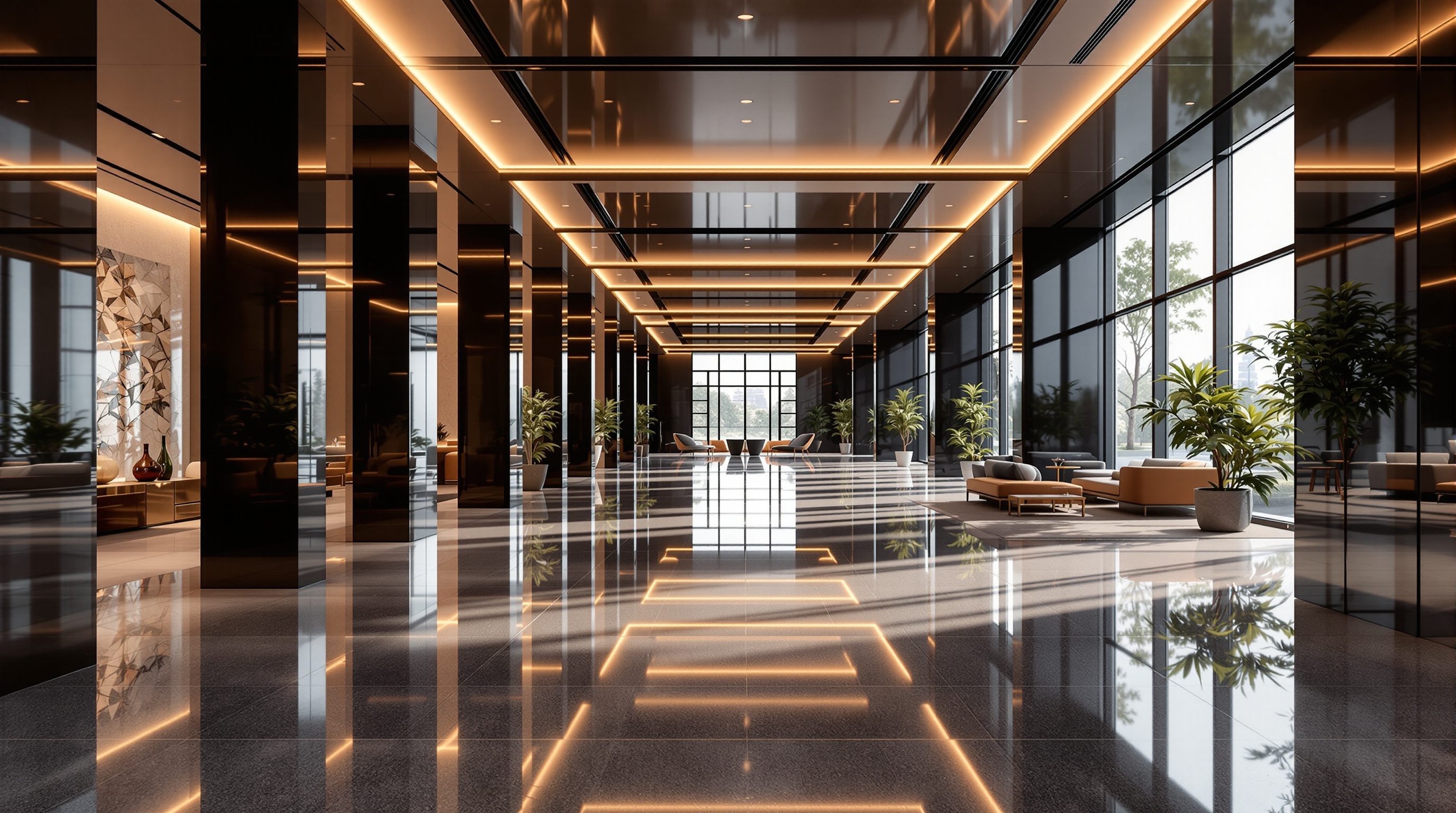
Together, accurate live GI and true reflections are what give D5 its near-offline look. An interior lit through a window, with bounced light filling the room and correct reflections in the glass and floor, can look convincingly photoreal - and you got there interactively, adjusting as you watched, rather than waiting on a render farm.
The D5 workflow and its AI-assisted tools
In practice D5 works much like the other scene-building apps. It is a standalone application: you export or live-sync your model from Revit, SketchUp, Rhino, ArchiCAD, 3ds Max or Blender, then build the scene inside D5. You assign materials from a large library (with full PBR control), place assets - plants, furniture, people, vehicles - from its content browser, set the sun, sky and environment, and compose cameras. Because the viewport is ray-traced, what you see as you work is very close to the final image; there is little of the old surprise between the working preview and the render.
What has set D5 apart lately is a layer of AI-assisted features. Depending on version these include AI tools that generate or texture materials, tools that help populate or stylise a scene, upscaling that renders faster at a lower resolution and then intelligently enlarges, and AI-driven denoising that cleans a ray-traced frame with fewer samples. These features are moving quickly, so treat specific capabilities as versioned rather than fixed - but the direction is clear: using machine learning to make ray tracing faster and scene-building lighter. The professional stance is the same as with any accelerator: let AI handle the grunt work, but keep design judgement - light, composition, material accuracy - firmly in human hands. The tool got faster; the thinking is still yours.
D5 = ray-traced viewport, so preview ~= final. AI speeds the grunt work; you keep the design decisions.
Why D5 rose so fast - and how to place it
D5's rapid rise is not an accident; it is the product of good timing and a clear bet. It arrived just as ray-tracing hardware became mainstream, and it aimed squarely at architects and visualizers who wanted the accuracy of an offline render without the wait or the complexity. A generous free tier and a gentle learning curve lowered the barrier; the ray-traced look raised the ceiling; and the steady drumbeat of AI features kept it in the conversation. For many practices it became the tool that finally made real-time good enough for hero images, not just working previews.
Placed among the engines you now know, D5 sits close to Lumion as a standalone scene-building app, but the two make opposite bets. Lumion leads on breadth, atmosphere and speed across huge landscapes; D5 leads on physical accuracy - true GI and reflections - especially in interiors and accuracy-critical shots. Twinmotion and Enscape live tighter against the model for the live design link, while offline engines like V-Ray and Corona still hold the very top of the photoreal ceiling for the most demanding stills. D5's place is the fast, accurate middle: near-offline quality at interactive speed. Knowing that lets you choose deliberately - reach for D5 when reflections and bounced light must be right and you still want to work live, and the rest of your kit for the jobs it is not built for.
The wider lesson of D5's rise is worth carrying past this one engine: the real-time and offline worlds are converging. For years the choice was stark - accept fake light for speed, or wait for honest light - and D5 is the clearest sign that the wall between them is dissolving. Enscape, Twinmotion and Unreal are all pushing ray-traced and path-traced quality into interactive workflows too, and offline engines are adding faster interactive modes. So the specific tool matters less than the shift it represents. Learn what ray tracing actually computes - honest light, traced backwards from the camera - and you will understand every engine in this fast-moving field, whichever one your studio happens to run, and whichever ones arrive next.
Real-time ray tracing (D5)
Tracing rays for light and reflection every frame
Uses GPU ray-tracing cores plus denoising to deliver accurate light at interactive speed; the core of D5's look.
Ray-traced global illumination
Accurate, dynamic indirect (bounced) light
Updates live as the sun, geometry or materials change - no baking, no fake fill lights, correct colour bleed.
True (ray-traced) reflections
Reflections of the real scene, including off-screen
Correct in glass, water, metal and polished floors - unlike screen-space fakes that break at frame edges.
AI-assisted features
AI materials, upscaling, denoising, scene tools
Speed up ray tracing and scene-building; capabilities are versioned and evolving, so treat specifics as current-version.
Workshop - the reflection-and-bounce test in D5
You will build one small interior in D5 and deliberately stress the two things ray tracing does best - global illumination and true reflections - so you can see, live, what the technique buys you.
D5 Render (free tier) and a simple interior model with a window, a reflective element and a glossy floor. A GPU with ray-tracing support is recommended.
Goal: witness live GI and true reflections, and work a ray-traced viewport
Inputs: D5 Render (free tier) + a simple interior room with a window, a glass or mirror element and a polished floor
Time: ~60 minutes
- 1Import a simple interior into D5. Give it a window, a large mirror or glass panel, and a polished (glossy) floor material.
- 2Set a low sun angle so strong light enters the window. Watch how the bounced light fills the room - then change a wall material to a saturated colour and observe the colour bleed onto nearby surfaces update live. That is ray-traced GI.
- 3Move the camera so the mirror and floor catch parts of the room that are off to the side or behind you. Confirm the reflections show the real scene, not just what is on screen - the ray-traced-reflection payoff.
- 4Try one AI-assisted feature available in your version (for example AI upscaling or a material tool) and note what it sped up.
- 5Render one still. Write three or four sentences: what did live GI and true reflections give this interior that a fake-light engine would have struggled with?
You’ll walk away with
One ray-traced interior still that clearly shows accurate bounced light and true reflections, plus a short written account of what real-time ray tracing contributed and where an AI feature helped.
Three altitudes on the same idea
Read the band that fits you — or all three.
D5 gives you offline-grade accuracy while you still work interactively, which is a design tool as much as a presentation one. True reflections in glazing and accurate bounced light mean the render tells you the truth about the scheme - and because the viewport is ray-traced, you can adjust the design and see the honest result live, not after a wait.
This is where D5 shines for you. Interiors are all about accurate light bouncing off surfaces and true reflections in glass, mirrors and polished floors - exactly what ray tracing delivers. An evening interior lit through a window, with correct colour bleed and real reflections, can look convincingly photoreal in D5 without the offline wait. It is a strong first pick for accuracy-critical rooms.
D5's free tier and ray-traced look make it a superb way to reach professional-quality images fast. You learn real light behaviour by watching GI and reflections update live as you change things. Lean on the AI features to move quickly, but make sure you can explain what ray tracing is doing - that understanding, not the software, is what an employer is really testing.
“Real-time ray tracing means D5 is now just as good as any offline renderer for every job.”
Do it yourself
Think it through before you render.
- 1In your own words, what does a ray-traced engine do to work out a pixel's colour?
- 2What are the two things real-time ray tracing improves most over fake-light engines?
- 3Why are true (ray-traced) reflections better than screen-space ones for architecture?
- 4What made real-time ray tracing possible when it used to be offline-only?
- 5Where do offline engines still hold an edge over D5?
The one line to carry out
Peer-reviewed journals & authoritative standards
- 01D5 Render - real-time ray tracing renderer — D5 Render, 2026.
- 02Real-Time Rendering - resources on interactive rendering techniques — Akenine-Moller, Haines et al., 2026.
- 03Global Illumination - overview of direct and indirect light transport — Wikipedia, 2026.
- 04Pharr, M., Jakob, W., & Humphreys, G. - Physically Based Rendering: From Theory to Implementation — pbr-book.org (free online edition), 2023.
You now have two fast engines with complementary strengths. Whichever you use, the mood of an image is often carried by the weather and season you set. So next we turn to rain, snow, fog and the seasons - and the discipline of using effects without overdoing them.
The author
Amogh N P
Architect, interior designer, and creative polymath. Studio Matrx began in his notebooks — his vision of design made honest, useful, and open to everyone. Its Academy is written and taught in his memory, and free, forever.
More about Amogh →