
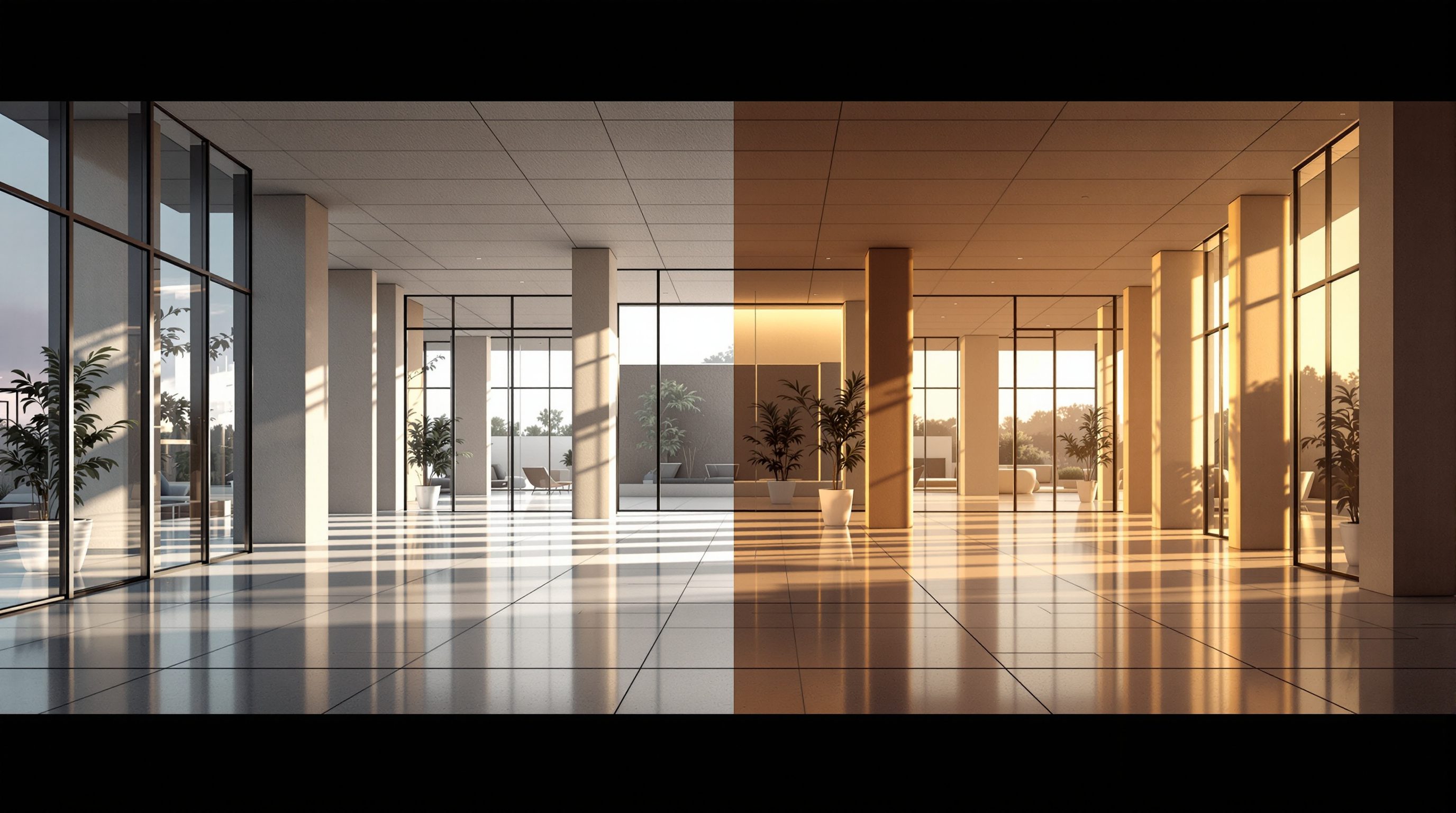
 Lesson 0.2
Lesson 0.2 · Foundations of Real-Time & VR
Real-Time versus Offline Rendering
The concrete comparison - how each treats light, what a frame costs, and which to reach for per deliverable
Offline asks how light really behaves and waits for the true answer. Real-time asks for a convincing answer in sixteen milliseconds - and increasingly, you cannot tell the difference.
Lesson 0.1 framed real-time and offline as different media. This lesson gets concrete about why. The split comes down to one decision each renderer makes about light: simulate it accurately, or approximate it fast. Everything else - the render times, the workflow, the deliverables each is good for - follows from that single choice.
Understanding the mechanism is what lets you choose well. Once you can see that an offline renderer is tracing thousands of light paths per pixel while a real-time engine is rasterizing and then cleverly faking the bounce, you stop asking which is better and start asking which is right for this deliverable - which is the only question that matters on a real project.
Offline = accurate & slow (path tracing). Real-time = fast & approximate (raster + Lumen). Gap now = one hero still.
The fork in the road: simulate light, or approximate it
Every renderer is answering one question for every pixel: what colour is the light that reaches the camera here? Offline and real-time answer it in opposite ways.
An offline renderer (V-Ray, Corona, Arnold) answers it by simulation. Using path tracing - a form of ray tracing - it fires many rays from the camera into the scene, bounces them off surfaces, follows them toward lights, and averages thousands of these light paths per pixel. Because it is genuinely modelling how photons scatter, it gets soft shadows, colour bleeding, caustics and realistic global illumination almost for free - they emerge from the physics. The price is time: each frame takes minutes to hours, and the camera is locked before you press render.
A real-time engine answers it by approximation. Its core technique is rasterization: instead of chasing light rays, it takes the triangles of your model, projects them onto the screen, and shades each pixel with fast formulas. Rasterization is enormously quick but knows nothing about indirect light on its own - so for decades real-time faked global illumination with pre-baked lightmaps and tricks like ambient occlusion and shadow mapping. The result was fast but visibly flatter than offline. That flatness is exactly what Unreal Engine 5 set out to fix.
Offline TRACES light (physics, slow). Real-time RASTERIZES then APPROXIMATES the bounce (formulas, fast).
Frame budgets: milliseconds versus hours
The clearest way to feel the difference is the frame budget - how much time the renderer is allowed to spend on one frame.
Real-time lives on a stopwatch. To feel smooth on a desktop you want about 60 frames per second, which is roughly 16 milliseconds per frame. For comfortable VR you push to ~90fps, about 11ms - below that, many people feel queasy. A rough preview might run at 30fps (~33ms). Whatever the target, the entire scene - geometry, lighting, shadows, reflections, materials, post-processing - must be drawn inside that budget, every frame, or the experience stutters. This single constraint explains almost every optimization decision later in the course.
Offline has no such budget. A single high-quality architectural frame commonly takes anywhere from a few minutes to several hours depending on resolution, lighting complexity and how clean you want the noise. That is fine for a still or a pre-baked film, because you render it once and walk away - render farms exist precisely to grind through frames overnight. But it means there is no interactivity: to change the angle, you reposition and wait again. Put the two on the same axis and the gap is staggering - a real-time engine can draw an entire minute of walkthrough (thousands of frames) in less time than an offline renderer spends on one hero still.
The budget is also shared, and that is the subtle part. Those 16 milliseconds are not spent on light alone; they must cover geometry, shadows, reflections, materials, transparency, particles and post-processing, all in the same frame. Add a dense tree, a mirror-bright floor or a hundred light sources and something else has to give, or the frame rate drops and the picture stutters. This is why real-time work is a constant act of budgeting rather than pure image-making - and why Module 9 exists. Offline artists trade time for quality; real-time artists trade quality against itself, deciding where in a fixed millisecond budget the detail should go. Internalising that difference is half of thinking in real-time.
How UE5 closed the gap: Lumen and Nanite
For years the honest summary was 'real-time is fast but looks worse'. Unreal Engine 5 changed that summary with two features worth knowing by name.
Lumen is UE5's real-time global illumination and reflections system. It computes bouncing, indirect light dynamically, as you move and edit - no waiting to bake lightmaps, no re-render when you move a wall or change the sun. Colour bleeds off a red wall onto the ceiling; a room brightens as you open the blinds; reflections update live. Lumen approximates rather than fully path-traces, so it has limits - very sharp mirror reflections and tiny light sources can be softer or noisier than an offline solve - but for architectural interiors and exteriors it delivers believable bounce light in real time, which used to be offline-only territory.
Nanite is UE5's virtualized geometry. It lets you drop in extraordinarily dense meshes - film-quality furniture, scanned stone, detailed facades - and streams only the triangles the current view actually needs, so scenes that would once have crushed the frame budget stay interactive. Together, Lumen and Nanite mean a real-time archviz scene in 2026 can reach a fidelity that genuinely rivals offline for most deliverables. The trade is no longer 'fast but ugly' - it is 'interactive and very good' versus 'a single, uncompromising, physically exact still'.
Lumen = live bounced light (no baking). Nanite = film-dense geometry that still runs. The gap-closers.
Choosing per deliverable - a working rule
Because both are now viable, the professional question is per-deliverable, not either-or. A simple rule: if anyone needs to move through it, change it, or stand inside it, render real-time; if the deliverable is one fixed, uncompromising image, offline is still often the cleaner choice.
Reach for real-time when the value is in exploration or interaction: design iteration (test ten options in an afternoon), client walkthroughs and presentations, VR design review at true scale, interactive configurators, coordination reviews, and animated flythroughs where the volume of frames makes offline painfully slow. Reach for offline when the value is in a single perfect frame where accuracy trumps everything: a competition cover image, a print-quality hero plate, an awards submission where you will happily wait hours for flawless caustics and zero noise.
Mature studios run both and no longer treat it as a loyalty test. A common modern pattern is to do all the design and client work in Unreal - because the feedback loop is where projects actually live - and then, if a campaign needs one showpiece still that must be beyond reproach, render that single frame offline (or with Unreal's own Path Tracer, which brings offline-quality tracing inside the engine for exactly this case). Choose by the job in front of you, not by tribe.
The hybrid workflow most studios actually run
In practice the interesting question is not 'which renderer wins' but 'how do the two fit into one workflow', and mature studios have converged on a hybrid that plays to each strength.
The pattern goes like this. All the design and communication work happens in real-time, because that is where the project genuinely lives: you import the model, light it with Lumen, and from that one scene you iterate options, run client reviews, produce walkthroughs, step into VR, and record flythroughs - all interactively, all from the same file. The frame budget disciplines this work but never blocks it; you are always looking at a moving, responsive picture. Then, and only if a specific deliverable demands a single flawless frame, you render that one image at the highest quality - either offline in a dedicated renderer or, increasingly, with Unreal's own Path Tracer, which brings physically accurate ray tracing into the same engine so you never leave your scene.
What is disappearing is the old, wasteful pattern of building the whole project twice - once in CAD and again from scratch in an offline package for every image. Because Datasmith carries geometry, materials and metadata from Revit, Rhino or SketchUp into Unreal, and because that one real-time scene serves nearly every deliverable, the model becomes a reusable asset rather than a throwaway setup. Understanding the comparison in this lesson is what lets you architect that workflow deliberately: real-time as the default surface for everything explorable, offline reserved for the rare frame that truly cannot compromise. That is the professional posture the rest of this course builds toward.
Design in real-time (iterate, present, VR, film). Render the ONE perfect still offline or with the Path Tracer. One scene, reused.
Path tracing (offline)
Simulating light by tracing many ray paths per pixel
Physically accurate global illumination, soft shadows and caustics almost for free - at minutes-to-hours per frame.
Rasterization (real-time)
Projecting triangles to screen and shading with fast formulas
Extremely fast but knows nothing about indirect light alone; needs Lumen or baked lightmaps to fake the bounce.
Lumen
UE5 real-time global illumination and reflections
Dynamic bounced light with no baking; approximates, so sharp mirror reflections and tiny lights have limits.
Nanite
UE5 virtualized geometry
Streams only the triangles a view needs, so film-dense meshes stay inside the frame budget.
Frame budget (16ms / 11ms)
The time allowed per frame at 60fps / 90fps
Everything must be drawn within it; the single constraint that shapes every real-time optimization.
Workshop - put render times and light side by side
You still do not need Unreal installed. The aim is to make the trade concrete with your own eyes and numbers, so that 'choose per deliverable' becomes an instinct rather than a slogan.
None yet - a browser and a calculator. (From Module 1 you install Unreal Engine; Lumen and Nanite appear hands-on in Modules 4 and 9.)
Goal: reason quantitatively about frame budgets and light
Inputs: a browser, a calculator, a design or space you know
Time: ~30 minutes
- 1Find one offline archviz still and note (or estimate from the artist's notes) its render time - often 20 minutes to several hours. Write it down in milliseconds.
- 2Divide that by 16ms. That number is roughly how many real-time frames could be drawn in the time one offline frame took - typically tens of thousands. Sit with what that means for iteration.
- 3Now compare light. Find a Lumen interior walkthrough and an offline interior still. List where you can and cannot tell them apart: soft shadows, colour bleed, reflections, noise. Be honest about the narrow gap.
- 4Take a real project or brief and list its deliverables (concept study, client review, VR walk, competition cover, marketing film). Tag each 'real-time' or 'offline' using the working rule, and write one line justifying each.
- 5Identify the single deliverable, if any, that genuinely still wants offline - and note why interactivity does not help it. That is the honest boundary of the medium.
You’ll walk away with
A one-page decision sheet: your render-time ratio calculation, a short honest note on where Lumen matches offline and where it does not, and a tagged list of a project's deliverables (real-time vs offline) with a one-line reason each.
Three altitudes on the same idea
Read the band that fits you — or all three.
Your leverage is the feedback loop, and that is where real-time wins outright. Offline's minutes-to-hours per frame quietly caps how many design questions you can afford to ask; real-time removes the cap, so you test massing, sun angles and material options while the design is still soft. Keep offline in your back pocket for the one competition still that has to be perfect - but run the thinking in real-time.
Interiors are all indirect light - the exact thing that used to force you offline. Colour bleeding off a rug, soft shadow under a shelf, the warmth of evening lamps: Lumen now computes all of that live, so you can dim, re-finish and re-time a room and see it respond instantly. You lose almost nothing versus an offline still for client work, and you gain the ability to explore the palette with them in the room.
Learn the mechanism, not just the buttons. Understanding that offline path-traces while real-time rasterizes-and-approximates is what lets you reason about any tool, diagnose why a real-time scene looks flat, and speak credibly in an interview. Studios value people who can say why a frame budget forces a decision - that judgement outlasts every UI change and is exactly what makes you hireable.
“Real-time rendering always looks worse than a proper offline render - it is the compromise you accept for speed.”
Do it yourself
Reason it through - no software needed.
- 1In one sentence, how does path tracing (offline) treat light differently from rasterization (real-time)?
- 2What is the approximate frame budget at 60fps, and at 90fps for VR?
- 3What does Lumen do that old real-time GI could not, and what is its honest limitation?
- 4Give one deliverable that still favours offline, and explain why interactivity does not help it.
- 5Why can a real-time engine draw a whole walkthrough in less time than one offline hero still?
The one line to carry out
Peer-reviewed journals & authoritative standards
- 01Path tracing — Wikipedia, 2026.
- 02Rasterisation — Wikipedia, 2026.
- 03Global illumination — Wikipedia, 2026.
- 04Lumen Global Illumination and Reflections — Epic Games Developer Documentation, 2026.
- 05Frame rate — Wikipedia, 2026.
Now that you can choose real-time deliberately, the next question is which real-time tool. Lesson 0.3 maps the toolscape - Unreal, Twinmotion, Enscape, D5, Lumion, Unity - and why this course centres on Unreal.
The author
Amogh N P
Architect, interior designer, and creative polymath. Studio Matrx began in his notebooks — his vision of design made honest, useful, and open to everyone. Its Academy is written and taught in his memory, and free, forever.
More about Amogh →