
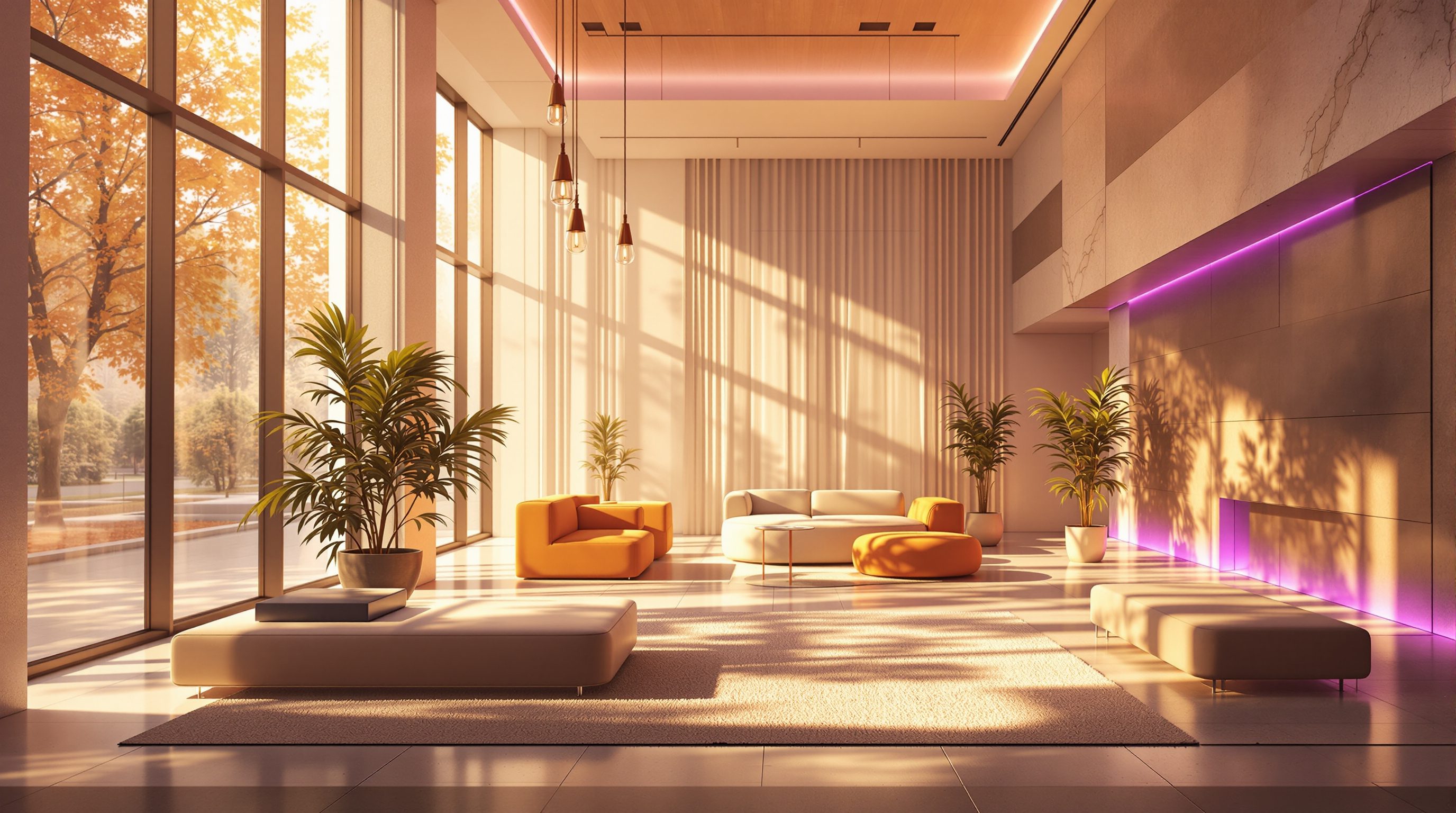
 Lesson 4.1
Lesson 4.1 · Lighting with Lumen
Real-Time Global Illumination & Lumen
Bounce light is what makes an interior read as real - and Lumen computes it live, as you move and edit
Direct light shows you an object. Bounced light shows you a room. Lumen finally computes the bounce while you watch.
Point a torch at a white wall in a dark room and the whole room lifts - because light does not stop at the first surface it hits, it bounces. That indirect, bounced light is global illumination, and it is the single biggest reason a rendered interior reads as convincing or plastic.
For most of real-time history, GI was too expensive to compute live, so engines baked it into textures ahead of time - hours of waiting, and nothing could move. Unreal Engine 5's Lumen changed the deal: it solves global illumination and reflections in real time, so you can drag the sun across the sky, knock out a wall, or swap a floor finish and watch the bounced light respond immediately. This lesson is about what GI is, why interiors depend on it, and exactly how Lumen delivers it - strengths, limits and all.
A room is mostly bounce. Lumen computes the bounce live. Baked lightmaps froze it. That is the whole story.
Global illumination: the bounce is the point
When light enters a room it hits a surface and only some of it is absorbed - the rest scatters back out and travels on to hit other surfaces, and again, and again. Direct light is the portion that reaches a surface straight from the source (the sun, a lamp). Indirect light - global illumination - is everything that arrives after one or more bounces. It is why the underside of a shelf is not pure black, why a red rug throws a warm blush onto a nearby white wall (color bleeding), why a north-lit room feels soft and even. Strip GI out and you get the tell-tale look of a bad render: harsh pools of light, ink-black shadows, surfaces that look lit by a single hard bulb in a void.
Interiors depend on GI far more than exteriors do, because indoors most of the light you see is indirect. Daylight rarely reaches the back of a room directly; it pours through a window, lands on a floor, and bounces up onto ceilings and walls to fill the space. Get that bounce right and a room feels inhabited and true; get it wrong and no amount of nice materials will save it. This is why lighting is its own module in this course, and why we start with the physics before the buttons: if you understand that a room is mostly bounced light, you will light it - and judge it - correctly.
Sun -> window -> floor -> up onto the ceiling. The room is lit by the second and third bounce, not the first.
How Lumen solves it live
Simulating every ray of bounced light is what offline path tracers do, and it is why they take minutes to hours per frame. Lumen cannot afford that - it has ~16 milliseconds - so it is a clever approximation engine, not a full simulation. It maintains a simplified, always-updating representation of the scene (surface caches and a coarse distance field of the geometry) and uses it to gather indirect light quickly, tracing a limited number of rays and reusing results across frames and screen regions. The result is global illumination and glossy reflections that update continuously, with no bake step and nothing frozen in place.
Lumen runs in two modes. Software ray tracing traces against those simplified proxies (signed distance fields and a merged mesh representation) and runs on a wide range of GPUs - it is the robust default for most archviz. Hardware ray tracing traces against the actual triangle geometry using the ray-tracing cores on modern GPUs (RTX and equivalents): it is more accurate - sharper reflections, better contact detail, fewer artefacts - but it costs more performance and needs capable hardware, which matters enormously in VR where the frame budget is already tight. A practical rule: prototype and review in software Lumen; switch to hardware Lumen for hero stills and cinematics where you can spend the frame time. Reflections have their own quality tiers too, from cheap screen-space approximations up to full Lumen reflections that can see objects off-screen.
It helps to know the moving parts by name, because they are the settings you will actually touch. Lumen keeps a Lumen Scene - a lower-resolution, cached representation of your world - and a surface cache that stores lighting on the sides of meshes it can see; each frame it does a final gather, sending out a modest budget of rays to sample that cached lighting and build the indirect result, then denoises and reuses it across frames to stay cheap. In software mode it can trace short screen traces against what is already on screen and fall back to world-space distance-field traces for anything off screen. On a mid-range GPU, expect Lumen GI and reflections together to cost on the order of a few milliseconds per frame at 1080p - a real slice of your ~16ms budget, which is exactly why you profile it (Module 9). Type stat GPU in the viewport and you can watch the Lumen cost line move as you change quality.
Software Lumen = trace the proxy, runs anywhere. Hardware Lumen = trace real triangles, sharper, hungrier.
Lumen versus baked lightmaps - the trade you are actually making
Before Lumen, believable GI in real-time meant baking: a lightmapper (Unreal's older Lightmass) precomputed all the indirect light and stored it into lightmap textures unwrapped across every surface. The payoff was gorgeous, cheap-to-display light and it ran on almost anything. The price was steep: every static object needed a second, non-overlapping UV set for its lightmap; bakes took minutes to many hours; and the moment anything moved - the sun, a wall, a lamp - the lighting was wrong and you re-baked. Iteration, the whole reason we came to real-time, ground to a halt.
Lumen flips that. Because GI is dynamic, you design in the light: drag the Directional Light and watch a room change from morning to dusk, delete a partition and see the space brighten, all with no bake. That is transformative for design review and for interiors, where light is half the design. The honest trade-offs: Lumen costs GPU time every single frame (a baked lightmap costs almost nothing to display), it can show subtle noise, ghosting or light-leak in tight or thin geometry, and very small emissive details or mirror-perfect reflections are weak spots. So the mature answer is not 'always Lumen'. For a fixed, static hero image or a performance-critical VR build on modest headsets, a careful bake can still win. For everything you want to explore and change - which is most of what this course is about - Lumen is the reason real-time interiors finally look right while staying live.
Making Lumen behave: the settings that matter in practice
Turning Lumen on is one checkbox in Project Settings (Global Illumination and Reflections both set to Lumen); making it look good is a handful of habits. First, Lumen reads your materials, so PBR discipline from Module 3 pays off here: correct base color (albedo) values drive how much light bounces and what colour it becomes - a floor that is too bright or too saturated will flood the room with false colour. Second, Lumen leans on emissive materials for area lighting and glow, but very small or very bright emissive shapes are exactly where it struggles, so light the room mostly with real lights (next lesson) and use emissive for the visible source and soft glow. Third, watch Final Gather Quality, Lumen Scene Detail and the reflection quality - raise them for a clean still, keep them modest for a smooth VR walk.
A quick reality check for interiors: enclosed rooms with small openings are the hardest case for any GI system, real-time or offline, because the light has to bounce many times to fill the space and each bounce loses energy. If a room reads too dark or noisy, the fix is usually more or larger light sources and sane exposure (Module 4.4), not brute-forcing Lumen quality. And when you profile (Module 9), remember GI and reflections are among the biggest GPU costs in an archviz scene - budget for them from the start, especially in VR. Understand Lumen as a smart approximation with known weak spots, and you will get beautiful, believable, live interior light out of it.
A few concrete dials pay off repeatedly. In the Post Process Volume you can override Lumen per-area: Lumen Scene Detail and Final Gather Quality default to 1.0 - push them toward 2-4 for a clean hero still, leave them at 1.0 for a smooth VR walk. Max Trace Distance governs how far rays search for bounce and reflection; shorten it in tight interiors to save cost, lengthen it for large halls. For meshes to appear in software Lumen they need mesh distance fields generated (a project setting) and a Movable or Stationary mobility - fully Static geometry with baked lighting sits outside Lumen. Thin walls are the classic light-leak culprit: give partitions real thickness rather than single-sided planes, and enable two-sided material handling on foliage. And because Lumen reads emissive and albedo directly, a floor albedo above roughly 0.8 or a wildly saturated wall will pump false colour through the whole room - keep base color values physically sane, as Module 3 taught.
Lumen
Unreal Engine 5's real-time global illumination and reflections
No bake, fully dynamic - drag the sun and the bounce responds. Costs GPU time every frame and approximates, so watch noise and light-leak.
Software vs hardware ray tracing
Two ways Lumen traces the scene
Software traces simplified proxies and runs broadly; hardware traces real triangles for sharper detail but needs RTX-class GPUs and more headroom - important in VR.
Baked lightmaps (Lightmass)
The older precomputed-GI workflow
Beautiful and near-free to display, but needs lightmap UVs and long bakes, and freezes when anything moves. Still viable for fixed, static, performance-critical scenes.
Emissive materials
Surfaces that emit light and feed GI
Great for visible sources and soft glow, but very small or very bright emissives are a Lumen weak spot - light mainly with real lights.
Workshop — watch a room change as the light bounces
This is your first true lighting exercise. The goal is to feel, viscerally, the difference indirect light makes and to see Lumen updating live. Use any interior scene - an imported model from Module 2, or Epic's free ArchViz sample.
Unreal Engine 5, an interior scene (imported or a free sample), a Directional Light. A dedicated GPU; RTX-class hardware to try hardware Lumen.
Goal: see global illumination and Lumen at work, live
Inputs: Unreal Engine 5, any interior scene, a Directional Light
Time: ~35 minutes
- 1In Project Settings, confirm Global Illumination and Reflections are set to Lumen. Open an interior level with one window and a Directional Light acting as the sun.
- 2Temporarily set the Directional Light's Indirect Lighting Intensity toward zero (or picture only direct light): notice how black the shadows go and how dead the room looks. This is a scene with no bounce - the thing GI fixes.
- 3Restore it and now drag the Directional Light's rotation to move the sun from a low morning angle to overhead to dusk. Watch the bounced light crawl across the floor and lift the ceiling in real time - no bake, no wait.
- 4Change one large surface's base color (make the floor pale, then deep red) and observe the colour bleeding onto nearby walls. This is GI reading your material albedo.
- 5Switch Lumen between software and hardware ray tracing (if your GPU supports it) and compare reflection sharpness and frame time. Note which you would use for a VR walk versus a hero still.
You’ll walk away with
Two screenshots of the same room - one with indirect light effectively off, one with Lumen on - plus three sentences on what the bounce added, and a note of the frame-time difference between software and hardware Lumen.
Three altitudes on the same idea
Read the band that fits you — or all three.
Dynamic GI lets you evaluate daylight as a design decision, not a post-render surprise. Because Lumen updates live, you can sweep the sun across a plan and see how deep light reaches, how a courtyard or lightwell performs, how a brise-soleil actually shades - all while the model is still soft enough to change. That is architectural analysis you can do with a client in the room, not a bake you wait a day for.
Interiors are mostly bounced light, so GI is where your finishes come alive. A pale oak floor lifts a room; a deep terracotta wall warms everything near it - Lumen shows that colour bleed honestly and instantly as you swap finishes. Judge a palette in the actual bounced light of the space, at the real time of day, instead of guessing from a swatch. This is the single feature that makes real-time interiors finally believable.
Understanding GI conceptually is what separates people who can light a scene from people who copy settings. Learn why a room is mostly indirect light and you will diagnose a flat render in seconds - too few bounces, wrong albedo, no fill. Lumen is the headline feature on real-time archviz job posts right now; being able to explain software versus hardware ray tracing and when a bake still wins makes you sound like someone who actually understands the medium.
“Lumen is basically the same as an offline path tracer now - real-time light is a solved problem.”
Do it yourself
Reason about the light, then confirm it in the viewport.
- 1In one sentence, what is the difference between direct and indirect (global) illumination?
- 2Why do interiors depend on GI more than exteriors do?
- 3What does Lumen give you that a baked lightmap never can?
- 4When would you still choose software Lumen over hardware ray tracing?
- 5Name one case where a baked lightmap might still beat Lumen.
The one line to carry out
Peer-reviewed journals & authoritative standards
- 01Global illumination — Wikipedia, 2026.
- 02Lumen Global Illumination and Reflections — Epic Games / Unreal Engine Documentation, 2026.
- 03Ray tracing (graphics) — Wikipedia, 2026.
- 04Path tracing — Wikipedia, 2026.
Now that light can bounce live, the biggest light source of all deserves its own lesson. Next we build a physically plausible sky and sun - Directional Light, Sky Atmosphere and SkyLight - and place them for a real site and time of day.
The author
Amogh N P
Architect, interior designer, and creative polymath. Studio Matrx began in his notebooks — his vision of design made honest, useful, and open to everyone. Its Academy is written and taught in his memory, and free, forever.
More about Amogh →