
 Lesson 3.1
Lesson 3.1 · CNC Milling & Routing
CNC Milling Fundamentals
The 3-axis mill and router, the bits that cut, and how to hold the work
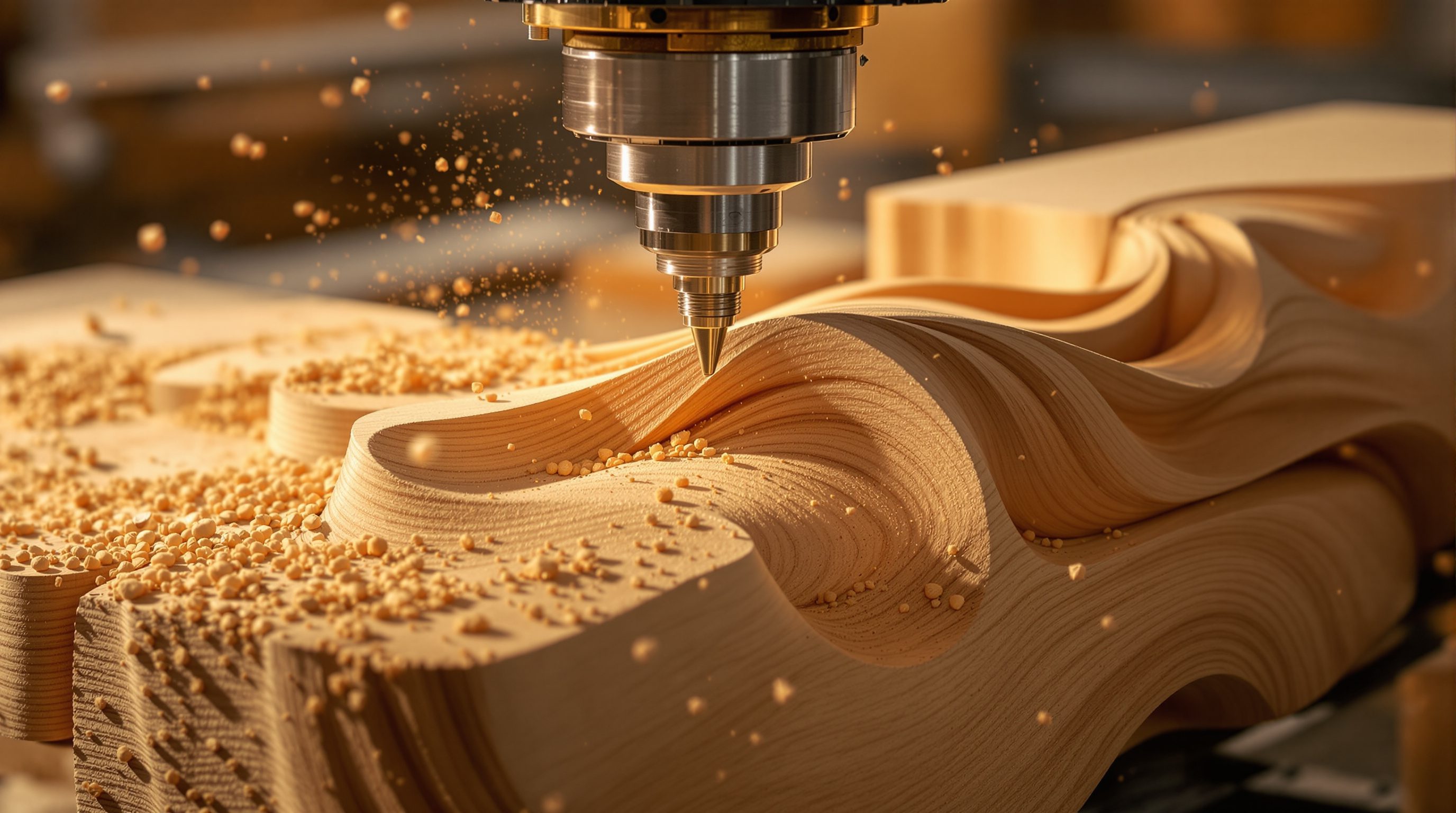
A CNC mill does one simple thing very precisely: it spins a sharp bit and moves it through material along three axes, removing everything that is not your part.
Where a laser cuts a flat sheet with light, a CNC mill or router carves in three dimensions with a spinning cutting tool. The same file-to-factory chain drives it - CAD to CAM to G-code to machine - but now the tool has depth. It can pocket, profile, engrave, and rough out a solid form, not just slice a silhouette.
Two machines share this idea and get confused constantly: the router and the mill. One is a fast, light gantry built for wood and plastic sheets; the other is a heavy, rigid machine built to take metal. Learn the shared logic first - axes, spindle, bits, workholding - and the difference between the two stops being mysterious and becomes a choice you make on purpose.
Spinning bit + three axes + fixed stock. Router for sheets, mill for metal.
The machine and its three axes
Strip a CNC mill or router down to its logic and you have four things: a spindle that spins a cutting bit at high speed, a way to move that spindle in three axes, a bed that holds the stock still, and a controller reading G-code. The three axes are the whole game. X and Y move the tool across the flat plane of the bed - left-right and front-back - while Z drives it up and down, controlling how deep the bit plunges. Give a controller a stream of X, Y and Z coordinates and it can trace any path through a block.
On a typical hobby or studio CNC router, a gantry bridges the bed and slides along it (that is one axis), a carriage rides across the gantry (a second), and the spindle raises and lowers on the carriage (the third). The stock is clamped to the bed and never moves. That is what 3-axis means: three independent, straight-line movements combined. It is enough to cut any shape you can reach by coming straight down from above - which is most flat and gently-curved work, and the reason 3-axis machines do the overwhelming majority of real jobs. The limit, which the next lesson attacks, is that the tool can only ever approach from one direction.
X and Y across the bed, Z up and down. Three straight moves, combined, trace any reachable path.
The spindle and its bits
The bit - the end mill or router bit - is where design meets material, and its geometry shapes the cut. A bit spins at thousands of RPM and cuts on its flutes, the helical cutting edges up its side; the number of flutes (one, two, three or more) affects how fast it clears chips. Three shapes cover most architectural work. A flat end mill has a flat bottom and straight sides: it cuts flat floors, crisp vertical walls, slots and pockets - the everyday workhorse. A ball-nose bit has a hemispherical tip; because it has no sharp bottom corner, it blends smoothly across curved 3D surfaces, so it is the finishing tool for sculpted forms, moulds and terrain models. A V-bit comes to a point at a set angle (60 or 90 degrees are common): drop it shallow for fine engraved lines and lettering, deeper for chamfered edges and sharp V-grooves, a technique called V-carving.
Bits also matter for material. Cutting aluminium wants a specific geometry and coating; cutting plywood wants an aggressive chip-clearing flute; cutting acrylic wants a single-flute bit run so it shears cleanly instead of melting. Diameter matters too: a fat 12 mm bit hogs material fast but cannot cut a tight internal corner, while a slender 3 mm bit reaches fine detail but is fragile and slow. Most real jobs use two or three bits in sequence - a big one to rough, a small one to finish.
Flat = floors and pockets. Ball = smooth 3D. V = engraving and chamfers.
Sheet work, block work and 2.5D
There are two broad kinds of job on a 3-axis machine, and knowing which you are doing changes how you set up. Sheet work takes a flat panel - a full 4x8-foot sheet of plywood or MDF - and cuts through it to produce flat parts: profiles, pockets, engraving, and the outlines of components. Because a sheet is cheap and large, you nest many parts efficiently onto one sheet (the same nesting idea from laser cutting) to minimise waste, and you cut into a spoilboard so the tool can pass fully through. Most architectural and interiors CNC work is sheet work: cabinet parts, screens, ribs for a curved form, sign faces.
Block work starts from a thick solid - foam, tooling board, timber, wax, metal - and carves a three-dimensional form into it, removing material in depth. This is how you make a sculpted model, a mould, or a solid shaped component. Between these sits a useful middle category that CAM calls 2.5D: work that is fully three-dimensional in plan but where every feature has a flat floor at some constant depth - pockets, steps, engraving, profile cuts. 2.5D covers a surprising amount of real work and is far simpler to program and cut than true 3D surfacing, where the tool continuously varies its Z to follow a curved surface (think a topographic terrain model or a sculpted panel, finished with a ball nose). A practical instinct worth building: ask whether a design really needs full 3D carving, or whether it can be re-expressed as 2.5D pockets and profiles, or as flat sheet parts slotted together - both are quicker, cheaper and more forgiving to make.
Sheet work = cut through a panel, nest to save material. Block work = carve a solid. 2.5D = flat floors at set depths.
Router or mill: which machine, which material
The words are used loosely, but the distinction is real and worth getting right. A CNC router is a large, relatively light gantry machine built for speed over a big flat area. It spins fast (often 18,000-24,000 RPM) and moves quickly across full sheets, and it lives on sheet goods and soft materials: plywood, MDF, solid timber, acrylic, foam, composites, and - carefully, slowly - soft aluminium. It is the machine most architecture and interiors work touches, because so much of what we make starts as a 4x8-foot sheet.
A CNC mill (or machining centre) is the opposite trade-off: a heavy, extremely rigid machine with a smaller bed, lower spindle speeds but far more torque, and the mass to resist the forces of cutting metal - steel, aluminium, brass, tough engineering plastics. Rigidity is everything when you cut metal, because any flex ruins accuracy and shatters tools. A rough rule serves well: sheet goods and wood on a router; metal on a mill. The confusion arises because a beefy router can nibble aluminium and a small mill can cut wood, so the categories overlap at the edges - but the design intent of each machine, and therefore the material each is happiest with, is distinct. Sheet work (nesting flat parts out of a panel) suits the router; block work (carving a solid) can be either, depending on the material.
Holding the work, and clearing the dust
A spinning bit pushes hard on the stock, so workholding is not an afterthought - a part that shifts mid-cut is ruined and dangerous. Sheet work on a router is usually screwed or clamped down onto a sacrificial spoilboard (a flat board the bit is allowed to score as it cuts fully through the part), or held by a vacuum table that sucks the sheet flat. Small or awkward parts get clamped, double-sided taped, or held by leaving tabs - tiny uncut bridges that keep a part attached to the sheet until you cut them free by hand. Block work on a mill is gripped in a vice or bolted to the bed. The principle is constant: hold the work rigidly, and keep clamps and screws out of the toolpath so the bit never hits them.
Subtractive machining also makes a mess, and that mess matters. Milling wood and MDF throws fine dust that is a genuine respiratory hazard and a fire and static risk; cutting metal throws hot chips. A router therefore runs with dust extraction - a shoe around the bit connected to a vacuum - and metal cutting often uses coolant or air blast to clear chips and carry away heat. And these machines are unforgiving: a bit spinning at 20,000 RPM will not distinguish material from a finger or loose sleeve. Eye protection, hearing protection, tied-back hair, no gloves near the spindle, guards in place, and proper training and supervision are not optional. Treat every CNC machine as capable of serious harm, because it is.
Hold it rigid, keep clamps off the toolpath, extract the dust, respect the spindle.
CNC router
Light, fast gantry machine for sheet goods
The workhorse of architecture and interiors fabrication - plywood, MDF, acrylic, foam. High RPM, big bed, lower rigidity.
CNC mill
Heavy, rigid 3-axis machine for cutting metal
Built to resist cutting forces on steel and aluminium without flexing. Smaller bed, lower speed, high torque.
End mill / ball nose / V-bit
The three workhorse cutter shapes
Flat floors and pockets / smooth 3D curved surfaces / engraving, lettering and chamfers respectively.
Spoilboard & tabs
Workholding for through-cutting sheets
A sacrificial board the bit cuts into; tabs are tiny uncut bridges holding a part in the sheet until you free it by hand.
Workshop — plan a cuttable part before you cut it
The best CNC habit is planning the cut on paper before touching the machine. This exercise builds that eye using nothing but a sketch, and it maps directly onto what CAM software will ask you.
Paper and pencil to plan; a CNC router in a fablab or makerspace with supervision to actually cut. Never run a spindle untrained or unsupervised.
Goal: turn a design into a machine-ready cutting plan
Inputs: a simple part idea (a shelf bracket, a name sign, a small tray) + paper
Time: ~30 minutes
- 1Sketch your part flat, at size, on a rectangle representing your stock sheet. Note the material and thickness (e.g. 18 mm plywood).
- 2For every feature, choose a bit: flat end mill for pockets and profiles, ball nose for any smooth 3D curve, V-bit for engraved lines or chamfers. Label each on the sketch.
- 3Mark the workholding: where do screws or clamps go so they are OUTSIDE every toolpath? Add tabs where a part would otherwise come loose and fly once cut through.
- 4Decide the order of operations: rough with a big bit, engrave, then profile-cut the outline last so the part stays anchored as long as possible. Number the steps.
- 5Check reachability: can each feature be cut coming straight DOWN from above with a 3-axis machine? Circle anything that would need an undercut - that is a 5-axis problem (next lesson).
You’ll walk away with
An annotated cutting plan: material and thickness, a labelled bit for every feature, workholding and tab positions, a numbered order of operations, and any undercuts flagged. This is exactly the thinking CAM expects.
Three altitudes on the same idea
Read the band that fits you — or all three.
The CNC router is the machine your practice will meet first at scale. Panelised facades, perforated screens, formwork, curved wall linings, site models and one-off components all come off a router cutting sheet goods. Understanding axes, bits and workholding lets you design parts that are actually cuttable - reachable from above, tabbed to hold, tolerant of the bit radius - and specify them to a fabricator with credibility.
This is how bespoke joinery and decorative panels get made. A CNC router turns a drawing of a reception desk, a fluted wall panel, a carved screen or a shaped shelf into cut parts, in materials from ply and MDF to acrylic and solid oak. Knowing flat versus ball versus V-bit lets you predict the finish - crisp pockets, smooth curves, or engraved detail - before anything is cut.
The router is probably the most useful machine in your fablab after the laser. Master its three axes, its bits and its workholding and you can make furniture, models, moulds and components that read as genuinely fabricated, not printed. Start on scrap, learn to hear a good cut, and treat safety as a habit from day one - employers notice a student who is confident and careful around a spindle.
“A CNC router and a CNC mill are basically the same machine with different names.”
Do it yourself
No machine needed - reason it through.
- 1Name the three axes of a 3-axis CNC and what each one moves.
- 2Which bit would you pick for a flat-bottomed pocket, and which for a smoothly curved surface?
- 3State the rule-of-thumb difference between a CNC router and a CNC mill.
- 4What is a spoilboard, and why do you leave tabs on a part?
- 5Give two safety measures you would take before running a router that cuts MDF.
The one line to carry out
Peer-reviewed journals & authoritative standards
- 01CNC router — Wikipedia, 2026.
- 02Milling (machining) — Wikipedia, 2026.
- 03Numerical control (CNC) — Wikipedia, 2026.
- 04The Fab Foundation — the global Fab Lab network — Fab Foundation, 2026.
A 3-axis tool can only ever come straight down from above, so it cannot reach beneath an overhang. The next lesson adds axes - 4 and 5 - so the tool can tilt in and machine undercuts and flowing surfaces.
The author
Amogh N P
Architect, interior designer, and creative polymath. Studio Matrx began in his notebooks — his vision of design made honest, useful, and open to everyone. Its Academy is written and taught in his memory, and free, forever.
More about Amogh →