
 Lesson 5.2
Lesson 5.2 · Environment & Context
Foliage & Vegetation
Fill a site with trees, grass and planting using instanced foliage - context greenery that does not kill your frame rate
One tree is easy. Ten thousand trees at 90fps is the whole art of real-time planting.
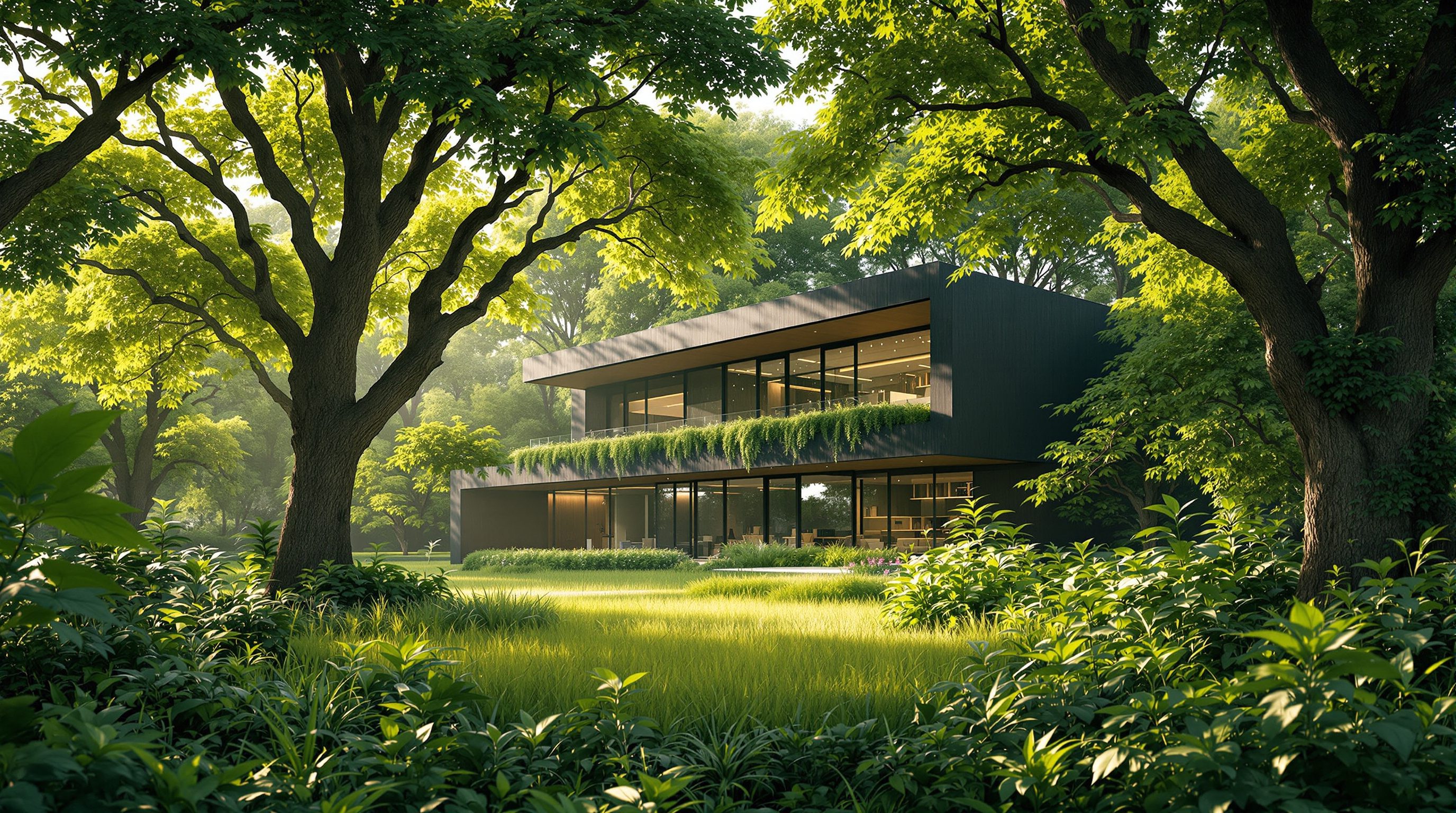
Vegetation is what makes a site feel inhabited - the street tree that shades the entrance, the meadow a house looks over, the climber softening a courtyard wall. But greenery is also where naive scenes die: a forest of individually placed trees will bring even a strong machine to its knees.
Unreal solves this with instancing - drawing one mesh thousands of times for almost the cost of one - exposed through a dedicated Foliage tool. Learn it and you can paint a site thick with planting and still hold the frame rate that desktop smoothness, and especially VR, demand.
Foliage = instancing. Paint it, do not place it. LOD + cull are your frame budget. Right species, honest maturity.
Why foliage must be instanced
Every distinct object the engine draws costs a draw call - a message from the CPU telling the GPU to render that thing. Draw calls are one of the first bottlenecks you hit in real time, and vegetation is the fastest way to blow the budget: a wood might want tens of thousands of plants, and ten thousand separate tree actors means ten thousand draw calls, which no CPU will feed smoothly.
Instancing is the escape. Instead of ten thousand independent objects, you send the tree mesh to the GPU once, together with a list of ten thousand transforms - a position, rotation and scale for each copy. The GPU then stamps that mesh out at every transform in effectively a single batched draw call. The saving is enormous, and it is the only reason dense real-time vegetation is possible at all.
Unreal wraps this in the Foliage system, which uses Hierarchical Instanced Static Meshes (HISM) under the hood. You do not hand-write transforms - you paint foliage onto surfaces with a brush, and Unreal stores each dab as another instance in the batch. So the moment you use the Foliage tool rather than dragging in individual meshes, you are automatically getting the instancing that keeps the scene alive. Using individual actors for a forest is the classic beginner mistake this system exists to prevent.
One nuance worth knowing: instancing batches copies of the same mesh. Ten thousand identical trees cost roughly one draw call, but ten thousand trees made of five different species cost about five - one batch per unique mesh (times its material sections). That is usually fine and even desirable for variety, but it means the lever for draw calls is the number of distinct foliage assets, not the number of plants. A convincing wood built from three or four well-chosen tree meshes, varied by random scale and rotation, is both richer-looking and cheaper than a dozen near-identical species each in its own batch. Restraint in the palette pays twice.
1 mesh + a list of 10,000 transforms = ~1 draw call. 10,000 separate actors = 10,000 draw calls = dead frame rate.
The Foliage tool: painting a planted site
Switch to Foliage mode (the leaf icon) and you get a brush much like the Landscape paint brush. Drag your tree, shrub and grass Static Meshes into the Foliage palette, set each type's density, scale range and alignment, then paint them onto the Landscape or any surface. Because you set a random scale and rotation range, no two stamped copies look identical - the natural variation that stops planting looking like wallpaper.
Useful controls: density governs how many instances per area the brush lays down; random scale and random yaw give variety; align to normal lays grass and ground cover flat against a slope; and a paint distance/collision filter can keep foliage off roofs, paths or water. You erase with the same brush holding Shift, and you can select and adjust placed instances afterward.
For two special cases Unreal has smarter automation. A Landscape Grass Type attached to a Landscape Material layer scatters grass and small plants automatically wherever that layer is painted - so grass appears exactly where you painted the grass surface, updates when you repaint, and is generated on the fly rather than stored. And the Procedural Foliage tool can grow a believable ecosystem across an area using simulated competition between species - good for naturalistic woodland where hand-painting every tree would be tedious. Hand-paint the trees you care about (the specimen by the entrance); let automation fill the mass behind.
Hand-paint the hero trees you care about. Let Grass Type + Procedural Foliage fill the anonymous mass behind.
Keeping it fast: LODs, culling and wind
Instancing gets you in the door, but dense foliage still needs discipline to stay smooth - especially in VR, which renders everything twice and wants ~90fps. Three levers matter most.
LODs (levels of detail): each foliage mesh should carry several simpler versions of itself, and Unreal swaps to a cheaper one as the plant recedes, dropping to a flat billboard or imposter far away. A distant hillside of trees can be almost all billboards and still look convincing. Cull distance: set a maximum distance beyond which an instance simply is not drawn - grass invisible at fifty metres should not be rendered at all. Tuning per-foliage-type cull distances is one of the highest-value optimisations in an outdoor scene. This is the same LOD-and-culling thinking Module 9 covers in depth for the whole scene.
Wind brings the planting alive. Unreal's foliage and tree materials support a SpeedTree-style wind that gently sways trunks, branches and leaves; a Wind Directional Source actor drives it. A touch of movement reads as life and hides the repetition of instanced copies - but keep it subtle, because heavy per-vertex wind on a whole forest has its own cost. The craft is layering: full-detail hero plants near the camera, LOD-reduced mid-ground, billboards and culled emptiness beyond - a planted site that looks lush from the path yet never overruns the frame budget.
Sourcing plants and using them honestly
Great foliage starts with good source meshes. The richest free library is Quixel Megascans, now delivered through Epic's Fab marketplace, which offers photoscanned trees, shrubs, grasses and ground scatter built with LODs and wind ready to go - we cover Megascans and asset discipline in the next lesson. Twinmotion also ships a generous library of ready vegetation, and dedicated tools like SpeedTree model bespoke species. Whatever the source, prefer assets that already include proper LODs; retrofitting them is painful.
Use plants that belong to the place. A row of temperate oaks around a building meant for a hot, dry Indian site is a small lie that a local reviewer will catch instantly - match species, density and seasonality to the real climate and region. Planting is also a design discipline, not just set-dressing: the tree that shades a west window, the hedge that screens a boundary, the avenue that frames the approach are architectural decisions your visualization should represent truthfully, not just prettify.
Finally, be honest about maturity and time. Showing a scheme wrapped in twenty-year-old canopy on day one oversells it. If the planting is a future state, it is fair to say so - or to show both the just-planted and the mature condition. Real-time makes that easy, because you can toggle foliage density or swap young for mature meshes live in front of the client.
Right species for the real climate. Show mature canopy honestly - say if it is a 20-year future state, do not pretend it is day one.
The overdraw trap: why leaves are secretly expensive
Instancing solves the CPU cost of many objects, but foliage hides a second, GPU-side cost that surprises people: overdraw. Tree leaves and grass blades are not solid - they are flat cards with a masked or translucent texture, mostly transparent, that fake a complex shape cheaply. The catch is that the GPU still has to process every pixel of every card, including the see-through parts, and when dozens of leaf cards overlap in front of the camera the same screen pixel gets shaded over and over. A single bush right against the lens can cost more than a whole distant hillside, because the near cards pile up and each demands its share of shading.
This is why dense foliage can run fine in the mid-ground yet tank the frame the moment you push the camera into a bush - and why VR, which shades everything twice, is so unforgiving of it. The fixes are practical: keep near-camera foliage density sensible rather than maximal; use foliage meshes whose leaf cards are trimmed tightly to the silhouette (less wasted transparent area); and prefer masked materials over true translucency where you can, since sorted translucency is costlier still.
Diagnosing it is a Module 9 skill worth previewing here. Turn on stat Unit to see whether you are CPU-bound (too many draw calls - reduce distinct foliage types) or GPU-bound (heavy overdraw - thin out or trim the near foliage). Unreal's shader-complexity and quad-overdraw view modes literally colour the screen red where overdraw is worst, usually lighting up exactly the clumps of grass and leaves nearest the camera. Learn to read that, and you will place lush planting that stays smooth instead of guessing why a green scene stutters.
Instanced foliage (HISM)
One mesh drawn many times from a list of transforms
Hierarchical Instanced Static Meshes batch thousands of plants into ~one draw call. The reason dense real-time vegetation exists.
Foliage tool
Paint-brush placement of instanced meshes onto surfaces
Density, random scale and yaw, align-to-normal. Painting foliage gets you instancing automatically - never drag in individual trees.
Foliage LOD & cull distance
Simplify plants with distance, stop drawing them beyond a range
Billboards/imposters far away; per-type cull distance kills invisible grass. Highest-value optimisation in outdoor scenes.
Landscape Grass Type / Procedural Foliage
Automatic scatter tied to a material layer or a grown ecosystem
Grass appears where you paint its surface layer; procedural foliage grows naturalistic woodland. Hand-paint hero plants, automate the mass.
Workshop - plant a site and hold the frame rate
You will paint a planted site with the Foliage tool, wire up automatic grass, add wind, and then tune LODs and cull distances while watching the frame counter - so you feel the trade directly.
Unreal Engine 5 (Foliage mode, Landscape Grass Type, Wind Directional Source). Foliage meshes from Quixel Megascans via Fab, Twinmotion's library, or SpeedTree.
Goal: a lush, planted exterior that stays smooth
Inputs: Unreal Engine 5 with a Landscape; a few tree/shrub/grass meshes (Megascans via Fab is ideal)
Time: ~60 minutes
- 1Turn on the on-screen frame counter (stat FPS or stat Unit). Note your baseline frame time on the empty terrain.
- 2In Foliage mode, add a tree mesh and a shrub mesh to the palette. Set a random scale and random yaw range, then paint a cluster of trees and shrubs across the site. Watch the frame time change as density rises.
- 3Attach a Landscape Grass Type to your grass material layer so grass auto-scatters wherever the grass layer is painted. Repaint a patch and watch grass appear and update.
- 4Add a Wind Directional Source and confirm the trees sway. Keep the strength subtle. Then give a distant stand of trees a low cull distance and coarse LODs, and note the frame time recover.
- 5Compare: full-detail near the camera, LOD-reduced mid-ground, billboards and culled emptiness beyond. Record your empty-terrain frame time versus your final planted-and-tuned frame time.
You’ll walk away with
A planted exterior with hand-painted hero trees, auto-scattered grass and subtle wind, tuned with LODs and cull distances - plus a before/after note of the frame time empty versus planted, showing you kept it smooth.
Three altitudes on the same idea
Read the band that fits you — or all three.
Planting is part of the scheme, and real-time lets you test it as design. Where does the specimen tree sit to shade the entrance without blocking the view? How dense should the boundary screen be for privacy yet daylight? Paint it, walk it, adjust it live. Just keep species and maturity honest - a site dressed in impossible instant forest wins the meeting and loses the trust when the real saplings arrive.
What grows outside the window is part of the interior mood. Dappled light through a canopy, a green outlook from a reading nook, a planted courtyard glimpsed through a door - foliage shapes how a room feels far more than clients expect. A little instanced greenery beyond the glass, with gentle wind, turns a sealed interior render into a room that feels connected to a living outside.
Foliage is a fast way to make a scene look professional - and a fast way to tank your frame rate if you do it wrong. Learn instancing, LODs and cull distances now and you will both impress reviewers and keep your project running in VR. Understanding why ten thousand trees can be cheap is exactly the real-time literacy studios test for. Source from Megascans, respect the frame budget, and your exteriors will read as lush, not laggy.
“Adding lots of trees and grass will obviously wreck performance, so a real-time scene has to stay sparsely planted.”
Do it yourself
Reason these through - or test them in the editor.
- 1In one sentence, why does painting foliage cost far less than placing the same trees as individual actors?
- 2What is a draw call, and why is vegetation the fastest way to blow your draw-call budget?
- 3Name two settings you would tune to keep a dense forest running smoothly at distance.
- 4When would you use a Landscape Grass Type or Procedural Foliage instead of hand-painting?
- 5Give one way over-eager foliage could make a visualization dishonest, and how you would avoid it.
The one line to carry out
Peer-reviewed journals & authoritative standards
- 01Level of detail (computer graphics) — Wikipedia, 2026.
- 02Unreal Engine — Wikipedia, 2026.
- 033D computer graphics — Wikipedia, 2026.
- 04Twinmotion — Wikipedia, 2026.
We keep reaching for photoscanned plants and surfaces. Next: Megascans and the Fab library - where that photoreal context comes from, how to use it fast, and how to stay disciplined about what you import.
The author
Amogh N P
Architect, interior designer, and creative polymath. Studio Matrx began in his notebooks — his vision of design made honest, useful, and open to everyone. Its Academy is written and taught in his memory, and free, forever.
More about Amogh →