
 Lesson 1.4
Lesson 1.4 · Prompt Engineering for Design
A Prompt-Iteration Method
From slot machine to deliberate control, one variable at a time
Rerolling is gambling. Iterating is engineering.
The most common way to use these tools is also the worst: type something, dislike it, hit generate again, and again, hoping the next roll is better. That's a slot machine, and it teaches you nothing. A real method is a loop - base prompt, read the result, change exactly one variable, compare - repeated with the discipline of an experiment. It's slower for the first three laps and far faster for the next thirty, because you're building knowledge instead of spending luck.
Base. Read. Change one. Compare. Log. Then do it again.
Why rerolling fails you
Hitting generate again feels like progress because the image changes. But a fresh roll changes everything at once - a new seed, a new composition, new details - so even when you land something better you have no idea why, and you can't get back to it or build on it. You've bought one image and learned nothing transferable.
Worse, rerolling is seductive. The variety is fun, the occasional gem is real, and an hour vanishes into a pile of pretty near-misses none of which is quite right and none of which you can improve. This is the single biggest time-sink in AI design work, and escaping it is the whole point of this lesson.
There's a psychological trap underneath it, too, the same one that makes slot machines profitable: intermittent rewards. Every so often a reroll lands something genuinely good, and that unpredictable payoff keeps you pulling the lever long after it's stopped being productive. Naming the trap is half the cure. The moment you catch yourself hitting generate 'just once more' hoping for luck, you've left the design process and entered a casino - and the way out is not another roll but a deliberate read of what you already have.
The alternative isn't more effort - it's more structure. Treat each generation as an experiment with one hypothesis, and the same hour produces a controlled understanding of exactly which words and parameters move your image which way. That understanding compounds; the pile of rerolls doesn't.
A pile of pretty near-misses is not progress. Structure is.
The four-step loop
The method is small enough to hold in your head and strict enough to actually work.
1. Base prompt. Write one honest, slotted draft (Lesson 1.1) with high-signal words (Lesson 1.2). Don't polish it - you just need a starting point to react to. Generate it and, crucially, note the seed (Lesson 1.3).
2. Read the result. This is the step everyone skips and it's the most important. Look at what you actually got and name the single biggest gap between it and your intent - not five things, one. 'The light is too flat.' 'It reads as a museum, not a house.' 'The material looks like plastic.' You can't fix what you haven't named.
3. Change one variable. With the seed locked, make exactly one change aimed at that gap - swap one word, adjust one weight, change the lighting term. One. This is the rule the whole method rests on, because it's the only way the next step means anything.
4. Compare. Put the new result beside the old. Because only one thing changed and the seed held, any difference is caused by that change - so you've learned a fact: 'noon' flattens the shadows, travertine:1.4 makes the wall read. Keep the win or revert, then loop back to step 2 on the next-biggest gap.
Read before you write
The loop lives or dies on step 2, so it's worth its own beat. Reading an AI result is a real skill, and designers are trained for it - it's the same critical looking you do at a desk crit, pointed at a machine's output.
Discipline yourself to describe the gap in design language before touching the keyboard: composition, proportion, material read, light quality, mood, level of detail. Vague dissatisfaction ('it's not right') can't be acted on; a named gap ('the entry doesn't read as the primary threshold') points straight at the variable to change. Often the fix isn't adding words at all - it's changing an existing slot, removing a term that's fighting, or adjusting a parameter.
A useful habit: keep the intent visible. Write your one-line design goal at the top of your workspace ('a quiet, heavy, cave-like retreat - not a glossy villa') and judge every generation against that, not against 'is this a nice image'. Plenty of beautiful images are wrong for the brief, and the slot machine will happily hand them to you forever.
There's a subtler benefit to naming the gap out loud: it forces you to convert a feeling into a cause, and a cause points at a variable. 'It feels cold' is a feeling; 'the light is too blue and too even' is a cause; 'change the lighting term to warm raking light' is the variable. That chain - feeling to cause to variable - is the entire intellectual work of iteration, and it's a muscle designers already have from studio critique. Every lap you run trains it, and before long you read an AI result the way you read a plan: fast, specific, and already reaching for the one thing to fix.
Keep a log, and know when to stop
Each controlled lap produces a fact; a log is where those facts accumulate into expertise. It needn't be elaborate - prompt, seed, the one change, and the result in a line ('seed 42 + noon -> flatter, colder; reverted'). Over a project this becomes a map of how your subject responds, and across projects it merges with your vocabulary document into a genuine personal instrument. The log is also what lets you reproduce a client-approved image weeks later, which rerolling never can.
Finally, method includes knowing when to stop. Iteration has diminishing returns, and past a point you're polishing pixels a client won't notice or, worse, chasing a fidelity these tools structurally can't give - a specific plan, a real structural logic, an exact existing building. When the remaining gap is structural rather than aesthetic, no amount of prompting will close it: that's the signal to switch tools, to the conditioning and control methods of Module 3. Prompting is for steering appearance; when you need to command geometry, you've reached the edge of this module - and the start of real control.
One change, one fact, one line in the log. Stop when the gap turns structural.
The loop inside a real project
It's tempting to treat all this as a lab exercise, so here is how it lives in actual practice - say you're developing a concept image for a small retreat to show a client next week.
You start with a slotted base prompt and generate a small spread, picking the one that best matches your written intent, not the prettiest. You note its seed; that image is now your anchor. From there every session is laps of the loop: read the anchor, name the biggest gap ('the roof reads too commercial'), change one term, compare, keep or revert, log it. In an hour you've not only improved the image - you've built a short, honest record of why each decision was made, which is exactly the narrative a good crit or client conversation needs. 'We tested the roof three ways; the low monsoon-tile version held the domestic feeling best' is a designer talking, not a prompt-copier.
Two professional habits make this bulletproof. First, branch, don't overwrite - when a change works, save that image and its settings before the next lap, so you can always walk back a wrong turn. Second, separate exploration from refinement: early on, high chaos and wide rerolling are legitimate for finding a direction, but the moment you've found it, lock the seed and switch to disciplined one-variable laps. Confusing the two phases - rerolling when you should be refining - is the commonest way good work dissolves back into slot-machine noise. Know which phase you're in, and the method carries you from a blank box to a defensible, reproducible image the whole team can trust.
Explore wide to find it; lock the seed to refine it. Never confuse the two.
Base -> read -> change one -> compare loop
The core repeatable iteration cycle
Tool-agnostic; works identically in Midjourney, Stable Diffusion, Firefly and DesignAI.
Seed-locked single-variable testing
Isolating cause by holding the roll constant while changing one term
The mechanism (from Lesson 1.3) that makes 'compare' meaningful; without it you can't attribute a change.
Design-language result reading
Naming the single biggest gap in composition/material/light/mood terms
The critical-looking step designers are already trained for; the fix follows from the named gap.
Iteration log
A running record of prompt, seed, change and result
Turns facts into expertise and makes approved images reproducible; merges with your vocabulary document.
Workshop - run five deliberate laps
You'll take one image from rough to resolved using nothing but the loop - no rerolling allowed. The constraint is the lesson. Any tool works; one that exposes the seed makes the discipline cleaner.
Any text-to-image tool (Midjourney, a free Stable Diffusion space, Adobe Firefly, or Studio Matrx DesignAI); a seed-exposing tool is preferable. Plus a simple log document.
Goal: improve one image through five controlled, single-variable laps
Inputs: one tool + one base prompt + a log (four columns: prompt/seed, gap named, one change, result)
Time: ~45 minutes
- 1Write a one-line design intent at the top of your log ('a quiet, heavy, cave-like retreat'). Generate a slotted base prompt and record its seed. No rerolling from here.
- 2Read it: name the single biggest gap against your intent, in design language. Write it in the log.
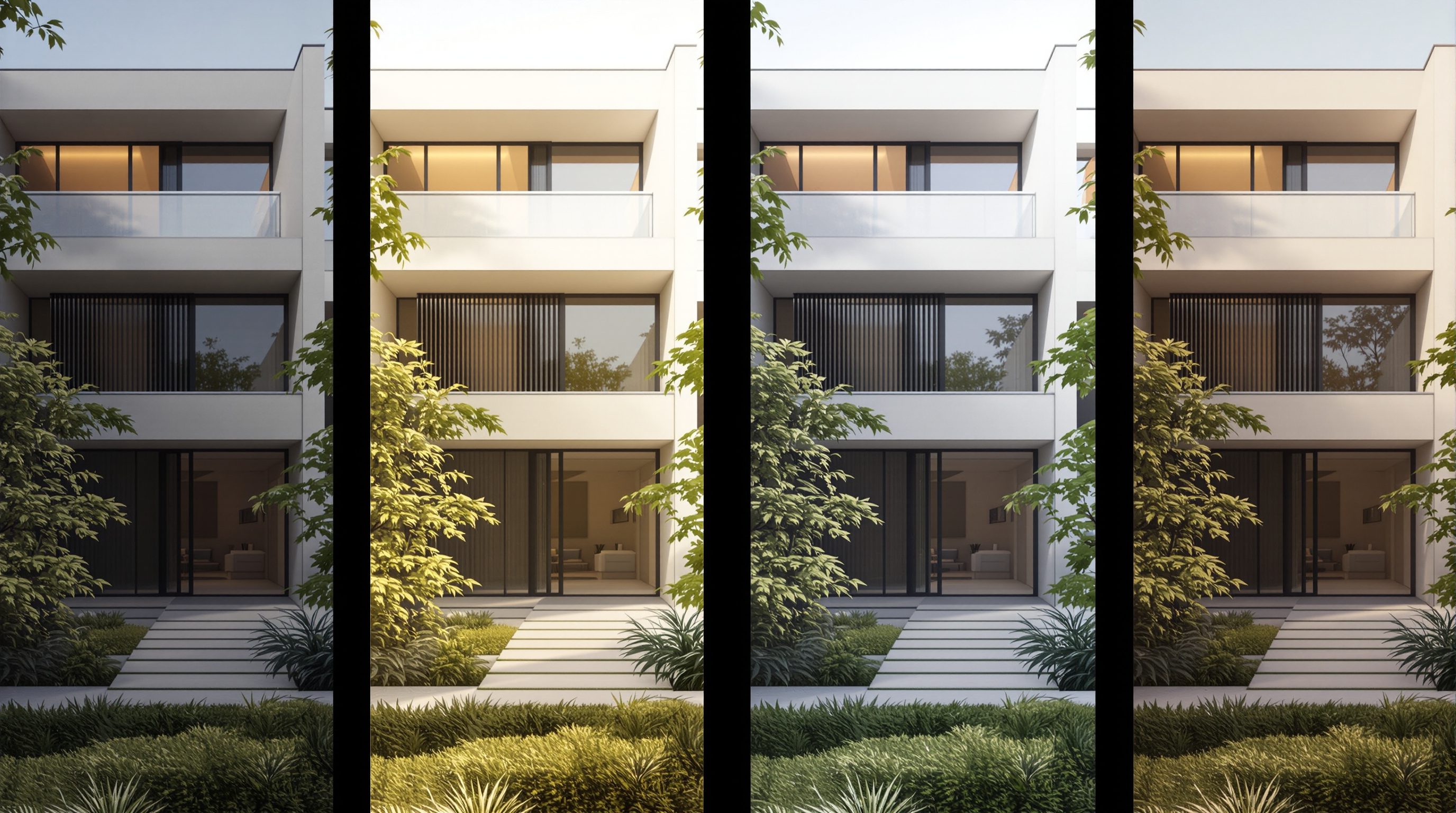
- 3Lock the seed and make exactly one change aimed at that gap. Regenerate and place the two images side by side.
- 4Compare and record the fact you learned ('noon -> flatter shadows, wrong mood; reverted'). Keep or revert the change.
- 5Repeat the read-change-compare lap four more times, always one variable, always logged. Stop early if the remaining gap is structural - note that you'd switch to Module 3's control methods.
You’ll walk away with
A five-row iteration log plus the before/after image strip, showing a legible path from base to resolved and one explicit note of where (or whether) you hit a structural limit prompting couldn't fix.
Three altitudes on the same idea
Read the band that fits you — or all three.
Run prompting like a design study, not a lottery. The base-read-change-compare loop is just the iterative method you already use for options, applied to a probabilistic tool - and it's what lets you present a coherent progression to a client rather than a random gallery. Recognising when a gap is structural, not aesthetic, tells you exactly when to leave prompting for ControlNet and your CAD/BIM model.
One-variable iteration is how you offer a client controlled options instead of chaos. Lock the seed and swap a single finish, a single light, a single palette move, and you can show 'the same room in oak versus walnut' truthfully. Keep a log so an approved scheme is reproducible weeks later - the slot machine can never return to the image the client loved.
This method is the most job-relevant habit in the whole module - it's literally how professionals work, and you can demonstrate it. A portfolio that shows a legible iteration path (base, the change, the reasoning, the result) proves design thinking; a folder of lucky renders proves nothing. Practise reading output in design language before you retype - that critical-looking skill transfers to everything you do.
“The way to get a better image is to keep generating until one comes out right.”
Do it yourself
No tool needed - reason it through.
- 1Why does rerolling the same prompt teach you nothing?
- 2List the four steps of the iteration loop in order.
- 3Why must the seed be locked for the 'compare' step to mean anything?
- 4Turn this vague reaction into an actionable named gap: 'it just doesn't look right'.
- 5Name one sign that you should stop prompting and switch to Module 3's control tools.
The one line to carry out
Peer-reviewed journals & authoritative standards
- 01Rombach, R., Blattmann, A., Lorenz, D., Esser, P., & Ommer, B. - High-Resolution Image Synthesis with Latent Diffusion Models — IEEE/CVF Conference on Computer Vision and Pattern Recognition (CVPR), 2022.
- 02Zhang, L., Rao, A., & Agrawala, M. - Adding Conditional Control to Text-to-Image Diffusion Models (ControlNet) — IEEE/CVF International Conference on Computer Vision (ICCV), 2023.
- 03Hugging Face - Diffusers documentation (reproducibility, seeds, pipelines) — Hugging Face, 2026.
- 04Midjourney - Official Documentation (seeds, variations, iteration) — Midjourney, Inc., 2026.
You've finished Module 1 with a real craft: structured prompts, a growing vocabulary, the full parameter panel and a method to wield them. But you've also met the ceiling - prompting steers appearance, not geometry. Module 2 takes you deep into the specific tools; Module 3 breaks the ceiling with true control.
The author
Amogh N P
Architect, interior designer, and creative polymath. Studio Matrx began in his notebooks — his vision of design made honest, useful, and open to everyone. Its Academy is written and taught in his memory, and free, forever.
More about Amogh →