
 Lesson 2.1
Lesson 2.1 · The Tools in Depth
Midjourney for Architecture
The fastest route to beautiful architectural imagery, and its real limits
Midjourney makes the prettiest picture in the room - and the hardest one to control.
Drop three words into Midjourney and it hands back an image most rendering artists would be proud of. That out-of-the-box beauty is real, and it is why the tool became the default for architectural mood. But the same qualities that make it stunning - a strong house style, a closed engine you cannot open, few precise controls - are exactly what make it frustrating the moment you need this building rather than a building. Midjourney is a brilliant concept camera and a poor drafting instrument. This lesson is about using it for what it is.
A concept camera, not a drafting table. Point it, don't lean on it.
Why it looks so good with so little
Midjourney is a hosted, closed diffusion model - you cannot see its weights, run it offline, or inspect how it was trained. What you can see is that its makers tuned it relentlessly toward one thing: images people find beautiful. Where an open model gives you a neutral, literal reading of your prompt, Midjourney applies a strong built-in aesthetic - flattering light, confident composition, cinematic depth - before you ask for any of it.
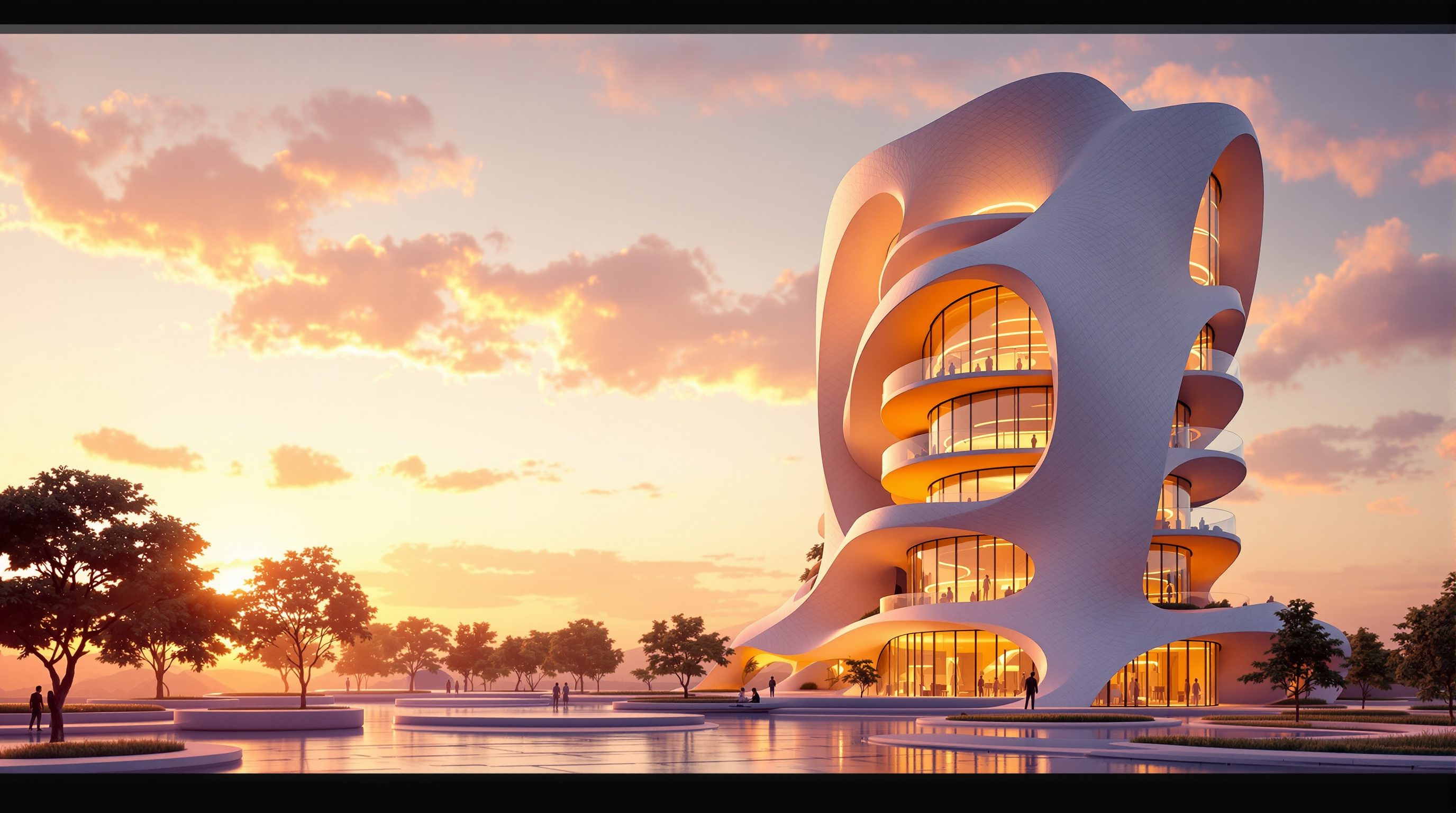
For architecture this is a genuine gift at the concept stage. A half-formed idea - a stepped riverside library in weathered brick, monsoon sky - comes back looking like a competition-winning render in thirty seconds. You are not documenting a design; you are fishing for mood, massing feelings and material atmosphere faster than any other tool allows. The cost of that gift is that the beauty is partly the model's, not yours: it will make almost anything look resolved, including ideas that are structurally nonsense. Treat its polish as a mood, not a verdict.
This is also why Midjourney rewards a different working posture than a general model. With an open tool you often fight to make the image look good; with Midjourney you fight to make it look like your idea specifically rather than a generically gorgeous building. The effort moves from 'add beauty' to 'add intent'. Understanding that inversion up front stops you wasting words on adjectives the model does not need and spending them instead on the specifics only you know.
It flatters everything. Read it as atmosphere, never as proof the idea works.
The parameters that actually matter
Midjourney is driven by plain text plus a handful of parameters appended with a double dash. Four are worth learning cold.
--ar (aspect ratio) sets the frame. Architecture wants deliberate framing: --ar 16:9 or --ar 3:2 for a cinematic exterior, --ar 2:3 for a tall facade or a stairwell, --ar 1:1 for a material study. The ratio quietly changes the composition the model reaches for, so choose it first.
--stylize (roughly 0 to 1000) sets how hard Midjourney applies its own taste over your words. Low stylize obeys you more literally and is what you want when a client brief is specific; high stylize is prettier but drifts from your instructions. --chaos (0 to 100) sets how different the four returned options are from each other: low chaos gives four near-siblings for refining one idea, high chaos gives four divergent directions when you are still exploring.
Two more are worth knowing. --no is Midjourney's version of a negative prompt - --no people, text, watermark tells it what to leave out, useful for keeping entourage or captions out of a clean architectural frame. And the --seed value fixes the random starting point, exactly as you learned in Module 0: lock it and a prompt returns a near-identical image, so you can change one word and watch only that aspect move rather than getting a whole new picture. Midjourney also offers version selection - newer model versions render architecture and materials more convincingly - so knowing which version you are on matters when you compare results over time.
The discipline is to move one parameter at a time. If you crank stylize, chaos and aspect ratio together you learn nothing about which lever did what. Change one, read the four results, change the next - the same one-variable method you met in Module 1, now with tool-specific knobs. A designer who knows five parameters cold and moves them deliberately will get more from Midjourney than one who writes elaborate prose and leaves every setting at its default.
Style and character references - consistency at last
The hardest problem in AI imagery for a real project is consistency: making ten views that clearly belong to the same building or the same interior scheme. Midjourney's two reference parameters are its best answer.
--sref (style reference) takes an image URL and carries its look - palette, texture, quality of light, mood - into new generations without copying its subject. Point it at your own approved concept image and every new frame inherits that atmosphere, so a board of interiors reads as one coherent scheme rather than ten unrelated pictures. You can also blend several references or lock a numeric style code to reuse a look for weeks.
--cref (character reference) does the same for a recurring subject - originally a person, but useful for holding a distinctive motif or figure steady across scenes. Neither is true geometric control; you still cannot force an exact plan or elevation, and that is what Module 3's ControlNet exists for. But for the everyday job of keeping a project's images visually of-a-piece, style references are the single most useful habit Midjourney gives you.
The closed engine and the licence you must read
Two limits follow from Midjourney being a closed, commercial product, and both matter for practice.
First, control. You cannot install it, cannot run ControlNet or custom LoRAs inside it, cannot force it to obey your line drawing. Its precise conditioning options are far thinner than the open Stable Diffusion world you will meet next lesson. If your task is explore and communicate, that is fine. If your task is make the AI reproduce my actual geometry, Midjourney is the wrong tool and no amount of prompt-craft fixes it.
Second, rights. Because it is a subscription service, what you may do with the images is governed by Midjourney's terms, not by an open licence. Broadly, paid subscribers own the assets they create subject to the terms, but the specifics - and the treatment of images that echo living artists or trademarks - change and deserve a read before you put an image in a paid deliverable. Add to this the unsettled, jurisdiction-dependent question of whether AI images attract copyright at all, and the honest professional stance is: check the current terms, disclose AI use to clients, and never assume an image is cleanly yours because a tool produced it. We treat rights properly in Module 9; here the rule is simply to look before you bill.
A working method that survives the beauty
Because Midjourney flatters everything, the danger is not making a bad image - it is being seduced by a good-looking one that says nothing true about your project. A small set of habits keeps it honest.
Prompt for substance, not adjectives. The model already supplies beauty; your words should supply specifics it cannot guess - the programme (a riverside library, not 'a building'), the material (weathered brick, board-formed concrete), the site condition (monsoon light, west-facing), the vantage (worm's-eye, across the water). Piling on 'stunning, award-winning, masterpiece' adds nothing the aesthetic engine was not already doing; naming a real material or a real light shifts the image somewhere useful.
Generate in fours, read like a critic. Every prompt returns a grid of four. Treat it as four proposals, not one answer: note what all four share (that is the strong signal in your words) and where they diverge (that is where the model is guessing and you must decide). Upscale the one closest to your intent, not merely the prettiest.
Refine with variations and one-word edits, seed held. Once a frame is close, use the model's variation tools and change a single term at a time - swap 'brick' for 'lime plaster', 'evening' for 'overcast' - so you learn what moved. This is the Module 1 iteration method wearing Midjourney's clothes.
Separate the mood from the decision. When the board is done, write one line per image on what it is evidence for - a material direction, a massing feeling, an entrance idea - and one line on what it is not evidence for. That discipline turns a pretty set into design thinking, and it is the difference between using Midjourney and being used by it.
Adjectives are free here. Spend your words on programme, material, site and vantage.
Midjourney (hosted diffusion model)
Text-to-image with a strong built-in aesthetic
Closed and subscription-based; fastest route to beautiful concept imagery, weakest on precise geometric control.
--ar / --stylize / --chaos
Core Midjourney parameters
Frame, house-style strength and option spread. Change one at a time to learn what each does.
--sref (style reference)
Carry a look across images
The practical key to visual consistency across a project's images; carries mood, not subject.
--cref (character reference)
Carry a recurring subject
Holds a figure or motif steady across scenes; still not true geometric control.
Workshop - a coherent three-image concept set
Beauty is easy in Midjourney; coherence is the real skill. In this exercise you will produce three views of the same imagined project that clearly belong together, using parameters and a style reference deliberately rather than by luck.
A Midjourney subscription (via its web app or Discord). Optional: Studio Matrx DesignAI to compare how a task-built tool handles the same brief.
Goal: three images that read as one project, steered on purpose
Inputs: Midjourney access + one building or interior idea you can picture
Time: ~35 minutes
- 1Write one clear base prompt for a single project, e.g.
a compact riverside artists studio, weathered brick and timber, monsoon light, architectural photograph. Generate at--ar 3:2 --stylize 250 --chaos 15and pick the strongest of the four. - 2Upscale your favourite and copy its image URL. This becomes your style anchor for the set.
- 3Generate a second view - say the interior - reusing the same base language plus
--sref <your image URL>. Confirm the palette, material and light carry across even though the subject changed. - 4Generate a third view (a detail or entrance) with the same --sref. Now change exactly ONE parameter - push --stylize up or --chaos up - and note how the set holds or drifts.
- 5Deliberately provoke a limit: prompt a structurally specific move like
a 12-metre timber cantilever with no visible support. Observe how confidently it renders something unbuildable - appearance without logic - and mark it as a concept to resolve, not a design.
You’ll walk away with
A three-image concept board that reads as one project, captioned with the exact prompt and parameters used for each, plus one honest line on what Midjourney could not control and what you would still need to design yourself.
Three altitudes on the same idea
Read the band that fits you — or all three.
Use Midjourney as a concept camera in early design, not as a production renderer. It is unmatched for generating mood, testing a material language, and giving a client something evocative in the first meeting - all before a single wall is fixed. Because it cannot obey your geometry, keep it upstream of your CAD and BIM work: let it widen the option space, then translate the direction it reveals into a model you actually control. Learn --ar, --stylize and --sref and you will get more usable concept imagery per hour than from any other single tool.
This is arguably Midjourney's strongest home turf. Interiors live or die on palette, material, light and styling - exactly the appearance qualities Midjourney renders beautifully. Use style references to hold one scheme across a whole set of rooms so a client sees a coherent world, not a scrapbook. Watch for its habit of inventing gorgeous but impossible joinery, unbuildable millwork and furniture that exists nowhere - flag those as ideas to source or detail, never as specifications.
Midjourney is the easiest tool to start with and the easiest to over-rely on. Getting a beautiful image is trivial; the skill employers notice is knowing why it looks good, steering it with parameters, and being honest about what it cannot do. Learn the four core parameters and the reference system properly, and pair every Midjourney board with a note on what you would still have to design yourself. That judgement - not the pretty output - is what makes your portfolio read as a designer's rather than a prompter's.
“Midjourney is the best AI tool for architecture because its images look the best.”
Do it yourself
No tool needed - reason it through.
- 1In one sentence, why does Midjourney produce beautiful images from very short prompts?
- 2What does --stylize control, and when would you deliberately lower it?
- 3What is the difference between --sref and --cref?
- 4Name one architectural task Midjourney is the wrong tool for, and say why.
- 5Why must you read Midjourney's terms before putting an image in a paid deliverable?
The one line to carry out
Peer-reviewed journals & authoritative standards
- 01Midjourney - Official Documentation (parameters, style and character references, terms) — Midjourney, 2026.
- 02Rombach, R., et al. - High-Resolution Image Synthesis with Latent Diffusion Models — IEEE/CVF Conference on Computer Vision and Pattern Recognition (CVPR), 2022.
- 03Ho, J., Jain, A., & Abbeel, P. - Denoising Diffusion Probabilistic Models — Advances in Neural Information Processing Systems (NeurIPS), 2020.
- 04U.S. Copyright Office - Copyright and Artificial Intelligence — U.S. Copyright Office, 2025.
Midjourney's power is also its cage: a closed engine you cannot open or condition on your drawings. Next we cross into the opposite world - the open Stable Diffusion ecosystem, where everything is inspectable, swappable and yours to control.
The author
Amogh N P
Architect, interior designer, and creative polymath. Studio Matrx began in his notebooks — his vision of design made honest, useful, and open to everyone. Its Academy is written and taught in his memory, and free, forever.
More about Amogh →