
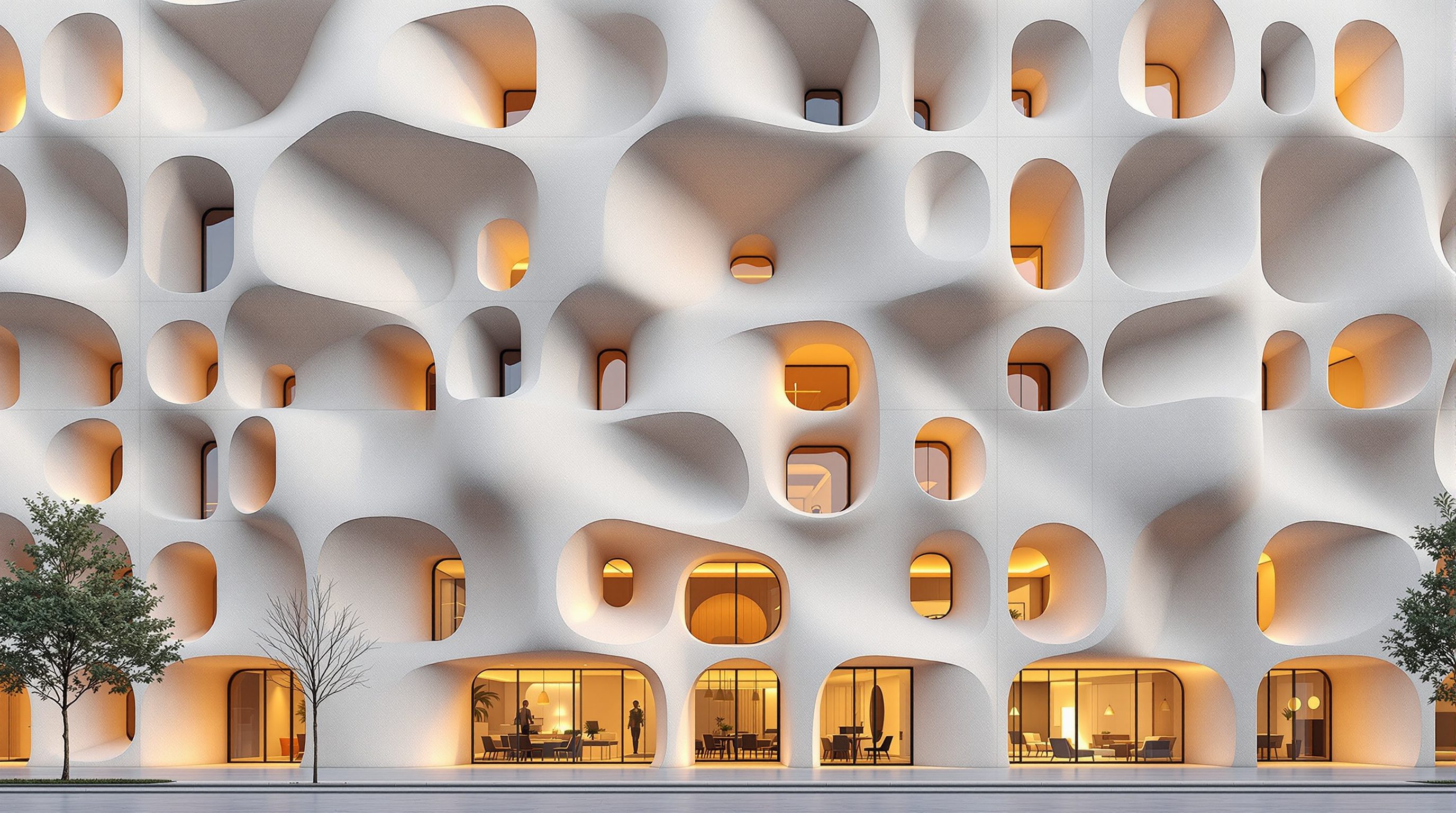
 Lesson 0.1
Lesson 0.1 · Foundations of Computational Design
What Computational Design Is
Designing the rules that generate form, instead of drawing the form
You stop drawing the building. You design the rules that draw it - and then you can generate a thousand versions.
In ordinary CAD you draw a shape: this line, that wall, here. In computational design you describe how the shape is made - the parameters it depends on and the relationships between its parts - and let the computer build the geometry from that logic. Change a parameter and the whole thing updates.
That reframing is the entire subject of this course. It sounds like a technical trick, but it changes what design is: instead of committing to one fixed answer, you build a small machine that can produce many answers, test them, and evolve them. Master it and you can make facades that respond to sun, structures found by simulated forces, and geometry no one could draw by hand.
Rules over shapes. Parameters + relationships. The definition is the design. Say it until it's reflex.
Rules over shapes: the one idea that changes everything
Here is the whole shift in one image. To make a row of columns in CAD, you draw a column and copy it twenty times; if the building gets longer, you draw more, by hand. In computational design you instead say: place a column every 4 metres along this curve. That sentence is a rule. Now the curve can bend, the building can stretch, the spacing can change - and the columns re-solve themselves, correctly, every time.
You have stopped designing the result and started designing the process that produces the result. This is why it's called computational: you are authoring a small computation - a set of instructions and relationships - and the specific geometry is just its output for the current inputs. The geometry becomes a consequence of your logic rather than a thing you place. Almost everything else in this course is a richer version of this single move.
CAD: draw 20 columns. Computational: 'a column every 4m along this curve.' The curve can now change.
Parametric vs computational vs generative — the words, honestly
These three terms get used loosely, so let's pin them down. Parametric means the design is driven by parameters - named values (a height, an angle, a count) - with relationships wired between them, so changing one ripples through the rest. That's the everyday heart of this course: Grasshopper is a parametric modeller.
Computational is the broader umbrella: designing by defining any logic or algorithm - parametric relationships, yes, but also loops, conditionals, and simulation. Generative narrows in the other direction: systems that generate many design options from rules, often steered by goals or evolution (you'll meet this in the optimization module). In short: all parametric design is computational; generative design is computational design pointed at producing and selecting options. Don't over-police the vocabulary - but know that when someone says 'parametric', they usually mean parameters with live relationships, and that is exactly where we begin.
The definition is the design
In Grasshopper - the tool at the centre of this course - you don't build geometry by hand. You build a definition: a visual graph of components wired together, where data flows left to right from inputs (sliders, curves, numbers) through operations (move, divide, extrude) to output geometry. That graph is your design. The 3D shape you see in Rhino is merely what the graph currently evaluates to.
This has three consequences that make the effort worth it. First, flexibility: the design is editable at the level of intent - nudge a slider, get a new-but-consistent result. Second, reuse: a good definition is a reusable engine - the same panelization graph works on a different facade tomorrow. Third, exploration at scale: because the design is parametric, you can sweep the parameters and generate dozens or thousands of variants automatically. You are no longer making one design; you are making a system that makes designs.
Inputs -> operations -> geometry. The wired graph IS the design; the Rhino shape is just its current output.
Why this is a career skill, not a novelty
Computational design is one of the most in-demand technical skills in architecture, and the gap between demand and supply is real. Complex facades, large-scale panelization, BIM automation, environmental optimization, digital fabrication - all of it runs on these methods, and practices from Zaha Hadid to local firms hire specifically for Grasshopper fluency. A student who can show a parametric project stands out immediately; there are whole roles ('computational designer', 'design technologist') built around it.
But it rewards thinking, not memorising components. The value isn't knowing which button divides a curve - it's being able to look at a design problem and see the underlying logic: what are the parameters, what are the relationships, where's the rule? That is a learnable habit of mind, and building it - deliberately, lesson by lesson - is exactly what this course is for.
Rhino + Grasshopper
3D modeller + its visual programming environment
The course's core toolkit. Grasshopper is a free plug-in built into Rhino; you build definitions on its canvas. Modules 1-2.
Parameter
A named, changeable value that drives the design
A height, a count, an angle, an attractor point. Change it and the geometry re-solves. The 'parametric' in parametric design.
Definition (graph)
The wired network of components that generates geometry
Your actual design artefact in Grasshopper - inputs flow through operations to output. Module 2 onward.
Design space
The full set of variants a definition can produce
Sweeping the parameters explores it; optimization (Module 8) searches it for the best options.
Workshop — see the rules hiding in real designs
You don't need any software to start thinking computationally. The first skill is seeing designs as systems of parameters and rules rather than fixed shapes - train that eye now and Grasshopper becomes far easier later.
None - just images and a notebook. (From Module 1 onward the course uses Rhino + Grasshopper; a free Rhino trial or the student licence is enough to follow along.)
Goal: build the parametric habit of mind the whole course depends on
Inputs: 3 designs you can find as images (a patterned facade, a staircase, and any repeating element)
Time: ~25 minutes
- 1Find three designs with clear repetition or variation: a facade with a pattern of openings, a spiral or switchback stair, and any rhythmic element (a screen, a ceiling, a landscape planting grid).
- 2For each, ask: what are the parameters? List the values that, if changed, would give a different-but-related design - spacing, count, angle, size, a curve it follows, a point it reacts to.
- 3Now ask: what are the rules? Write the design as an instruction, e.g. 'openings get larger toward the south' or 'step height stays constant while the run follows this curve'. That sentence is the definition you'd build.
- 4Pick one and sketch three variants by changing a single parameter in your rule. Notice you're not redrawing - you're re-running the same logic with a new input.
- 5Keep the notes. When you build your first Grasshopper definition in Module 2, you'll recognise you're just encoding exactly these parameters and rules.
You’ll walk away with
For three real designs, a short written breakdown of their parameters and the rule(s) that generate them - plus one design expressed as three parameter-driven variants. This is parametric thinking, on paper.
Three altitudes on the same idea
Read the band that fits you — or all three.
For you, computational design turns 'what if' into something you can actually test. Instead of committing to one massing and hoping, you build a definition whose parameters are the design decisions - and explore a hundred consistent variants before lunch. It's also how ambitious geometry becomes buildable: the same logic that generates a form can rationalize it for fabrication.
Parametric thinking is quietly everywhere in interiors - a slatted screen whose spacing follows a curve, a tiling pattern that reacts to a focal point, parametric furniture and joinery cut on a CNC. For you this course is a way to design systems of pattern, rhythm and repetition, and to produce clean fabrication files instead of hand-drawing every element.
This is one of the highest-leverage skills you can build right now. A parametric project in your portfolio signals exactly the technical fluency studios are short on. Learn the mindset - parameters, relationships, rules - as principles first, and Grasshopper's thousand components stop being intimidating and start being vocabulary. The payoff shows up in interviews.
“Computational design is just for weird blob buildings and star architects.”
Do it yourself
No software - reason it through.
- 1In one sentence, how is computational design different from drawing a shape in CAD?
- 2What is a 'parameter', and what happens to the geometry when you change one?
- 3In Grasshopper, what is the actual 'design' you author - the shape, or something else?
- 4Give the honest difference between 'parametric', 'computational' and 'generative'.
- 5Why is 'it's only for blob buildings' a misunderstanding of what these methods are for?
The one line to carry out
Peer-reviewed journals & authoritative standards
- 01Woodbury, R. — Elements of Parametric Design — Routledge, 2010.
- 02Mode Lab — The Grasshopper Primer (Third Edition) — grasshopperprimer.com (free online edition), 2020.
- 03Grasshopper — Algorithmic modeling for Rhino (official) — Robert McNeel & Associates, 2026.
If the mindset is 'rules over shapes', the next step is to make that mindset precise. In the next lesson we sharpen it into a working method - parametric thinking - so you can take any design intent and decompose it into parameters, relationships and rules ready to build.
The author
Amogh N P
Architect, interior designer, and creative polymath. Studio Matrx began in his notebooks — his vision of design made honest, useful, and open to everyone. Its Academy is written and taught in his memory, and free, forever.
More about Amogh →