
 Lesson 6.3
Lesson 6.3 · Offline Rendering — V-Ray & Corona
Corona for Photoreal Interiors
Ease, interior strength, LightMix and simple controls - why so many interior artists prefer it
Corona hits the same photoreal ceiling as V-Ray with a fraction of the knobs - and on interiors, that simplicity is a feature.
Corona, also made by Chaos, is the offline engine a great many interior artists reach for first - not because it renders 'better' than V-Ray, but because it gets them to the same quality with far fewer decisions. Its philosophy is deliberately opinionated: sane defaults, a short control set, and a fast interactive preview that makes offline feel almost live.
This lesson explains that appeal honestly - where Corona's ease genuinely helps, why its indirect-light quality suits enclosed rooms, and how LightMix lets you re-balance and re-mood a scene after the render. The goal is to know when Corona is the smart choice, and how to think in it.
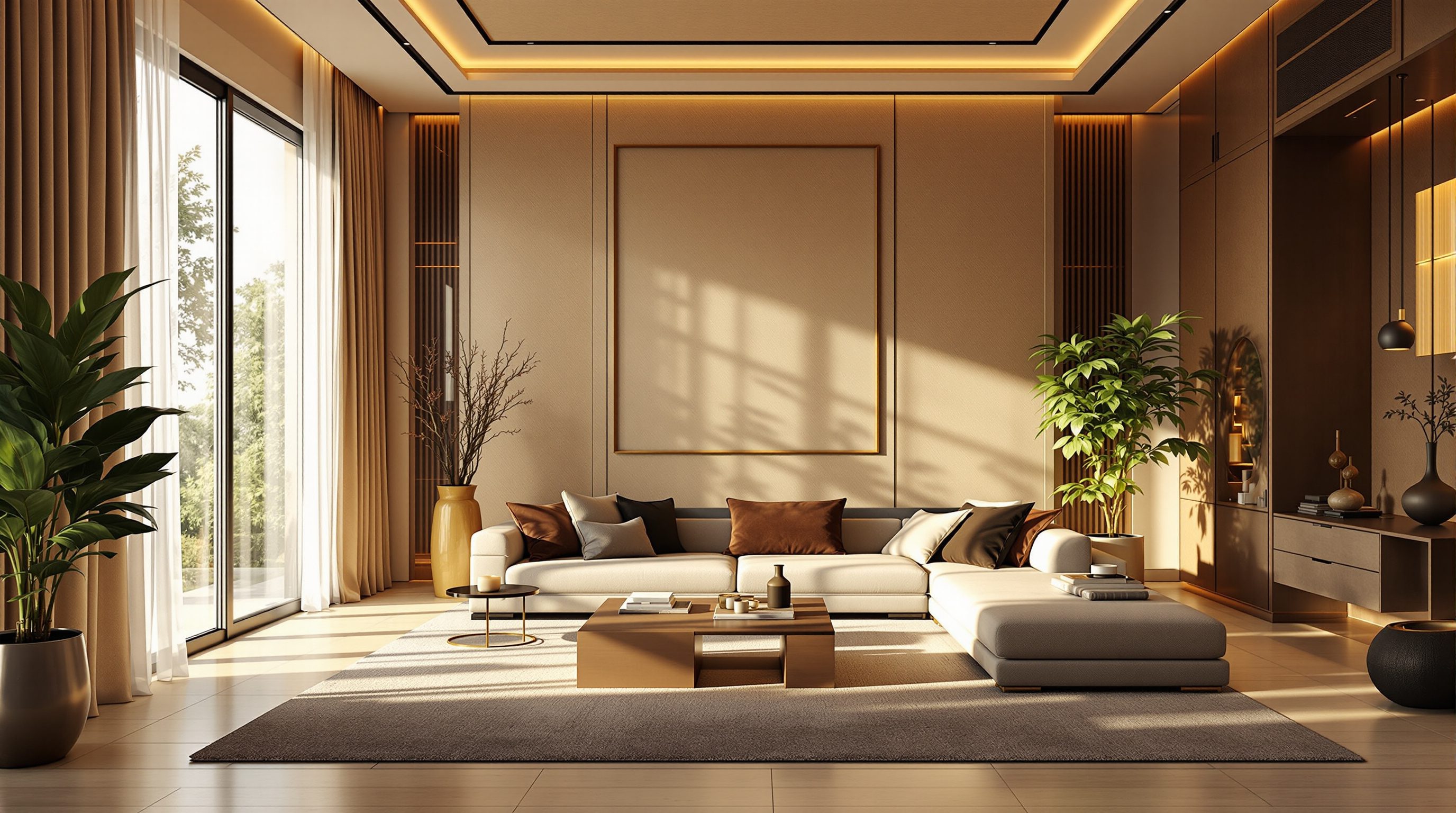
Interiors = mostly bounced light. Corona resolves it cleanly, and LightMix lets you re-mood it after the render.
The philosophy: ease as a design choice
Corona was built on a simple bet: that most archviz artists want photoreal results without a flight-deck of settings, and that the engine should make sensible defaults so you spend your time on light and composition, not parameters. In practice this means Corona exposes a much shorter control set than V-Ray. There is essentially one main quality control - you let the render refine until it looks clean - rather than a suite of GI engines and sampler tabs to configure. For a great many scenes you can open Corona, place a light, and start rendering something believable in minutes.
The centrepiece of this ease is interactive rendering. Corona's interactive mode updates a live preview as you move lights, tweak materials or nudge the camera - so offline stops feeling like a slow guess-and-wait loop and starts feeling closer to the real-time engines you already know. You judge the light as you set it, then kick off the final high-resolution render once you are happy. This single feature removes most of the iteration friction that Lesson 6.1 named as offline's biggest cost, which is a large part of why beginners and busy studios alike find Corona approachable.
It is important to be honest about the trade: fewer controls means slightly less reach into unusual, hard cases than V-Ray's deep toolbox. But for the overwhelming majority of architectural and interior work, that reach is not needed, and the simplicity is pure gain - fewer settings to get wrong, faster onboarding, and more attention left for the actual image. Corona reaches essentially the same photoreal ceiling as V-Ray; it just asks you to make fewer decisions to get there. That is not a beginner's compromise - plenty of top interior studios choose Corona precisely because the shorter path to a clean image lets them iterate more and fiddle less. Ease, here, is not the absence of power; it is power with the busywork removed, and for image-making under deadline that is often the more professional tool.
Corona's bet: sane defaults + live preview = more time on light, less on settings.
Why interiors, specifically
Interiors are the hardest lighting case in architecture, and they are exactly where Corona has earned its reputation. An enclosed room is usually lit through one or two windows, which means most of the light reaching most surfaces is indirect - it has bounced off the floor, the walls and the ceiling several times before your eye receives it. Resolving that many-bounce indirect light cleanly and without splotches or noise is precisely the problem a strong global illumination solver has to nail, and Corona's GI is widely regarded as producing exceptionally clean, natural interior light with very little fuss.
That clean indirect light is what makes a Corona interior feel right: soft shadows that fall off gently, corners that are dark but never dead, gentle colour bleeding from a rug onto a sofa or a wall onto a ceiling, and the believable, wrapping quality that real rooms have. Because these come out well at Corona's defaults, an interior artist spends less time fighting the engine for clean fill and more time on the design decisions - the materials, the styling, the mood. Add area lights and IES fixtures for the artificial layer, and Corona resolves the mixed daylight-plus-lamp condition - the everyday reality of interiors - gracefully.
Corona also pairs this with excellent materials (a straightforward physical material with the PBR properties you know) and strong support for the fine, tactile surfaces interiors live on: fabric, leather, brushed and polished metal, glass, marble and layered finishes. The library is generous and, as always, the professional move is to start from a close library material and adjust. None of this is unique to Corona in principle - V-Ray does it all too - but the combination of clean default interior light, a short control set and live preview is why, when the brief is a photoreal room, so many artists reach for Corona without hesitation. It fits the shape of interior work: many small material and lighting judgements, made quickly, under a mood you are trying to feel your way toward rather than specify up front.
LightMix: re-mood the scene after rendering
Corona's signature feature - and one of the most genuinely useful ideas in offline rendering - is LightMix. Normally, changing a light's brightness or colour means re-rendering. LightMix breaks that rule: it records the contribution of each light (or each group of lights) as a separate layer within the single render, so after the render finishes you can drag sliders to re-balance every light source independently, and even change their colours, without rendering again.
The payoff for interiors is enormous. From one render you can produce a bright daytime version with the windows dominant, a warm dusk version with the interior lamps lifted and the daylight lowered, and a moody night version - all by moving sliders, in seconds, with no additional render time. Want the ceiling LEDs cooler and the table lamps warmer? Slide them independently. Client prefers the mood two stops brighter? Slide it. This turns the agonising, expensive question of 'what's the perfect light balance?' from something you must commit to before a long render into something you tune after, interactively, with the client in the room.
LightMix embodies the deeper offline principle you met with V-Ray's render elements: compute once, decide later. Where render elements defer post-production grading, LightMix defers the lighting balance itself - arguably the highest-stakes decision in an interior. It removes the fear of committing to a mood before you have seen it at full quality, and it makes client review dramatically smoother, because 'can we see it warmer / at dusk / with the lamps off?' is answered live instead of overnight. It is a major reason interior specialists cite Corona as their tool of choice, and it changes how you plan a shoot: you can light a room generously with several distinct sources, render once, and derive a whole family of moods from that single computation. Learning to set up light groups deliberately, so LightMix has meaningful sliders to give you, is one of the highest-return habits in the whole engine.
Group your lights on purpose - LightMix can only give you the sliders you set up.
Tone mapping, denoising and the honest limits
Two more parts of Corona's ease deserve naming. First, tone mapping: Corona bakes a capable, photographic tone-mapping stack right into the frame buffer - exposure, highlight compression, contrast, white balance, a filmic curve, bloom and glare - so you can grade the look of the image as it renders, without leaving the engine. This is a large part of why Corona images often look polished straight out of the render: the engine hands you photographic controls in the right place, and you shape the mood live rather than exporting flat and fixing everything in Photoshop. (You will still do deliberate post in Module 7, but Corona gets you closer to finished in-engine.) Second, the Corona denoiser, like V-Ray's, lets you stop the refinement early and clean up the residual noise - the same 'sample to good-enough, then denoise' economics that make offline practical.
Be honest about the limits, though, so you choose Corona for the right reasons. Its shorter control set means slightly less reach for unusual, highly technical setups where V-Ray's deeper toolbox wins - certain complex caustics, some specialised production pipelines, and workflows locked to hosts Corona does not run in (it lives mainly in 3ds Max and Cinema 4D, whereas V-Ray spans more hosts including SketchUp, Rhino and Revit). For exteriors and very large or unusual scenes, many artists still prefer V-Ray. And Corona is CPU-based by design, so it rewards a strong multi-core processor.
The fair summary is this: for photoreal interiors, Corona's ease, clean default light, live preview, LightMix and in-engine tone mapping make it a superb, fast, forgiving choice that reaches the same ceiling as V-Ray with fewer ways to go wrong. For broad host coverage, exteriors and the deepest technical control, V-Ray remains the wider standard. Knowing both, and choosing per project, is the professional position - and if your work is interiors, Corona is very often the tool that gets you there with the least friction. Neither replaces the four levers: Corona simply removes the busywork between you and a believable room, which on a deadline is exactly the help that matters.
Corona (Chaos)
Offline renderer for 3ds Max & Cinema 4D
Same photoreal ceiling as V-Ray with a much shorter control set and strong interior light. CPU-based; loved by interior artists.
Corona LightMix
Per-light layers, re-balanced after rendering
Change each light's brightness and colour post-render - derive day, dusk and night moods from one render with no re-render.
Corona interactive rendering
Live, updating preview while you work
Makes offline feel near real-time for setup; removes most of offline's iteration friction. Judge light live, then render final.
Corona tone mapping & denoiser
In-engine photographic grade + noise removal
Exposure, contrast, white balance, filmic curve and bloom baked into the frame buffer; denoiser lets you stop refining early.
Workshop — one Corona interior, three moods via LightMix
The whole point of Corona for interiors is doing more from one render. Light a simple room with distinct sources, render once, and use LightMix to produce three different moods without re-rendering.
Corona (trial is fine) inside 3ds Max or Cinema 4D, and a simple interior model with a window. No external post needed - grade in Corona's tone mapping.
Goal: experience Corona's ease, interior light and LightMix
Inputs: a simple interior model with a window, in 3ds Max or Cinema 4D with Corona
Time: ~45-60 minutes
- 1Add a Corona Sun & Sky for daylight through the window, then add TWO distinct interior light groups - say ceiling downlights and table lamps - and keep each on its own light group so LightMix can separate them. Start interactive rendering and watch the preview update as you place them.
- 2In interactive mode, set exposure and tone mapping (exposure, contrast, white balance, a gentle filmic curve) until the daytime look reads right. Assign a few materials from the Corona library and adjust roughness only - judge them live in the preview.
- 3Kick off ONE final high-resolution render with the denoiser enabled. Let it refine to nearly clean, then denoise - note the time versus letting it fully converge.
- 4Open LightMix. Create the DAYTIME version (windows dominant). Then drag sliders to make a DUSK version (lower daylight, lift the lamps, warm them) and a NIGHT version (daylight near zero, interior lights carrying the room) - all without re-rendering.
- 5Export all three moods. Write one line on how long the single render took versus what three separate lighting renders would have cost.
You’ll walk away with
Three exported moods (day, dusk, night) derived from a single Corona render via LightMix, plus a note comparing the one-render-plus-LightMix time to rendering three lighting setups separately.
Three altitudes on the same idea
Read the band that fits you — or all three.
Corona is the fastest route to a convincing interior, and its live preview makes it usable at the design stage. For rooms, moods and material studies you can iterate almost like real-time, then render the hero at full quality. Know that its home is 3ds Max and Cinema 4D; if your practice models in Rhino or SketchUp, V-Ray may fit the pipeline better.
This is arguably your engine. Corona's clean indirect light, tactile materials and - above all - LightMix map exactly onto interior work: light a room generously, render once, then hand the client day, dusk and night versions live. The in-engine tone mapping gets you to a polished mood without leaving the render. Learn to set up light groups deliberately so LightMix gives you the sliders you want.
Corona is the friendliest way into offline rendering, so it's a smart first offline engine. The short control set means fewer things to get wrong, and interactive rendering shortens the learning loop. Render one photoreal interior with LightMix and put both a daytime and a night version in your portfolio from a single render - it shows you understand the workflow, not just the button.
“Corona is the 'easy' renderer, so it must be lower quality than V-Ray.”
Do it yourself
Reason it through, then try it in Corona if you can.
- 1Why is Corona's short control set an advantage rather than a limitation for most interior work?
- 2What makes interiors the hard lighting case, and why does Corona suit it?
- 3In one sentence, what does LightMix let you change after a render is finished?
- 4Name two things Corona's in-engine tone mapping lets you do without leaving the renderer.
- 5Name one honest limit of Corona compared with V-Ray.
The one line to carry out
Peer-reviewed journals & authoritative standards
- 01Chaos — Corona — Chaos, 2026.
- 02Chaos — V-Ray & Corona Documentation Hub — Chaos, 2026.
- 03Tone mapping — overview — Wikipedia, 2026.
- 04Pharr, M., Jakob, W., & Humphreys, G. — Physically Based Rendering: From Theory to Implementation — pbr-book.org (free online edition), 2023.
Whether you choose V-Ray or Corona, both live and die by one thing: how you manage noise, samples, resolution and render time. Next we make that trade explicit - the quality-versus-time dial that every offline render setting ultimately feeds.
The author
Amogh N P
Architect, interior designer, and creative polymath. Studio Matrx began in his notebooks — his vision of design made honest, useful, and open to everyone. Its Academy is written and taught in his memory, and free, forever.
More about Amogh →