
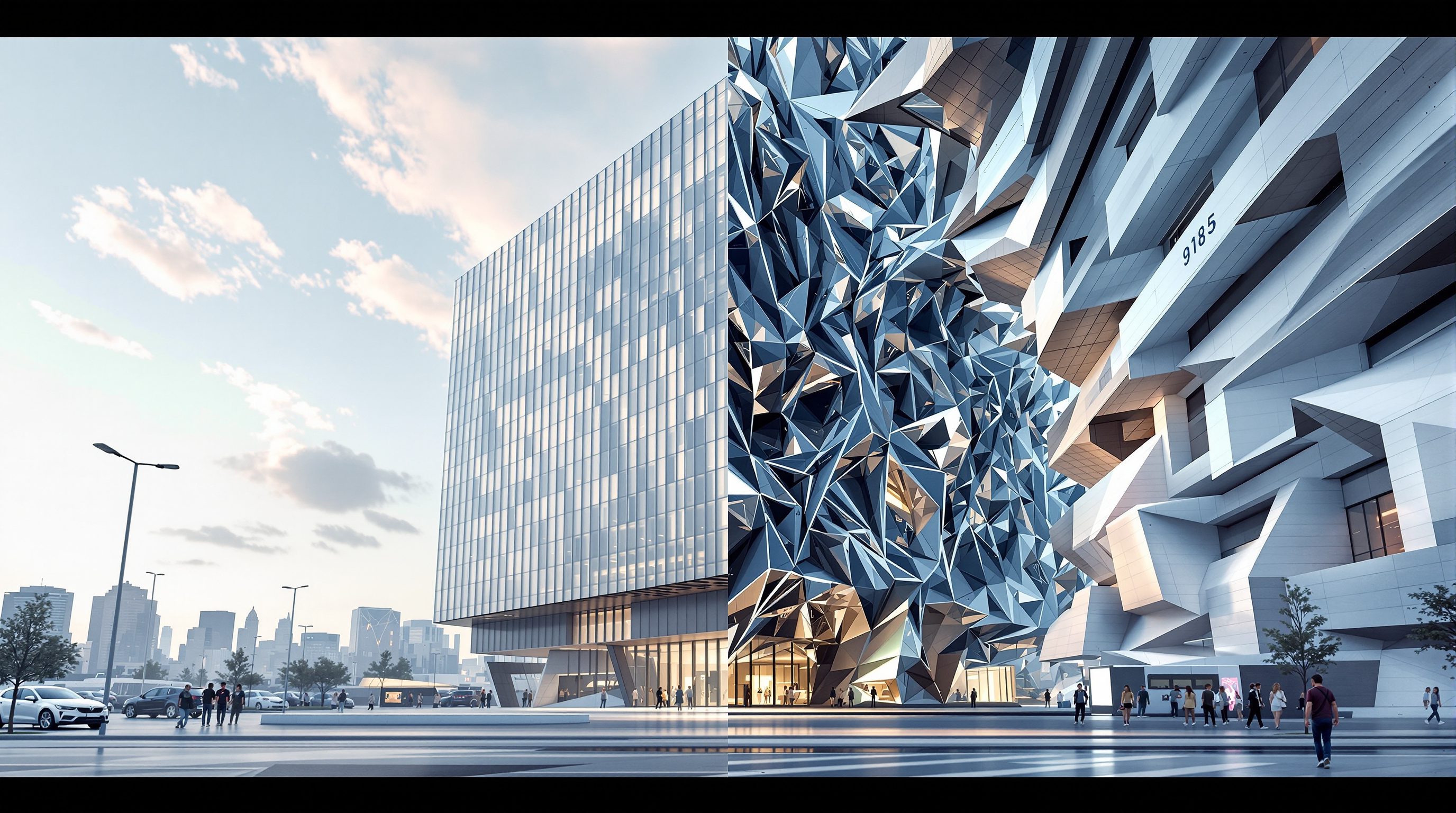
 Lesson 0.3
Lesson 0.3 · Foundations — How Generative AI Sees Design
What Generative AI Can and Cannot Do
An honest ledger of the model's brilliance and its blind spots
It will draw you a flawless stair that leads nowhere - and never notice.
The most dangerous thing about generative AI is not that it fails, but that it fails beautifully and with total confidence. A model that reproduces appearance without logic will hand you a photoreal render whose stair has no landing, whose cantilever has no support, and whose signage is elegant gibberish - and it will look perfect. Knowing exactly where the brilliance ends and the blind spots begin is the single most valuable judgement a designer using these tools can have. This lesson draws that ledger, line by line.
A beautiful image is a hypothesis, not a verdict. Never let a render make the decision.
What it does brilliantly - the appearance column
Everything generative AI is genuinely great at lives on one side of a single line: it is about appearance.
Mood and atmosphere. Ask for 'a quiet monastery courtyard at dawn, mist, long shadows' and it will nail the feeling in seconds. Evoking a mood is precisely what a model trained on millions of captioned images is built to do.
Style and material feel. 'Japandi', 'brutalist', 'Kerala vernacular', 'burnished brass' - it reproduces the look of a style or material with uncanny fluency, because those looks are exactly the correlations it learned.
Ideation and volume. It is a tireless option-machine. Twenty facade studies before your coffee cools, fifty palette variations, a dozen rooflines - the sheer cheapness of exploration changes how early design can feel.
Variation on a theme. Lock a concept and spin off relatives - the same lobby warmer, cooler, more austere, more lush. This is genuinely hard by hand and trivial for the model.
Communication. A single evocative image aligns a client faster than a page of description. For selling intent and building shared vision, it is a superb instrument.
Notice the pattern: mood, style, ideation, variation, communication. Every strength is a face of the same coin - the model reproduces how good design looks. That is real, and it is powerful. The trouble begins the moment you need something underneath the surface.
It is worth dwelling on how genuine these strengths are, because a fashionable cynicism treats AI output as worthless novelty. It is not. A moodboard that used to cost an afternoon of image-hunting now costs ninety seconds; a client who could not read a plan can suddenly see the intent; a designer stuck in a rut is handed forty starting points before lunch. These are real gains to real practice, and they arrive precisely because appearance - not logic - is what the early, generative, persuasive stages of design actually trade in.
Mood, style, ideation, variation, communication. All of it is appearance - and that's the gift.
What it cannot do - the logic column
The failures are not random. They cluster on the far side of the same line: anything requiring logic the model never learned.
Structure. It knows what a cantilever looks like, not what holds one up. It will float a slab on nothing and see no problem.
Dimensions and precision. There is no true scale inside the image. A '3-metre' ceiling is a vibe, not a measurement; a door might read waist-high or two storeys tall. Nothing is dimensioned, because nothing was ever measured.
Code and regulation. Setbacks, fire egress, riser heights, ventilation minimums, accessibility - the model has no concept of any rulebook. It cannot be non-compliant because it does not know rules exist.
Legible text. Signage, labels, dimensions, a nameplate - text comes out as convincing gibberish. The model learned the texture of letters, not language. (Newer models like Flux are better, not fixed.)
Consistency. Ask for the 'same room from another angle' and you often get a different room. There is no persistent 3D scene behind the picture - each image is generated fresh.
True 3D and buildability. This is the deepest one. There is no model behind the image - no walls, no volumes, no plan that closes. It is a flat picture of a building, not a building. You cannot walk through it, measure it, or build from it.
Every item here needs an underlying model of reality. The image has only a surface.
The cruelty of these failures is their packaging. A human junior who could not size a beam would hedge, hesitate, leave it blank. The model never hedges. It renders the impossible cantilever with the same photoreal confidence it renders a real one, because it has no internal signal that says 'this cannot stand'. There is no uncertainty flag, no 'I'm not sure', no blank left where knowledge is missing - only a smooth, assured surface over an absent foundation. That confidence is not a bug you can prompt away; it is what a pure appearance-machine looks like from the outside, and it is exactly why the responsibility for logic can never be delegated to it.
Why every limit traces to one root cause
The ledger looks like a long list of unrelated bugs. It is not. Every single failure is the same failure wearing a different mask: the model reproduces the appearance of design without any of its logic.
Why garbled text? Because it learned the look of letters, not language. Why no real dimensions? Because it learned the look of a tall room, not measurement. Why impossible structure? Because it learned the look of a cantilever, not statics. Why no code compliance? Because it learned the look of a stair, not the regulation governing risers. Why inconsistency? Because there is no scene, only a fresh picture each time.
This is why the mantra from Lesson 0.1 - appearance without logic - is the whole course in four words. It is not a poetic flourish; it is a predictive tool. Before you ask AI for anything, run the test: does this task need appearance, or does it need logic? Mood, style, options, a client image - appearance; the model will shine. A dimensioned plan, a structural section, a code check, a schedule - logic; the model will confidently lie. You will never again be surprised by a failure, because you will have predicted which side of the line the task falls on. The limits are not obstacles to route around later; they are the map you use to decide what to ask in the first place.
Ask one question first: does this need appearance, or logic? That single test predicts every failure.
Working with the grain, not against it
A tool's limits are only a problem if you fight them. Used with the grain, the same ledger becomes a workflow.
Use it for what it is great at, deliberately. Front-load AI into the fuzzy, appearance-rich stages: concept, mood, options, client alignment. This is where hours become minutes and where being 'unbuildable' does not matter because you are not building yet - you are thinking.
Hand off before the logic starts. The moment a decision needs structure, dimensions, code or a plan that closes, the work moves into your CAD, BIM and your own judgement. AI generates the question - a compelling direction - and you supply the answer that can actually stand up. Later modules show how to feed your own drawings into the model (ControlNet) so your logic constrains its appearance, rather than hoping the model invents logic it does not have.
Never let a beautiful image make a decision for you. The confidence of the output is not evidence of its validity. A gorgeous render is a hypothesis about how something might look, not a verdict on whether it can exist. The designer who remembers this uses AI to explore ten times faster while making zero worse decisions - because every decision still passes through a mind that knows the difference between appearance and logic. That is the entire discipline in a sentence.
There is also a professional-conduct edge to this that students rarely hear early enough. When you present an AI-generated image to a client, you are making an implicit claim about its status - is this a mood, or a proposal? Blur that line and you invite trouble: a client who falls in love with an impossible render will hold you to it, and 'the AI drew it that way' is not a defence any practice wants to make. Label AI imagery as exploration, keep the buildable drawings clearly separate, and you get all the speed of the tool with none of the reputational risk of letting a beautiful lie set an expectation you cannot meet.
Strengths: mood, style, ideation, variation, communication
Everything on the appearance side of the line
Where the model shines - front-load it into concept and client-alignment stages, deliberately.
Limits: structure, dimensions, code, text, consistency, true 3D
Everything on the logic side of the line
Where it confidently fails - hand these to your CAD, BIM, the rulebook and your own judgement.
The one-question test
Does this task need appearance, or logic?
Run it before every prompt; it predicts which side of the ledger a task falls on, and thus whether AI will help or lie.
Appearance without logic
The single root cause of every limitation
Not a slogan but a diagnostic - every failure is this one failure in a new disguise.
Workshop - build your own failure ledger
The fastest way to trust the ledger is to reproduce it with your own hands. You will deliberately provoke each blind spot and photograph the evidence, turning abstract limits into a reference you own.
Any text-to-image tool (Midjourney, a free Stable Diffusion / Flux web space, Adobe Firefly, or Studio Matrx DesignAI). No installation or payment required.
Goal: witness each core limitation yourself and file it for later
Inputs: one text-to-image tool + a short prompt list
Time: ~45 minutes
- 1Provoke a TEXT failure: prompt
a shopfront with a large sign reading OPEN, architectural photograph. Note how the letters come out - convincing texture, broken language. - 2Provoke a STRUCTURE failure: prompt
a 30-metre concrete cantilever with no visible support, section. Observe a confident impossibility. - 3Provoke a CONSISTENCY failure: generate
a modern living room, then ask forthe same living room from the opposite corner. Compare - it is usually a different room. - 4Provoke a DIMENSION failure: generate an interior and try to read a real scale from it - door heights, ceiling, furniture. Note that nothing is actually measurable.
- 5Now play to a STRENGTH: prompt a pure mood -
a serene courtyard at dawn, mist, warm stone. See how effortlessly it succeeds. Assemble all five into one annotated ledger.
You’ll walk away with
A personal 'can / cannot' board: four provoked failures (text, structure, consistency, dimension) beside one effortless success, each captioned with the appearance-vs-logic reason it behaved that way.
Three altitudes on the same idea
Read the band that fits you — or all three.
Treat the ledger as a triage rule at the top of every task. Concept, massing options, mood, client images - hand to AI freely; you are exploring, not documenting, so unbuildability is harmless. Structure, dimensions, egress, setbacks, a plan that closes - keep in BIM and your own judgement, because the model has no model of them. The danger is never that AI fails, but that it fails convincingly at exactly the moment you needed logic; the ledger is how you see it coming.
You live largely in the appearance column, which is why AI feels magical for you - use that, but watch the seams. Palette, styling, mood, material feel and restyled room photos are squarely in its strengths. Its blind spots still bite: it invents impossible joinery, ignores real dimensions, garbles any labelled drawing and won't hold a consistent room across angles. Take the mood and the direction; redraw the millwork, the measurements and the setting-out yourself.
Memorising this ledger is what makes you look like a professional rather than a prompt-tourist. Anyone can be dazzled by a pretty render; the skill employers notice is knowing, instantly, which tasks AI will nail and which it will confidently botch. Practise the one-question test - appearance or logic? - until it is reflex. It will save you from ever presenting a beautiful, impossible design as if the machine had checked it, which is the fastest way to lose credibility.
“The render looks completely convincing, so the design must basically work.”
Do it yourself
No tool needed - reason it through.
- 1List three things generative AI does brilliantly and three it cannot do.
- 2Why does the model produce garbled text on signage and labels?
- 3What is the single root cause that explains every limitation on the ledger?
- 4State the one-question test you run before prompting, in your own words.
- 5Why is a photoreal render not evidence that a design will actually work?
The one line to carry out
Peer-reviewed journals & authoritative standards
- 01Ramesh, A., Dhariwal, P., Nichol, A., Chu, C., & Chen, M. - Hierarchical Text-Conditional Image Generation with CLIP Latents (unCLIP / DALL-E 2) — arXiv preprint, 2022.
- 02Saharia, C., et al. - Photorealistic Text-to-Image Diffusion Models with Deep Language Understanding (Imagen) — Advances in Neural Information Processing Systems (NeurIPS), 2022.
- 03Rombach, R., Blattmann, A., Lorenz, D., Esser, P., & Ommer, B. - High-Resolution Image Synthesis with Latent Diffusion Models — IEEE/CVF Conference on Computer Vision and Pattern Recognition (CVPR), 2022.
If the model works by pulling images out of a vast internal map of appearances, then using it well means learning to navigate that map on purpose. Next: latent space, seeds, and the shift from author-of-one-image to curator-of-many.
The author
Amogh N P
Architect, interior designer, and creative polymath. Studio Matrx began in his notebooks — his vision of design made honest, useful, and open to everyone. Its Academy is written and taught in his memory, and free, forever.
More about Amogh →