
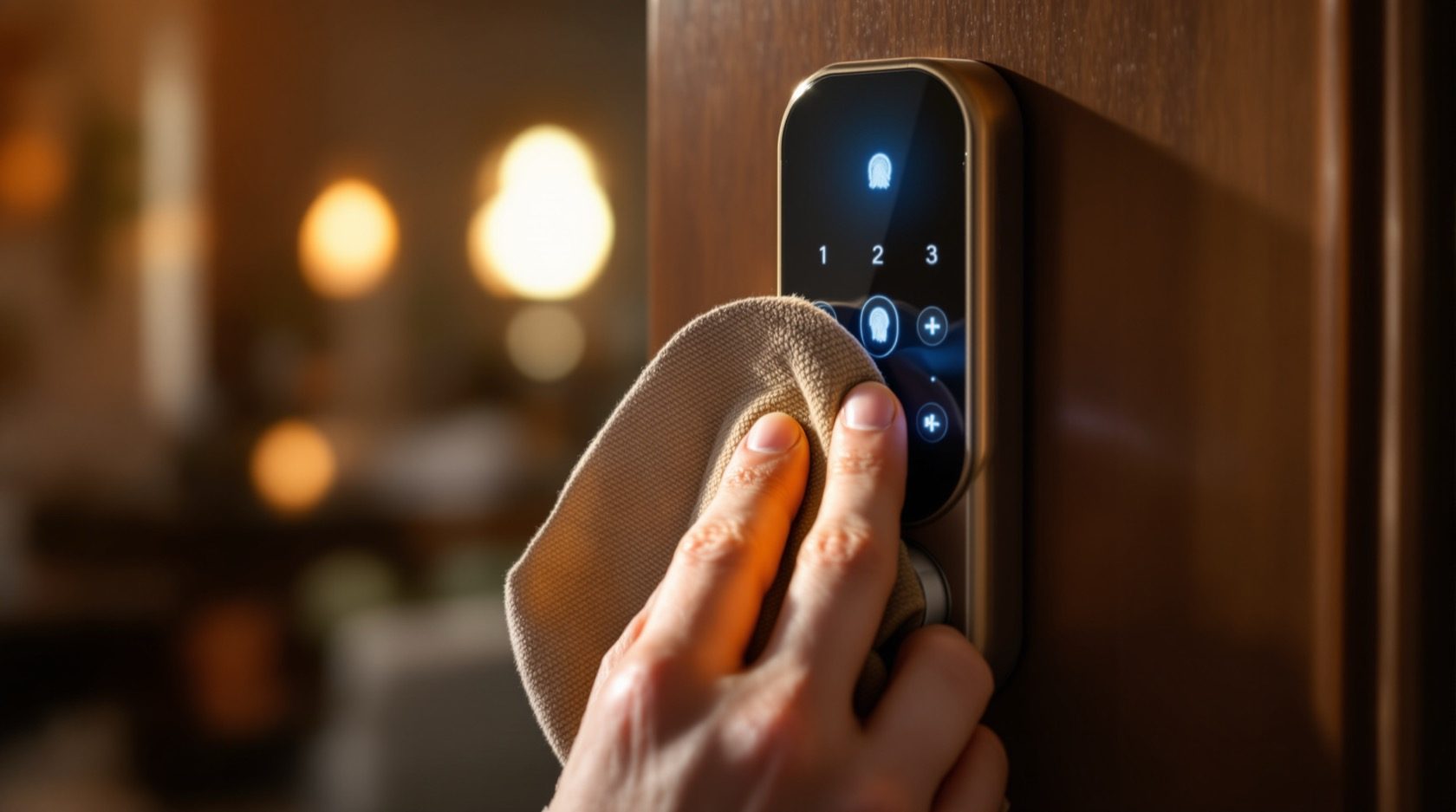
Smart Lock Maintenance in India (2026): Keep It Working for Years
A homeowner's routine for keeping a smart lock alive in Indian dust, heat and monsoon: battery care, cleaning the sensor and keypad, firmware, testing the mechanical override, alignment and a simple maintenance calendar.
A smart lock is not a fit-and-forget gadget. It is a small motorised computer bolted to a door that swings a few dozen times a day, sitting in Indian dust, monsoon humidity and summer heat, running on batteries that quietly drain. Left alone it does not fail on a convenient afternoon. It fails at 11 p.m. with a dead battery and a family locked out, or it starts refusing a fingerprint that used to work, or the motor grinds a little louder each week until one day it stops.
Smart lock maintenance is the modest habit that turns an expensive impulse buy into hardware that serves you reliably for years. This guide is a homeowner's routine: battery care, cleaning the sensor and keypad, keeping firmware current, periodically testing the mechanical override so you know it works before you need it, light lubrication, checking auto-lock and strike alignment, and the extra care an outdoor or gate lock needs through the monsoon. It closes with a month-by-month calendar and a clear line between what you can safely do yourself and what belongs to the installer. It sits alongside the smart locks pillar and the troubleshooting guide for when something has already gone wrong.
Scope & safety. This guide helps you plan and carry out routine upkeep you can reach at hand height. Anything involving mains wiring, re-hanging a sagging door, work at height, or a fire-egress or building interlock is a licensed professional's job — route it to your installer or electrician. A lock on an escape-route door must always keep a working mechanical key override and free exit so a dead battery or power cut can never trap anyone. Fingerprint templates and access logs are sensitive personal data under the Digital Personal Data Protection Act, 2023 — remove a departed user's access as part of upkeep. This is educational guidance, not legal advice.
Why a smart lock needs tending at all
A mechanical deadbolt can be ignored for a decade. A smart lock cannot, because it adds three things that all drift with time and weather:
- A battery that depletes. Every open, every auto-lock, every failed fingerprint read, and simply standing by draws current. Heat accelerates it. Ignore the low-battery warning and the lock dies at the worst moment.
- Sensors and a keypad that get dirty. Indian dust, monsoon humidity, and the oil from your own fingers build up on the fingerprint reader and the touch keys until good fingers get rejected and the numbers wear smudgy.
- A motor and bolt that suffer from misalignment. A door that sags a few millimetres, or a strike plate that has drifted, makes the motor strain against friction on every cycle — which burns through batteries and, eventually, the motor itself.
None of this announces itself politely. The fix is not clever; it is regular. A short routine catches every one of these before it becomes a lock-out.
Battery care: the single most important habit
Most "my smart lock died" stories are really battery stories, and almost all of them were avoidable. Get these five things right and you will rarely be caught out.
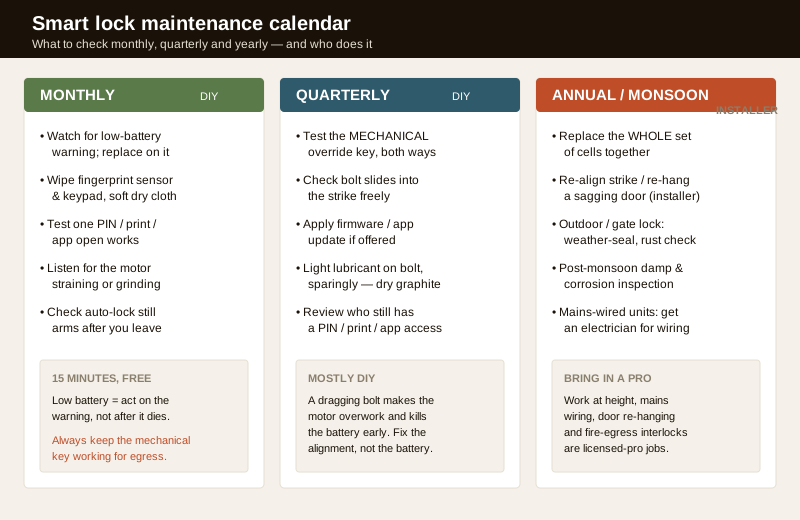
- Replace on the low-battery warning, not after it dies. Every good lock gives you days to weeks of notice — a beep, a red LED, an app alert, or a colour change on the keypad. Treat that as the signal to act this week, not "sometime". A lock that dies with no warning almost always means a warning that was ignored.
- Use good branded cells. Cheap or old alkaline cells fade fast and, worse, can leak and corrode the battery contacts. Buy quality alkaline or, where the maker specifies them, lithium cells — the small saving on bad batteries is not worth a ruined lock.
- Change the whole set together. Never mix a fresh cell with tired ones; the set drains to the weakest. When you replace, replace all of them at once.
- Respect heat. A west-facing metal gate lock in a Delhi or Chennai summer runs far hotter than an indoor front door, and heat shortens cell life — expect to change those batteries more often.
- Keep the fallback ready. Store spare cells and the mechanical key at home, indoors, so a flat battery is a two-minute swap and never a lock-out. Many locks also accept a jolt from a 9-volt battery or a power bank at an external terminal to get you in once — know your model's trick before you need it. Battery chemistry, life and low-power behaviour are covered in depth in the power and battery planning guide and the dedicated battery guide.
Cleaning the fingerprint sensor and keypad
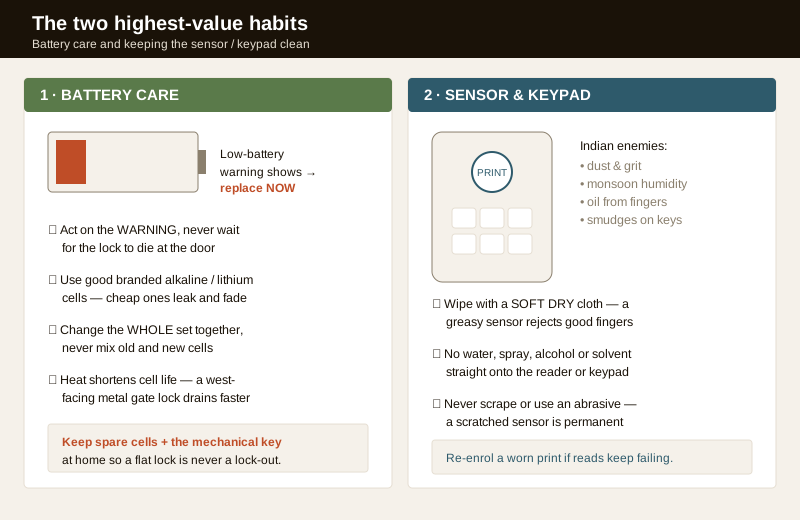
A fingerprint reader is an optical or capacitive surface that must see the ridges of your finger clearly. Coat it in dust, monsoon film, or the natural oil that transfers off your own fingertip and it starts rejecting good fingers — the classic "it used to recognise me and now it doesn't". The keypad suffers too: smudges and grime make touch keys sluggish and eventually wear the printed numbers.
- Wipe with a soft, dry cloth. A clean microfibre or lint-free cloth over the sensor and keypad, once a month, clears the oil and dust. This one habit prevents most read failures.
- Never spray liquid onto the reader. No water, glass cleaner, alcohol or solvent squirted directly at the sensor or keypad — moisture behind the surface is how these units die. If a surface is genuinely grimy, lightly dampen the cloth, not the lock, and dry it immediately.
- Never scrape or use an abrasive. A scratched fingerprint sensor is permanently degraded. No fingernails, no scouring pad, no toothpaste.
- Re-enrol a worn finger. If one particular finger keeps failing even after cleaning, delete and re-enrol it — skin changes, and a fresh template reads better. Sensor care specifics for each reader type are in the fingerprint locks guide; for keypad wear and PIN hygiene see PIN code locks.
Firmware and app updates
The "smart" half of the lock is software, and manufacturers push updates that fix bugs, improve battery behaviour and patch security holes. Keeping current is part of maintenance, not an optional extra.
- Update the app and the lock firmware when prompted, but do it deliberately: with the batteries fresh (a firmware update that dies halfway can brick a lock), the phone close to the lock, and time to let it finish undisturbed.
- Read what the update does. Security patches are worth applying promptly; a purely cosmetic app change can wait.
- Update the hub or bridge too if your Wi-Fi or app-controlled lock talks through a gateway, and keep your home router firmware current, since remote access reaches the lock through it. Hardening the account and its remote access is covered in the cybersecurity guide.
- Prune access as you go. A firmware round is a natural moment to review the user list and delete any departed guest, tenant or worker — old PINs and fingerprints left active are both a security risk and, for biometrics, a DPDP data-minimisation issue. See the privacy guide.
Test the mechanical override — before you need it
This is the maintenance task people skip and then bitterly regret. A smart lock's whole safety net is that you can still get in (and, on an exit door, out) when the electronics are dead — via the physical key, an emergency battery terminal, or a backup PIN. But a key barrel you have never turned can seize, a spare cell can be flat, and you will discover it in a crisis unless you test it in calm.
Once a quarter:
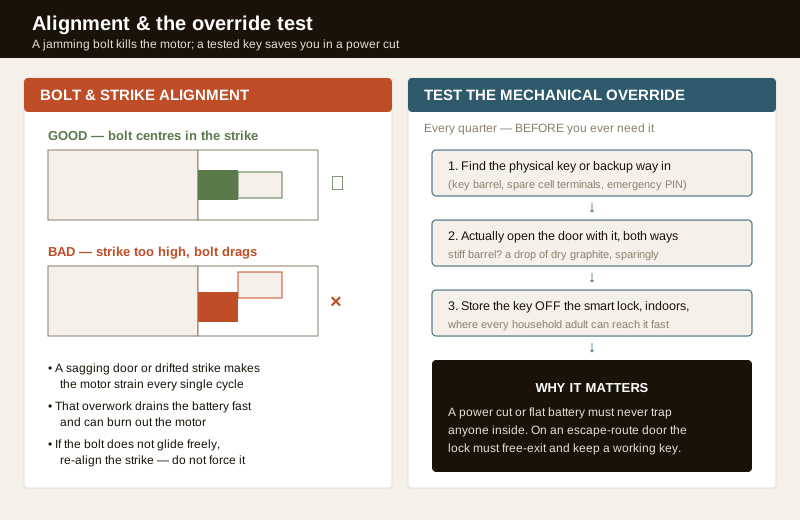
1. Find the fallback. Physical key, key barrel location, external battery terminals, or the emergency access method your model provides — know exactly where it is and how it works.
2. Actually use it. Open the door with the mechanical key, both from outside and, if applicable, the inside thumb-turn. A stiff barrel takes a small amount of dry graphite lubricant, sparingly — never oil, which gums up with dust.
3. Store the key sensibly. Keep it off the smart lock itself, indoors, somewhere every adult in the household can reach quickly — not in a drawer only you know about. Plan the wider fallback with the emergency access planning guide.
Light lubrication and mechanism care
A smart lock has moving metal — the bolt, the cam, the key barrel — and it wants a little help, but the wrong lubricant does more harm than none.
- Use a dry lubricant. A PTFE or dry graphite lubricant on the bolt and in the key barrel keeps things sliding without attracting dust. Wet oils and grease collect Indian dust into a grinding paste — avoid them on the barrel especially.
- Sparingly. A light application once or twice a year is plenty. Flooding the mechanism just makes a mess and can seep into the electronics.
- Never lubricate the sensor or keypad, and keep lubricant off the battery contacts.
- If it is stiff, find out why. Lubricant masks a symptom; a bolt that drags usually means alignment, not dryness — which is the next check.
Auto-lock and strike alignment: the hidden battery-killer
A misaligned bolt is the quiet cause of premature motor and battery failure. If the door has sagged on its hinges, or the strike plate has shifted, the motor must force the bolt against friction every single time it locks — you can often hear it straining. That overwork drains batteries fast and, over months, can burn out the motor.
- Watch and listen. If the motor labours, hesitates, or the bolt does not glide smoothly into the strike, treat it as a fault, not a quirk.
- Check the fit. With the door open, throw the bolt: it should extend fully and freely. Then close the door and lock: the bolt should drop into the strike without being forced. If it scrapes or catches, the strike or the door alignment needs correcting — a task for the installer, especially if the door itself has dropped and needs re-hanging.
- Tune auto-lock to suit you. Auto-lock is convenient but a too-short timer can lock you out as you step onto the landing, and it cycles the motor more (more battery). Once a month, confirm auto-lock still arms as expected and the delay suits your household; if it locks against a mis-aligned strike repeatedly it is doing double damage. Compatibility of the whole door-and-lock assembly is covered in door compatibility and installation requirements.
Outdoor and gate locks: the monsoon and rust check
A lock on a main gate, boundary door or terrace faces a harsher life than an indoor front door, and needs extra seasonal care — chiefly around the monsoon.
- Check the weather-seal. Gaskets and rubber seals around the lock body and battery compartment keep water out; a perished or displaced seal lets monsoon moisture reach the electronics. Inspect before and after the monsoon and get a failed seal replaced.
- Look for rust and corrosion. Metal fittings, screws and the strike can rust in coastal and high-humidity areas; surface rust caught early is easy, a seized mechanism is not.
- Expect faster battery drain. Sun and heat on an exposed metal gate lock shorten cell life, so check the level more often through summer.
- Confirm the IP rating suits the exposure. A lock rated for indoor use will not survive an unsheltered gate; matching weather protection to the location is part of choosing the unit — see the smart gate locks guide and remote access locks for outdoor connectivity.
The maintenance calendar: monthly, quarterly, annual
Split the work by how often it truly needs doing, and by who should do it. The table below is the whole routine on one page.
| When | Task | Who |
|---|---|---|
| Monthly | Act on any low-battery warning; check the battery level | You |
| Monthly | Wipe the fingerprint sensor and keypad with a soft dry cloth | You |
| Monthly | Test that one credential (PIN / print / app) opens cleanly | You |
| Monthly | Listen for a straining or grinding motor; confirm auto-lock arms | You |
| Quarterly | Test the mechanical override key, both ways; open the door with it | You |
| Quarterly | Check the bolt slides freely into the strike, door open and closed | You |
| Quarterly | Apply firmware / app updates (batteries fresh); review the user list | You |
| Quarterly | Light dry-lubricant on the bolt and key barrel, sparingly | You |
| Annual | Replace the whole set of batteries together with good branded cells | You |
| Annual | Re-align a drifted strike or re-hang a sagging door | Installer |
| Annual / post-monsoon | Weather-seal, rust and corrosion check on outdoor and gate locks | You / installer |
| Annual | Any mains-wired unit: inspect wiring; fire-egress interlock service | Electrician / installer |
Time the annual and post-monsoon work for just after the rains (around October in most of India), when damp, corrosion and battery wear are at their worst — one well-timed visit catches the most.
DIY versus the installer
Most of this is genuinely do-it-yourself: wiping surfaces, swapping batteries, testing the key, applying updates, light lubrication, watching auto-lock. Hand these to a professional:
| Task | Why it needs a pro |
|---|---|
| Re-hanging a sagging door / re-aligning a heavy strike | Carpentry and door hardware; getting it wrong jams the lock |
| Any mains-wired lock or power supply | Live electrical work — a licensed electrician's job |
| Locks mounted at height (over a tall gate) | Work at height is a safety risk best left to the installer |
| Fire-egress or building-access interlock | Life-safety wiring must not be touched by the homeowner |
| A motor that strains after you have checked alignment | Internal fault — warranty or installer service, not a DIY tear-down |
When to bring in a professional. Do the monthly wipes, battery swaps, credential and override tests, light lubrication and auto-lock checks yourself. Route door re-hanging, strike re-alignment, mains wiring, work at height, and anything touching a fire-egress or building interlock to a licensed installer or electrician. If a lock is still under warranty and the motor or electronics misbehave, call the maker rather than opening it up — and never leave an escape-route door without a working mechanical key override. Remove a departed user's access every time, since biometrics and logs are sensitive data under the DPDP Act, 2023.
Key takeaways
- Smart lock maintenance is a short habit, not an event — a monthly wipe-and-check plus a quarterly test keeps a lock working reliably for years in Indian conditions.
- Battery care is everything: replace on the warning not after it dies, use good branded cells, change the whole set together, expect faster drain in heat, and keep spares plus the mechanical key at home.
- Keep the sensor and keypad clean with a soft dry cloth — never spray liquid onto the reader or scrape it; re-enrol a finger that keeps failing.
- Test the mechanical override every quarter and fix alignment early — a dragging bolt strains the motor and drains the battery, and an untested key seizes exactly when you need it in a power cut.
- Know the DIY line: updates, cleaning, batteries and lubrication are yours; door re-hanging, mains wiring, height work and fire-egress interlocks belong to a licensed professional, and a departed user's access should be deleted under the DPDP Act, 2023.
References
- Digital Personal Data Protection Act, 2023 — fingerprint templates and access logs are sensitive personal data; removing a departed user's credentials and minimising retained data is part of routine upkeep.
- Manufacturer specifications and user manuals — verify the recommended battery type, low-battery behaviour, emergency-power terminal, IP/weather rating and firmware-update procedure on the maker's own datasheet for your exact model before servicing.
- National Building Code of India (SP 7), Bureau of Indian Standards, and local bye-laws for any fire-egress, escape-route or mains-electrical aspect of a lock installation or service; verify the current edition via the BIS catalogue: https://www.services.bis.gov.in/
This is an educational overview, not legal advice. Mains wiring, work at height, door re-hanging and any fire-egress interlock are qualified professional tasks — engage a licensed installer or electrician, keep a working mechanical override on every escape-route door, and verify any standard's current status via the BIS catalogue before relying on it.
Export this guide
Related Guides — Deep-dive reading
Access Control Maintenance in India (2026): Readers, Locks and Fail-Safe Egress
How to keep a card, keypad, fingerprint or face access-control system reading reliably and locking securely — and, above everything, how to test that its doors still release on a fire alarm and on power loss, so an access-controlled door never becomes a life-safety trap.
SecuritySmart Home Maintenance & Troubleshooting for Indian Homes
A smart home is not a one-time purchase — it is a small fleet of computers that needs firmware updates, fresh batteries, occasional reboots and a plan for the day a manufacturer switches off the cloud. This guide gives you a maintenance calendar, a troubleshooting flow for the failures Indian homes actually see, and the UPS and security hygiene that keep it all running through power cuts and voltage swings.
Smart HomeSmart Locks in India (2026): The Complete Guide to How They Work, How to Choose and How to Fit One Safely
The umbrella guide to smart locks for Indian homes: what a smart lock actually is, the credential that opens it, the lock body it lives in, and the safety, power and privacy calls every buyer must make.
SecurityRelated Tools — Try Free
Monsoon-Readiness Checklist
Pre-rain home audit across 9 categories — terrace, drains, waterproofing, electrical, HVAC, pest, vehicles, documents.
Seasonal AuditSmart Lock Finder
Find the right smart lock — access methods, tier and must-haves like a mechanical override — for your door and budget.
Door ToolAccess-Control Battery-Backup Calculator
Size the standby battery so an access system keeps running through a power cut, with an egress life-safety note.
Battery Backup