
Smart Lock Battery Guide: Life, Types & Backup India 2026
How long smart-lock batteries really last in India, what drains them, low-battery warnings, and how to never get locked out when they die.
A smart lock battery is the single component that decides whether your fancy fingerprint or app-controlled door is a convenience or a liability. Get the battery strategy right and you forget it exists for a year; get it wrong and you are standing outside your own home at 11 pm. In Indian conditions — frequent power-cuts, heat, humidity, and locks that increasingly talk to Wi-Fi — understanding how your smart lock battery behaves, warns you, and can be revived in an emergency is essential homeowner knowledge. This guide walks through battery types, real-world life, the warning signs, and every emergency power option before you ever need it.
What powers a smart lock
Almost every residential smart lock in India runs on its own internal power, not on your mains supply. That is deliberate: it means the lock keeps working through a power-cut. There are two dominant battery formats.
AA alkaline cells (most common)
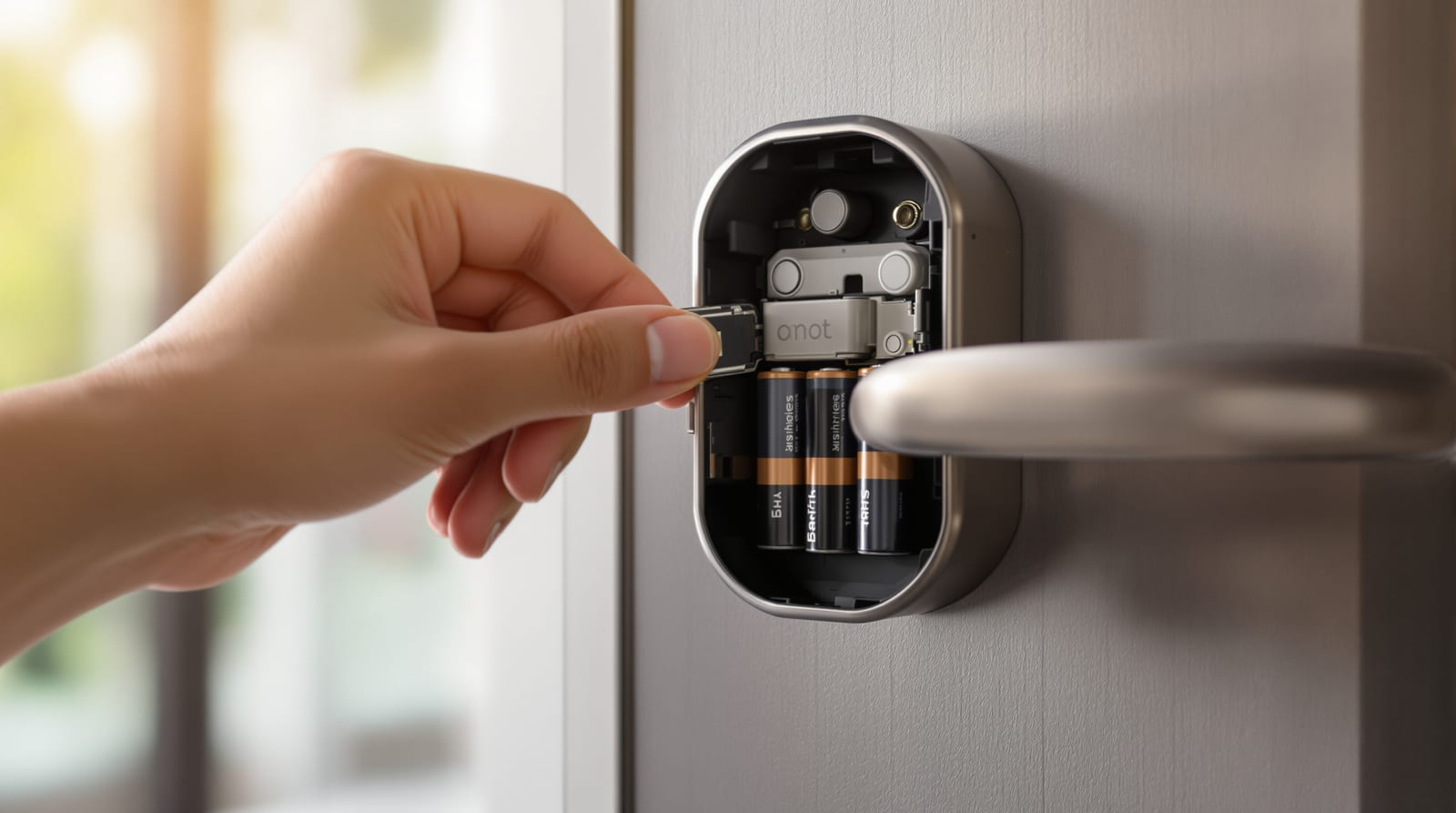
The majority of mainstream locks — many Godrej (Advantis/Catus), Yale, Qubo, Ozone and Dorset models — take 4 to 8 standard AA cells in a compartment on the indoor escutcheon. Pros: you can buy replacements at any kirana shop, swap them in two minutes, and keep a spare set in a drawer. Cons: alkaline cells lose voltage steadily as they drain, and very cheap cells leak — a leaking cell can corrode contacts and brick the lock.
Rechargeable lithium packs
Premium and face-recognition or video-door-phone-integrated locks increasingly ship with a built-in or removable lithium-ion pack charged over USB-C (or a barrel jack). Pros: no recurring battery cost, stable voltage almost to the end, often a longer cycle before recharge. Cons: when the cell ages (2-4 years) you depend on the brand for a replacement pack, and a fully flat lithium lock cannot be revived simply by swapping in fresh cells — you must charge it.
Some locks accept both: a primary lithium pack plus a slot for emergency AA cells. If you are still choosing, our choosing a smart lock and best smart lock brands guides cover the trade-offs, and the smart lock selector narrows it to your door.
| Battery format | Typical config | Voltage behaviour | Replacement | Best for |
|---|---|---|---|---|
| AA alkaline | 4-8 cells | Tapers gradually | Any shop, DIY | PIN/RFID/fingerprint + BLE locks |
| AA lithium (Li-FeS2) | 4-8 cells | Flat then sharp drop | Specialist/online | Cold/heat, heavy use |
| Rechargeable Li-ion pack | Built-in/removable | Flat to ~empty | USB-C recharge or brand pack | Face/Wi-Fi/VDP locks |
| Coin cell (backup) | 1-2, RTC only | n/a | DIY | Keeping clock during swap |
How long does a smart lock battery actually last
Manufacturers quote 6-12 months, but that assumes a quiet door. The real figure depends on three things: how many unlock cycles per day, what hardware fires on each cycle (a motor plus an LED plus a fingerprint scan draws far more than a single relay), and — biggest of all — connectivity.
Why Wi-Fi drains faster than Bluetooth
A Bluetooth Low Energy (BLE) lock sleeps deeply and only wakes when your phone is near, so its standby draw is tiny. A Wi-Fi lock must keep a connection alive to the router (or wake very frequently to poll the cloud) so you can unlock remotely and get instant alerts — that constant radio is the number-one battery killer. As a rule of thumb, switching the same lock from BLE-only to always-on Wi-Fi can cut battery life by half to two-thirds. Many Wi-Fi-capable locks let you disable always-on connectivity or route through a low-power hub; our smart lock Wi-Fi connectivity guide explains the settings.
| Usage profile | BLE / keypad only | Fingerprint + BLE | Always-on Wi-Fi | Rechargeable pack |
|---|---|---|---|---|
| Light (4-6 unlocks/day) | 10-14 months | 8-12 months | 4-6 months | 4-6 months/charge |
| Medium (10-15/day) | 7-10 months | 6-8 months | 3-4 months | 2-4 months/charge |
| Heavy (20+/day, family) | 5-7 months | 4-6 months | 2-3 months | 1-3 months/charge |
These are indicative bands, not promises — heat above 40 degrees C, very cold storage, a stiff or misaligned door that makes the motor strain, and cheap alkaline cells all shorten them. To estimate your own door, plug usage and connectivity into the smart lock battery life calculator.
Reading the low-battery warnings
Smart locks are designed to nag you well before they die — the trick is not to ignore the nag. Watch for these, in roughly the order they appear:
- App notification: Wi-Fi/BLE locks push a "battery low" alert at around 20-25%. This is your cue.
- On-device light/beep: a red LED flash or distinctive beep pattern after each unlock once the cell drops below a threshold.
- Sluggish motor: the bolt throws or retracts noticeably slower than usual — a clear physical sign voltage is sagging.
- Keypad dim or unresponsive: the backlight fades or you have to press harder.
'''svg
'''
Do not wait for the slow-motor stage if you can help it — replace or recharge at the first app alert. A lock that has been beeping for a week, then refuses to open on a rainy night, is the classic lockout story.
Emergency power when the battery is fully dead
Here is the reassuring part: a well-designed smart lock is engineered so you can get in even after the battery is stone dead. Know your model's method before you need it.
9V battery terminal jump
Many AA-powered locks expose two small metal contacts on the underside or face of the outdoor keypad. Press the terminals of a common 9V "PP3" battery against them (watch the polarity, usually marked) and hold — this gives the electronics just enough power to read your PIN or fingerprint and throw the bolt once. Keep a 9V cell in your car or wallet. This is the most common emergency method on Indian keypad locks.
USB-C / micro-USB jump
Locks with a rechargeable pack, and some battery locks, have an emergency USB port on the outdoor unit. Plug in any power bank or phone charger and the lock powers up enough to authenticate and open. A pocket power bank is worth keeping for these.
Mechanical key override
The failsafe of failsafes. Most quality smart locks retain a concealed mechanical keyhole — often behind a sliding cover or the brand logo. Keep the physical keys somewhere genuinely accessible (with a trusted neighbour, in your office, in your bag) but never taped to the door. If your lock has no mechanical override at all, treat that as a serious risk; see smart lock security risks.
| Lock type | Primary emergency option | Keep on hand |
|---|---|---|
| AA keypad/fingerprint | 9V terminal jump + mechanical key | 9V cell, physical key |
| Rechargeable pack lock | USB-C power bank + mechanical key | Power bank, key |
| Wi-Fi/face lock | USB-C jump + key + cloud one-time code | Power bank, key |
| No mechanical override | USB/9V only — higher risk | Power bank/9V, spare cells |
How to extend battery life
A few habits stretch every charge:
- Use the right cells: good-quality alkaline or lithium AA; never mix old and new, or different brands, in one set.
- Tune connectivity: disable always-on Wi-Fi if you do not need remote unlock, or pair through a low-power hub. BLE for daily use, Wi-Fi only when away.
- Reduce wake events: turn off unnecessary motion-wake, voice prompts, or constant LED status if your lock offers it.
- Keep the door aligned: a binding door makes the motor strain on every cycle. A quick hinge/strike adjustment can noticeably extend life — our door hardware guide covers alignment.
- Shade from direct heat: west-facing metal doors in peak summer cook the battery; a canopy helps.
For a planned, household-level approach — including UPS or fail-safe planning for access-controlled and powered doors during India's power-cuts — see door access power backup.
Replacement: doing it right
Replacing AA cells is a two-minute job: open the indoor compartment, note orientation, swap all cells together (never one at a time), and confirm the lock chirps back to life. Most locks keep their PINs, fingerprints and clock through a swap; if the time resets, your access logs (door access audit logs) may show the wrong timestamps until you re-sync. For rechargeable packs nearing end of cycle life (typically after 2-4 years), order the brand's replacement pack early — do not let it die fully and stay flat, as deeply discharged lithium can refuse to charge.
Keep a small kit by the door: a fresh set of cells, a 9V battery, a USB-C cable and power bank, and the mechanical keys logged with a trusted person. That kit is the difference between a minor chore and a midnight lockout.
For the bigger picture of how the lock fits your whole door system, start with the complete door guide and the wider smart door ecosystem.
Frequently asked questions
How long do smart lock batteries last in India?
Expect roughly 6-12 months on AA cells for a typical home, but the real figure swings widely: a quiet BLE/keypad lock can run 10-14 months, while a busy door on always-on Wi-Fi may need fresh cells every 2-3 months. Heat, a stiff door, and cheap cells all shorten life. Use the smart lock battery life calculator for your own door.
Why does my Wi-Fi smart lock drain so fast?
A Wi-Fi lock keeps a radio connection alive so you can unlock remotely and get instant alerts, and that constant connectivity is the biggest single drain — often cutting life by half or more versus Bluetooth. If you do not need remote unlock daily, switch to BLE and enable Wi-Fi only when you are away, or pair through a low-power hub.
What happens if my smart lock battery dies completely?
You are not locked out if you know your model's emergency method. Most AA locks let you hold a 9V battery against external terminals to power one unlock; rechargeable locks accept a USB-C power bank; and almost all quality locks keep a concealed mechanical keyhole. Keep a 9V cell, a power bank and your physical keys accessible.
Can I use rechargeable AA batteries in a smart lock?
Usually not recommended for the AA slot. Standard NiMH rechargeables sit at 1.2V rather than 1.5V, so the lock may read them as low and warn early or behave erratically. Stick to good alkaline or lithium AA cells, or buy a lock with a proper built-in rechargeable lithium pack designed for the job.
Will I lose my PINs and fingerprints when I change the battery?
No — settings are stored in non-volatile memory and survive a battery swap. The only thing that may reset on some models is the internal clock, which can mis-timestamp access logs until you reconnect the app and re-sync. Change all cells together quickly to minimise any gap.
How do I avoid ever being locked out?
Replace or recharge at the first low-battery alert rather than waiting for the slow-motor stage; keep a door-side kit (spare cells, a 9V battery, a USB-C power bank and cable); store mechanical keys with a trusted person; and never choose a lock with no mechanical or emergency-power override.
Export this guide
Related Guides — Deep-dive reading
Smart-Lock Power Battery Planning in India (2026): How the Lock Is Fed and What Happens When Power Runs Out
The install-side power decision for a smart lock: battery versus wired mains, sizing a UPS so a power cut cannot lock people out, and always planning the dead-battery get-in-anyway path with a mechanical key.
SecuritySmart Lock vs Traditional Lock in India (2026): Which Should Guard Your Door?
An honest, even-handed head-to-head for Indian homes — keyless convenience, e-keys and remote access on one side, simple key-in-hand reliability with no power dependence on the other — ending in a clear verdict by household, and one rule both must obey: never trap anyone inside.
SecurityAccess Control Maintenance in India (2026): Readers, Locks and Fail-Safe Egress
How to keep a card, keypad, fingerprint or face access-control system reading reliably and locking securely — and, above everything, how to test that its doors still release on a fire alarm and on power loss, so an access-controlled door never becomes a life-safety trap.
SecurityRelated Tools — Try Free
Access-Control Battery-Backup Calculator
Size the standby battery so an access system keeps running through a power cut, with an egress life-safety note.
Battery BackupDoor Lock Selector
Answer a few questions and get the right lock type — mortise, multipoint, deadbolt, privacy or smart — for any door.
Door ToolSmart Lock Cost Calculator
Estimate smart door lock cost by access type, tier and number of doors — and compare it to a mechanical lock.
Door Calculator