
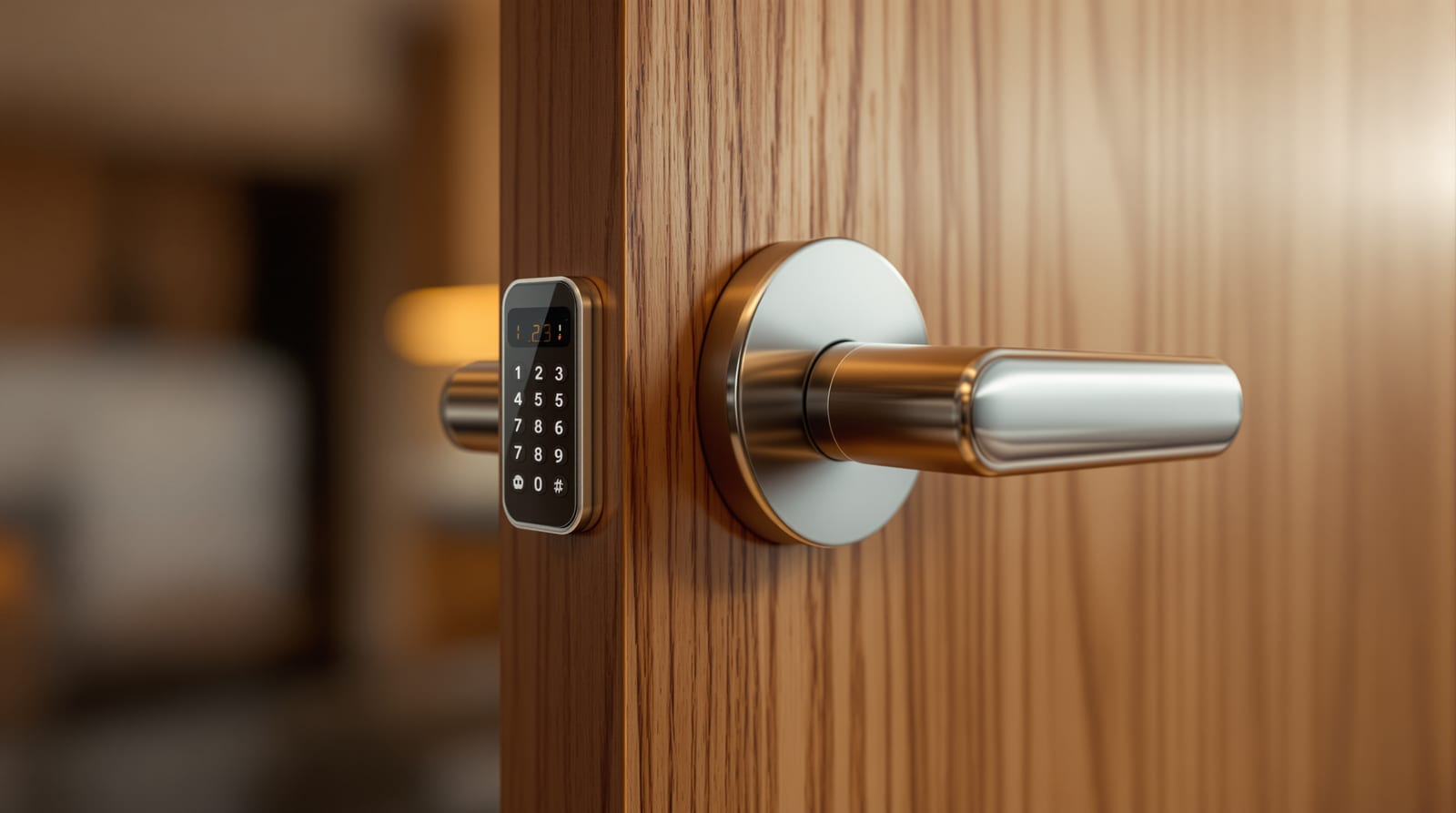
Electronic Deadbolts: Motorised Lock Guide India 2026
How motor-driven electronic deadbolts work, auto-lock and retrofit options, security grade, battery life and where they fit in Indian homes.
Most "smart locks" sold in India hide the same workhorse inside: a motor-driven bolt. Modern electronic deadbolts are the heart of that category — a hardened steel bolt thrown and withdrawn by a small electric motor instead of your wrist on a thumbturn. Whether badged as a keypad lock, a fingerprint lock or a Wi-Fi lock, the security work is done by this one mechanism. This guide explains how the motorised deadbolt actually works, where it fits in an Indian home, the auto-lock and retrofit realities, the jamming and alignment problems that frustrate owners, how it compares to a maglock or an electric strike, and how to plan for battery and power-cut lock-out.
What electronic deadbolts are
A traditional deadbolt is a square-ended steel bolt with no spring — it only moves when you turn the key or thumbturn, which is why it resists jemmying far better than a spring latch. An electronic deadbolt keeps that same bolt and throws it with a geared DC motor driven by a controller and battery pack inside the door. You authorise the motor with a PIN, RFID card or fob, fingerprint, face, an app over Bluetooth or Wi-Fi, or a one-time PIN — and almost every reputable unit keeps a mechanical-key override for dead batteries.
Two physical formats dominate Indian homes. A rim/surface deadbolt mounts on the inside face of the door and is the easiest retrofit. A mortise body sits in a pocket cut into the door edge and usually combines the deadbolt with a latch and sometimes side bolts (see multipoint locking doors and mortise locks). The deadbolt is the security element; everything else — readers, screens, apps — is the convenience layer around it.
How the unlock flow works
The sequence is the same across brands: you present a credential, the controller verifies it, the motor drives the bolt, and a sensor confirms the bolt position. Understanding this chain matters because most real-world failures are mechanical (the bolt cannot move) rather than electronic.
Auto-lock and auto-relock
The single biggest reason to buy a motorised deadbolt over a manual one is auto-lock. A timer or door sensor re-throws the bolt seconds after the door closes, so the door is never accidentally left on the latch. Auto-relock means an unlocked door re-secures itself after a set interval even if no one closed it. Both are genuinely useful in Indian homes where the main door is opened dozens of times a day for deliveries, domestic help and family.
The flip side is lock-out risk. With auto-lock on, stepping out to the lift or terrace without a credential and without the key means the door locks behind you. Always keep the mechanical key with a neighbour or in a key safe, register at least two credential types per resident, and switch off auto-lock for the period a carpenter or painter is working. For households where a child or elderly parent might get locked out, a keypad PIN they can memorise is the most forgiving backup.
Retrofit onto an existing deadbolt prep
The great advantage of the rim/surface electronic deadbolt is that it bolts onto the existing deadbolt cut-out. If your door already has a standard mortise or cylindrical deadbolt hole, many smart deadbolts (and conversion kits from brands such as Yale, Godrej, Qubo and Ozone) reuse it — you keep the outside hardware, swap the inside thumbturn for the motorised module, and gain electronic control without re-machining the door. This is the cheapest route to a smart entry and the least disruptive for a rented flat.
Two cautions. First, a hollow flush door or a thin uPVC/aluminium leaf may not have enough material or stiffness to hold a motorised body steady; the motor needs a rigid mount to throw the bolt cleanly. Second, retrofitting does not fix a bad door or frame — if the door sags or the strike is misaligned, the motor will jam exactly where a manual key felt "stiff". Sort the door's hang and the strike alignment first; our smart lock installation and door hardware guide cover the prep.
Jamming and alignment — the real failure mode
Almost every "my smart lock stopped working" complaint in India is mechanical. A human wrist applies far more torque than a small DC motor, so a strike misalignment you barely noticed with a key will stall the motor. Symptoms include the bolt half-throwing, a grinding sound, repeated retries and rapid battery drain.
The cure is alignment, not electronics. Check that the bolt drops cleanly into the strike with the door closed; re-position the strike plate if it binds; tighten hinges and pack out a sagging door; and apply a dry PTFE lubricant (never sticky grease) to the bolt. Humid coastal climates and monsoon swelling make timber doors bind seasonally — see automatic door troubleshooting. If a unit jams repeatedly even after alignment, the gearbox may be failing and the body needs replacement under warranty.
| Symptom | Likely cause | Fix |
|---|---|---|
| Bolt half-throws / grinds | Strike misaligned, door sagging | Re-position strike, tighten hinges, pack door |
| Fast battery drain | Motor working against friction | Lubricate bolt, fix alignment |
| Random unlock fails | Low battery, swollen credential reader | Replace cells, clean/calibrate reader |
| Bolt won't move at all | Flat battery or dead motor | Use mechanical key; replace cells; service body |
| Auto-lock triggers with door open | Faulty door sensor / wrong mode | Reset sensor, switch to timer or door-closed mode |
Security grade — deadbolt vs maglock vs strike
For a home, a quality motorised deadbolt is generally the strongest mechanical choice because the steel bolt physically engages the frame and resists forcing — provided the door and frame are solid. A maglock (EM lock) holds the door shut with an electromagnet (280/600 kg holding force) and is fail-safe: it releases on power loss, which is the correct, legal behaviour on escape routes but means a power-cut leaves the door unsecured. An electric strike electrifies the keep that the bolt or latch drops into and can be fail-safe or fail-secure. The bolt itself is fail-secure by nature — it stays thrown when power is lost — so an electronic deadbolt keeps the door locked through a power-cut, with the mechanical key as your way back in.
This fail-secure behaviour is exactly why deadbolts suit homes and why they are wrong for a controlled fire-escape door. Any access-controlled door on a designated escape route must permit free egress under the NBC 2016 life-safety provisions and should release maglocks on a fire-alarm signal. For a home's main door, a deadbolt with an always-available inside thumbturn (single-action egress) satisfies this; for shared or commercial escape doors, the fail-safe maglock approach is usually mandated.
| Mechanism | Behaviour on power loss | Holding strength | Best for |
|---|---|---|---|
| Electronic deadbolt | Fail-secure (stays locked) | High (steel bolt into frame) | Home main door, flats |
| Maglock (EM, 280/600 kg) | Fail-safe (releases) | High clamp, no bolt | Shared escape doors, offices |
| Electric strike | Fail-safe or fail-secure | Medium (depends on door) | Glass/aluminium, intercom entry |
| Solenoid bolt | Either, by model | High | Gates, secure rooms |
For the full comparison and the life-safety decision, see fail-safe vs fail-secure locks, magnetic door locks and electric strike locks. To weigh the security rating of the leaf and frame around the bolt, read security door grades.
Battery and power-cut planning
Electronic deadbolts run on internal cells — typically 4 to 8 AA alkalines or a rechargeable pack — and a healthy unit lasts roughly 6 to 12 months per set, depending on motor load and how often you operate it. A misaligned bolt that makes the motor strain can halve that. The lock warns you with audible beeps, app alerts and a low-battery indicator well before it dies, and most include an emergency power input (a 9 V battery or USB-C touch point on the outside) plus the mechanical key so a flat battery never means a true lock-out.
For India's power realities, the good news is that a deadbolt does not depend on mains power for its security — the bolt stays thrown. The risks are battery neglect and forgetting the override key. Keep spare cells at home, note the replacement date, and store the mechanical key off-site. Adding Wi-Fi drains batteries faster, and remote features stop during an internet or power outage even though the lock keeps working locally. Our smart lock battery guide and door access power backup go deeper, and you can size battery life with the smart lock battery life calculator.
Where it fits — and where it doesn't
An electronic deadbolt is the right pick for a flat or house main door where you want auto-lock, multiple residents with their own PINs or prints, and the assurance of a physical bolt. It is a natural upgrade from a manual deadbolt and integrates cleanly into a wider smart door ecosystem with a video door phone and app control. It is the wrong tool for a frameless glass door (use an electric strike or maglock), a shared building escape door governed by fire code (fail-safe maglock with alarm release), or a flimsy hollow leaf that cannot hold the motor rigidly.
Before buying, match the bolt format to your door, confirm a mechanical-key override exists, plan the battery routine, and fix any alignment issue first. For the bigger picture, start at the complete door guide and the door automation pillar, compare methods in keyless entry systems, and shortlist a unit with the smart lock selector. Pricing typically runs ₹7,000-12,000 for keypad/Bluetooth, ₹12,000-20,000 for fingerprint plus Wi-Fi, and ₹18,000-35,000 for premium face or video-integrated models, all plus 18% GST and installation.
Frequently asked questions
Is an electronic deadbolt safe during a power-cut?
Yes. The bolt is fail-secure, so it stays locked when power is lost — its security never depends on mains supply. The only risk is a flat internal battery, which is why every reputable unit keeps a mechanical-key override and most add an emergency 9 V or USB power point on the outside. Keep spare cells and the key off-site.
Can I retrofit an electronic deadbolt onto my existing door?
Usually, yes. Rim and conversion-kit models reuse a standard deadbolt cut-out: you swap the inside thumbturn for the motorised module and keep the outside hardware. The door must be solid and well-hung, though — a sagging or hollow door makes the motor jam. Fix alignment before fitting.
Why does my motorised deadbolt keep jamming?
Nearly always strike misalignment or a sagging door. A motor applies far less force than your wrist, so a bolt that felt "a bit stiff" with a key will stall the motor. Re-position the strike, tighten hinges, pack out the door and lubricate the bolt with dry PTFE — not sticky grease.
Is a deadbolt more secure than a maglock for my home?
For a home, generally yes. The steel bolt physically engages the frame and is fail-secure, so it survives a power-cut locked. A maglock is fail-safe and releases on power loss — correct for shared escape doors but it leaves a door open during an outage, so it is not the right home main-door choice.
How long does the battery last?
Roughly 6 to 12 months on a set of AA cells for typical home use, less if Wi-Fi is enabled or the bolt is straining against a misaligned strike. The lock warns you well in advance with beeps and app alerts. Use the smart lock battery life calculator to estimate for your usage.
Will auto-lock leave me locked out?
It can if you step out without a credential and without the key. Keep auto-lock on for security, but register at least two credential types per person, memorise a keypad PIN as a fallback, store the mechanical key with a neighbour, and turn auto-lock off while tradespeople are working.
Export this guide
Related Guides — Deep-dive reading
Fail-Safe vs Fail-Secure Locks: The Guide (India 2026)
Why fail-safe vs fail-secure is the single most important access-control decision, and how to get it right for every door.
Home Doors & EntrancesAccess Control Maintenance in India (2026): Readers, Locks and Fail-Safe Egress
How to keep a card, keypad, fingerprint or face access-control system reading reliably and locking securely — and, above everything, how to test that its doors still release on a fire alarm and on power loss, so an access-controlled door never becomes a life-safety trap.
SecurityDoor Access Power Backup: Never Locked In or Out India 2026
What happens to every smart lock, maglock, strike and operator in a power cut, plus battery and UPS sizing so you are never trapped.
Home Doors & EntrancesRelated Tools — Try Free
Door Lock Selector
Answer a few questions and get the right lock type — mortise, multipoint, deadbolt, privacy or smart — for any door.
Door ToolDoor Security Rating Calculator
Score your main door out of 100 across leaf, frame, lock and hardware — and see the top upgrades.
Security ToolSmart Lock Finder
Find the right smart lock — access methods, tier and must-haves like a mechanical override — for your door and budget.
Door Tool