
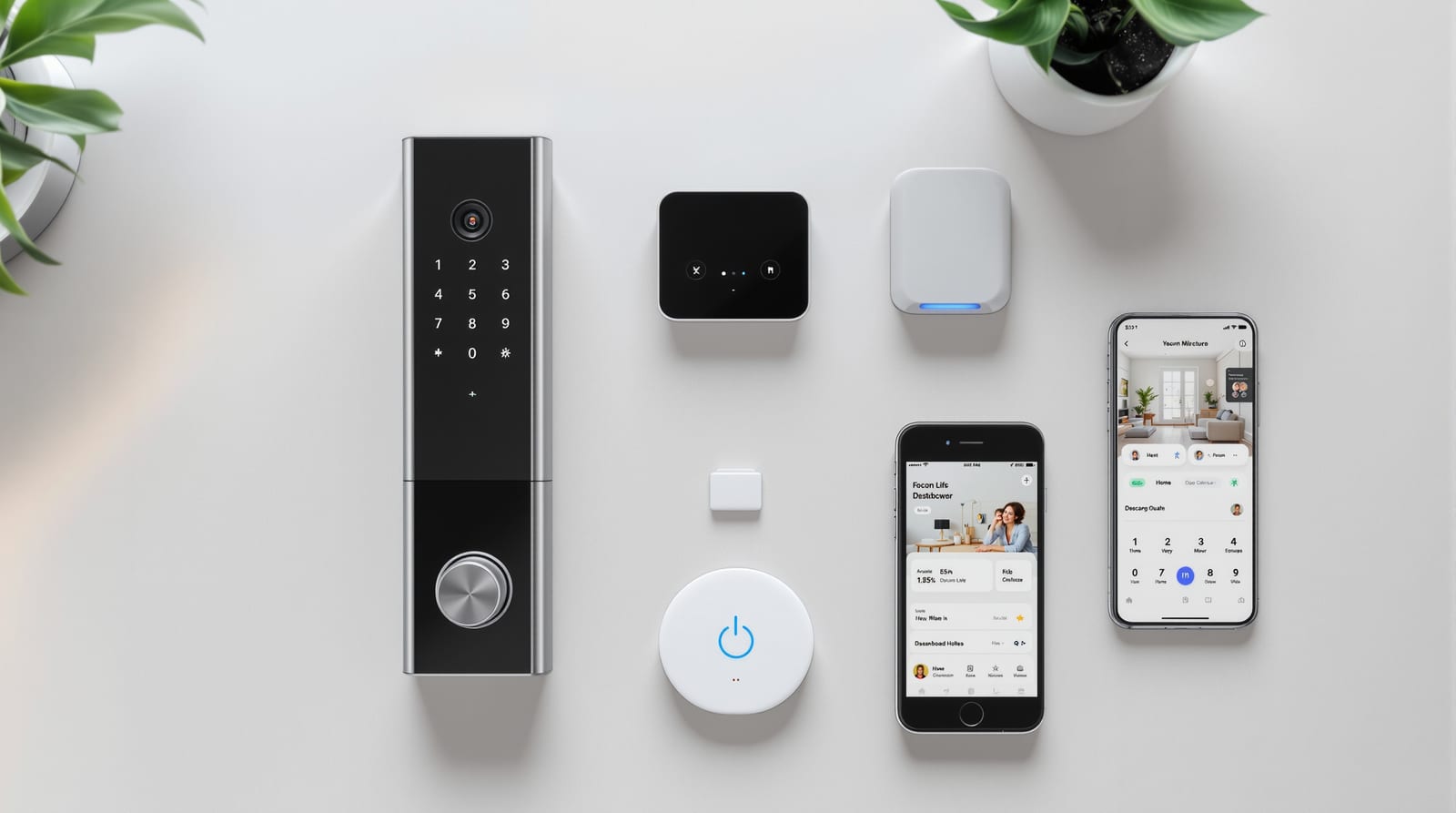
Smart Door Ecosystem in India: Build One That Works 2026
How your smart lock, video door phone, sensors, app and hub talk to each other, the smart home, and what survives a power-cut.
A single smart lock is a gadget. A smart door ecosystem is when that lock, your video door phone, the door and motion sensors, a hub or bridge, and one phone app all talk to each other — and to the rest of your smart home — so the front door behaves like one coordinated system rather than four apps you forget to open. Done well, the door locks itself at bedtime, the porch light comes on when someone approaches, the video door phone rings your phone wherever you are, and a single tap arms the whole house. Done badly, you juggle five logins, half the features die when the broadband blinks, and nobody is sure whether the door is actually locked. This guide explains how the pieces fit, how to choose between one ecosystem and a mix of brands, and what genuinely keeps working during an Indian power-cut.
What a smart door ecosystem actually contains
Think in layers. Each layer can come from one brand or be mixed, but every layer has to connect to the next.
- Endpoint devices — the smart lock (PIN, RFID, fingerprint, face, app, or OTP unlock), the video door phone or smart doorbell, a door/window contact sensor, and a motion or presence sensor.
- Connectivity — how those devices talk: Wi-Fi, Bluetooth/BLE, Zigbee, Z-Wave, or Matter (often over Thread). Each has trade-offs in range, battery drain and reliability.
- The hub or bridge — the translator and brain. It joins low-power radios (Zigbee/Z-Wave/Thread) to your home network and lets devices trigger each other even when your phone is asleep.
- The app and cloud — where you see status, get visitor alerts, and grant guest access. Some of this is local; some routes through a vendor server.
- The smart home assistant — Alexa, Google Home or Apple Home, plus your lights, cameras and AC, so the door can be part of whole-home scenes.
A practical home keeps the front door covered by a lock and a VDP/doorbell, adds one door sensor (so you know it is shut, not just locked), and ties them through a hub into the assistant you already use.
Connectivity: how the devices talk
The protocol decides battery life, range and what works offline. There is no single winner; most real homes mix two or three.
| Protocol | Typical use | Range / reliability | Power draw | Needs internet? |
|---|---|---|---|---|
| Wi-Fi | VDP, IP cameras, some locks | Whole-home; depends on router | High (battery locks drain fast) | Cloud features yes; local sometimes |
| Bluetooth / BLE | Phone-near unlock, setup | Short (a few metres) | Low | No — phone-to-lock direct |
| Zigbee | Locks, sensors via hub | Mesh, good in-home | Low | No for local automations |
| Z-Wave | Locks, sensors via hub | Mesh, long range | Low | No for local automations |
| Matter (over Thread/Wi-Fi) | New cross-brand devices | Mesh (Thread) or Wi-Fi | Low (Thread) | No for local control |
Matter is the part to watch. It is an open standard backed by Apple, Google, Amazon and Samsung that lets a Matter lock from one brand be controlled by any Matter-compatible app or hub — the long-promised cure for app-juggling. Support in India is still arriving brand-by-brand, so treat "Matter-ready" as a tie-breaker, not a guarantee. For a deeper look at the radio choices and how Wi-Fi locks behave on Indian broadband, see smart lock Wi-Fi connectivity.
One ecosystem vs mixing brands
This is the central decision, and there is no universally right answer.
Sticking to one brand or platform
Godrej (Advantis/Catus), Yale, Qubo, Hikvision and others sell locks and video door phones designed to pair in their own app. The upside: setup is simpler, the app is one, firmware updates are coordinated, and support has nobody to blame but themselves. The downside: you are locked into that brand's pace of innovation and pricing, and if a category (say, a good face-unlock lock) is weak in their range, you are stuck.
Mixing brands under a neutral hub
Buy the best lock, the best VDP and the best sensors, then unify them under Apple Home, Google Home or a hub like SmartThings/Home Assistant — ideally via Matter or Zigbee. The upside: best-of-breed devices and one assistant app for scenes. The downside: more moving parts, occasional pairing headaches, and the need to check compatibility before you buy.
| Approach | Setup effort | Single-app control | Best-of-breed devices | Future-proofing | Who it suits |
|---|---|---|---|---|---|
| One brand ecosystem | Low | Yes (vendor app) | No | Tied to vendor | First-timers, simplicity-seekers |
| Mixed via Matter/hub | Medium-high | Yes (assistant app) | Yes | High (open standard) | Tinkerers, larger smart homes |
| Mixed, no hub | Low | No (many apps) | Yes | Poor | Avoid for ecosystems |
The rule of thumb: if you want one polished app and minimal fuss, buy one ecosystem. If you already run Apple/Google/Alexa lights and cameras, buy Matter-compatible door devices and fold them in.
How the pieces connect — and where the brain sits
The hub is the difference between gadgets and a system. Without one, every device talks only to the cloud and your phone; a door sensor cannot trigger a light, and nothing happens while your phone is locked in a drawer. With a hub, automations run on a local box in your home, so they are faster and survive an internet drop. For the full wiring and smart-home tie-in, see smart-home door integration.
Scenes and automations: the payoff
This is why people build ecosystems. A few that earn their keep in Indian homes:
- Auto-lock at night — at 10:30 pm, if the door is shut (sensor confirms), lock it and switch off the porch light. No more "did I lock up?".
- Arrive home — when your phone is detected near the gate, the porch light turns on and the lock readies for BLE unlock.
- Visitor at the door — the VDP detects motion, rings your phone, and (optionally) records a clip — handy when you are at work and the courier or maid arrives.
- Leaving — one "Going out" tap locks the door, arms motion alerts and turns off the AC.
- Guest access — issue a time-boxed PIN or app key for relatives or a domestic helper, with an audit log of who entered when.
Keep one rule sacred: a door on a fire escape route must always allow free egress from inside without an app, code or power — this is a non-negotiable life-safety requirement under NBC 2016. Never let an automation be the only way out.
What breaks without internet (and during a power-cut)
This is where Indian reality bites, and where buyers are most often misled.
| Function | Internet down | Power-cut (lock on batteries) |
|---|---|---|
| Unlock with PIN / fingerprint at the door | Works | Works (lock battery) |
| Unlock via app while away | Fails (needs cloud) | Works at door only |
| BLE unlock (phone near door) | Works | Works |
| Local scenes (auto-lock) on a hub | Works | Hub needs UPS to keep running |
| Cloud scenes / IFTTT-style | Fails | Fails |
| Visitor alerts to your phone | Fails | VDP needs UPS power |
| Video door phone live view at home | May work locally | Needs power/UPS |
Two defences matter. First, buy devices with strong local control and an on-device unlock method (PIN or fingerprint) plus a mechanical-key override so you are never locked out. Second, put the router, hub and VDP on a small UPS or inverter — a modest ₹3,000-8,000 inverter/UPS keeps the door system alive through a typical cut. Battery locks themselves run for months and chirp a low-battery warning; keep a 9V backup terminal model or spare cells handy. For the full backup playbook, see door access power backup, and to plan an outage-proof setup read door automation power backup wiring.
Privacy, security and ongoing care
An ecosystem concentrates a lot about your life — who enters, when, and video of your doorstep. Under the DPDP Act 2023, biometric data and footage deserve care: prefer locks that store fingerprints/face templates on-device rather than in the cloud, use a unique strong password and two-factor login on the app, keep firmware updated, and on a mixed setup check each vendor's data policy. Delete old guest PINs and review the audit log periodically; for that habit see door access audit logs. The same mindset applies to the lock itself — read smart lock security risks before you trust app-only entry.
When you are ready to specify, our smart lock selector narrows brands to your door and unlock method, and the smart lock compatibility checker confirms whether a lock will join your chosen hub or assistant. For the wider picture, this guide sits inside Studio Matrx's complete door guide and the door automation pillar.
Frequently asked questions
Do I need a hub for a smart door ecosystem?
Not for a single Wi-Fi or BLE lock — those talk to the cloud and your phone directly. But the moment you want devices to trigger each other (door sensor turns on a light, auto-lock at night) reliably and without the internet, a hub or bridge is what makes it a true ecosystem rather than a set of standalone apps.
Can I mix a Yale lock, a Hikvision VDP and Godrej sensors?
Yes, but only sensibly if they share a common platform — ideally Matter, or a hub that supports each protocol. Otherwise you end up with three apps and no scenes. Check compatibility before buying, or stay within one brand's range for a guaranteed single-app experience.
Will the door stay locked if the internet goes down?
Yes. The lock holds its last state mechanically and you can still enter at the door with a PIN, fingerprint or key. What you lose offline is remote control, cloud-routed visitor alerts and any internet-dependent scene — local automations on a hub keep running if the hub has power.
Is Matter worth waiting for in India?
Treat it as a strong tie-breaker, not a reason to delay. Matter support is rolling out brand-by-brand here, so if two products are otherwise equal, pick the Matter-compatible one for future single-app control. But do not leave your door unsecured waiting for a standard to mature.
What happens during a long power-cut?
The lock runs on its own batteries for months, so door-side entry is fine. To keep the video door phone, hub and router alive — and your remote alerts working — put them on a small UPS or inverter (₹3,000-8,000). Always keep a mechanical-key override so a flat lock battery never locks you out.
How much should I budget for a basic connected door?
A solid starter ecosystem is a smart lock (₹12,000-20,000 for fingerprint+Wi-Fi), a video door phone (₹3,000-8,000 wired or ₹10,000-25,000 IP), one door sensor and a modest hub, plus a small UPS. Mixed best-of-breed setups with face-unlock and IP intercom run higher; get an integrator quote for anything villa-scale or multi-door.
Export this guide
Related Guides — Deep-dive reading
Smart Security Hubs for Indian Homes: Choosing the Brain of the System
The hub is the controller at the centre of a smart security system — it speaks the device radios, runs the automations and links you to your phone. What it is, the connectivity choices explained plainly, and why local-over-cloud and backup power decide whether it survives an Indian power cut.
SecuritySmart Home Maintenance & Troubleshooting for Indian Homes
A smart home is not a one-time purchase — it is a small fleet of computers that needs firmware updates, fresh batteries, occasional reboots and a plan for the day a manufacturer switches off the cloud. This guide gives you a maintenance calendar, a troubleshooting flow for the failures Indian homes actually see, and the UPS and security hygiene that keep it all running through power cuts and voltage swings.
Smart HomeSmart Home Security Systems in India: CCTV, Sensors, Alarms & AI
How to think in layers — perimeter, entry, interior — and build a system that actually protects an Indian home: AI cameras, video door phones, door and glass-break sensors, alarms, panic buttons, gate automation, monitoring and DPDP-aware privacy, with real brands and rupee costs.
Smart HomeRelated Tools — Try Free
Smart Curtain Compatibility Checker
Check whether a motorised curtain will work with Alexa, Google, Apple Home, SmartThings or Home Assistant — and what you need.
CheckerVideo Door Phone Type Selector
Answer a few questions about your building, cabling, budget and internet and get the right video door phone — analog / wired / wireless / IP, single-home or multi-apartment, monitor or app.
Door Phone SelectorDoor Lock Selector
Answer a few questions and get the right lock type — mortise, multipoint, deadbolt, privacy or smart — for any door.
Door Tool