
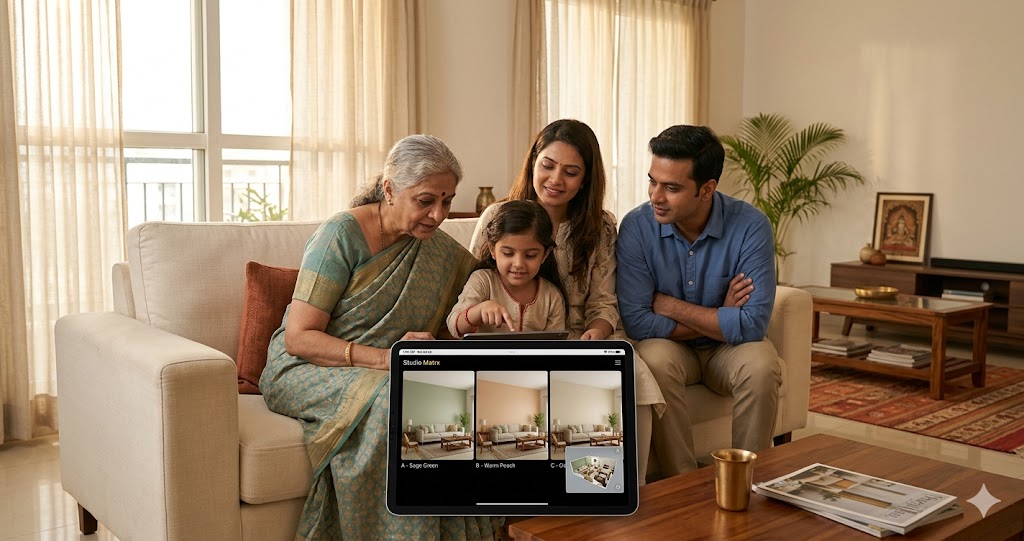
AI Home Visualization — Decision-Maker Lens for Indian Homeowners (2026)
Compare 3 wall colors · A/B sofa options · Phone AR · Studio Matrx walkthrough · Render-to-reality fidelity
You are about to spend ₹15 lakh on your home interior. Wouldn't you like to walk through it first? AI home visualization is the decision-support layer that sits between "I think I want a teal accent wall" and "I have approved the final BoQ" — letting you see, compare, A/B test, and rally family consensus around a space that does not yet physically exist. For Indian homeowners doing 2-3 BHK interiors in 2026, it has quietly become the single most useful pre-construction tool in the buyer's kit.
Unlike rendering — which is a production output — visualization is a decision instrument. It is the difference between your designer handing you a glossy PDF and you actually sitting on a virtual sofa, swapping three wall colours on the same wall in three seconds, and forwarding the result to your mother-in-law in Pune for her blessing before the painter is booked. The Indian context — joint family decision-making, Vastu sensitivity, building society approvals, multi-generational tastes — makes this kind of pre-commitment validation uniquely valuable here.
"The render is the painting. Visualization is the conversation." — Studio Matrx product thesis, 2026
If you want the broader picture, pair this with our companion guides on AI interior design, AI home design, the production-side AI render generator, and the practitioner reference on virtual interior design. This guide refreshes every 12 months. Last verified: May 2026 · Next verify: May 2027.
What AI Home Visualization Actually Means (and What It Doesn't)
AI home visualization is the use of generative and real-time 3D AI to produce viewable, navigable, comparable representations of an unbuilt or pre-renovation interior space — for the purpose of the homeowner (not the designer) making confident decisions. It collapses the gap between "designer's intent" and "client's understanding."
Concretely, it spans four layers:
1. Static AI renders — photoreal still images of the finished room from chosen camera angles.
2. 3D web walkthroughs — browser-based, mouse-driven first-person navigation of the model.
3. AR overlays on a phone — pointing your phone camera at your actual living room and seeing the proposed sofa, console, or wall colour overlaid in real time.
4. VR walkthroughs — headset-based immersive presence, where you "stand" inside the unbuilt home at 1:1 scale.
Five things AI home visualization is NOT:
- It is not the final reality. Renders are aspirational; build tolerances, vendor substitutions, and lighting variance all shift the actual outcome. Expect 80-92% fidelity for a well-instrumented Studio Matrx project, lower elsewhere.
- It is not a substitute for a site visit. No render captures the smell of the new flooring, the acoustic dampening of the curtains, or how the morning light actually hits at 6:47 AM on 21st June.
- It is not free creative licence. What you visualize must be buildable within your BoQ, structural envelope, and Vastu/society constraints — otherwise it is just expensive wallpaper for the imagination.
- It is not the designer's job alone. The whole point is that you, the homeowner, drive the comparisons — wall colours, sofa fabrics, curtain styles. The designer curates; you decide.
- It is not VR-only or AR-only. The best homeowner toolkit blends static renders for sharing, 3D walkthroughs for navigation, and AR for in-place validation. Anyone selling you a single modality is selling you their licence cost.
Why AI Home Visualization Matters in 2026 India
Three forces converged between 2023 and 2026 to make visualization a homeowner-grade tool rather than a designer-only luxury.
Force one: the cost of a wrong decision rose. A 3 BHK interior in Bengaluru or Mumbai now runs ₹12-25 lakh for mid-segment, ₹30 lakh+ for premium. A wrong sofa is not a ₹40,000 mistake — once you factor delivery, layout disruption, and the inevitable "let's just adjust the rug too," it becomes a ₹1.5-2 lakh mistake. Pre-commitment visualization caps that risk.
Force two: smartphones got good enough for AR. ARKit (Apple) and ARCore (Google) shipped LiDAR-class plane detection on devices most Indian middle-class buyers already own. Pepperfry IRIS, IKEA Kreativ, Asian Paints Visualizer, and Berger Express Painting all became serviceable in 2024-25. By 2026, "show me on my phone" is a reasonable consumer expectation.
Force three: generative AI made comparison cheap. Producing three render variations of the same wall used to mean three days of designer time at ₹3,000-8,000 per render. Diffusion-model pipelines (Studio Matrx, RoomGPT, Coohom) now do it in 90 seconds at near-zero marginal cost. When comparison is cheap, comparison happens — and homeowner confidence rises.
The seam Studio Matrx fills is the homeowner-grade comparison layer for India. Foyr Neo and Coohom are designer-first; Houzz and IKEA are catalogue-first; Asian Paints is paint-only. None of them stitch text-brief → moodboard → photoreal render → BoQ → AR placement → Vastu-checked layout into one homeowner-readable surface with Indian context (₹ pricing, regional vendor catalogues, Vastu overlays, joint-family share flows). That gap is what Studio Matrx was built to close.
The Seven Capabilities That Matter
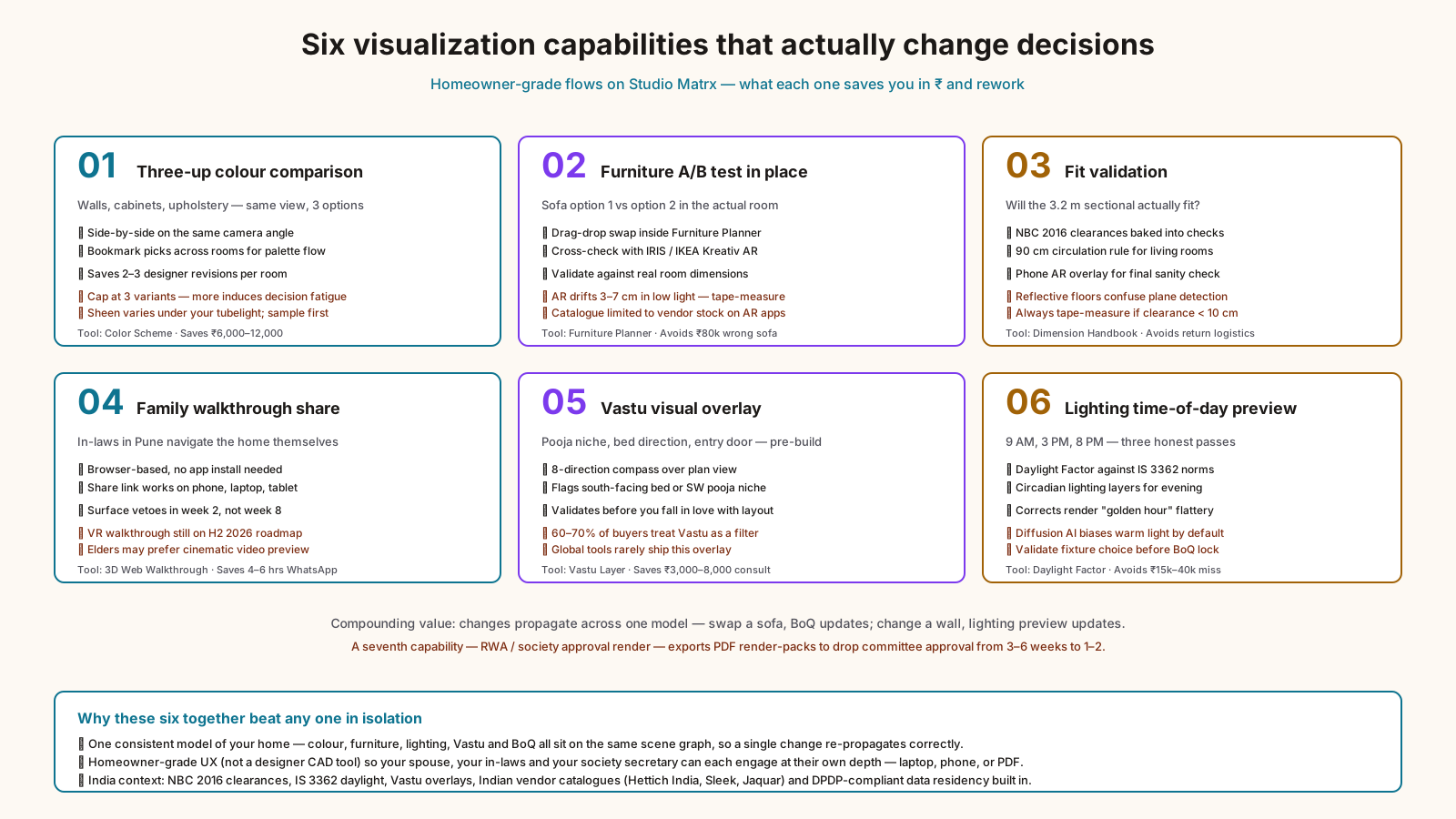
Not every "visualization" feature actually changes decisions. The seven below do.
| Capability | What it does for the homeowner | Time / cost saved | Studio Matrx flow |
|---|---|---|---|
| Three-up colour comparison | See 3 wall/cabinet colours side-by-side on the same view | 2-3 designer revisions saved (~₹6,000-12,000) | Moodboard variants → Color Scheme A/B/C |
| Furniture A/B test | Sofa option 1 vs option 2 in the actual room | Avoid 1 wrong ₹80,000 sofa | Furniture Planner with swap-in-place |
| Fit validation | Will the 3.2 m sectional actually fit? | Avoid return logistics nightmare | Dimension Handbook + AR phone overlay |
| Family walkthrough share | Send a link, in-laws can navigate the home themselves | 4-6 hrs of WhatsApp back-and-forth | 3D web walkthrough share-link |
| Vastu visual overlay | See pooja niche placement, bed orientation, entry door pre-build | 1 Vastu consultant visit (₹3,000-8,000) | Vastu visual layer on plan view |
| Lighting time-of-day preview | How will the morning light fall on the dining table? | Avoid a wrong fixture decision (~₹15,000-40,000) | Daylight Factor + Circadian Light Meter |
| Society / approval render | A render formal enough to submit to your RWA / building society | Avoid rework on rejected facade changes | Render exports tuned for committee approval |
Each of these is independently useful. The compound value comes from doing them in one stack, against one consistent model of your home, so changes propagate — change the wall colour and the lighting preview updates, swap the sofa and the BoQ updates.
How Studio Matrx Does AI Home Visualization — End-to-End Walkthrough
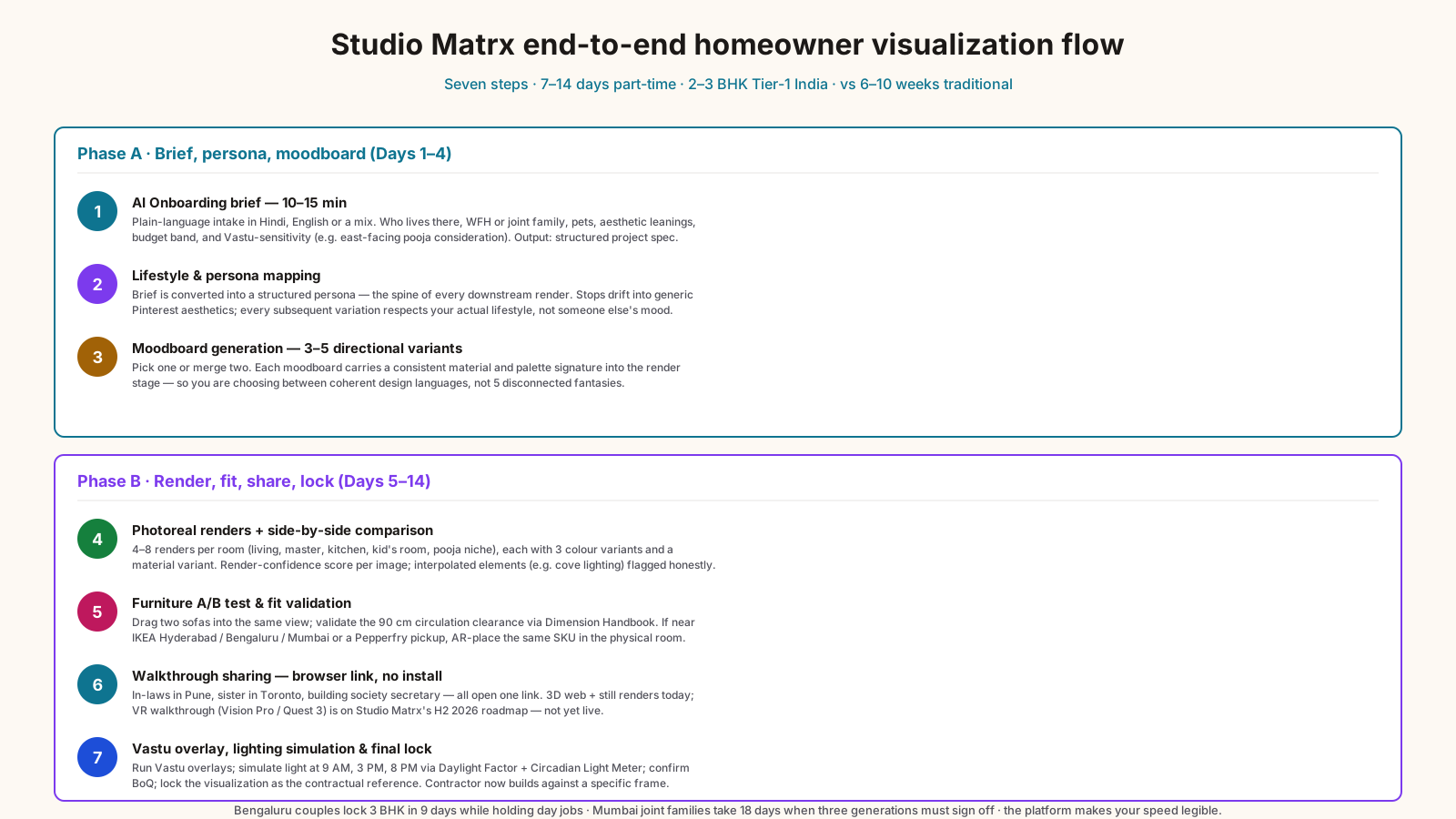
This is the actual flow a homeowner runs end-to-end on Studio Matrx today. It assumes you have a 2-3 BHK in a Tier-1 Indian city and you are 4-12 weeks ahead of starting interior work.
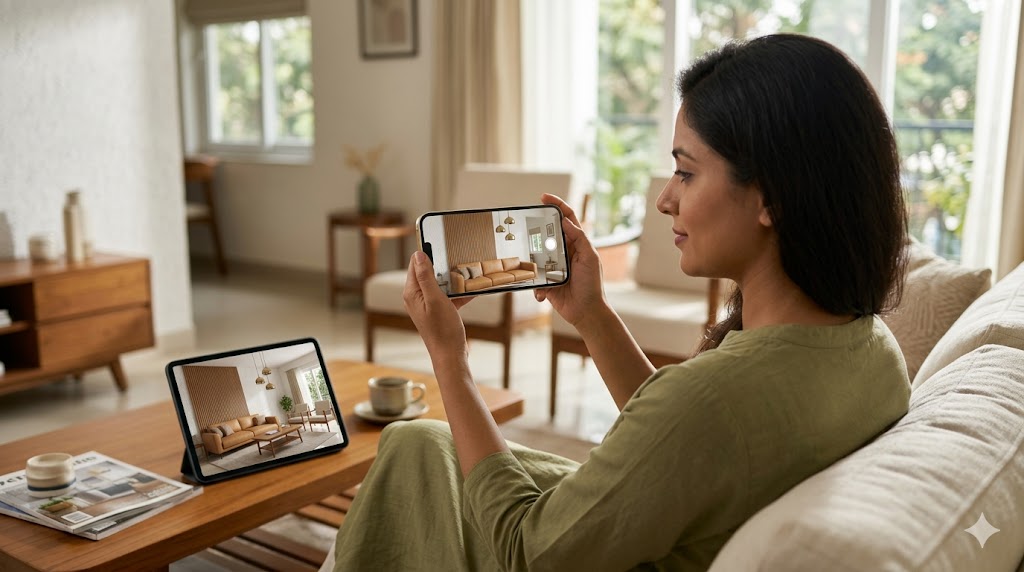
Step 1 — Onboarding brief (10-15 minutes). Run the AI Onboarding flow. You answer in plain language — Hindi, English, or a mix — about who lives there, lifestyle (work-from-home? joint family? pets?), aesthetic leanings ("warm minimal but a bit playful"), and budget band. The system also probes Vastu-sensitivity ("do you want east-facing puja consideration?") so it can layer that in later.
Step 2 — Lifestyle and persona mapping. Lifestyle Persona Mapping converts the brief into a structured persona. This is the spine of every subsequent visualization — every render variation respects the persona rather than drifting into generic Pinterest aesthetics.
Step 3 — Moodboard generation with variants. Moodboard Builder produces 3-5 directional moodboards. You pick 1 or merge 2. Crucially, each moodboard carries forward into the render stage with a consistent material and palette signature — so you are not visualizing 5 disconnected fantasies, you are choosing between 3 coherent design languages.
Step 4 — Photoreal renders + side-by-side comparison. Studio Matrx generates 4-8 photoreal renders per room — living, master bedroom, kitchen, kid's room, pooja niche. Each comes with three colour-scheme variants (Color Scheme) and a material variant (Material Palette). You sit with your spouse, pick your favourite for each surface. The system is honest about render fidelity: it shows you a "render confidence" score per image and flags any element it's interpolating (e.g. "ceiling cove lighting — interpretation may vary by electrician").
Step 5 — Furniture A/B test and fit validation. Furniture Planner loads your actual room dimensions. You drag two sofa options into the same view, see them rendered, then validate dimensions against Dimension Handbook — does the 3-seater leave the 90 cm circulation clearance prescribed for living rooms? If you are within 3 km of an IKEA Hyderabad / Bengaluru / Mumbai store or a Pepperfry pickup point, you can then open the IRIS or Kreativ app and AR-place the same SKU in your physical room for a final sanity check.
Step 6 — Walkthrough sharing. Studio Matrx generates a shareable browser walkthrough link — your in-laws in Pune, your sister in Toronto, and your building society secretary can all click and navigate. No app install. We are honest here: VR walkthroughs (Apple Vision Pro / Meta Quest 3) are on the Studio Matrx 2026 H2 roadmap, not yet live. Today, the share link is 3D web + still renders. Most Indian homeowners do not own a VR headset anyway, so the web walkthrough remains the dominant share format for the next 18-24 months.
Step 7 — Vastu, lighting, and final lock. Run the layout through Vastu visual overlays cross-referenced with our Vastu for Bedroom and Entrance Vastu guides, simulate lighting at three times of day via Daylight Factor and Circadian Light Meter, confirm the BoQ via the linked cost tools, and lock the visualization as the contractual reference for execution. Your contractor now builds against a specific frame, not a vague verbal direction.
The whole loop, end-to-end, typically takes a homeowner 7-14 days of part-time engagement — versus 6-10 weeks of designer back-and-forth in the traditional flow. We have seen Bengaluru couples lock a 3 BHK visualization in 9 days while still both holding day jobs at Manyata Tech Park. We have seen joint families in Mumbai's Andheri take 18 days because three generations needed to sign off. The point is not that the platform is fast — the point is that the platform makes your speed legible. You can move as carefully as the decision deserves, without the per-revision cost of a traditional designer flow penalizing you for that care.
"For the first time, an Indian homeowner can sit at the kitchen table with their spouse, pull up three living-room options on a laptop, decide which one they love, and forward it to grandma in another city — all before the painter is even quoted." — Studio Matrx customer interview, Pune, March 2026
AI Home Visualization vs Traditional Designer-Led Visualization
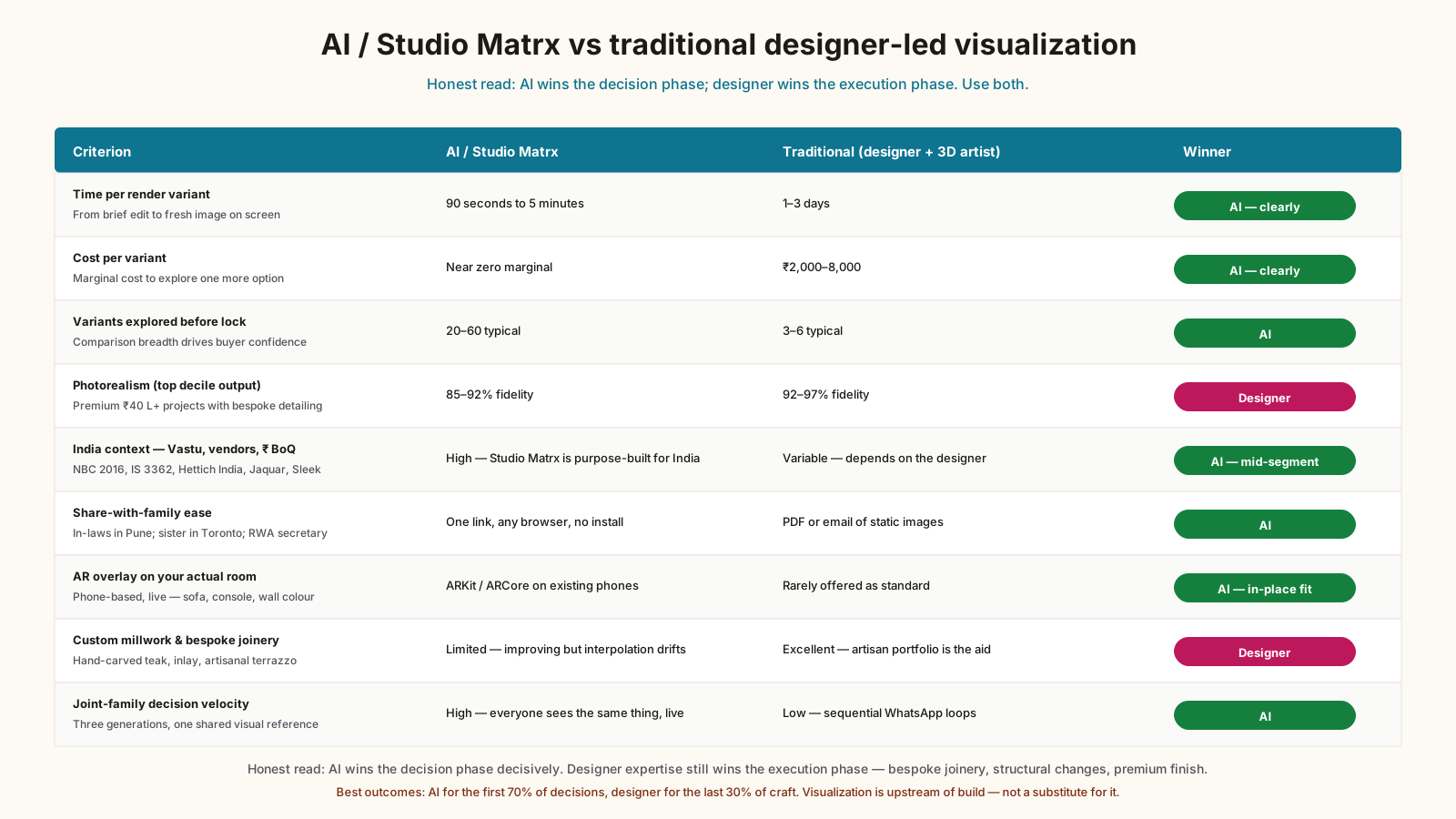
| Criterion | AI / Studio Matrx | Traditional (designer + 3D artist) | Winner — caveat |
|---|---|---|---|
| Time per render variant | 90 sec to 5 min | 1-3 days | AI — but designer adds taste judgement |
| Cost per variant | Near zero marginal | ₹2,000-8,000 | AI — clearly |
| Number of variants explored | 20-60 typical | 3-6 typical | AI — comparison breadth drives confidence |
| Photorealism (top decile) | 85-92% fidelity | 92-97% fidelity | Designer — for high-end ₹40 L+ projects |
| Comfort with India context (Vastu, regional vendors, ₹ BoQ) | High (Studio Matrx purpose-built) | Variable, depends on designer | AI — for mid-segment 2-3 BHK |
| Share-with-family ease | One-link, browser, no install | PDF or email of static images | AI — meaningfully better |
| AR overlay on actual room | Phone-based, live | Rarely offered | AI — for in-place fit decisions |
| Custom millwork / bespoke detailing | Limited, getting better | Excellent | Designer — for joinery-heavy projects |
| Joint-family decision velocity | High (everyone sees same thing live) | Low (sequential WhatsApp loops) | AI |
| Final accountability for execution | Still needs designer + contractor | Same | Tie — visualization is upstream of build |
The honest read: AI visualization wins decisively for the decision phase. Traditional designer expertise still wins for the execution phase, especially for bespoke joinery, structural changes, or premium-segment finishing. Use both — AI for the first 70% of decisions, designer for the last 30% of craft.
Tool Landscape 2026
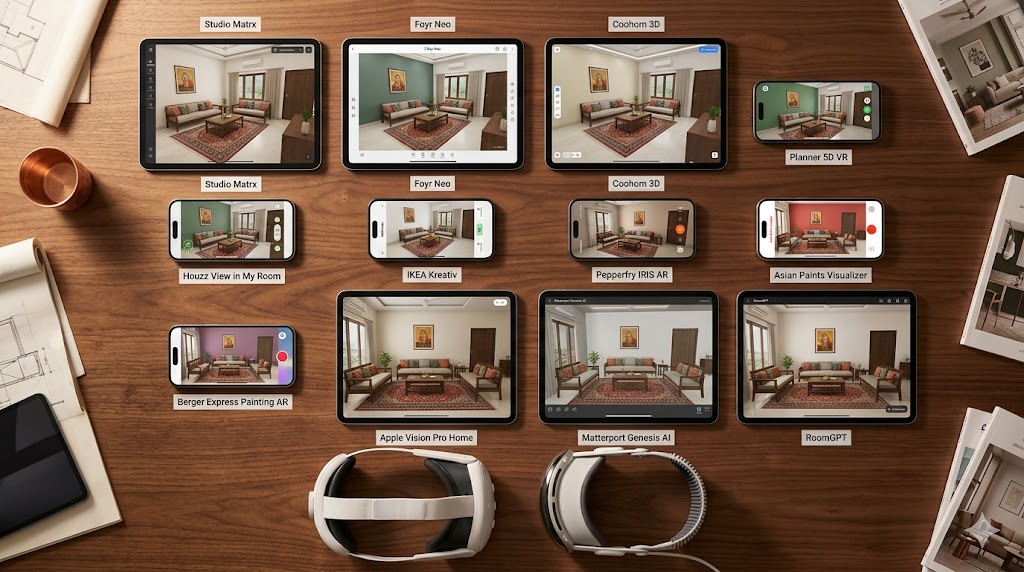
The space is crowded. The table below is the honest read on what each tool actually does for an Indian homeowner in 2026.
| Tool | Primary mode | Best for Indian homeowner if… | India price posture | Honest caveat |
|---|---|---|---|---|
| Studio Matrx | Text→moodboard→render→BoQ→AR | You want one stack for the whole homeowner journey with India context | Freemium; Pro from ₹1,499/yr | VR walkthrough still on roadmap |
| Foyr Neo | Browser-based 3D + render | You are a designer or a very DIY homeowner | ~$59-99/mo USD pricing | Designer-tool feel; steep learning curve |
| Coohom 3D | Catalogue-driven room design + render | You want furniture-catalogue-driven design | Freemium; pro tiers in USD | Catalogue skews global / Chinese vendors |
| Planner 5D VR | Floor-plan-first 3D + light VR | You start from a floor plan and want a simple 3D view | Freemium; ~$10-20/mo pro | Render quality below diffusion-AI peers |
| Houzz View in My Room | AR product placement | You are buying a single SKU and want to see it in your room | Free (catalogue-led) | Catalogue mostly US/EU; thin India inventory |
| IKEA Kreativ | LiDAR room capture + AR placement | You shop at IKEA Hyderabad / Bengaluru / Mumbai / Navi Mumbai | Free with IKEA app | Only IKEA catalogue; no whole-home design |
| Pepperfry IRIS AR | AR placement of Pepperfry SKUs | You are buying mid-range furniture in India | Free with Pepperfry app | Catalogue limited to Pepperfry stock |
| Asian Paints Visualizer | AR / photo wall-colour preview | You are only deciding on wall colour | Free | Paint-only; doesn't help with furniture |
| Berger Express Painting AR | Colour preview on uploaded room photo | You are only deciding on wall colour | Free | Same single-decision limit |
| Apple Vision Pro Home apps | Immersive VR walkthrough | You own a Vision Pro (₹3 L+ device) and want true immersion | Device ₹3,49,900 in India | Niche; <0.1% of Indian homeowners |
| Matterport Genesis AI | 3D scan + AI render of existing space | You are renovating and want a captured-then-redesigned view | Subscription, USD | Needs scan capture; better for designers/agents |
| RoomGPT | Single-photo AI restyle | You want a quick before/after on one photo | Freemium credits | Single-image only; no walkthrough, no BoQ |
Studio Matrx leads the homeowner-grade India-context cohort. Foyr/Coohom lead the designer-grade cohort. IKEA/Pepperfry lead single-SKU AR. Asian Paints/Berger lead wall-colour-only. Vision Pro is real but a 2027-28 mainstream story, not 2026.
Eight Risks, Pitfalls and Honest Limits
Risk 1 — Render-to-reality drift. Even at 90% fidelity, the 10% gap can include important things: the actual veneer grain pattern, the wall paint sheen under your specific tubelight, the slightly-off cushion colour. Mitigation: insist on a physical sample board (Material Palette export) for the top 8-12 material decisions; do not approve material purely from screen.
Risk 2 — Over-trusting the AR overlay. Phone-based AR can miss by 3-7 cm because of plane-detection drift in low light or against reflective floors. A ₹95,000 sectional that "fits" in AR may scrape the wall in reality. Mitigation: always cross-check with a tape measure for any decision where the clearance is under 10 cm.
Risk 3 — Decision fatigue from too many variants. Generating 60 wall-colour variants does not produce a better decision than 5 well-chosen ones. Mitigation: Studio Matrx caps the default comparison to 3-up; resist the urge to keep regenerating.
Risk 4 — Vendor substitution shock. The render shows a Hettich soft-close drawer; your contractor installs a generic. Mitigation: lock vendor SKUs in the BoQ before approval, not after. Use Vendor Comparison and Material Rate Library.
Risk 5 — Joint-family veto loops. Mother-in-law sees the render, dislikes the colour, the whole decision unwinds three weeks in. Mitigation: share early and broadly. The point of the walkthrough share link is to surface the veto in week 2, not week 8.
Risk 6 — Vastu-render mismatch. A beautiful render with bed facing south, or pooja niche in the south-west — visually appealing, Vastu-non-compliant. Mitigation: run the layout through Vastu overlays before you fall in love with it. See Vastu Modern Homes.
Risk 7 — Lighting deception. Diffusion-model renders often default to a flattering "golden hour" lighting that does not match your home's actual lighting. Mitigation: explicitly request renders at three time-points — 9 AM, 3 PM, 8 PM — and validate with Daylight Factor.
Risk 8 — Data and privacy concerns. Uploading floor plans, family photos, and lifestyle data to AI tools has DPDP Act 2023 implications. Mitigation: use platforms with India data residency and clear DPDP-compliant consent flows. Studio Matrx is built on this footing; many global tools are not. Specifically, check three things before uploading: (a) where is the data physically stored — Indian region of a major cloud, or US/EU? (b) what is the deletion guarantee — can you trigger a hard delete and get written confirmation? (c) is your data used to train shared models — and can you opt out? If any of those three answers is unclear or unfavourable, your floor plan does not belong on that platform.
Bonus risk — the "AI render looked perfect, I skipped the site visit" trap. Some homeowners get so confident from the renders that they skip the pre-execution site walk-through with the contractor. Don't. The render shows the design; the site visit catches the realities — a load-bearing column not on the original plan, an electrical conduit running where you wanted a TV bracket, a slab depth that limits your false ceiling height. AI visualization is upstream; the site visit is the reality check that no model fully replaces.
India-Specific Considerations
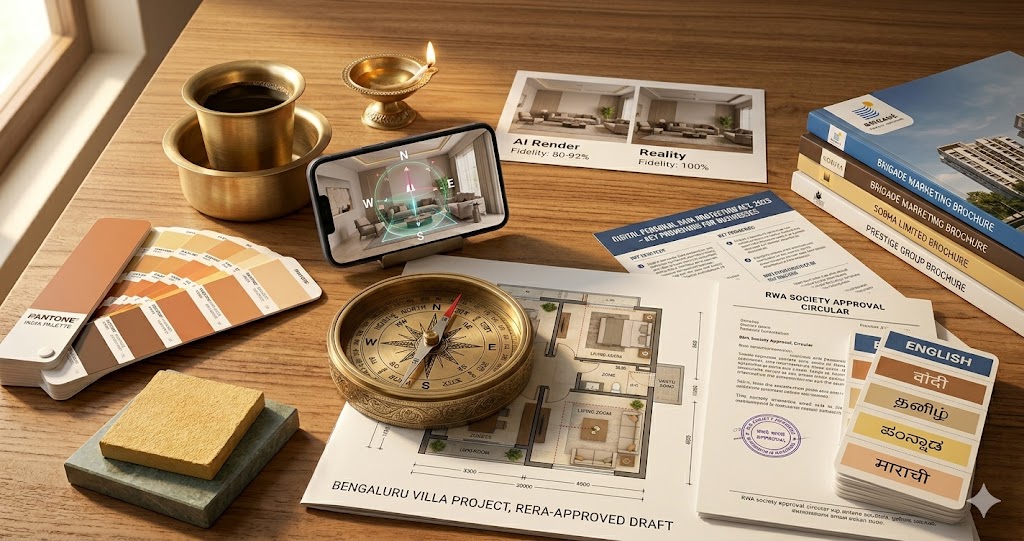
NBC 2016 and IS codes. Visualization is a pre-build artefact, but it must not depict things that violate the National Building Code 2016 (circulation widths, ceiling heights, fenestration ratios) or IS codes for ventilation, daylighting, and seismic detailing. Studio Matrx visualizations validate against NBC 2016 Part 8 (occupancy clearances) and IS 3362 (daylight) by default — many global tools do not.
DPDP Act 2023. Any visualization tool that ingests your floor plan, photos of your existing space, or family member photos for AR overlay is processing personal data. Under the Digital Personal Data Protection Act 2023, you have the right to know where it's stored, who can access it, and to have it deleted. Insist on tools with India data residency and explicit DPDP consent flows.
Vastu compatibility. Roughly 60-70% of Indian homeowners we surveyed treat Vastu as a meaningful filter — not always strict, but considered. Visualization tools must let you overlay Vastu directions (entrance, kitchen, bedrooms, pooja niche) and flag violations. See our Vastu House Plan India, North Facing House Vastu, and Vastu Colors for Home guides.
Regional vendor reality. A render that proposes a Carrara marble countertop is romantic; a render that proposes a Rajasthan-quarried Makrana with a verified Bengaluru fabricator is actionable. India context means visualization tools must source from Indian catalogues — local stone, Indian-made modular kitchen brands (Sleek, Hettich India, Hafele India), Indian sanitaryware (Jaquar, Hindware, Cera).
Language. Studio Matrx accepts briefs in Hindi, Tamil, Kannada, Telugu, Marathi, Bengali — not because the AI is multilingual for novelty, but because the homeowner-spouse conversation often happens in the regional language, and the system should not force it into English.
Climate zones. Bengaluru's moderate climate, Mumbai's coastal humidity, Delhi NCR's extreme summer-winter swings, Pune's intermediate, Chennai's coastal heat — each shifts both material choice and visualization assumptions (curtain weight, AC placement, ceiling fan vs central AC). Visualizations that ignore climate produce renders that look great and live poorly. A Mumbai render that depicts a velvet sofa is technically beautiful and practically a mildew incubator by year two; a Delhi render that ignores winter heating shows a sandstone floor that turns ankle-numbing in January. Studio Matrx tags every material recommendation with its climate-zone fit (BIS climate-zone classifications: hot-dry, warm-humid, composite, temperate, cold) so the visualization is also a livability filter.
Building society and RWA realities. Most Indian apartment owners do not have unilateral facade rights. The exterior — balcony grilles, AC outdoor unit boxes, window-frame colour, even certain visible curtain choices — is governed by the cooperative housing society's bye-laws. A visualization that ignores these gets you a beautiful render and a society notice. Studio Matrx lets you specify your society's restrictions upfront (no exterior colour changes, no grille modifications, etc.) so the AI doesn't propose anything that will get rejected. For interior-only changes, this matters less; for any work touching the exterior envelope, it matters enormously.
Coastal salt exposure. Mumbai, Chennai, Kochi, Visakhapatnam — coastal homes corrode metal hardware in ways inland homes don't. SS304 minimum for any visible hardware; SS316 if you're within 2 km of the sea. Visualizations that don't flag this lead to rusted handles in 18 months. Make sure your platform's material catalogue tags marine-grade options.
The Studio Matrx Stack for AI Home Visualization
These are the specific Studio Matrx tools and flows that map directly to homeowner visualization work — use them in roughly this order during your project.
- AI Onboarding — Plain-language brief intake; the spine of everything downstream.
- Lifestyle Persona Mapping — Converts brief to structured persona for coherent visualization.
- Moodboard Builder — Generates 3-5 directional moodboards; pick the visual language before you render.
- Material Palette — Locks the material story across all renders; prevents drift.
- Color Scheme — The three-up colour comparison engine for walls, cabinets, soft furnishings.
- Furniture Planner — Drag-drop furniture A/B testing inside the room model.
- Dimension Handbook — Validates clearances against IS / NBC norms before you fall in love with a layout.
- Ergonomics Guide — Sanity-checks sofa depth, dining table heights, kitchen counter ergonomics.
- Daylight Factor — Simulates natural light at three time-points; corrects for render lighting bias.
- Circadian Light Meter — Plans artificial lighting layers that match real circadian rhythms.
This stack covers 90% of the homeowner visualization journey. For the remaining 10% — bespoke joinery, structural changes, premium-segment finish detailing — bring in a vetted designer (see Choosing an Interior Designer India).
When NOT to Use AI Home Visualization
AI visualization is not the right answer in five situations.
One: heritage or conservation interiors. If you are working on a colonial bungalow in Mumbai, a Chettinad home in Tamil Nadu, or a Goan villa with original azulejo tiles, the value sits in fidelity to existing material — which AI renders interpolate poorly. Hire a conservation architect; use AI only for incidental new elements.
Two: structural or load-bearing decisions. Visualization shows what the space looks like. It does not validate that the wall you want to remove is non-structural, that the new bathroom location can be plumbed, or that the slab can take the added weight of a 2-tonne marble feature wall. Get a structural engineer.
Three: ultra-budget renovations (under ₹3 lakh). If the entire job is a paint refresh and a sofa change, the tooling overhead is not worth it. A site visit, a colour card, and a Pepperfry order will outpace any AI workflow.
Four: highly bespoke craftsmanship. Hand-carved teak wood, custom inlay work, artisanal terrazzo — AI renders the idea but not the artisan's specific hand. The artisan's portfolio is the better decision aid here.
Five: when you genuinely do not care. Some homeowners want a turnkey result, will trust the designer, and treat the home as a finished product. That is a legitimate choice. AI visualization is for people who want to be in the driver's seat — if you'd rather hand over the keys, skip the tooling.
The 5-Year Trajectory: AI Home Visualization in 2030
Four shifts are already visible from 2026 vantage.
Shift one: VR walkthroughs become mainstream-affordable. Meta Quest 3 already retails near ₹50,000; by 2028-29 a "good enough" Indian-market headset under ₹25,000 is plausible. Studio Matrx and peers will ship VR-grade walkthroughs by 2027 (our own H2 2026 roadmap target). By 2030, "walking through your unbuilt home in VR" will be standard for premium-segment projects and common for mid-segment.
Shift two: real-time material accuracy. Today's diffusion-AI renders interpolate material; by 2028-29, real-time spectral material rendering (true reflection, true subsurface scattering on marble, true sheen on silk curtains) will be diffusion-rendered at consumer device speeds. Render-to-reality fidelity climbs from ~90% to ~97%.
Shift three: in-place AR with persistent anchors. Today's AR resets every session. By 2027-28, persistent spatial anchors (Apple's ARKit roadmap, Google's Cloud Anchors evolution) mean you can leave a "virtual sofa" pinned in your living room, walk away, come back tomorrow, and it's still there for your spouse to evaluate.
Shift four: voice-first comparison. "Show me this living room with the warmer wall colour, the smaller sofa, and the dining table in teak instead of walnut" — spoken to the platform, rendered in seconds. By 2030, the keyboard-and-mouse comparison flow looks as dated as faxing a floor plan does today.
Shift five: generative video walkthroughs. Today's walkthrough is interactive 3D — the user clicks and moves. By 2028-29, expect AI-generated cinematic video walkthroughs of your unbuilt home — a 90-second "movie" of your space, edited like an architectural film, with realistic lighting transitions and ambient sound (morning birds, evening city hum). Useful both for personal review and for sharing with non-tech-comfortable family elders who would rather watch than navigate.
Shift six: code-compliance baked into the render. By 2029-30, every AI render will be auto-validated against NBC 2016, IS codes, local municipal bye-laws, and (where applicable) RERA stipulations — before the homeowner ever sees it. Renders that propose non-compliant layouts simply don't show up. That is good for safety, and good for the speed of subsequent contractor onboarding.
Studio Matrx is built to ride each of these shifts. The homeowner-grade India-context bet only gets stronger as the technology layer matures. The 2030 Studio Matrx homeowner walks through their unbuilt 3 BHK in VR, gets cinematic preview videos to share with extended family, has every render code-compliant by default, and locks decisions with their spouse in a tenth of the time today's flow takes. The technology arc is friendly; the discipline of using it well is what stays constant.
Frequently Asked Questions
Will my home actually look like the AI render?
Honest answer: 80-92% of the way there for a well-instrumented Studio Matrx project — meaning materials are vendor-locked, lighting is simulated, dimensions are validated. The remaining 8-20% is real-world variance: actual paint sheen under your specific lighting, fabric texture in person, the slight off-spec in any made-to-order piece. The way to maximize fidelity is to (a) approve renders only with locked vendor SKUs in the BoQ, (b) get physical material samples for the top 8-12 surfaces, and (c) run lighting simulations at multiple time-points before committing. Treating renders as "aspirational direction" rather than "photograph from the future" sets expectations correctly.
Can I compare 3 wall color options on the same view?
Yes — this is one of the most-used Studio Matrx flows. Three-up colour comparison on the same camera angle is the default in Color Scheme, and it works for any wall, cabinet face, or upholstery. You can also bookmark your top picks across multiple rooms and review them together — useful when you want a consistent palette to flow from living to dining to master bedroom.
Does AI home visualization work on my phone (AR)?
AR for single-product placement (a sofa, a console, a wall colour) works well on any 2020-or-newer iPhone or mid-range Android with ARCore support. Pepperfry IRIS, IKEA Kreativ, Asian Paints Visualizer, and Berger Express are all phone-AR-native. Whole-room AR walkthroughs (where the entire AI-designed room overlays on your physical space) are more demanding and still better on tablets or in VR — phone-AR is great for fit and colour decisions, less great for full-immersion walkthrough.
VR walkthrough vs 3D web walkthrough — which is better for me?
For 95% of Indian homeowners in 2026: 3D web walkthrough. It runs in any browser, needs no install, no headset, no setup time. Send the link to your mother-in-law and she can navigate the home from her phone in Pune. VR is meaningfully more immersive — you genuinely feel the scale and spatial relationships — but it requires either a ₹50,000 Meta Quest 3 or a ₹3,49,900 Apple Vision Pro, plus a person willing to put on a headset. VR is the right call if (a) you own a headset, (b) you are doing a premium-segment ₹40 L+ project, or (c) you are designing for a special-needs occupant where spatial accuracy matters disproportionately.
Can I show my mother-in-law the AI render and get her buy-in?
This is one of the most-asked use-cases on Studio Matrx, and yes — the shareable walkthrough link is built for exactly this. She clicks the link, navigates the home in her browser, sees the pooja niche, comments on the kitchen layout, and you get her objections before construction starts (not after). It typically saves 2-4 rounds of design rework in joint-family projects. The trick is to share early — week 2 of the project, not week 8 — so the feedback can actually be incorporated.
How do I share an AI walkthrough with my building society for approval?
For RWA / building society / cooperative housing society approvals — especially for anything visible from outside (balcony grilles, facade colour changes, AC outdoor unit placement) — export the relevant renders as PDF from the Studio Matrx share view. Most committees want a formal document, not a browser link, and the PDF render-pack is built for this. Include the floor plan, the elevation render, and a brief description of materials. Approval cycles drop from 3-6 weeks to 1-2 weeks when you give the committee a clear visual.
Is my data safe? What about DPDP compliance?
Studio Matrx is built on India data residency with DPDP Act 2023-compliant consent flows. You own your data, can export it, and can delete it. We do not train models on your home photos or floor plans without explicit opt-in. Many global visualization tools (US-headquartered) do not yet have the same India-data-residency posture — worth checking before uploading sensitive floor plans.
How long does the full visualization phase take?
For a typical 2-3 BHK Tier-1 city interior project on Studio Matrx: 7-14 days of homeowner part-time engagement, with the platform doing render generation in 90 seconds to 5 minutes per variant. Compare with the traditional designer flow at 6-10 weeks for equivalent variant breadth. The compression is the point — visualization should compress decision-making, not extend it.
Can I use AI visualization for a rental I'm fitting out, not buying?
Yes — increasingly common, especially in Bengaluru and Pune where 2-3 year rentals justify a ₹2-5 lakh fit-out. Use the visualization to negotiate with your landlord on what stays (built-in storage, AC points, lighting) vs what you remove at end-of-lease. A render-pack also helps if you're handing the place to an interior decorator with a fixed brief.
What if I want a designer involved — does AI visualization replace them?
No, and it shouldn't. AI visualization replaces the decision-iteration overhead that designers traditionally absorb (and bill for). It frees designers to do what they're actually good at — taste curation, custom joinery design, vendor relationship management, and on-site execution oversight. The best outcomes we see on Studio Matrx are when a homeowner does the first 70% of visualization solo, then brings in a designer for the last 30% of craft. See Choosing an Interior Designer India for how to find that designer.
References
1. National Building Code of India 2016, Bureau of Indian Standards. https://www.bis.gov.in/nbc/
2. IS 3362:1977, Code of Practice for Natural Ventilation of Residential Buildings, BIS.
3. Digital Personal Data Protection Act 2023, Ministry of Electronics and Information Technology, Government of India. https://www.meity.gov.in/dpdp-act-2023
4. Houzz India Renovation Trends Report, 2024-25. https://www.houzz.in/
5. Statista, "Smart Home Market in India," 2026 outlook. https://www.statista.com/outlook/dmo/smart-home/india
6. IBEF, "Real Estate Industry Report India," India Brand Equity Foundation, Q1 2026.
7. KPMG India, "Generative AI in India: 2025 Industry Pulse Survey," 2025.
8. Apple Developer Documentation, ARKit Plane Detection and LiDAR APIs. https://developer.apple.com/documentation/arkit
9. Google Developers, ARCore Capability Documentation. https://developers.google.com/ar/devices
10. Pepperfry IRIS AR product launch coverage, Economic Times, 2024.
11. IKEA India press release, "IKEA Kreativ for India Market," 2025.
12. Asian Paints, ColourPro Visualizer product page, 2026. https://www.asianpaints.com/
13. NASSCOM, "Indian IT-BPM Industry — Generative AI Adoption," 2025 report.
14. RICS South Asia, "Indian Real Estate Construction Cost Benchmarks 2026."
15. Studio Matrx product documentation, AI Visualization Stack v3, 2026. https://www.studiomatrx.org/
Related Guides
Export this guide
Related Guides — Deep-dive reading
AI Interior Design — A 2026 Consumer Cornerstone for Indian Homes
Six capabilities · Studio Matrx walkthrough · India-native vs US tools · DPDP-safe
Design StylesSmart Interior Onboarding — The Methodology Behind India-Native AI Design (2026)
14 personas · Voice intake Hindi/Tamil/Kannada · Cognitive science · Studio Matrx ai-onboarding methodology
Design StylesAI Home Renovation — Photo-to-Renovated AI for Existing Indian Homes (2026)
Before/after AI · Demolish vs retain · Renovation BoQ · 1990 Andheri 720 sqft worked example
Design StylesRelated Tools — Try Free
Cross-Ventilation Analyzer
Estimate airflow and air changes per hour (ACH) from room size, window areas, layout, and local wind — with NBC 2016 Part 8 compliance check.
Ventilation CalculatorVastu Window Planner
Vastu guidance for window placement and size by wall direction and room — rating and remedies.
VastuWindow Orientation Planner
Pick the best window type, glass and shading by wall direction — north, east, south and west.
Window Tool