
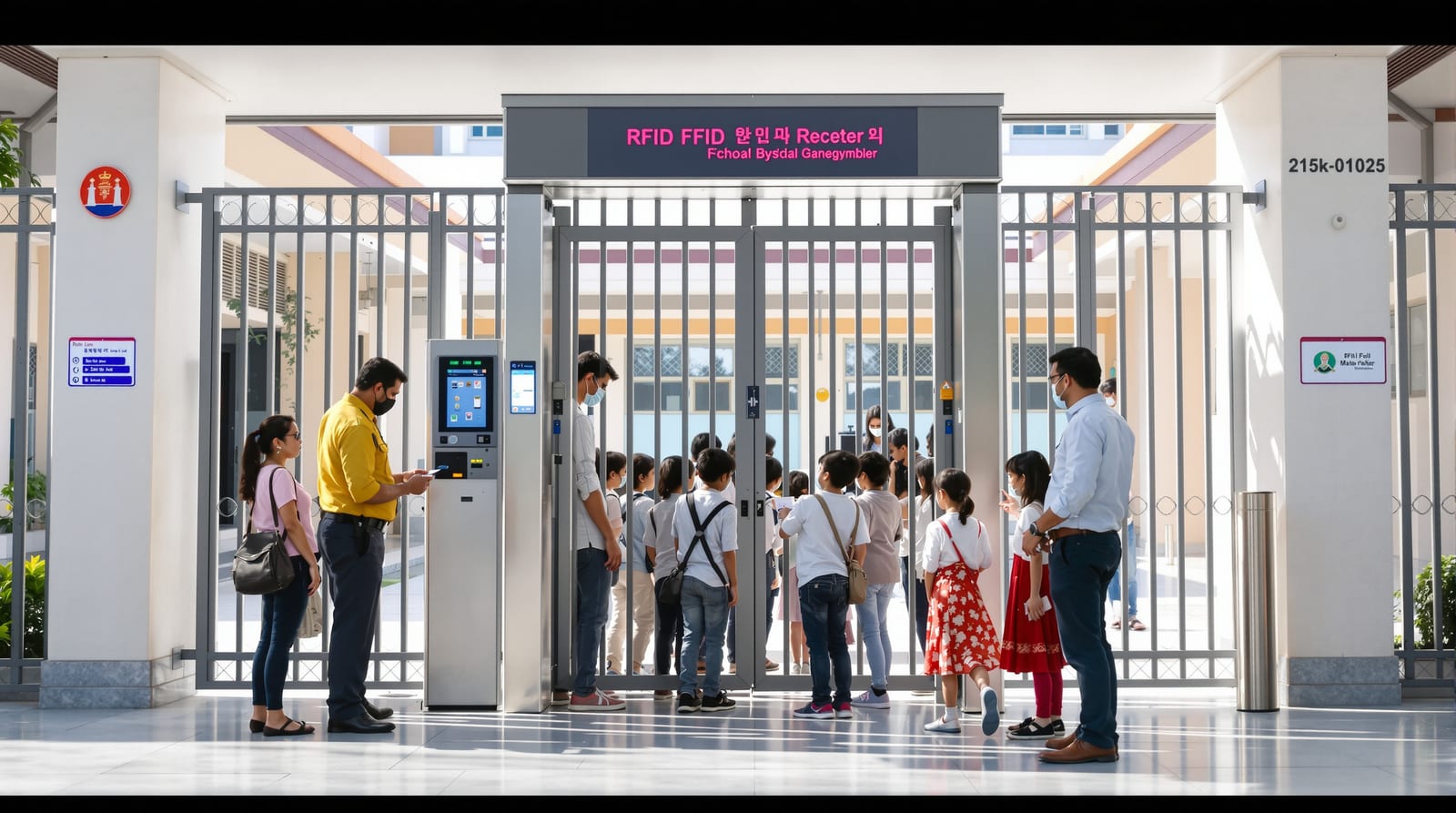
School Campus Access Control: Safe Gates India 2026
RFID gate control, parent-pickup verification, attendance SMS, visitor screening and lockdown egress designed for child-safety and DPDP compliance.
A school is not an office with smaller corridors. The people who pass through the gate are minors, the parents who collect them must be verified beyond doubt, and the same doors that keep a stranger out must let a thousand children flee in seconds. School campus access control therefore has to balance three things that pull against each other: tight security, fast free egress, and the privacy of children's data under the DPDP Act 2023. Get the balance wrong and you either trap students behind a magnetic lock or you leak biometric records of minors. This guide sets out how to design, cost and operate a campus system that gets all three right. It is written for school administrators, facility and security managers, architects and integrators working in the Indian context.
Why school campus access control is different
What a school system must do that an office one does not comes down to who is moving and how fast they may need to leave.In an office, access control mostly answers "is this employee allowed in this zone?". On a campus you are answering several harder questions at once: which child entered and at what time, did their parent collect them, is this visitor who they claim to be, and can everyone get out instantly if the fire alarm sounds. The defining design rule, repeated through this guide, is free egress under NBC 2016: any access-controlled door on an escape route must release automatically on power loss and on a fire-alarm signal. Children must never have to find a card or a PIN to leave a burning building.
A workable campus design layers control by zone rather than locking every door. The perimeter gate is the primary control point; inside, you secure only what genuinely needs it — labs, the server/records room, the principal's office, hostel blocks, the medical room and any chemical or sports stores. Classrooms and corridors stay free-flowing.
The core functions
- Student and staff identification at the gate via RFID card or fob, logged with a timestamp.
- Attendance capture that flows automatically to the school MIS, with an SMS-to-parent on entry and exit.
- Parent-pickup verification so a child is released only to an authorised, verified guardian.
- Visitor screening — record, badge and escort every outsider.
- Lockdown and emergency release — the ability to secure inner doors quickly while keeping every escape route freely openable.
- CCTV integration so each access event can be tied to footage.
Choosing the identification technology
For children, RFID cards or fobs are the right default, not biometrics. A card carries no permanent bodily identifier, is cheap to reissue when lost, and sidesteps the heaviest DPDP obligations that attach to processing a minor's fingerprint or face. Reserve biometrics for staff-only high-security zones (records room, server room) where adults consent. The table below compares methods for a campus.
| Method | Best campus use | Speed at a busy gate | Child-data risk | Indicative cost/reader |
|---|---|---|---|---|
| RFID card / fob (125 kHz or 13.56 MHz) | Students & staff at gate, attendance | Very fast, tap-and-go | Low — no biometric stored | ₹2,000–8,000 |
| PIN keypad | Staff back-up, low-traffic doors | Slow, shareable | Low | ₹2,000–6,000 |
| Fingerprint | Staff-only secure rooms | Medium | High (minor data — avoid for students) | ₹6,000–15,000 |
| Face recognition | Staff secure zones; pickup desk (adults) | Fast, contactless | Very high — strong DPDP duties | ₹15,000+ |
| BLE / mobile credential | Staff, senior students, parents app | Fast | Medium | App + reader cost |
A practical campus mixes these: RFID for the student population, a staff-only biometric or PIN on the records and server rooms, and a parent app or verified-photo workflow at the pickup desk. For the underlying lock and reader concepts see our RFID door access and card access systems guides, and weigh layering credentials in multi-factor door access.
Gate and building zoning
Think of the campus as a set of rings. The outer ring is the main gate — turnstiles or boom barriers with RFID readers, a guard, and a visitor desk alongside. The middle ring is block-level doors (admin block, hostel, labs). The inner ring is high-value rooms. Each ring gets only as much control as it needs, and every ring keeps a freely openable escape path.
The locking hardware on these doors must be chosen for life safety. On escape routes use fail-safe maglocks (280 kg or 600 kg holding force) that drop open on power loss and are wired to the fire-alarm panel. Inner secure rooms with no escape duty can use a fail-secure electric strike. This fail-safe versus fail-secure decision is the single most important one on a campus — see fail-safe vs fail-secure locks and the hardware detail in magnetic door locks and electric strike locks.
Attendance and SMS-to-parent
The biggest day-to-day value of a school system is automatic attendance. When a student taps their RFID card at the gate, the controller pushes the event to the school MIS and triggers an SMS (or app push) to the registered parent: "Aarav entered school 8:04 AM" and again on exit. This single feature reassures parents, cuts proxy attendance, and creates a defensible record of who was on campus.
Design points that matter in India:
- Power-cut resilience. Gates and controllers must sit on a UPS, and readers should buffer events locally so taps are not lost during an outage and sync when power returns. See door access power backup.
- SMS delivery is best-effort. Treat the app and the dashboard as the source of truth; SMS as a courtesy. Don't promise instant guaranteed delivery.
- Tamper and tailgating. Pair the gate reader with a turnstile or guard so two children don't tap one card. Keep an audit trail — covered in door access audit logs.
Parent-pickup verification
Dismissal is the highest-risk moment of the school day. A verification workflow should require the collecting adult to present an authorised credential — a parent app QR/OTP, a pickup card linked to the student record, or a guard checking ID against a photo on the dashboard. The system displays the authorised guardians for that child, and the release is logged. For senior students who leave alone, the same tap-out event simply sends the exit SMS. This builds directly on visitor logic, so design it alongside your visitor management systems deployment.
Visitor screening
Every outsider — vendor, parent for a meeting, contractor — is recorded at the desk: name, phone, purpose, person being met, ID captured, photo taken, and a time-bound visitor badge issued. The visitor is escorted, not given free run of the campus, and the badge auto-expires. Integrate this with the gate so a pre-approved visitor's arrival pings the host. The full method, including pre-registration and watch-lists, is in visitor management systems.
Lockdown and emergency release
A campus needs two opposite emergency modes, and they must never conflict:
1. Fire / evacuation — every escape-route door releases instantly. Maglocks are wired to the fire-alarm panel and to the mains-fail relay so they drop open automatically. This is mandatory under NBC 2016 and is non-negotiable.
2. Lockdown (intruder) — staff can secure inner and block doors quickly from a panic button or app, while escape routes still allow people already inside to leave. Lockdown locks people OUT of a zone, never people IN behind a door they cannot open.
The table makes the door-by-door logic explicit.
| Door / location | Lock type | Fire-alarm release | Lockdown behaviour |
|---|---|---|---|
| Main gate / turnstile | Boom + turnstile | Open / manual override | Guard-controlled; allow exit |
| Block escape doors | Fail-safe maglock | Auto-release (mandatory) | Stays freely openable from inside |
| Classroom doors | Mechanical / thumb-turn | N/A | Lockable from inside by teacher |
| Records / server room | Fail-secure strike | Stays secure (no escape duty) | Stays locked |
| Hostel main door | Fail-safe maglock | Auto-release | Controlled, exit always free |
This is the line where you must stop DIY and bring in a licensed integrator and electrician to isolate power, wire the fire interface and certify the egress. The wiring discipline is covered in door automation wiring, and the broader standards picture in access control standards.
CCTV integration
Tie access events to footage so any incident can be reviewed: a denied tap, a forced door, or a pickup dispute. The access controller and the CCTV/VMS should share a timeline, ideally over a common platform or via API, so clicking an event jumps to the clip. Cameras belong at the gate, pickup zone, block entrances and the records room — not inside classrooms or toilets. For the broader system view and protocol choices, see the access control systems guide and the door camera systems guide.
DPDP and the privacy of minors' data
A school processes the personal data of children, which the DPDP Act 2023 treats with extra care. Practical obligations as a rule of thumb:
- Verifiable parental consent for processing a child's data, and a clear privacy notice in plain language.
- Data minimisation — prefer RFID over biometrics for students precisely because it stores no bodily identifier; collect only what attendance and safety require.
- Retention limits — purge attendance logs and CCTV footage after a defined period; don't hoard.
- No behavioural tracking or targeted profiling of children.
- Security — encrypt the database, restrict who can view logs, and keep an access audit.
If you do deploy any biometric or face system (staff zones, or an adult pickup desk), the duties intensify: explicit consent, tighter security, and a defensible reason. When in doubt, don't collect it.
Indicative budget
Costs are project-engineered and quote-driven; treat these as planning bands at GST 18%.
| Component | Indicative installed band (₹) |
|---|---|
| Gate RFID reader + controller + turnstile/barrier | 80,000–3,00,000 |
| Per secured inner door (controller, reader, lock, REX, sensor, PSU + battery) | 15,000–60,000 |
| Fail-safe maglock + fire-alarm interface (per escape door) | 6,000–20,000 |
| Student RFID cards (per card) | 30–120 |
| Attendance + SMS software / MIS integration | Subscription, per-student |
| Visitor management kiosk | 25,000–1,00,000 |
| CCTV integration / VMS | Project-quoted |
Use our access control cost estimator to model a multi-door campus and the fail-safe vs fail-secure selector to confirm the lock logic on each door before you buy.
Bringing it together
Start with the egress audit, then the zoning, then the technology — never the other way round. A campus that taps fast, messages parents reliably, screens every visitor and still empties in two minutes is the goal. For the wider picture, see Studio Matrx's complete door guide and the door automation pillar.
Frequently asked questions
Should schools use fingerprint attendance for students?
Generally no. RFID cards give the same attendance and SMS-to-parent benefit without storing a child's biometric, which keeps you on the right side of the DPDP Act 2023. Reserve fingerprint or face systems for staff-only secure rooms where adults consent.
Will the gates trap children during a power cut or fire?
They must not. Every access-controlled door on an escape route uses fail-safe locks that release automatically on power loss and are wired to the fire-alarm panel, as required by NBC 2016. Controllers sit on a UPS so attendance still logs, but egress is never dependent on power.
How does parent-pickup verification work?
The collecting adult presents an authorised credential — a parent-app QR/OTP, a pickup card linked to the student, or ID checked by a guard against the dashboard photo. The system shows the child's authorised guardians and logs the release, so a child is only handed to a verified person.
Is the SMS-to-parent on entry and exit guaranteed?
Treat it as a courtesy, not a guarantee. SMS delivery is best-effort and can be delayed by the network. The school dashboard and parent app are the authoritative record; design parents' expectations around that.
Can we install this ourselves to save money?
Readers and standalone locks can be set up by a competent technician, but the gate barriers, fire-alarm interface, maglock egress wiring and the multi-door network need a licensed integrator and electrician to isolate power and certify life-safety. Don't DIY anything on an escape route.
How long should we keep attendance logs and CCTV footage?
Keep only as long as you have a defined purpose, then purge — a few weeks of footage and a school-year of attendance is a common rule of thumb. Encrypt the data, restrict who can view it, and document your retention policy as part of DPDP compliance.
Export this guide
Related Guides — Deep-dive reading
Fail-Safe vs Fail-Secure Locks: The Guide (India 2026)
Why fail-safe vs fail-secure is the single most important access-control decision, and how to get it right for every door.
Home Doors & EntrancesAccess Control Maintenance in India (2026): Readers, Locks and Fail-Safe Egress
How to keep a card, keypad, fingerprint or face access-control system reading reliably and locking securely — and, above everything, how to test that its doors still release on a fire alarm and on power loss, so an access-controlled door never becomes a life-safety trap.
SecurityOffice Access Control India 2026: Zones, Cards & Cost
How to zone, credential and audit an office access-control system across reception, work floors, server rooms and branches in India.
Home Doors & EntrancesRelated Tools — Try Free
Access-Control Battery-Backup Calculator
Size the standby battery so an access system keeps running through a power cut, with an egress life-safety note.
Battery BackupSecurity Backup Power Calculator
Size a UPS/inverter and battery to keep CCTV, NVR, router and alarm running through a power cut — load, Ah, VA and cost.
Backup PowerSecurity System Cost Estimator
Estimate the all-in capex with GST, annual running cost and 5-year total cost of ownership of a home or building security system.
Cost Estimator