
RFID Door Access Explained: Cards, Fobs & Security India 2026
How RFID cards and fobs unlock a door, why low-frequency cards get cloned, and how to deploy proximity access securely in India.
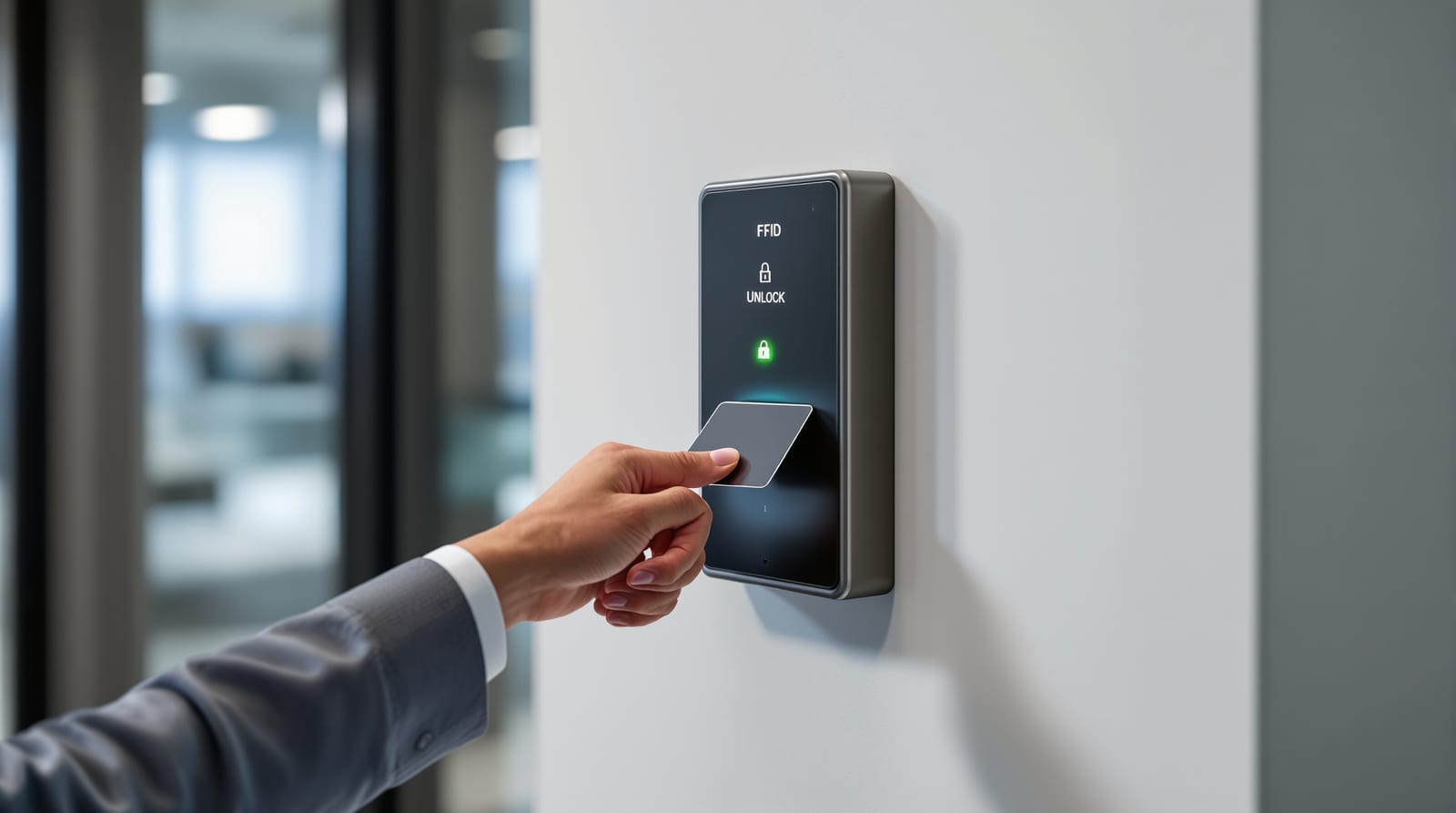
Tap a card on a wall pad, hear a click, push the door open. That everyday gesture hides a chain of decisions that determine whether your building is genuinely secure or trivially cloneable. RFID door access uses radio-frequency identification — a card or fob carrying a tiny chip and antenna, read wirelessly by a reader that asks a controller, "should this door open?" Get the frequency and chip technology right and you have fast, auditable, revocable entry for offices, gated societies and hotels. Get them wrong — as countless Indian buildings have, by buying the cheapest 125kHz cards — and a ₹300 cloning gadget from an online marketplace can copy a credential in seconds. This guide explains exactly how the technology works, where the security weaknesses sit, and how to deploy it properly. For the broader picture see our card access systems guide and the access control systems overview.
How RFID door access actually works
There are four moving parts, and confusing them is the root of most bad installations.
1. The credential — a card, fob, sticker or wristband holding a chip and a coiled antenna. It has no battery; the reader's radio field powers it (passive RFID).
2. The reader — a wall-mounted unit that broadcasts a short-range field, energises the credential, receives its ID number and passes it on. Readers are "dumb" by design: they read and relay.
3. The controller (panel) — the brain. It holds the database of which IDs are allowed, on which doors, at what times, and makes the open/no-open decision. It also writes the audit log.
4. The lock — an EM/maglock, electric strike or solenoid bolt that the controller energises to release the door.
The sequence: card enters field → card transmits its identifier → reader relays it to controller → controller checks rules → controller triggers the lock and writes a log entry. The whole exchange takes well under a second.
A critical safety point sits at the lock. Any RFID-controlled door on a fire-escape route must permit free egress — people must be able to leave without a card — and any maglock must release automatically on fire-alarm signal or power loss. That is non-negotiable under NBC 2016 life-safety provisions. See fail-safe vs fail-secure locks before you specify the hardware.
125kHz vs 13.56MHz: the decision that defines your security
RFID for doors comes in two broad frequency families, and the gap between them in security terms is enormous.
Low frequency (125kHz) — often sold as "EM" or "proximity" cards (the well-known EM4100/EM4102 family). These are cheap, robust and read at a few centimetres. The fatal flaw: most carry only a fixed, read-only ID number broadcast in the clear, with no encryption and no authentication. The reader simply trusts whatever number it hears. A handheld cloner can capture that number and write it to a blank card in moments. For anything beyond casual convenience, 125kHz is unsafe.
High frequency (13.56MHz) — the MIFARE family from NXP and similar smart-card chips. These can perform cryptographic challenge-response so the card proves it holds a secret key without revealing it, and the stored data is encrypted. But not all 13.56MHz cards are equal:
- MIFARE Classic — historically common, but its proprietary Crypto-1 cipher has been broken for years. Treat it as only marginally better than 125kHz; it is clonable with known attacks.
- MIFARE DESFire (EV2/EV3) — uses standard AES encryption and mutual authentication. This is the sensible baseline for any building that takes security seriously in 2026.
- MIFARE Plus / iCLASS SE / Seos — other strong, encrypted options used in enterprise deployments.
Frequency and chip comparison
| Technology | Frequency | Encryption | Clone risk | Card cost (₹) | Use it for |
|---|---|---|---|---|---|
| EM4100/EM4102 prox | 125kHz | None (fixed ID) | Very high | 15-40 | Avoid for security |
| MIFARE Classic | 13.56MHz | Crypto-1 (broken) | High | 25-60 | Legacy only; phase out |
| MIFARE Plus | 13.56MHz | AES | Low | 50-120 | Good general use |
| MIFARE DESFire EV3 | 13.56MHz | AES, mutual auth | Very low | 80-200 | Recommended baseline |
| HID Seos / iCLASS SE | 13.56MHz | AES/secure element | Very low | 150-350 | High-security sites |
Indicative India bands, ex-GST (18%); bulk pricing falls sharply at scale.
The practical rule of thumb: specify 13.56MHz DESFire or better, and never accept a quote built around 125kHz cards unless the door is genuinely low-stakes (a gym locker bank, say). When a vendor's headline price looks suspiciously low, the cards are almost always 125kHz.
Why cheap cards get cloned — and how to avoid it
The weakness is rarely the door; it is the credential and how the reader trusts it. Three avoidable mistakes account for most real-world breaches.
Mistake 1 — read-only fixed-ID cards. With 125kHz EM cards the ID is public and copyable. Fix: use encrypted 13.56MHz cards that authenticate with a key.
Mistake 2 — using the card's UID as the secret. Even on smart cards, lazy installers configure the system to trust only the chip's factory serial number (UID), which is broadcast openly and can be emulated by phone apps and cloners. Fix: insist the system authenticates against an encrypted data sector with a site-specific diversified key, not the bare UID.
Mistake 3 — default or shared keys. Cards shipped with the manufacturer's default keys, or one key reused across every site, are effectively unprotected. Fix: the integrator must load custom, per-site keys during commissioning and keep them secret.
Additional hardening: enable card-plus-PIN (two-factor) on sensitive doors — see multi-factor door access; use reader-to-controller communication over the encrypted OSDP protocol rather than the old Wiegand wiring, which can be tapped; and run regular audits of who holds which card.
Issuing, revoking and managing cards
The operational side is where RFID earns its keep over mechanical keys: a lost card is a database edit, not a lock change.
- Enrolment — register each card's encrypted identity in the controller software, link it to a named person, and assign door groups and time schedules (for example, housekeeping 8am-6pm only).
- Revocation — when a card is lost or an employee leaves, mark it disabled. The next time it is tapped, the controller refuses and logs the attempt. With networked or cloud systems this propagates instantly; with standalone panels someone must update each door.
- Audit logs — every grant and denial is timestamped. This is the feature security managers value most; see door access audit logs.
- Lifecycle hygiene — reconcile the cardholder list quarterly, hunt down "orphan" cards held by ex-staff, and physically destroy returned cards rather than re-issuing without re-keying.
Because cardholder data and movement logs are personal data, handle them under the DPDP Act 2023: collect only what you need, secure the database, and define a retention period.
Where RFID door access fits — and what it costs
| Setting | Typical deployment | Recommended card | Notes |
|---|---|---|---|
| Office / IT park | Networked, per-floor doors, AMC | DESFire EV3 | Tie to HR for joiner/leaver; OSDP readers |
| Gated society | Gate + clubhouse + lift access | DESFire / MIFARE Plus | See gated society access control |
| Hotel | Per-room, encrypted, re-keyed each stay | Hotel smart-card | See hotel door lock systems |
| Coworking | Cloud, time-bound, app + card | DESFire | Self-service issuance common |
| Warehouse | Few high-traffic doors, rugged readers | DESFire fob | Pair with office access control design |
Indicative cost (India 2026, installed, ex-GST)
| Component | Band (₹) |
|---|---|
| Controller / panel (1-2 doors) | 5,000-30,000 |
| 13.56MHz RFID reader | 2,500-15,000 |
| EM/maglock or electric strike | 1,500-6,000 |
| Exit button, door sensor, PSU + backup | 3,000-8,000 |
| Encrypted cards/fobs (each) | 80-350 |
| Per-door installed (card-only) | 8,000-25,000 |
Add 18% GST. A networked multi-door system with software and AMC is quote-driven — engage an integrator. Estimate your rollout with the access control cost estimator and weigh card-only against card-plus-PIN options with the smart lock selector.
Power reality: India's power-cuts make backup non-negotiable. Specify a controller with a battery and decide your lock's fail behaviour deliberately — escape doors fail-safe (unlock on power loss), high-value stores fail-secure with a UPS. Read door access power backup and the cluster pillar, the complete door guide, alongside door automation.
Frequently asked questions
Is RFID door access secure enough for an office?
Yes — if you use encrypted 13.56MHz cards (MIFARE DESFire or better) with per-site keys and OSDP reader wiring. The 125kHz proximity cards that flood the budget market are not secure; their fixed ID can be cloned in seconds. For sensitive areas add a PIN as a second factor.
Can my RFID card be cloned?
Low-frequency 125kHz cards and broken MIFARE Classic cards can be cloned with inexpensive handheld devices or even some phone apps. Properly configured DESFire cards that authenticate with an encrypted key cannot be practically cloned. The risk is a property of the chip and configuration, not RFID as a concept.
What happens to an RFID door during a power cut?
It depends on the lock. A fail-safe maglock unlocks so people can leave — required on fire-escape routes under NBC 2016. A fail-secure strike stays locked, which suits a stockroom but needs UPS backup so authorised people can still get in. Decide deliberately and provide battery backup either way.
How do I revoke a lost card?
Mark it disabled in the access-control software. On networked or cloud systems the change is instant across all doors; on standalone panels each door must be updated. The card then triggers a logged denial. Always destroy returned cards rather than silently re-issuing them.
Is RFID better than a PIN keypad or app?
Each has trade-offs. RFID is fast and hard to shoulder-surf but the credential can be lost or cloned if cheap. PINs cost nothing to issue but get shared and observed. Apps are convenient but depend on phones and connectivity. Many sites combine them — see multi-factor door access and pin code door locks.
Export this guide
Related Guides — Deep-dive reading
Card-Based Access Control in India (2026): RFID Cards, Readers, Controllers and the Audit Trail
How card-based access control actually works end to end, why old low-frequency cards are a security caution, how to issue and revoke cards, and how to keep every door fail-safe for fire egress.
SecurityFail-Safe vs Fail-Secure Locks: The Guide (India 2026)
Why fail-safe vs fail-secure is the single most important access-control decision, and how to get it right for every door.
Home Doors & EntrancesAccess Control System Cost in India (2026): Priced Per Door, Per System, Per User
What a building-scale access control system actually costs in India — broken down per controlled door (reader, electric lock, controller, cabling and power) and per system (software, licences, integration and AMC) — with the standalone-versus-networked split, how the bill scales with the number of doors and the credential you choose, and the non-negotiable rule that escape-route doors must fail safe.
SecurityRelated Tools — Try Free
Access-Control Battery-Backup Calculator
Size the standby battery so an access system keeps running through a power cut, with an egress life-safety note.
Battery BackupSecurity System Cost Estimator
Estimate the all-in capex with GST, annual running cost and 5-year total cost of ownership of a home or building security system.
Cost EstimatorBefore vs After — Cost Reality Check
Compare what you expected to pay vs what you actually paid, category by category.
Reality Check