
Face Recognition Access Control: System Guide India 2026
How 2D, 3D and IR-liveness face recognition works at offices, societies and campuses, and the DPDP duties for storing faces.
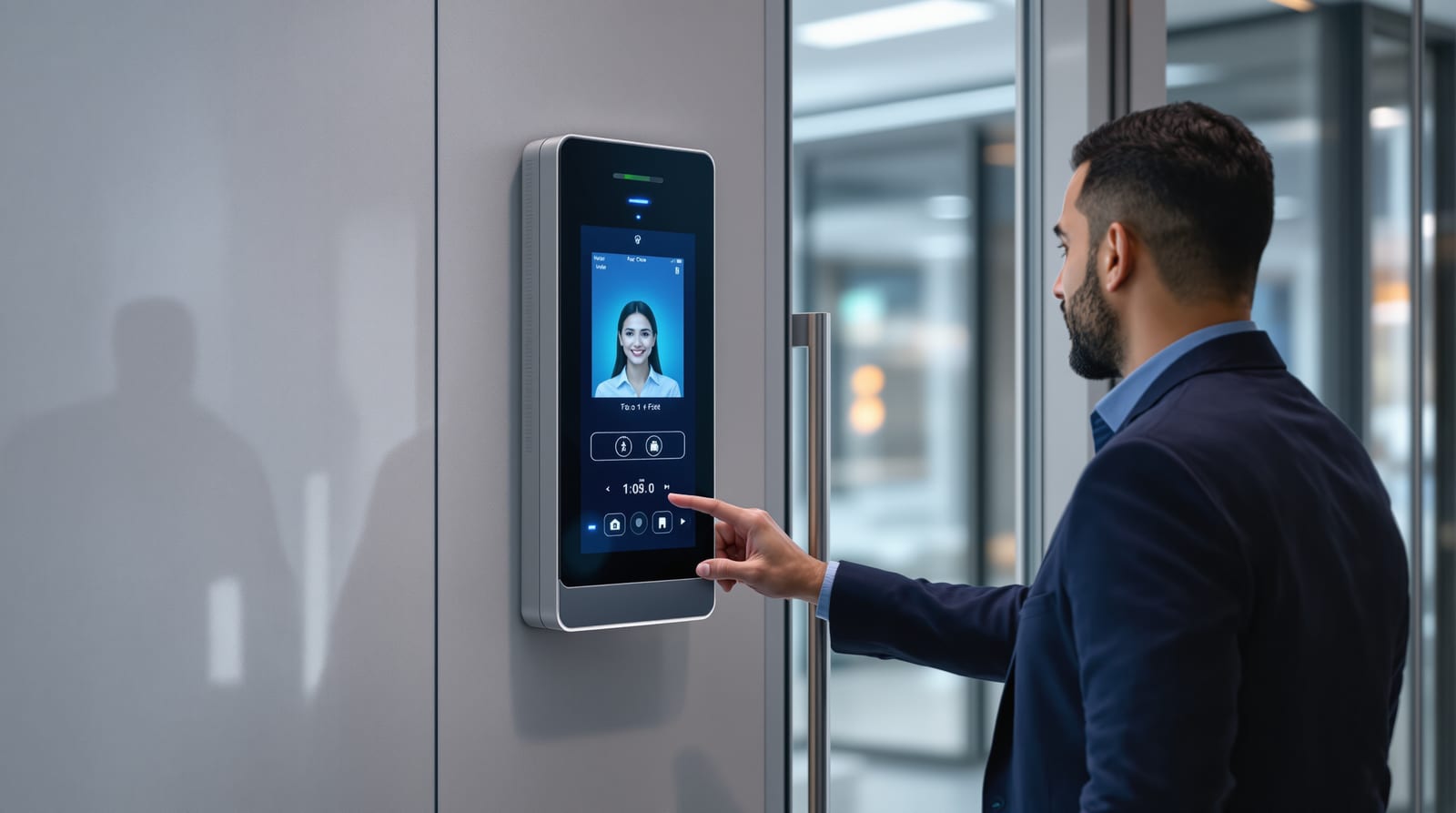
Face recognition access control has moved from novelty to default at Indian office lobbies, gated-society gates and college campuses, because it is hands-free, doubles as attendance, and removes the cost and hygiene worries of shared cards or fingerprint pads. But a wall-mounted face terminal is only the visible tip of a system: behind it sit enrolment policy, a matching engine, door hardware, network and power design, and — increasingly the deciding factor — your obligations under the Digital Personal Data Protection (DPDP) Act 2023 for holding people's faces. This guide treats face recognition at the system level: the technology tiers, how enrolment and matching actually work, throughput at a busy entrance, spoofing and mask handling, the accuracy you should expect, and what the law now demands. For a single residential lock, our face recognition door locks guide is the better starting point; this one is for facility, security and integration decision-makers.
Face recognition access control: 2D vs 3D vs IR liveness
Not all face terminals are equal, and the gap shows up exactly when security matters. A face recognition access control deployment lives or dies on which sensing technology you specify.
2D (single RGB camera). The cheapest tier. It captures a flat image and compares facial geometry. It is fast and adequate for low-risk, supervised doors, but a plain 2D unit can be fooled by a printed photo or a phone screen unless it adds software liveness. Most budget attendance terminals are 2D.
IR / dual-sensor liveness. Adds a near-infrared (NIR) camera alongside the RGB one. Because skin, paper and screens reflect IR differently, the unit can reject a photo, a video on a phone, and most masks, and it keeps working in darkness and harsh backlight — important for an unshaded society gate. This is the practical sweet spot for most Indian commercial entrances.
3D (structured light or stereo depth). Builds a depth map of the face, so a flat photo or screen has no volume to match. This is the strongest tier against spoofing and the basis of phone-grade face unlock. It costs the most and is reserved for higher-security doors — data centres, cash rooms, restricted labs.
| Tier | Sensing | Spoof resistance | Works in dark / backlight | Typical use | Terminal band (installed) |
|---|---|---|---|---|---|
| 2D RGB | Single camera | Low (photo/screen risk) | Poor | Supervised attendance | ₹8,000-20,000 |
| IR liveness | RGB + NIR | Good (rejects photo/video) | Good | Offices, society gates | ₹15,000-45,000 |
| 3D depth | Structured light / stereo | Very high | Good | Data centre, cash room | ₹40,000-1,20,000+ |
Prices are indicative installed bands for the reader/terminal alone, before GST 18%, controllers, door hardware and software. Real brands in this space include Hikvision, ESSL, Matrix, eSSL/Realtime, CP Plus and Suprema; specify them generically and demand the spoof and liveness claims in writing.
How enrolment and matching actually work
The terminal never stores your photograph as the thing it matches against. At enrolment, the camera captures the face, detects key landmarks, and the algorithm converts the geometry into a numeric template (a feature vector / faceprint). That template — not a picture — is what gets stored and compared. This distinction matters legally and for security: a template cannot be turned back into a clean photo, but it is still sensitive biometric data.
At the door, the system can run in two modes:
- 1:1 verification — the person presents an identity claim (card tap, PIN, app) and the face is matched only to that one stored template. Faster, far lower error rate, used for high-security doors.
- 1:N identification — the face is searched against the whole enrolled database to find who it is. This is what makes "walk up and the door opens" possible, and what powers attendance, but error rates and processing rise with database size.
Large campuses with thousands of faces often push matching to a server or edge appliance rather than the door terminal, so the gallery and audit trail live centrally and templates are not scattered across exposed devices.
System architecture: it is more than a camera
The controller, not the terminal, makes the lock decision and writes the audit log; the door hardware (maglock or electric strike) physically holds the leaf. Get the wiring right and design power for India's reality — see door automation wiring and door access power backup.
Throughput at the entrance
The number that wrecks face deployments is not accuracy — it is throughput at peak. A 1,000-person office with a 9 am rush cannot have each person pausing two seconds at a single lane. Good IR terminals authenticate in well under a second once the face is in frame, but real throughput depends on lane discipline. Plan roughly one face lane per 150-300 people for offices, more lanes (or turnstiles with face) for campuses. Mount the terminal at a height that suits the population, allow even lighting, and avoid pointing it into direct morning sun, which blinds RGB sensing.
| Setting | Mode | Typical config | Throughput note |
|---|---|---|---|
| Office lobby | 1:N attendance | Face terminal + turnstile | Add lanes; sub-second match |
| Society gate | 1:N residents | Face + intercom fallback | Visitors via visitor management |
| Campus | 1:N students | Multiple face lanes | Edge/server matching |
| Data centre | 1:1 + card | Card claim then face | Slow by design, high security |
For a society or campus, face should cover residents/regulars while guests go through a visitor management flow rather than being enrolled. See also gated society access control, office access control and school campus access control.
Masks, spoofing and accuracy reality
Be honest with stakeholders about limits. Masks still reduce reliability; some terminals do mask-aware matching on the upper face but at a higher error rate, so keep a card or PIN fallback. Spoofing is the real threat: 2D-only units have been defeated by printed photos and phone screens, which is why IR liveness or 3D depth is non-negotiable for anything beyond supervised attendance.
On accuracy, vendors quote tiny error rates under lab conditions; field performance is lower with poor light, ageing, twins, heavy beards or makeup, and large 1:N galleries. Two numbers matter: the false accept rate (a wrong person let in — the security risk) and the false reject rate (a valid person turned away — the annoyance that triggers tailgating). You tune a threshold that trades one against the other; for high-security doors bias toward low false accept and accept more rejects, backed by a card fallback. Treat any single "99.x%" claim as a rule of thumb, not a guarantee. Combining face with a second factor — see multi-factor door access — is the honest answer to high-security needs.
DPDP Act 2023: storing faces is a legal duty, not a feature
A facial template is personal data, and the Digital Personal Data Protection (DPDP) Act 2023 governs how you collect, store and use it. For a face access system you are a Data Fiduciary, and the headline duties are:
- Consent and notice. Enrol people only with free, informed, specific consent, with a clear notice of purpose (access/attendance), in plain language. Provide an alternative (card/PIN) for anyone who declines — face cannot be the only option, especially for employees and residents.
- Purpose limitation. Faces enrolled for entry cannot be quietly reused for marketing, surveillance profiling or sharing.
- Retention. Keep templates and logs only as long as the purpose lasts; delete on exit — when an employee leaves, a tenant moves out or a student graduates, their template must be erased.
- Security. Encrypt templates at rest and in transit, restrict admin access, and protect the database; a breach of biometric data is serious. Honour rights to access and erasure.
Never store raw enrolment photos longer than needed, prefer template-only storage, and keep the audit trail itself secure — see door access audit logs and access control standards. For minors on a campus, additional safeguards and verifiable parental consent apply.
Power, fail-safe and the free-egress rule
India's power-cuts make backup mandatory: a controller on UPS and a battery on the door hardware, or the gate simply jams during a cut. The deeper rule is life-safety. Any face-controlled door on an escape route must allow free egress — people must always be able to get OUT without authentication. Use a fail-safe maglock (it releases on power loss) on escape doors, wire it to drop on the fire-alarm signal, and provide a manual release. This is an NBC 2016 fire and life-safety requirement, not optional. Understand the choice in fail-safe vs fail-secure locks and the broader picture in access control systems and the complete door guide.
To budget a full deployment, run the access control cost estimator and check payback on attendance savings with the access control ROI calculator. This is integrator territory — specify, then have a professional design power and isolate it before any wiring.
Frequently asked questions
Is a 2D face terminal safe enough for an office door?
For supervised attendance, often yes. For an unsupervised access door, no — a plain 2D unit can be fooled by a photo or screen. Specify IR liveness at minimum, and 3D depth for high-security doors.
Does the system store my photograph?
No. It converts your face into a numeric template (faceprint) and matches against that. The template is still sensitive biometric data under the DPDP Act 2023 and must be consented to, secured and deleted on exit.
What happens during a power cut?
Nothing should fail dangerously. Put the controller on a UPS and the lock on backup battery, and use a fail-safe maglock on escape doors so people can always exit. Free egress is an NBC requirement.
Can residents refuse to enrol their face in a society?
Yes. Under DPDP consent rules you must offer an alternative such as a card or PIN. Face cannot be forced as the only way in, and templates must be erased when someone moves out.
How many face lanes does a 1,000-person office need?
As a rule of thumb, one well-lit face lane per 150-300 people at peak, with turnstiles to enforce single-person passage. Add lanes rather than risk a 9 am queue and tailgating.
Should I combine face with another factor?
For high-security doors, yes. Pairing face with a card or PIN (1:1 verification or multi-factor) sharply lowers the false-accept risk. See our multi-factor door access guide for designs.
Export this guide
Related Guides — Deep-dive reading
Biometric Access Control in India (2026): Fingerprint, Face and Palm Systems Done Right
A professional's guide to networked biometric access control for buildings: fingerprint, face and palm readers on many doors, tied to attendance, planned around the DPDP Act, fire-egress fail-safe and honest field limits.
SecurityFail-Safe vs Fail-Secure Locks: The Guide (India 2026)
Why fail-safe vs fail-secure is the single most important access-control decision, and how to get it right for every door.
Home Doors & EntrancesAccess Control Maintenance in India (2026): Readers, Locks and Fail-Safe Egress
How to keep a card, keypad, fingerprint or face access-control system reading reliably and locking securely — and, above everything, how to test that its doors still release on a fire alarm and on power loss, so an access-controlled door never becomes a life-safety trap.
SecurityRelated Tools — Try Free
Access-Control Battery-Backup Calculator
Size the standby battery so an access system keeps running through a power cut, with an egress life-safety note.
Battery BackupBiometric-Capacity Calculator
Whether a biometric reader can hold all the enrolments and how many devices you need, with a 1:N speed note.
Biometric CapacityVisitor Access Planner
Size visitor handling at a gate or reception — lanes needed at peak and the temporary-pass pool.
Visitor Flow