
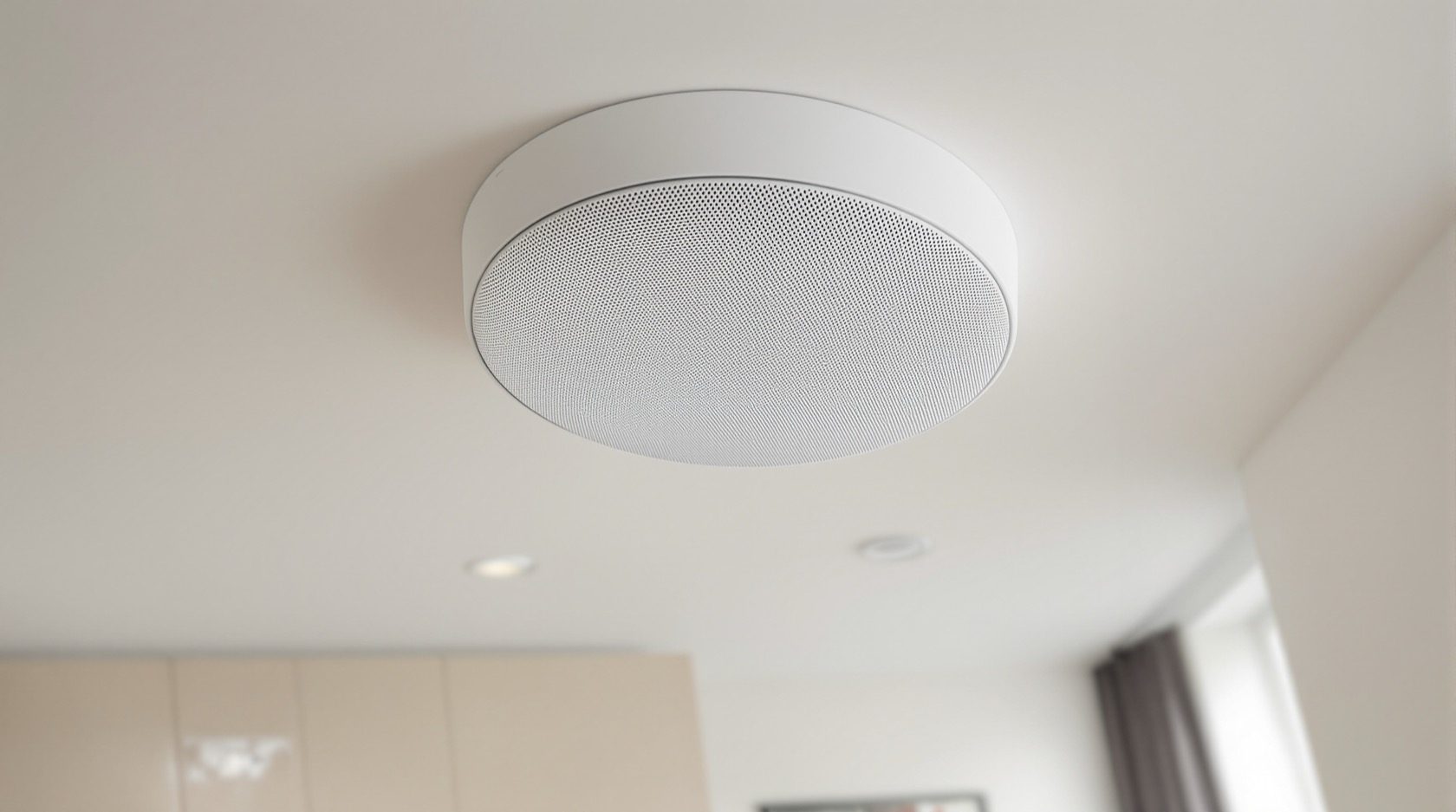
Multiroom Audio Wiring: Whole-Home Sound, Planned Into the Walls
Music in every room, without a speaker in sight — how to wire whole-home audio: in-ceiling speakers zoned room by room, cabling run back to a central amplifier, volume control per zone, and the choice between a wired backbone and wireless, all decided before the ceilings close.
There's a quiet luxury in a home where music follows you room to room — the kitchen, the living room, the terrace — with no speakers cluttering the space and a simple control in each zone. That's multiroom audio, and like every good ELV system it's mostly about the cabling planned into the ceilings and walls before they close. Whether you go fully wired or blend in wireless, the wiring decisions made during construction are what make whole-home sound effortless. This guide is how to plan multiroom audio wiring for an Indian home.
It is the whole-home-audio guide of the ELV set in the Electrical Knowledge Hub, a companion to the home theatre wiring guide.
The safety line. Audio cabling is low-voltage signal wiring installed by an AV professional, kept separated from mains to avoid hum. The mains power for the amplifier and any in-wall power is a licensed electrician's job.
The idea: zones, speakers and a central amp
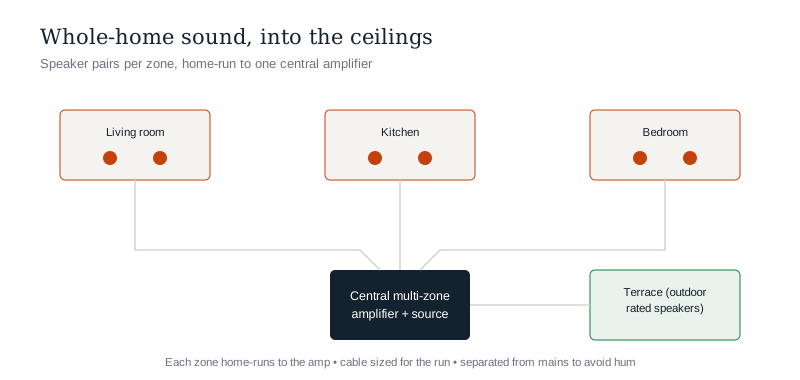
Classic wired multiroom audio has three parts:
- In-ceiling (or in-wall) speakers in each room you want sound — usually a pair per zone, flush and discreet.
- A central amplifier (multi-zone) in the ELV cabinet, driving every zone from one place.
- Speaker cabling home-run from each zone back to that amplifier, plus per-zone control (a wall keypad, app or volume control) so each room sets its own music and level.
Sources (streaming, a music server) feed the amplifier, and each zone plays independently or together.
Planning the cabling
The wiring is the part you must get right during construction:
- Decide the zones — which rooms get speakers (living, kitchen, dining, bedrooms, terrace, bathrooms even).
- Run speaker cable from each zone back to the central amplifier in a star topology — home runs, like structured cabling.
- Size the cable for the run — longer runs need a heavier gauge to avoid power loss (see the speaker wire gauge calculator).
- Run control cabling (or plan the network) for keypads/volume controls where wired control is used.
- Keep audio cabling separated from mains to avoid hum and interference.
- Provide power at the amplifier location.
Speaker positions
- In-ceiling speakers — the popular discreet choice; plan a pair per room, positioned for even coverage (not one in a corner).
- Outdoor-rated speakers for the terrace/garden, weatherproofed (see outdoor electrical).
- Coordinate positions with the ceiling design and lighting so speakers, lights and any smart devices sit sensibly.
Wired vs wireless — and the hybrid
You don't have to choose one:
- Wired multiroom (central amp + in-ceiling speakers) — the cleanest, most reliable, best-quality, and invisible; but must be planned before the ceilings close.
- Wireless multiroom (self-contained smart speakers on Wi-Fi) — flexible, add-any-time, no cabling; but visible speakers and reliant on the network.
- The hybrid — wire the main zones (living, kitchen, terrace) for clean built-in sound, and use wireless speakers for flexibility elsewhere. Even for wireless, a solid network backbone is what makes it reliable.
The wiring decision is really: which zones do I commit to now, while the ceilings are open?
The one-line answer
Multiroom audio puts music in every room with no visible clutter, and it's built into the ceilings: in-ceiling speaker pairs zoned room by room, speaker cable home-run back to a central multi-zone amplifier (sized for each run so long cables don't lose power), and per-zone control so each room sets its own sound. Decide the zones and run the cabling before the ceilings close, keep it separated from the mains to avoid hum, and provide power at the amplifier. Wired gives the cleanest, most reliable result; wireless adds flexibility; and a hybrid — wiring the main zones, going wireless elsewhere on a strong network — is often the smart middle. Have an AV professional install the low-voltage cabling and a licensed electrician provide the power.
Where to go next
- The wider signal network: Home Low-Voltage & ELV Systems Guide.
- The cinema room: Home Theatre Wiring Guide.
- Size the speaker cable: Speaker Wire Gauge Calculator.
- The network behind wireless audio: Structured Cabling & Home Networking.
References
- IS 732 : 2019, Code of Practice for Electrical Wiring Installations (segregation of ELV and mains), Bureau of Indian Standards.
- IS/ISO/IEC 11801 (Parts 1–6), Generic Cabling for Customer Premises, BIS.
- National Electrical Code of India, SP 30 : 2023, BIS: https://www.bis.gov.in/
Audio layouts and equipment vary; low-voltage cabling must be installed by an AV professional and mains power by a licensed electrician, kept separated. Verify any standard's status via the BIS catalogue before relying on it.
Export this guide
Related Guides — Deep-dive reading
Smart Home Wiring: The Electrical Foundation of an Automated Home
Automation runs on infrastructure, not gadgets — the wiring decisions that make a home smart-ready: a neutral at every switch, deeper boxes, a structured cabling backbone, a network and hub location, and power provision, all planned before the walls close.
Electrical & WiringLighting Controls & Dimming Design: Zones, Scenes & Switches (2026)
How to plan lighting control so an Indian home's light is flexible — split each room's layers onto separate switches, choose dimmers that actually work with LEDs, add two-way switching where you need it, and layer scenes on top. The design decisions you must settle before the electrician wires.
LightingSmart Home Planning Guide India: New Build & Existing Homes
The decisions that make or break a smart home are taken at the plan stage — before a wall goes up or a switch box is chased. Here is how to plan conduits, neutrals, network backbone and device points for an Indian home that stays smart for a decade.
Smart HomeRelated Tools — Try Free
Full-Room BOQ — Living, Bedroom, Kitchen, Bath
Room-wise BOQ across living, bedrooms, kitchen, utility, and bathrooms with line-item pricing.
Full-Room BOQElectrical Safety & Load Audit
Home electrical audit — 10 categories, 65+ checkpoints across earthing, RCCB, MCB, wiring, switchboards, appliance circuits, DG/inverter backup.
Safety AuditRoom Lighting Calculator
Estimate the target lux, total lumens and number of LED fixtures a room needs, from its type and size — a general-illumination planning guide.
Lighting