
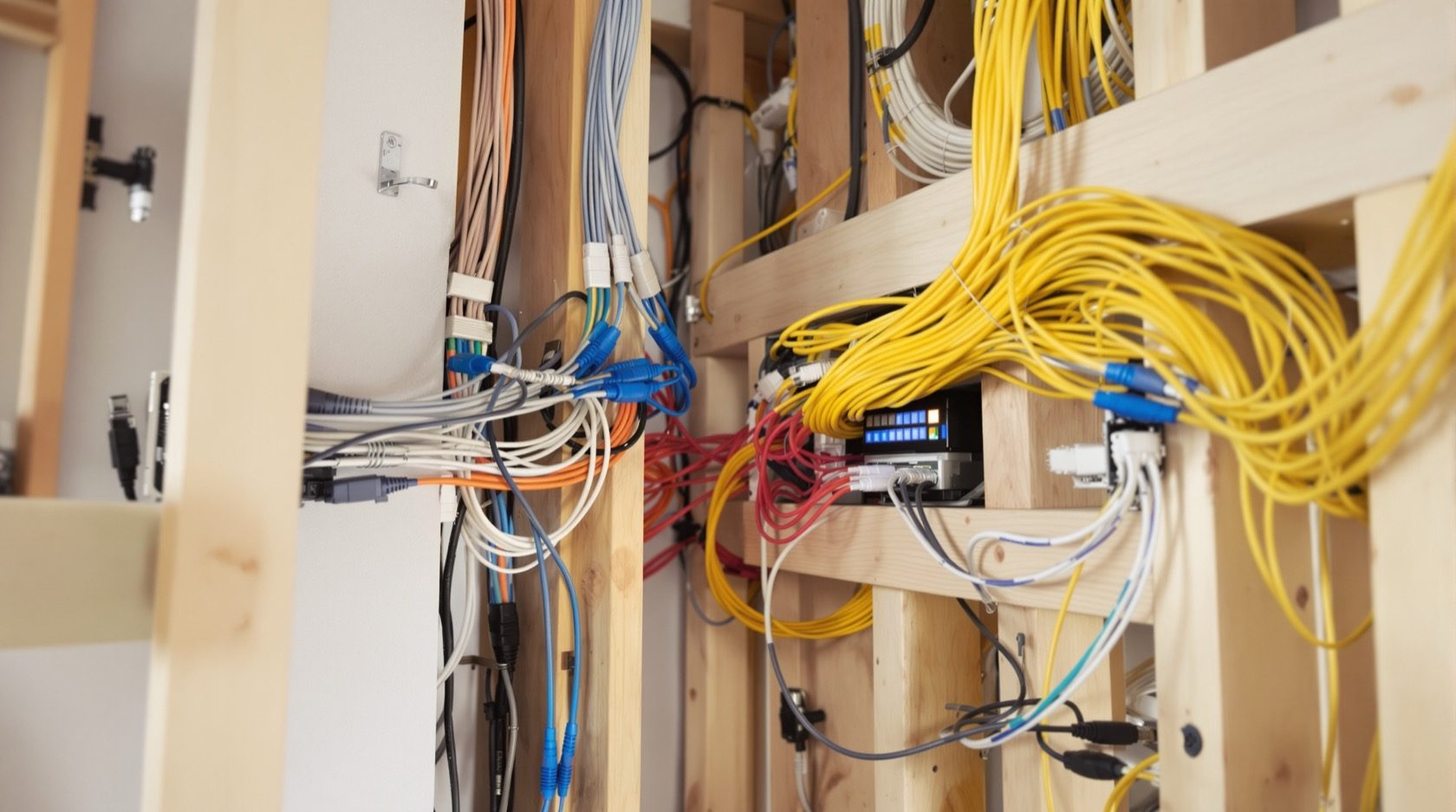
Smart Home Wiring: The Electrical Foundation of an Automated Home
Automation runs on infrastructure, not gadgets — the wiring decisions that make a home smart-ready: a neutral at every switch, deeper boxes, a structured cabling backbone, a network and hub location, and power provision, all planned before the walls close.
A smart home is sold on gadgets — voice assistants, app-controlled lights, cameras — but it runs on infrastructure: the wiring, the network and the power behind those devices. And that infrastructure is the one part you cannot easily add later, because it lives inside the walls. Get the wiring decisions right while building or rewiring, and any smart system slots in painlessly; skip them, and every future upgrade fights the walls. This guide is the electrical foundation of a smart home — the provisions to plan before the plaster.
It is the electrical companion to the broader Smart Home Hub (which covers automation, ecosystems and devices in depth), and builds on the smart switches and smart lighting guides.
The safety line. Smart-home wiring — the mains circuits, the structured cabling, the network and power provision — is installed by a licensed electrician and cabling professional. This guide helps you specify a smart-ready home and hand a clear brief; the installation is professional work.
The mindset: infrastructure first, gadgets later
The single most useful idea: decide the infrastructure now, defer the gadgets. You do not need to choose your smart brand, ecosystem or devices while building — those change and improve. What you must get right is the wiring and provisions that let you add any system later. A smart-ready home is not one full of smart devices; it is one wired so smart devices are trivial to add.
The five foundations of a smart-ready home
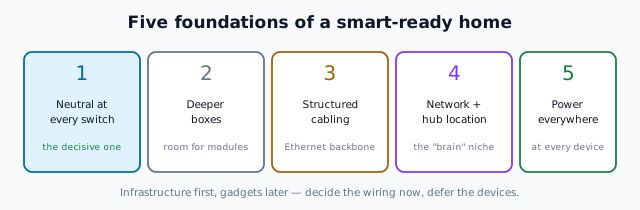
1. A neutral at every switch box
The decisive one. Most smart switches need a neutral wire at the switch box to power their electronics — and traditional Indian wiring runs only the live to the switch. Insisting on a neutral at every switch during wiring costs almost nothing and makes any smart switch fit later, from any brand. This is the number-one smart-ready decision, covered in the smart switches guide.
2. Deeper switch and fitting boxes
Smart switches, modules and relays are bulkier than plain ones. Specifying deeper wall boxes where you might add automation gives them room to fit — a tiny cost now, a real obstacle later.
3. A structured cabling backbone
A smart home moves data, not just power. A structured cabling backbone — Ethernet (Cat6) runs to key rooms, TVs, work areas and Wi-Fi access-point locations, terminating at a central point — gives reliable, fast connectivity that Wi-Fi alone often can't. This wired backbone is the difference between a flaky smart home and a solid one, and it's covered in the structured cabling & home networking guide (to IS/ISO/IEC 11801, whose Part 4 is single-tenant homes).
4. A network and hub location
Smart devices need a network and often a hub/controller. Plan a central, ventilated, accessible location — a small "network cabinet" or niche — for the router, network switch, cabling patch point, and any automation hub, with power sockets and good Wi-Fi coverage planned to reach the home. Getting this "brain" location right keeps the system tidy and serviceable.
5. Power provision everywhere it's needed
Smart devices need power. Plan sockets and points where devices will live: behind the TV, at the router/hub, at camera and sensor locations, at motorised-curtain and door-lock points, and spare sockets for the devices you'll add. Wireless devices still need charging or wiring somewhere.
Wired vs wireless: plan for both
Modern smart homes mix wired (Ethernet, powered devices, wired sensors — reliable, secure, no battery) and wireless (Wi-Fi, Zigbee, Z-Wave, Bluetooth — flexible, easy to add). You don't choose one; you wire the backbone (Ethernet, neutrals, power, hub location) so that both wired and wireless devices have a solid foundation. The infrastructure supports whatever mix of devices you later choose.
A smart-ready brief for your electrician
When building or rewiring, hand your electrician (and cabling installer) a brief covering:
- A neutral at every switch box, and deeper boxes where automation is likely.
- Ethernet (Cat6) runs to TVs, work areas, and Wi-Fi AP points, back to a central patch point.
- A network cabinet/niche — ventilated, powered, accessible — for router, switch, patch panel and hub.
- Power sockets at every likely device location, plus spares.
- Conduit spare capacity so future cables can be pulled.
- Good Wi-Fi coverage planned across the home.
This brief, added to your electrical plan, future-proofs the home for automation at minimal cost. The alternative — retrofitting into finished walls — is exactly the disruption smart-ready planning avoids.
The one-line answer
A smart home runs on infrastructure, not gadgets, so make the home smart-ready while the walls are open and defer the devices: a neutral at every switch box (the decisive one), deeper boxes for bulky smart modules, a structured Ethernet cabling backbone to key points, a central powered network/hub location, and power sockets everywhere devices will live — planned for both wired and wireless systems. Hand this brief to a licensed electrician and cabling installer, and any automation system slots in painlessly later, from any brand.
Where to go next
- The automation & ecosystems: Smart Home Hub.
- The data backbone: Structured Cabling & Home Networking.
- Smart switches & lighting: Smart Switches · Smart Lighting.
- Plan it into the wiring: Home Electrical Planning.
References
- IS/ISO/IEC 11801 (Parts 1–6), Information Technology — Generic Cabling for Customer Premises (Part 4: Single-Tenant Homes), Bureau of Indian Standards.
- IS 3854 : 2023, Switches for Domestic and Similar Purposes, BIS.
- IS 732 : 2019, Code of Practice for Electrical Wiring Installations; National Electrical Code SP 30 : 2023, BIS: https://www.bis.gov.in/
Smart-home standards and devices evolve quickly; the wiring, cabling and provisions must be installed by a licensed electrician and cabling professional. Verify any standard's status via the BIS catalogue before relying on it.
Export this guide
Related Guides — Deep-dive reading
Smart Home Planning Guide India: New Build & Existing Homes
The decisions that make or break a smart home are taken at the plan stage — before a wall goes up or a switch box is chased. Here is how to plan conduits, neutrals, network backbone and device points for an Indian home that stays smart for a decade.
Smart HomeStructured Cabling & Home Networking: The Wired Backbone
Why a wired network beats Wi-Fi alone — the Ethernet backbone that gives a home fast, reliable, secure connectivity: Cat6 cabling, a central patch point, Wi-Fi access points instead of one router, and the low-voltage design that makes a smart home solid.
Electrical & WiringSmart Infrastructure Planning for Indian Homes
The invisible backbone you lay during construction so any smart system clicks in later
Future-Ready HomesRelated Tools — Try Free
Electrical Safety & Load Audit
Home electrical audit — 10 categories, 65+ checkpoints across earthing, RCCB, MCB, wiring, switchboards, appliance circuits, DG/inverter backup.
Safety AuditSecurity Cabling & PoE Planner
Estimate cable length, drops, PoE power budget, the right switch, conduit and cost for a CCTV/security cabling plan.
Cabling PlannerSmart Home Cost Calculator
13 device categories across 5 ecosystems (Apple HomeKit, Alexa, Google Home, Mi, Wipro). Live floor-plan that lights up as you add devices, per-room and per-category breakdown.
Smart Home Calculator