
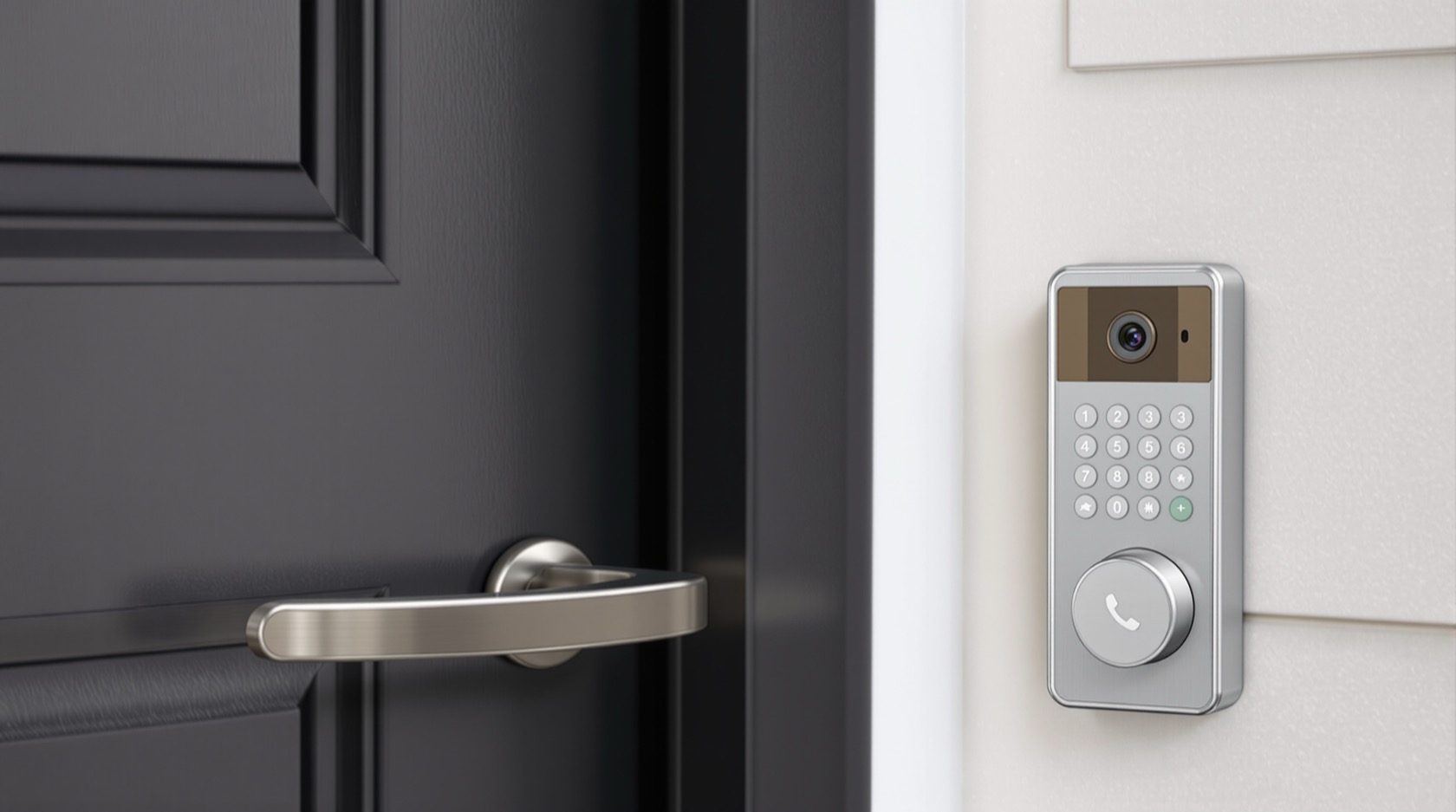
Video Intercom & Access Control: Controlling Who Gets In
The systems that manage the front door — how to plan intercom and access control: video door stations and room monitors, smart locks and keypads, the wiring they need, how they tie to the gate and CCTV, and the honest trade-offs of putting locks on the network.
Controlling who gets into a home is its own small system — the video intercom that lets you see and speak to whoever's at the gate, and the access control (smart locks, keypads, biometrics) that decides who can open the door. Done well, these add real security and everyday convenience; done as gadget afterthoughts, they're unreliable and awkward. Like all ELV systems, the groundwork is the wiring and the network. This guide is how to plan video intercom and access control for an Indian home — with an honest look at the trade-offs.
It is the entry-systems guide of the ELV set in the Electrical Knowledge Hub, extending the CCTV & video door phone guide toward locks and access.
The safety line. Intercom and access wiring is low-voltage, installed by a security/ELV professional and kept separated from mains; the mains power supplies are a licensed electrician's work. For locks, weigh security and reliability carefully — a lock is only as good as its fallback when power or network fails.
Video intercom: see who's there
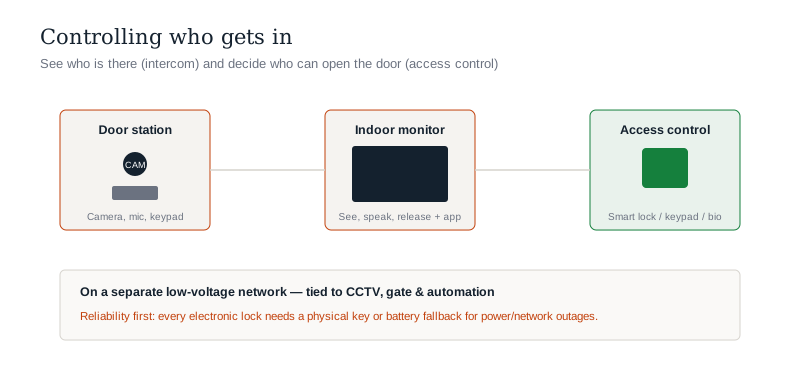
A video intercom (video door phone) is the core entry system:
- An outdoor door station at the gate/entrance — camera, microphone, call button, often a keypad or card reader.
- Indoor monitor(s) — one or more room stations to see, speak and release the gate/door; increasingly with app access so you can answer from your phone anywhere.
- Wiring — a cable run from the door station to the monitor(s) and power; plan it with the CCTV and ELV backbone, separated from mains.
- In apartments, this scales to a building system linking the lobby/gate to each flat.
Positioning the door station and running the cable during construction is what makes it reliable.
Access control: who can open the door
Access control decides who gets in, beyond a physical key:
- Smart locks — app, PIN, RFID card or fingerprint entry, and remote lock/unlock.
- Keypads / card readers — a code or card at the door.
- Biometric locks — fingerprint or face, common on Indian main doors.
- Integration — access can tie to the intercom (buzz someone in) and to automation.
These range from a standalone smart lock (no wiring beyond batteries) to wired systems with controllers and power — plan the provision for the level you want.
The wiring and network
- Low-voltage cabling from door stations and readers back to the central ELV point, separated from mains.
- Power supplies for door stations, controllers and wired locks — provided by a licensed electrician.
- Network connection for app access, remote control and integration with CCTV and automation — a reason a solid network backbone matters.
- Tie-ins to the gate automation so the intercom can open the gate.
The honest trade-offs
Locks and access control deserve a clear-eyed view:
- Reliability first — a smart lock must have a dependable fallback: a physical key override and/or battery backup, so a flat battery or dead network doesn't lock you out (or fail open).
- Power and network dependence — decide what happens in an outage; keep critical entry on backup where needed.
- Security is a system — a smart lock on a weak door is weak; the lock, door and frame matter together.
- Data and privacy — networked locks and biometrics hold sensitive data; choose reputable products and understand where data goes.
- Convenience vs simplicity — sometimes a good mechanical lock plus a video intercom is the right, robust answer; add smart access where it genuinely helps.
The honest position: access control adds real value when reliability and fallbacks are designed in — not as a gadget bolted on.
The one-line answer
Managing who gets into a home is an ELV system in two halves: a video intercom (an outdoor door station plus indoor monitors and app access) to see and admit visitors, and access control (smart locks, keypads or biometrics) to decide who can open the door — both planned with the CCTV and network backbone, wired low-voltage and separated from mains, with a licensed electrician providing power. The key is honesty about reliability: any smart lock needs a dependable fallback (physical key, battery backup) and a plan for power/network outages, because a lock is only as good as what happens when it fails. Add smart access where it genuinely helps, on a solid, well-powered foundation.
Where to go next
- The cameras and door phone: CCTV & Video Door Phone Guide.
- The system it belongs to: Home Low-Voltage & ELV Systems Guide.
- The gate it opens: Gate Automation Guide.
- Keep it powered in an outage: Home Backup Power Guide.
References
- IS 732 : 2019, Code of Practice for Electrical Wiring Installations (ELV segregation), Bureau of Indian Standards.
- IS/ISO/IEC 11801 (Parts 1–6), Generic Cabling for Customer Premises, BIS.
- National Electrical Code of India, SP 30 : 2023, BIS: https://www.bis.gov.in/
Entry systems and locks vary widely; low-voltage cabling must be installed by a security/ELV professional and mains power by a licensed electrician. Always ensure a reliable physical/battery fallback for any electronic lock. Verify any standard's status via the BIS catalogue before relying on it.
Export this guide
Related Guides — Deep-dive reading
Access Control Maintenance in India (2026): Readers, Locks and Fail-Safe Egress
How to keep a card, keypad, fingerprint or face access-control system reading reliably and locking securely — and, above everything, how to test that its doors still release on a fire alarm and on power loss, so an access-controlled door never becomes a life-safety trap.
SecurityElectrical Safety for Security Systems in India (2026): Powering It Without Peril
A homeowner's guide to the power side of home and RWA security systems, CCTV, alarms, gates, access control and NVRs, done so it protects you instead of quietly becoming a shock or fire hazard. What makes a supply safe, what to insist on, and why the mains work belongs to a licensed electrician.
SecurityFingerprint vs PIN Lock (2026): Which Keyless Entry Suits Your Indian Home?
A neutral head-to-head between the two most common keyless ways to open a smart lock in India — a fingerprint (biometric) and a PIN (code) — across convenience, everyday reliability in Indian conditions, who can use each, security, and privacy, ending in the honest verdict that you rarely have to choose.
SecurityRelated Tools — Try Free
Video Door Phone Type Selector
Answer a few questions about your building, cabling, budget and internet and get the right video door phone — analog / wired / wireless / IP, single-home or multi-apartment, monitor or app.
Door Phone SelectorApartment Video Door System Planner
Enter flats, entrances, floors and guard desk for a first-pass building intercom plan — door stations, indoor monitors, guard station, the right architecture and an indicative cost band.
Building PlannerSecurity Backup Power Calculator
Size a UPS/inverter and battery to keep CCTV, NVR, router and alarm running through a power cut — load, Ah, VA and cost.
Backup Power