
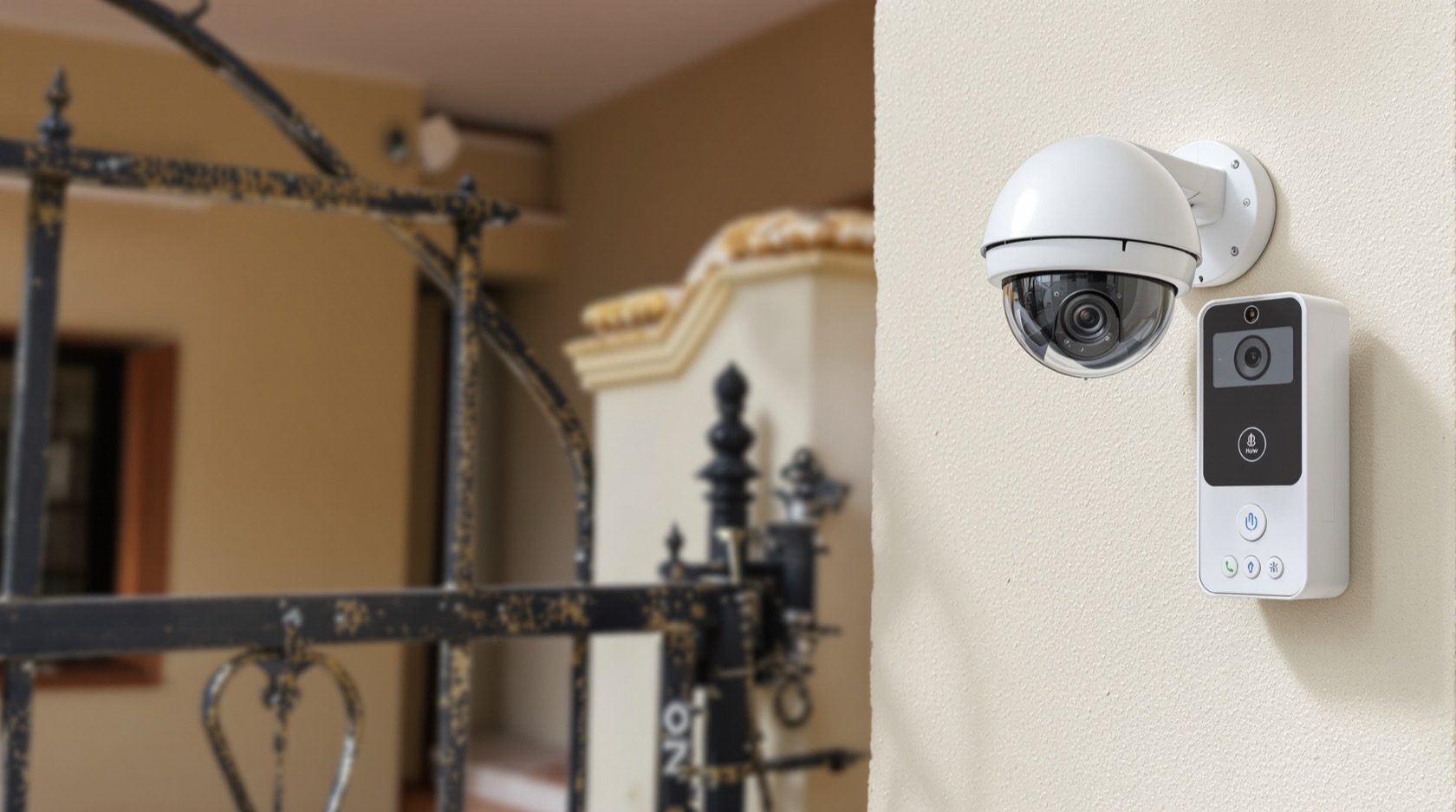
CCTV, Video Door Phones & Home Security Cabling
The low-voltage security systems every home is adding — CCTV cameras, video door phones and intercoms: how they work and connect, wired vs wireless and PoE, the cabling to plan before the walls close, and how to specify a system that actually works.
Security is now one of the first things Indian homeowners add — CCTV cameras watching the perimeter, a video door phone at the gate, an intercom between floors. These are low-voltage systems, cousins of the data network, and like all in-wall infrastructure, they reward planning the cabling before the walls close. This guide explains how home security systems work, the wired-versus-wireless choice, and what to plan so the system is reliable rather than a tangle of afterthoughts.
It sits alongside the structured cabling guide and the smart home wiring guide.
The safety line. Security systems are low-voltage, but their cabling, power and mounting are installed by a professional (often the cabling installer/electrician), separated from mains wiring. There are also privacy responsibilities — cameras must not intrude on neighbours or public areas beyond what's lawful. This guide helps you plan and specify.
CCTV: how it works and connects
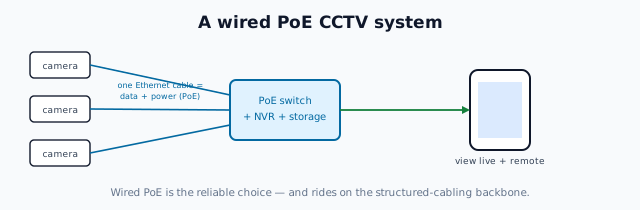
A CCTV system is cameras + a recorder + storage + a network:
- Cameras capture video; resolution and lens choice decide coverage and detail (our CCTV lens calculator helps with field of view and identification distance).
- A recorder — an NVR (network video recorder, for IP cameras) or DVR (for analogue) — records and manages the footage on a hard disk.
- The network lets you view live and recorded video on a phone or screen, locally and remotely.
The big wiring decision is wired vs wireless / PoE:
- Wired IP cameras with PoE (Power over Ethernet) — a single Ethernet cable carries both data and power to each camera, back to a PoE switch/NVR. Reliable, no separate power at the camera, the professional choice — and it rides on the same structured cabling backbone.
- Wireless (Wi-Fi) cameras — easy to add, but depend on Wi-Fi coverage and still need power at each camera; fine for a few points, less reliable at scale.
For a whole-home system planned during construction, wired PoE cameras give the most reliable result; wireless suits retrofits and a few spots.
Video door phones and intercoms
- A video door phone (VDP) lets you see and speak to a visitor at the gate/door before opening — an outdoor camera-and-call unit wired to one or more indoor monitors, increasingly with smart/app features to answer from your phone. Plan the cabling from the gate to the indoor monitor location(s) and power for both.
- Intercoms connect rooms/floors or the flat to a society gate — wired or wireless. In apartments, the society intercom is often part of the building system.
- Smart video doorbells (Wi-Fi) are the easy retrofit version of a VDP — but a wired VDP planned in is more reliable and integrates better.
The key planning point is the same: run the cable from the entrance to where you'll answer, with power at both ends, before the walls close.
What to plan before the walls close
- Camera positions and cabling — decide coverage (entrances, perimeter, blind spots), and run Ethernet (for PoE) to each, back to the NVR/switch location.
- The NVR/recorder location — with the network cabinet, ventilated and powered, with storage.
- VDP cabling — from the gate/door to the indoor monitor point(s), plus power.
- Conduit with spare capacity, separated from mains, so cameras and cabling can be added or replaced.
- Power at camera and monitor locations (or PoE, which avoids separate camera power).
- Coordinate with the network — security shares the structured cabling backbone, so plan them together.
Specifying a system that works
- Adequate camera resolution and correct lenses for the coverage you need (use the CCTV lens calculator).
- Wired PoE for reliability where planned in; wireless only where cabling isn't feasible.
- Sufficient recording storage for the days of footage you want to keep.
- Reliable remote viewing on the home network with sensible security (change default passwords — cheap cameras are a known security weak point).
- Professional installation and mounting, weatherproof (IP-rated) outdoor units, and cabling separated from mains.
- Respect privacy and the law — aim cameras at your own property, not neighbours or public spaces beyond what's permitted.
The one-line answer
Home security — CCTV, video door phones and intercoms — is a set of low-voltage systems that ride on the same structured-cabling backbone as your network, so plan their cabling before the walls close: wired PoE cameras (one Ethernet cable for data and power) back to an NVR for the most reliable CCTV, a video door phone cabled from the gate to an indoor monitor, and conduit with spare capacity throughout. Specify adequate resolution and lenses, enough storage, secure remote viewing, and professional weatherproof installation — and respect privacy by aiming cameras at your own property.
Where to go next
- The cabling backbone: Structured Cabling & Home Networking.
- The smart-home foundation: Smart Home Wiring Guide.
- Camera field of view: CCTV Lens Calculator.
- The automation layer: Smart Home Hub.
References
- IS/ISO/IEC 11801 (Parts 1–6), Information Technology — Generic Cabling for Customer Premises, Bureau of Indian Standards.
- IS 732 : 2019, Code of Practice for Electrical Wiring Installations (separation of low-voltage from mains); National Electrical Code SP 30 : 2023, BIS: https://www.bis.gov.in/
- Applicable privacy law and local regulations on surveillance (verify current requirements).
Security-system technology evolves; cabling, power, mounting and configuration must be done by a professional, separated from mains wiring, and used within privacy law. Verify any standard's status via the BIS catalogue before relying on it.
Export this guide
Related Guides — Deep-dive reading
PoE vs Wi-Fi CCTV: Which Home Security Cameras Are Better?
One camera type runs power and video down a single Cat6 cable to an NVR and almost never drops out; the other clips to a wall in minutes and streams over your home Wi-Fi. This guide settles PoE vs Wi-Fi CCTV for Indian homes — reliability, video quality and bandwidth, cabling and power, retrofit versus new-build effort, NVR versus SD and cloud storage, hacking risk, real rupee costs, scalability and outdoor use — and gives a clear verdict for each kind of home.
Smart HomeVilla Video Door Phones in India (2026): Gate, Front Door and Every Floor
How to plan a video door phone for an independent house, bungalow or duplex: a station at the compound gate and the front door, indoor monitors on every floor, gate release, and wiring run at construction stage.
SecurityHome Low-Voltage & ELV Systems: The Signal Side of a Modern Home
Beyond the power wiring lies a second network — the extra-low-voltage systems that carry data and signals: networking, CCTV, intercom, audio, home theatre, fire alarm, access control and automation. What ELV is, why it must be kept separate from the mains, and how to plan the one conduit backbone they all share.
Electrical & WiringRelated Tools — Try Free
Video Door Phone Type Selector
Answer a few questions about your building, cabling, budget and internet and get the right video door phone — analog / wired / wireless / IP, single-home or multi-apartment, monitor or app.
Door Phone SelectorCCTV Camera Coverage & Count Calculator
Estimate how many CCTV cameras you need, the NVR channels, storage in TB for your retention period, and an indicative all-in cost with GST.
CCTV CalculatorSecurity Cabling & PoE Planner
Estimate cable length, drops, PoE power budget, the right switch, conduit and cost for a CCTV/security cabling plan.
Cabling Planner