
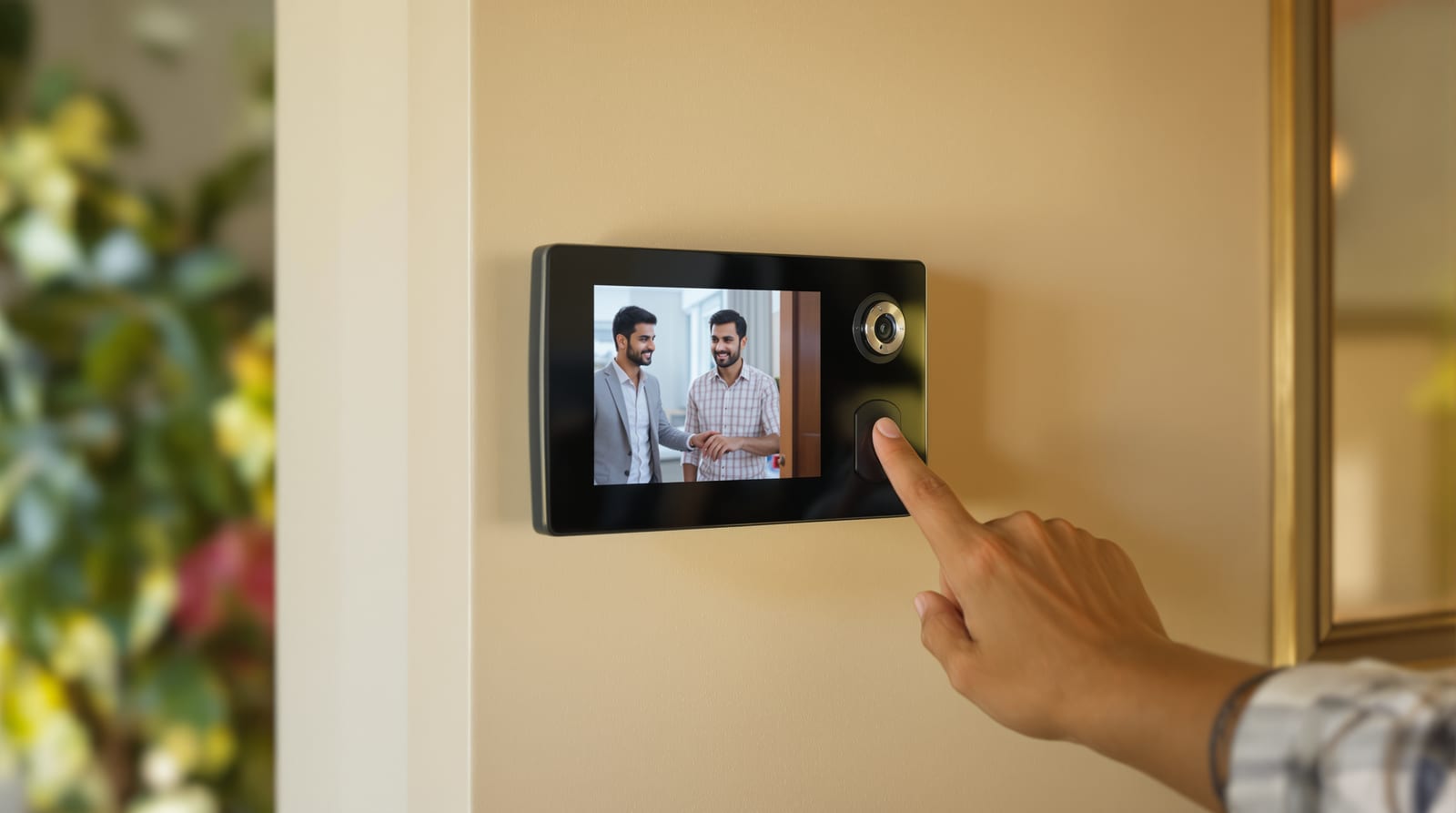
Video Door Phone for Indian Homes: Wired vs WiFi, Monitors, Recording & Cost
How video door phones actually work in Indian homes - wired vs wireless vs IP/WiFi, indoor monitor sizes, recording and motion alerts, night vision, and what to wire in during construction.
A video door phone is the upgrade that quietly changes how an Indian household answers the door. Instead of a peephole you have to walk up to, or a maid opening to whoever rang, you get a screen in the hall - and often on your phone - that shows the caller, lets you talk, and (with the right lock) lets you let them in without crossing the room. For a joint family, a working couple who get parcels all day, or a villa where the gate is twenty metres from the front door, that is the difference between a doorbell and a doorman. This guide goes deep on the choices the video door systems pillar only summarises: wired versus wireless versus WiFi/IP, monitor sizes, recording, motion alerts, night vision, apartment versus villa wiring, and exactly what to bury in the wall during construction so you are not chiselling later.
What a video door phone is - and where it sits
A video door phone (VDP, sometimes called a video intercom or video door bell system) has two halves: an outdoor panel with a camera, microphone, speaker and call button mounted by the door or gate, and an indoor monitor - a screen with a speaker that sits in your hall or kitchen. Press the button outside, the monitor inside chimes and lights up with the caller's face, you talk through it, and you choose whether to open. That is the whole idea, and it is why a VDP outranks a plain door viewer or peephole (look only) and a basic audio intercom (talk only): a VDP does see, hear and act in one device.
Where it fits in the entrance hierarchy is worth being honest about. A VDP is a planned, mostly wired install for a home you own and control. A self-contained smart doorbell is the wire-light, app-first cousin - better for renters and quick retrofits, weaker as a whole-home intercom. And a VDP becomes a security system, not just a convenience, the moment you pair it with electronic locks and gate control so you can admit a trusted caller remotely.
Wired vs wireless vs WiFi/IP: the real decision
Almost every VDP buying mistake in India starts here. The three families are not just price points - they suit different homes and different stages of construction.
- Wired (analogue 2-wire / 4-wire): the outdoor panel and indoor monitor are joined by a buried cable. This is the most reliable, never-drops, no-subscription option and the default for a home under construction. Power and video both run on the cable, so there is nothing to charge and no WiFi to fail at the worst moment. The cost is that you must run the cable - trivial during construction, painful afterwards.
- Wireless (RF) VDP: the outdoor panel talks to the indoor monitor over a private radio link, so you avoid running video cable. Useful for a finished home where chiselling is unwelcome, but the radio link has limited range through Indian brick-and-concrete walls and an RCC slab, and the outdoor unit still needs power. Treat range claims as best-case and test before you commit.
- WiFi / IP VDP: the panel connects to your home WiFi (or LAN) and pushes the call to a phone app as well as, or instead of, a wall monitor. This is what people mean by a "smart" video door phone - you answer the gate from your office, see who rang while you were out, and get cloud or microSD recording. The trade-offs are real: it depends on your broadband and router, video can lag or drop on weak WiFi, cloud recording often wants a subscription, and you are trusting a vendor's app and servers with your doorstep. A good middle path is an IP VDP that also has a wall monitor and records locally to microSD, so the app is a bonus, not a single point of failure.
The pragmatic rule for India: building or renovating, run wired (and add WiFi on top if you want app access). Already finished and cannot chisel, choose a wireless or WiFi unit and accept the trade-offs. For the system-level overview of these architectures, the video door systems pillar is the companion read.
Indoor monitors: size, count and placement
The indoor monitor is what your family actually lives with, so do not let it be an afterthought.
- Screen size: 4.3-inch and 7-inch are the common Indian sizes; 7-inch (and 10-inch in villas) is far easier for elderly parents and reads clearly across a hall. A bigger, brighter screen is the single upgrade most families thank themselves for.
- How many monitors: a single monitor by the main entry is the minimum. In a two-storey villa or a large flat, add a second monitor upstairs or in the master bedroom so nobody sprints down at 11 pm. Most wired systems support 2-4 monitors on one outdoor panel; confirm the model's monitor capacity before buying.
- Placement and height: mount the monitor at a comfortable standing eye level (centre around 1500-1550 mm) near the door you use, on an interior wall with the cable already run. Avoid direct sunlight (washes out the screen) and keep it away from the cooking range's grease and heat.
- Power: wired monitors need a 230 V point behind them; plan that socket during wiring. Some include a small battery backup for short power cuts - worth having where supply is patchy.
Recording, snapshots, motion alerts and night vision
These four features turn a VDP from a fancy doorbell into a record of who came to your door.
- Recording and snapshots: better monitors take an automatic snapshot or short clip every time the bell rings, and store it to a microSD card. So when you are out, you come home to a visual log of every caller - the genuinely useful bit for catching repeat unknown visitors or parcel issues. WiFi/IP units add cloud storage, usually behind a subscription.
- Motion detection alerts: a PIR or video-motion sensor in the outdoor panel can snap or notify when someone lingers at your gate without ringing. Excellent for a villa boundary, but tune the sensitivity or a busy street will flood you with alerts.
- Night vision: Indian porches and gates are often dim, so infra-red (IR) LEDs in the outdoor camera matter. A VDP without night vision is half-blind for exactly the hours you most want to see who is there.
- Field of view and angle: a wide-angle outdoor lens (120 degrees or more) keeps a caller in frame even if they stand to the side; a tilt or adjustable bracket helps aim the camera at face height rather than chests.
How a wired VDP is laid out
The dashed cable is the part to plan early: in a wired system it carries both the picture and the panel's power, and the optional drop to an electronic lock or gate motor is what upgrades the whole thing from intercom to access control.
Apartment vs villa: different jobs
A VDP for a flat and a VDP for an independent house are not the same purchase.
| Factor | Apartment / multi-unit | Villa / independent house |
|---|---|---|
| Typical setup | Lobby/gate panel shared, monitor per flat | Own gate panel + door panel, monitors inside |
| Architecture | Often building-wide IP or bus system (society-installed) | Standalone wired or WiFi system you own |
| Outdoor panels | One at main gate, sometimes one at flat door | Gate panel (and optionally porch/door panel) |
| Distance to monitor | Short cable run within the flat | Long run gate-to-house; use proper cable gauge |
| Remote unlock | Building gate/lift integration | Your own gate motor + door e-lock |
| Weather exposure | Panel often sheltered in lobby | Gate panel fully exposed - needs IP-rated housing |
| Who chooses | Society/RWA for common areas; you for in-flat | Entirely your call |
In a society, the common-area system is usually the RWA's decision and may be a multi-tenant bus or IP platform; what you control is the monitor and any in-flat extras. In a villa, you own the whole chain, the gate-to-house cable run is longer (size the cable correctly to avoid voltage drop and picture noise), and the outdoor panel is fully weather-exposed - insist on a properly IP-rated housing and a small canopy against driving monsoon rain.
Integration: electronic locks and gate
The feature that makes a VDP feel premium is being able to let someone in from the monitor. With an electronic strike or smart lock on the door, or a motor on the gate, the monitor gets an unlock button - so you admit the cook or a known delivery without getting up. This is where a VDP overlaps with full door access control: the same wiring that carries video can trigger a lock relay. Pairing it with a smart door lock lets the household mix remote-unlock-by-video with keypad or app entry. Plan the lock and the VDP together; retrofitting an electronic strike into a finished frame is far messier than specifying it up front.
Wiring during construction: do this now
This is the single most cost-saving section of the guide. If you are building or renovating, run the VDP wiring before plastering:
- Conduit from gate/door to the monitor wall(s), plus a spare draw-wire, so a future upgrade pulls through without chiselling.
- A 230 V point behind each indoor monitor location and at the outdoor panel if the model needs mains.
- A CAT6 cable alongside the VDP cable if you might go IP/WiFi later - it future-proofs the gate for IP cameras and networked panels.
- Conduit to the gate motor and door lock if remote unlock is even a maybe.
- Decide monitor count and locations early (hall plus master bedroom is the common villa choice) so all walls are wired in one go.
Retrofitting all of this into a finished house can cost more in chiselling, patching and repainting than the VDP itself - which is why a VDP is squarely a planning-stage decision, alongside your door hardware and lock choices.
What it costs in India
| VDP type | Typical features | Indicative price (device) |
|---|---|---|
| Basic wired, 4.3-7" monitor | See + talk, manual snapshot | ₹4,000 - 8,000 |
| Mid wired/wireless, 7" | Auto-record to SD, night vision, 2-monitor capable | ₹8,000 - 15,000 |
| WiFi / IP, 7-10" + app | App access, cloud/SD recording, motion alerts | ₹12,000 - 25,000 |
| Premium / multi-apartment / brand IP | Multi-panel, gate + lock integration, larger screens | ₹20,000 - 40,000+ |
Indicative, varies by city and vendor, plus 18% GST; an electrician's wiring and fitting labour is extra (often ₹1,500-5,000+ depending on cable run). For a like-for-like comparison against a peephole route, the door viewers and peepholes guide has the optical-vs-digital-vs-VDP table.
Brands you will see in India: Godrej (Godrej Security Solutions, widely serviced), CP Plus and Hikvision (strong on IP and CCTV-integrated systems), Panasonic (reliable analogue and IP intercoms), and Aiphone (premium, the choice when you want longevity and a proper intercom platform). Choose by after-sales reach in your city as much as by spec - a VDP is wall-mounted hardware you keep for years, so serviceability matters.
Frequently asked questions
Wired or wireless video door phone - which is better for India?
If your home is under construction or being renovated, choose wired: it is the most reliable, needs no charging or WiFi, has no subscription, and the cable is trivial to run before plastering. Choose wireless or WiFi only when the house is finished and you cannot chisel - and test the radio or WiFi range through your walls first, because Indian brick and RCC cut signal hard. The best of both is an IP unit with a wall monitor that also records locally.
Can a video door phone unlock the door or gate?
Yes, when paired with an electronic strike, smart lock or gate motor. The monitor then shows an unlock button so you can admit a known caller without getting up. Plan the lock or gate wiring at the same time as the VDP - this turns it into proper door access control rather than just an intercom.
Does a video door phone record visitors?
Many do. Better monitors snap a photo or short clip to a microSD card every time the bell rings, so you get a visual log of callers while you are out. WiFi/IP models add cloud recording, usually with a subscription. If a record of who came to your door matters to you, confirm the model has snapshot or video recording to SD before buying.
What screen size should the indoor monitor be?
A 7-inch monitor is the sweet spot for most Indian homes - clear across a hall and easy for elderly parents; 10-inch suits large villas. The common 4.3-inch is fine for a small flat but feels cramped. In a two-storey villa or large flat, add a second monitor upstairs or in the bedroom so nobody has to run down to answer.
Do I need a video door phone if I already have a peephole?
They do different jobs. A door viewer or peephole is a zero-power, never-fails baseline that only lets you look. A video door phone lets you see, hear, record and (with a lock) admit - from across the room or your phone. Many homes keep an optical peephole as a backup and add a VDP for everyday convenience and security.
Export this guide
Related Guides — Deep-dive reading
CCTV vs Video Door Phone: Which Does Your Home Need?
They look similar and get confused constantly, but a CCTV camera and a video door phone do different jobs — one watches the whole property and records, the other answers your door and controls who comes in. This guide settles CCTV vs video door phone for Indian homes: what each is for, where they overlap, real rupee costs, apartment versus villa relevance, and why most homes end up wanting both.
Smart HomeHow to Choose a CCTV Camera (2026): The Homeowner's Decision Guide for India
Cut through the spec-sheet noise and choose the right CCTV camera for each spot around an Indian home. What actually matters — sensor and low-light performance, lens and field of view, form factor, IP and IK ratings, honest smart features — and the marketing claims to ignore.
SecurityPoE vs Wi-Fi CCTV: Which Home Security Cameras Are Better?
One camera type runs power and video down a single Cat6 cable to an NVR and almost never drops out; the other clips to a wall in minutes and streams over your home Wi-Fi. This guide settles PoE vs Wi-Fi CCTV for Indian homes — reliability, video quality and bandwidth, cabling and power, retrofit versus new-build effort, NVR versus SD and cloud storage, hacking risk, real rupee costs, scalability and outdoor use — and gives a clear verdict for each kind of home.
Smart HomeRelated Tools — Try Free
Video Door Phone Type Selector
Answer a few questions about your building, cabling, budget and internet and get the right video door phone — analog / wired / wireless / IP, single-home or multi-apartment, monitor or app.
Door Phone SelectorApartment Video Door System Planner
Enter flats, entrances, floors and guard desk for a first-pass building intercom plan — door stations, indoor monitors, guard station, the right architecture and an indicative cost band.
Building PlannerCCTV Cloud vs Local Cost Calculator
Compare cloud CCTV subscription against a local NVR + HDD — upfront, 5-year total, monthly fee and break-even.
Cloud vs Local