
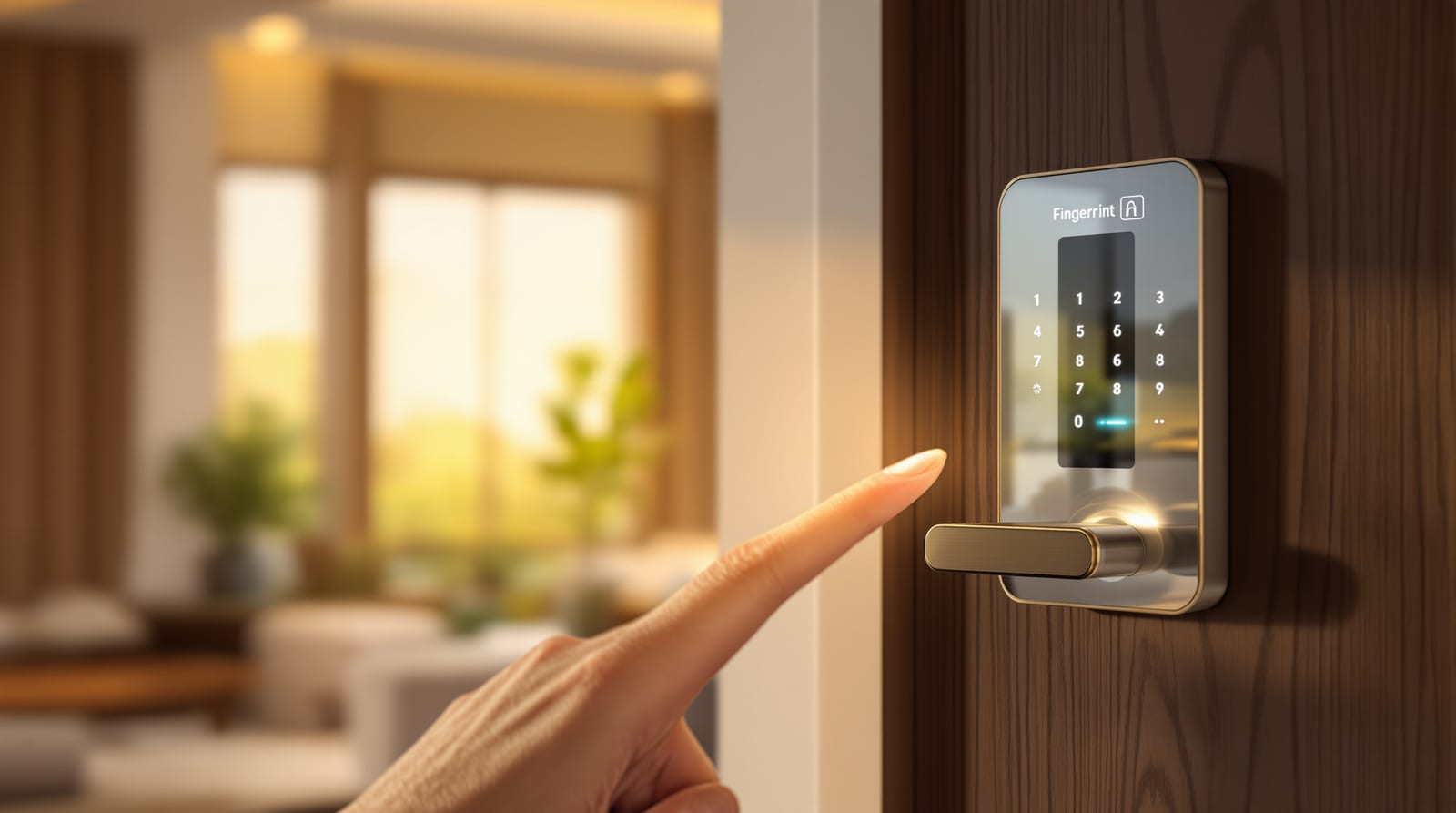
Smart Door Locks in India (2026): Fingerprint, PIN, RFID, Face and App Locks Compared
How digital and biometric smart locks actually work, every access method ranked, the battery and backup-key reality nobody warns you about, Wi-Fi vs Bluetooth, retrofit vs mortise, the real brands (Godrej, Yale, Qubo, Hafele, Lavna) and what each tier costs in 2026.
A smart lock promises the one thing every Indian household secretly wants: never hunting for keys at the gate with both hands full of grocery bags, never cutting a fourth duplicate for the maid, never that 11 p.m. phone call from a kid locked out on the landing. The good ones deliver exactly that. But "smart lock" now covers everything from a 5,000-rupee retrofit you stick over your existing latch to a 28,000-rupee face-recognition mortise that talks to your phone from your office. This guide cuts through the marketing: how these locks actually work, which access method is right for your door, the battery-and-backup reality the brochures bury, and what each tier honestly costs in 2026.
What a smart lock actually is
Strip away the app and a smart lock is still a lock. Underneath the touchscreen sits a motorised deadbolt or latch driven by a small DC motor, powered by AA or rechargeable batteries, and controlled by a circuit board that listens for a valid "open" signal. That signal can arrive in several ways — a fingerprint, a PIN typed on a keypad, an RFID card tap, a face scan, a Bluetooth or Wi-Fi command from your phone, or a plain old physical key. Most locks accept three or four of these at once, so different family members can use whatever suits them.
There are two body types you will meet in India:
- Mortise smart locks — a full lock body that sits inside the door edge, like a normal mortise lock, usually with a long handle and a multi-point bolt mechanism. Strong, beautiful, the default for a new main door. Needs a carpenter to rout a mortise pocket, so it is not a weekend DIY.
- Retrofit (rim) smart locks — a unit that mounts on the inside face of your existing door and turns your current deadbolt thumb-turn by motor. The outside of the door is untouched (or gets a slim keypad). Installs in 20-30 minutes with a screwdriver, and you keep your existing key. Perfect for rented flats and quick upgrades.
The brand sticker matters less than this choice. Decide retrofit-vs-mortise first; it filters out half the market instantly.
The access methods, ranked for Indian homes
Every smart lock is really sold on its unlock methods. Here is how the common ones compare for a typical family flat or independent house.
| Access method | Speed | Best for | Watch-outs |
|---|---|---|---|
| Fingerprint (biometric) | Fastest (~0.5 s) | Daily users, kids, elders who forget PINs | Wet/dry/cracked fingers misread; register 2 fingers each; cheap sensors struggle in heat |
| PIN code (keypad) | Fast | Maid, cook, guests, temporary access | Smudge marks reveal digits — pick locks with random-prefix "fake code" feature |
| RFID card / tag / fob | Fast | Society common doors, kids who lose phones | Cards can be cloned (low-frequency types); can be lost like keys |
| Face recognition | Fast, hands-free | Premium main doors, hands-full entry | Needs power-hungry camera; poor light hurts it; privacy of stored face data |
| Bluetooth (app) | Medium | Phone-first users, auto-unlock on approach | Only works within ~10 m; useless for remote guests |
| Wi-Fi (app + remote) | Medium | Remote unlock for guests/help from anywhere | Drains battery faster; depends on home internet |
| Mechanical key (backup) | Slow | Dead battery, sensor failure, power cut | Keep it OFF-SITE or hidden — defeats security if left in the lock |
| OTP / one-time PIN | Medium | Delivery, plumber, Airbnb-style stays | Needs the app + connectivity to generate |
The honest recommendation for most Indian homes: buy a lock that does fingerprint + PIN + mechanical key + app, in that order of daily use. Fingerprint for the family, PIN for help and guests, key as the never-fails fallback, app for the convenience and remote features. Face recognition and RFID are nice-to-haves, not essentials.
How a smart lock fits the door (anatomy)
Two details from that diagram save a lot of grief. First, the batteries and the brains all live on the inside — so a dead battery never locks you outside, and there is almost always an emergency power port (a 9V battery contact or USB-C) on the outside so you can jump-start a flat lock and key in your PIN. Second, the mechanical key override is your true failsafe; never lose that key, and never leave it sitting in the cylinder.
Battery, backup and the failure modes nobody mentions
A smart lock is only as reliable as its power and its escape hatches. Plan for all three:
- Battery life: most fingerprint/PIN locks run 4 AA cells for 8-12 months of normal use. Wi-Fi and face-recognition models drain faster (3-6 months). Every decent lock beeps and flashes for a week or two before dying, and shows a battery warning in the app. Keep a spare set of 4 AAs in the house.
- Dead-battery rescue: do not panic-buy a lock without an external emergency power point. A 9V battery touched to the outside contacts, or a power bank into the USB-C port, wakes the lock long enough to unlock. The mechanical key is the second line.
- Power cuts: smart locks are battery-powered, so a grid outage does not lock you out — but a Wi-Fi lock loses remote features until your router (and its UPS/inverter) is back.
- Sensor failure / wet fingers: monsoon-damp or detergent-dry fingers misread. Always register a PIN and at least two fingers per person, and keep that mechanical key.
- Lockout / tamper alarm: good locks freeze for 30-60 seconds after several wrong PINs and sound an alarm — handy, but make sure family knows the real code so they do not trip it.
Wi-Fi vs Bluetooth (and what you actually need)
This is the most over-sold spec. The difference is simply range:
- Bluetooth locks pair directly with your phone within about 10 metres. Auto-unlock as you walk up, share access with family, see a log — all without internet. Cheaper, longer battery life, no monthly worries. The catch: you cannot let in a guest while you are at the office.
- Wi-Fi (built-in or via a small bridge/hub) connects the lock to your home router and the cloud, so you can unlock, generate a one-time PIN, and watch the access log from anywhere. Essential if you regularly let in domestic help, deliveries, or relatives remotely. Costs more, eats batteries faster, and a dead router kills remote control.
For a family that is usually home, Bluetooth is plenty. Only pay the Wi-Fi premium if remote access is a real, frequent need.
The brands you will see in India
| Brand | Known for | Typical range (lock only) | Notes |
|---|---|---|---|
| Godrej (Locks/Security) | Trust, service network, security pedigree | ₹9,000-25,000 | Widest after-sales reach in India; good for main doors |
| Yale (Assa Abloy) | Premium mortise + app ecosystem | ₹12,000-30,000 | Strong build, popular with builders; Linus/Connect Wi-Fi range |
| Qubo (Hero Group) | Value Wi-Fi locks, app features | ₹7,000-17,000 | Aggressive pricing, app-first, good for tech-savvy buyers |
| Hafele | European hardware, mortise integration | ₹15,000-30,000+ | Pairs with their door hardware; design-led |
| Lavna | Budget retrofit and keypad locks | ₹5,000-12,000 | Entry-level, wide e-commerce presence |
Other names you will meet: Ultraloq, Philips, Mi/Xiaomi, Dorset, Europa, and several builder-supplied OEM units. The brand decides service reliability more than features — for a main door, after-sales reach (Godrej, Yale, Hafele) is worth paying for.
What it costs in 2026
Prices below are for the lock unit; add roughly ₹800-2,500 for fitting (more for a mortise pocket on an existing door) and 18% GST. Figures are indicative and vary by city, vendor and offers.
| Tier | Price (lock only) | Typical access methods | Best fit |
|---|---|---|---|
| Budget | ₹5,000-9,000 | Fingerprint + PIN + RFID + key, Bluetooth | Rental flats, retrofit, secondary doors |
| Mid | ₹10,000-17,000 | Above + app + Wi-Fi option + face on some | Main door of a typical family home |
| Premium | ₹15,000-30,000 | Mortise body, face + palm-vein, Wi-Fi, video on some | Premium main doors, villas, full smart-home |
Want to price your exact setup including fitting and GST? Use our smart lock cost calculator to get a number for your door.
Installation: what to expect
- Retrofit/rim locks are genuinely DIY: unscrew the inside thumb-turn, mount the bracket, clip on the unit, calibrate in the app. 20-40 minutes. Make sure your existing deadbolt turns smoothly first — a stiff bolt defeats the motor.
- Mortise smart locks on a new door come pre-cut by the door maker — easy. Retrofitting a mortise into an existing solid door needs a carpenter to rout a deeper, wider pocket and may require a new strike plate; budget ₹1,500-3,000 and half a day. A 35 mm-thick (or thicker) shutter is needed — hollow flush doors flex and misalign the bolt.
- Door thickness and gap: most locks fit 38-55 mm doors. Check the swing gap and that the door does not sag (a drooping leaf throws the deadbolt out of the strike — a common Indian fitment problem on heavy teak doors).
- For a brand-new main door, specify the smart lock cut-out with the door order; see our broader door hardware guide for how locks coordinate with hinges, handles and the frame.
Security caveats — read before you buy
A smart lock adds convenience; it does not automatically add security. Keep these honest:
- The lock is only as strong as the door and frame. A 25,000-rupee lock on a hollow flush door or a weak chowkat is theatre. Pair smart locks with a solid main door — see door security in India for grading the whole assembly.
- Cheap RFID cards can be cloned with a ₹500 gadget. Use fingerprint/PIN as primary; treat cards as convenience, not security.
- App and cloud are an attack surface. Buy from brands that push firmware updates, use a strong unique app password and two-factor login, and prefer locks that work locally (Bluetooth) so a server outage cannot lock you out.
- Smudge attacks: choose a keypad with a "random/fake prefix" feature so fingerprints on the keys do not reveal your PIN.
- Forced entry still wins on a bad door. A smart lock pairs best with a layered setup: strong main door, a video door system to see who is there, and good frame anchoring.
- Vastu and tradition: if you follow Vastu for the main entrance, the lock placement and the door direction still follow the same principles — see entrance Vastu. A smart lock changes nothing about direction or the auspicious threshold (dehleez).
Who should buy a smart lock — and who should wait
Buy one if you have a family with multiple users, frequent domestic help or deliveries, kids who lose keys, elderly parents who struggle with locks, or a second home/rental you manage remotely. The convenience is real and daily.
Hold off if your main door or frame is weak (fix that first), you have very unreliable power and no inverter for your router (Wi-Fi features will frustrate you), or your budget is better spent upgrading to a solid door. A great door with an ordinary lock beats a flimsy door with a fancy one — every time.
Frequently asked questions
What happens to a smart lock when the power goes off?
Nothing — smart locks run on their own batteries, not mains power, so a grid outage does not lock you out. Only a Wi-Fi lock loses its remote features until your router is back (an inverter/UPS keeps it online). If the lock's own batteries die, use the emergency 9V/USB-C power port or the mechanical key.
Can a smart door lock be hacked or broken into?
The lock body is usually harder to pick than a normal lock, but the weak points are the door and frame, cloneable RFID cards, and the app/cloud account. Buy from brands that issue firmware updates, use fingerprint/PIN as primary, secure the app with two-factor login, and fit the lock to a strong main door. For most homes the realistic threat is a forced door, not a hacker — so spend on the door too.
Is a fingerprint lock reliable in Indian heat and monsoon?
Good sensors handle it, but wet, oily or very dry fingers can misread, and cheap sensors struggle in extreme heat. Register at least two fingers per person, keep a backup PIN, and never lose the mechanical key. In coastal and high-humidity areas, pick a brand with a sealed, IP-rated outdoor panel.
Should I get Wi-Fi or is Bluetooth enough?
Bluetooth is enough if someone is usually home — you get auto-unlock, family sharing and a log within about 10 metres, with longer battery life and no internet dependence. Choose Wi-Fi only if you regularly need to let in help, deliveries or guests when you are away, since it lets you unlock and send one-time PINs from anywhere.
Can I fit a smart lock on my existing door without changing it?
Yes — a retrofit (rim) lock mounts on the inside face over your existing deadbolt and installs in under an hour with a screwdriver, keeping your current key and the outside of the door untouched. A mortise smart lock is sturdier but needs a carpenter to cut a pocket, and only suits a solid door 35 mm or thicker.
What is a realistic budget for a good smart lock in India in 2026?
For a main door, ₹10,000-17,000 (lock only) buys a reliable fingerprint + PIN + key + app lock from a serviceable brand; premium mortise and face-recognition models run ₹15,000-30,000. Add ₹800-2,500 for fitting plus 18% GST. Budget ₹5,000-9,000 retrofits suit rentals and secondary doors. Price your exact door with the smart lock cost calculator.
Export this guide
Related Guides — Deep-dive reading
Keyless Entry Systems for Indian Homes: PIN, RFID, Fingerprint, App & OTP (2026)
How keyless entry actually works in Indian homes, what happens when power or battery fails, and the best lock combinations for safety and convenience.
Home Doors & EntrancesWiFi Smart Lock for Indian Homes: App Control, E-Keys & Connectivity Guide (2026)
How WiFi smart locks let you lock, unlock and grant access from your phone - hub vs built-in WiFi vs Bluetooth, e-keys for maids and deliveries, geofencing, voice control, and the Indian power-and-network caveats nobody warns you about.
Home Doors & EntrancesFingerprint Door Lock Guide for Indian Homes: How the Sensor Works, Accuracy & Backup (2026)
How biometric fingerprint locks read your finger, why dry, wet or worn fingers fail in Indian heat and monsoon, and how to set up reliable backup access before you buy.
Home Doors & EntrancesRelated Tools — Try Free
Door Security Rating Calculator
Score your main door out of 100 across leaf, frame, lock and hardware — and see the top upgrades.
Security ToolSmart Lock Cost Calculator
Estimate smart door lock cost by access type, tier and number of doors — and compare it to a mechanical lock.
Door CalculatorWindow Hardware Cost Calculator
Estimate window hardware cost — hinges, handles, locks, rollers and multipoint gears.
Window Calculator