
Smart Doorbell for Indian Homes: WiFi Video Doorbells, Storage & Cost (2026)
How WiFi video doorbells like Qubo and Mi work in Indian homes - battery vs wired, cloud vs local SD storage, person detection, two-way talk, mounting and the honest comparison with a video door phone.
A smart doorbell answers one question that no ordinary bell ever could: who rang while you were away? For an Indian home that takes parcels through the day, has a maid and a cook with their own timings, and a steady stream of couriers, gas-cylinder men and society visitors, a WiFi video doorbell turns the front door into something you can see and speak through from your phone - in the office, in the kitchen, or on holiday in another city. This guide covers how these doorbells actually work in Indian conditions, the battery-versus-wired decision, the cloud-versus-SD-card storage trap that quietly costs money, and the honest comparison with a video door phone.
What a smart doorbell actually is
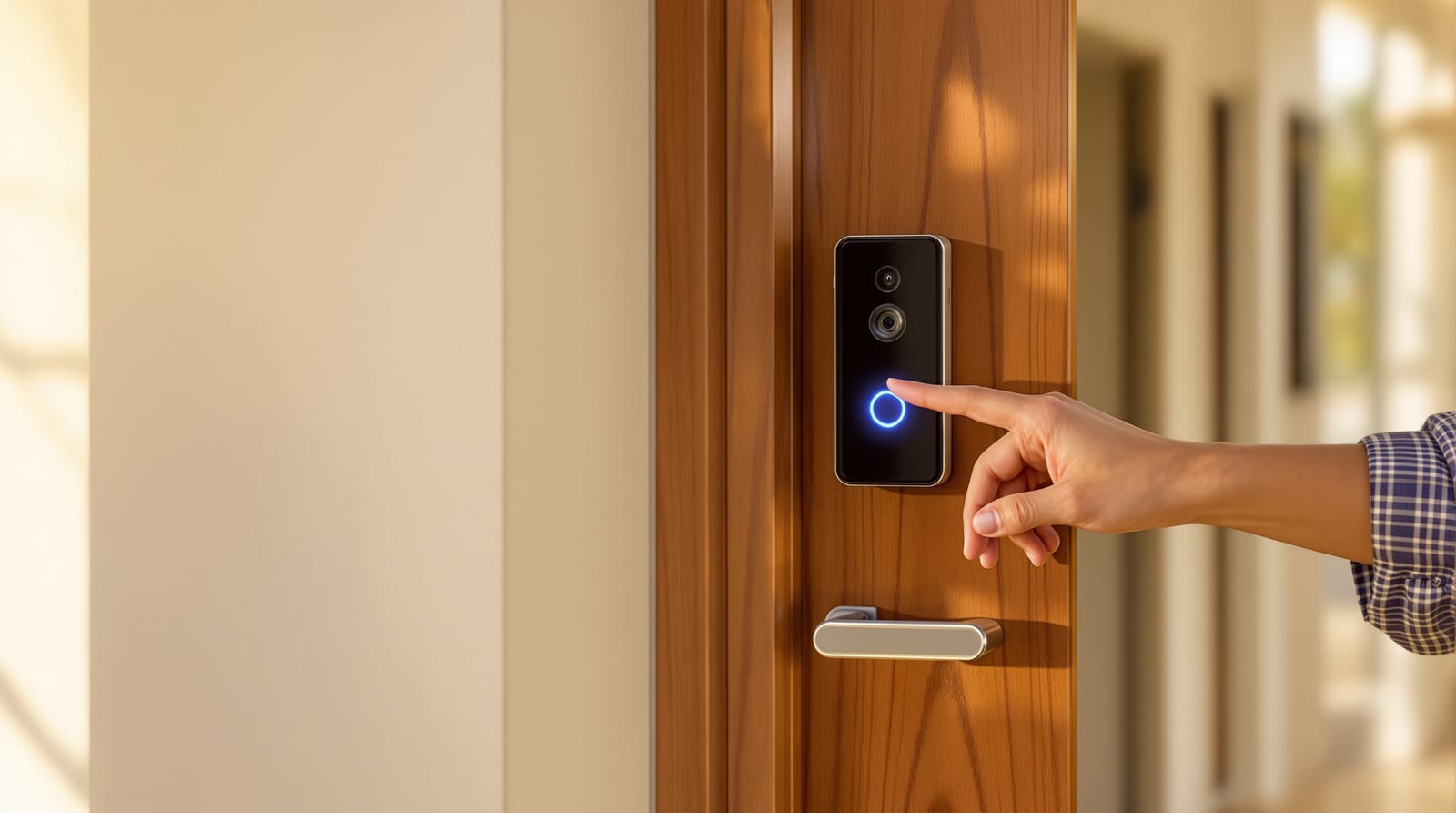
A smart (WiFi video) doorbell is a self-contained camera, microphone, speaker and bell button that connects to your home WiFi and pushes a live alert to your phone the moment someone presses it - or, in better models, the moment someone simply walks up. You see the caller on the app, talk through two-way audio, and review a clip later. It is a standalone gadget you can fit yourself, distinct from a wired intercom.
This is the key difference most shops blur. A video door phone (VDP) is a wired system: an outdoor camera-panel cabled to an indoor monitor mounted on your wall, often integrated with an electronic gate lock. A smart doorbell needs no indoor monitor and no cabling to a screen - your phone is the screen, and WiFi is the wire. The VDP is the planned, built-in choice; the smart doorbell is the retrofit you can install on a rented flat in twenty minutes. We compare them head to head below, and in depth in video door phones.
Common brands in India include Qubo (Hero Group), Mi/Xiaomi, TP-Link Tapo, CP Plus, Godrej, and imported Ring-style units. Qubo and Mi dominate the affordable, India-supported end with local-language apps and Indian customer service - which matters more than spec-sheet bragging when a device stops talking to your WiFi.
Battery vs wired: the first real decision
Every smart doorbell is either battery-powered or wired into your existing bell circuit (or a low-voltage adapter). This choice drives everything else.
| Aspect | Battery doorbell | Wired doorbell |
|---|---|---|
| Installation | DIY, screw on, no electrician | Needs existing bell wiring or adapter; electrician likely |
| Recharging | Remove and USB-charge every 1-4 months | Never - permanent power |
| Always-on recording | Usually no (battery-saving) | Yes, possible (continuous power) |
| Best for | Rented flats, no wiring, quick retrofit | Owned homes, frequent callers, 24x7 cover |
| Monsoon risk | Sealed unit, no exposed mains | Junction must be kept dry |
| Indicative price | Higher (battery + radio) | Often lower for the bell itself |
In most Indian apartments an existing two-wire bell circuit already runs to a chime inside the flat, which a wired smart doorbell can tap - this is the cleanest install if you own the home. In a rented flat, or where the wiring is buried and unreachable, a battery doorbell is the pragmatic answer; just accept that you will climb a stool to recharge it a few times a year, and that aggressive battery-saving means it may not capture every second of footage. If you want a doorbell that records continuously and never sleeps, go wired.
Cloud vs local SD storage - read this before you buy
This is where smart doorbells quietly part you from money. The doorbell captures clips; those clips have to live somewhere.
- Local microSD card: the doorbell records to a card inside the unit (or inside a paired indoor chime/hub). You pay once for the card and own your footage - no monthly fee, nothing leaves your home. The catch: if a thief takes the doorbell, the footage goes with it, and capacity is finite (older clips overwrite).
- Cloud storage (subscription): clips upload to the maker's servers. Footage survives even if the device is stolen, and you can scroll back days or weeks - but only while you keep paying. Plans in India typically run from a few hundred rupees a month to one-to-two thousand rupees a year per camera, with rolling 7-to-30-day retention. Cancel, and the history vanishes.
- Hybrid: many Qubo and Mi units do both - SD for free always-on, cloud as a paid backup. This is the sensible default: free local recording, optional cloud for the peace of mind that survives a stolen unit.
The honest advice: budget for the subscription as a recurring cost, not a one-time buy. A ₹6,000 doorbell with a ₹1,500-a-year cloud plan is a ₹6,000 device plus ₹15,000 over a decade. If you dislike subscriptions, choose a model with strong local SD recording and treat cloud as optional. Always check whether basic features (live view, two-way talk, motion alerts) work without a subscription - on a few brands, even alerts get throttled unless you pay.
How a smart doorbell alerts your phone
The chain is simple: caller arrives, the doorbell's camera and motion sensor detect them, the clip and a push alert travel over your home WiFi to your phone (and optionally to the cloud), while a local SD card keeps a free copy. The whole thing lives or dies on your WiFi reaching the door - which is the single most common reason these devices disappoint in Indian homes.
Features that matter (and the ones that do not)
The marketing lists a dozen features; only a handful change daily life.
- Person / motion detection: the genuinely useful one. Good doorbells distinguish a person from a passing cat, a swaying plant or headlight glare, and only alert you for people. Cheaper PIR-only motion means false alerts all day - especially on a busy society corridor. Look for "person detection" or "AI human detection."
- Two-way talk: speak to the courier, the maid, or tell a stranger you are watching - from anywhere. Indispensable for managing deliveries when nobody is home.
- Night vision (IR): Indian landings and gates are often unlit; infra-red gives a usable face image after dark. Standard on most decent units.
- Who-rang-while-away (event history): the core promise - a timestamped log of every ring and motion event with clips, so you see the courier who came at 2 pm or the unknown caller at midnight.
- Pre-roll / continuous recording: captures the few seconds before the event (wired models), so you see the approach, not just the doorbell press.
- Chime options: a plug-in indoor chime or a paired smart speaker so you actually hear the bell - phones on silent miss alerts. This matters in a large house.
Treat as optional: package-detection gimmicks, very wide "180-degree" claims on cheap optics that distort faces, and any feature locked behind a steep subscription you would not otherwise buy.
Mounting on Indian doors and walls
The physical fit is where Indian installs go wrong, because our doors and entrances are not what these (often imported-design) doorbells assume.
- Door frame vs wall: a smart doorbell is best fixed to the wall or frame beside the door at about 1200-1250 mm from the floor, angled to frame a standing adult's face. Fixing it on a thick teak leaf risks splitting the timber and puts it too close to read faces well.
- Masonry walls: Indian entrances are usually brick or concrete, so plan for a drill, wall plugs and screws, not the foam mounting tape that ships for drywall homes abroad. Use the supplied angled wedge if your wall faces away from the approach path.
- Grille gates and double doors: many flats have an outer safety grill door or collapsible gate. Mount the bell on the wall outside the grille, not behind it, or the camera sees bars.
- WiFi reach: test the signal at the door before buying. Thick RCC walls and a router two rooms away can starve the doorbell of bandwidth, making live view lag or fail. A mesh node or extender near the entrance often fixes the most frustrating complaint about these devices.
- Weather: keep the unit under the chajja or porch overhang. Most are only rain-resistant, not built for driving monsoon or coastal salt spray; a shaded mount adds years.
Smart doorbell vs video door phone vs digital viewer
The comparison shops will not lay out honestly:
| Feature | Smart doorbell (WiFi) | Video door phone (VDP) | Digital door viewer |
|---|---|---|---|
| Indicative price | ₹2,500-12,000 | ₹4,000-25,000 | ₹2,500-9,000 |
| Where you see the caller | Phone app | Wall monitor (+ app on some) | LCD on the door unit |
| Power / wiring | Battery or simple bell wire | Mains + cabling to monitor | Battery, fits peephole hole |
| Answer from outside home | Yes (anywhere on data/WiFi) | Only some app-enabled models | No |
| Two-way talk | Yes | Yes | Rarely |
| Remote door unlock | No (separate smart lock) | Yes (with e-lock/gate) | No |
| Storage | SD and/or cloud (sub) | SD on some; many record locally | SD card |
| Install effort | DIY / light | Electrician, planned | DIY, reuses peephole |
| Best for | Renters, retrofits, parcel-watchers | New/owned homes, gates, families | Cheap wire-free retrofit |
The quick rule: choose a smart doorbell if you want to answer the door from your phone anywhere, you rent or want a no-fuss retrofit, and parcel-and-visitor history is your priority. Choose a video door phone if you own the home, want a fixed indoor monitor the whole family uses, and want to unlock a gate or door remotely. Choose a plain digital door viewer if you only want a cheap, wire-free upgrade over a peephole. Many homes pair a smart doorbell for visitor management with a WiFi smart lock for keyless entry - between them they cover seeing and opening the door without ever fumbling for keys. For the lock side, see smart door locks.
Indian cost and buying realities
- Price (indicative, varies by city and vendor; +18% GST): budget battery/WiFi doorbells ₹2,500-5,000; mainstream Qubo/Mi units ₹5,000-9,000; premium/feature-rich models ₹9,000-12,000+. Add an indoor chime (₹800-2,500) and a microSD card (₹400-1,200 for 32-128 GB).
- Subscription: cloud plans roughly ₹500-2,000 per year per camera for 7-30 day rolling storage; confirm what works without paying.
- Fitting: a battery model is genuine DIY; a wired install on existing bell wiring costs an electrician only a small visit charge. On a grille or odd wall angle, factor a wedge mount or a short extension.
- WiFi and power backups: these devices die when your internet or power does, unlike a hard-wired VDP or a humble peephole. If you face frequent outages, keep your router on an inverter or UPS, and keep an optical peephole as the never-fails backup.
- Privacy and the law: point the camera at your own door and approach, not a neighbour's entrance or a shared corridor they have a reasonable expectation of privacy in - housing-society committees increasingly ask for this, and it avoids disputes. Keep app passwords strong and firmware updated; a poorly secured camera is a window into your home, not just out of it.
For the wider security picture - locks, frames, grilles and the entrance as a whole - read door security and the main door security checklist. To size and plan the door itself, the door size calculator and door cost calculator help.
Frequently asked questions
Do smart doorbells work without internet in India?
Only partly. The doorbell still chimes and a wired model can keep recording to its SD card, but the headline features - live view on your phone, push alerts, two-way talk and cloud backup - all need working WiFi and broadband. With frequent power or internet cuts, put your router on an inverter or UPS, and keep an optical peephole as a fail-safe.
Is cloud storage subscription mandatory for a smart doorbell?
Not for most. Many Qubo and Mi doorbells record to a local microSD card for free, so you own your footage with no monthly fee. Cloud is an optional paid backup that survives the device being stolen and lets you scroll back further. Before buying, confirm that live view, alerts and two-way talk all work without a subscription - on a few brands they are throttled unless you pay.
Should I buy a smart doorbell or a video door phone?
A smart doorbell is the better retrofit if you rent, want to answer the door from your phone anywhere, and care about parcel and visitor history. A video door phone suits an owned home where you want a fixed indoor monitor for the whole family and the ability to unlock a gate or door remotely. They are not rivals so much as different fits - some homes use a doorbell for visitors and a WiFi smart lock for entry.
Where should I mount a smart doorbell on an Indian door?
Fix it to the wall or frame beside the door, about 1200-1250 mm from the floor, angled to capture a standing adult's face. Use wall plugs and screws for brick or concrete - not the drywall tape supplied for foreign homes. If you have an outer safety grill door or collapsible gate, mount the bell outside the grille so the camera does not look through bars, and keep it under a chajja against the monsoon.
Will the camera record at night?
Yes - virtually all decent smart doorbells have infra-red night vision, which gives a usable black-and-white face image on a dark landing or unlit gate. Pair it with person detection so you are alerted to people rather than every moth or passing cat, and the night-time alerts stay meaningful instead of becoming noise you learn to ignore.
Export this guide
Related Guides — Deep-dive reading
CCTV vs Video Door Phone: Which Does Your Home Need?
They look similar and get confused constantly, but a CCTV camera and a video door phone do different jobs — one watches the whole property and records, the other answers your door and controls who comes in. This guide settles CCTV vs video door phone for Indian homes: what each is for, where they overlap, real rupee costs, apartment versus villa relevance, and why most homes end up wanting both.
Smart HomePoE vs Wi-Fi CCTV: Which Home Security Cameras Are Better?
One camera type runs power and video down a single Cat6 cable to an NVR and almost never drops out; the other clips to a wall in minutes and streams over your home Wi-Fi. This guide settles PoE vs Wi-Fi CCTV for Indian homes — reliability, video quality and bandwidth, cabling and power, retrofit versus new-build effort, NVR versus SD and cloud storage, hacking risk, real rupee costs, scalability and outdoor use — and gives a clear verdict for each kind of home.
Smart HomeCloud CCTV in India: Footage That Survives a Stolen Recorder
How cloud-stored CCTV works, its genuine advantages for Indian homes and shops, the real trade-offs of subscriptions, upload bandwidth and third-party data, and why hybrid local-plus-cloud is usually the smart middle.
SecurityRelated Tools — Try Free
Video Door Phone Type Selector
Answer a few questions about your building, cabling, budget and internet and get the right video door phone — analog / wired / wireless / IP, single-home or multi-apartment, monitor or app.
Door Phone SelectorApartment Video Door System Planner
Enter flats, entrances, floors and guard desk for a first-pass building intercom plan — door stations, indoor monitors, guard station, the right architecture and an indicative cost band.
Building PlannerCCTV Cloud vs Local Cost Calculator
Compare cloud CCTV subscription against a local NVR + HDD — upfront, 5-year total, monthly fee and break-even.
Cloud vs Local