
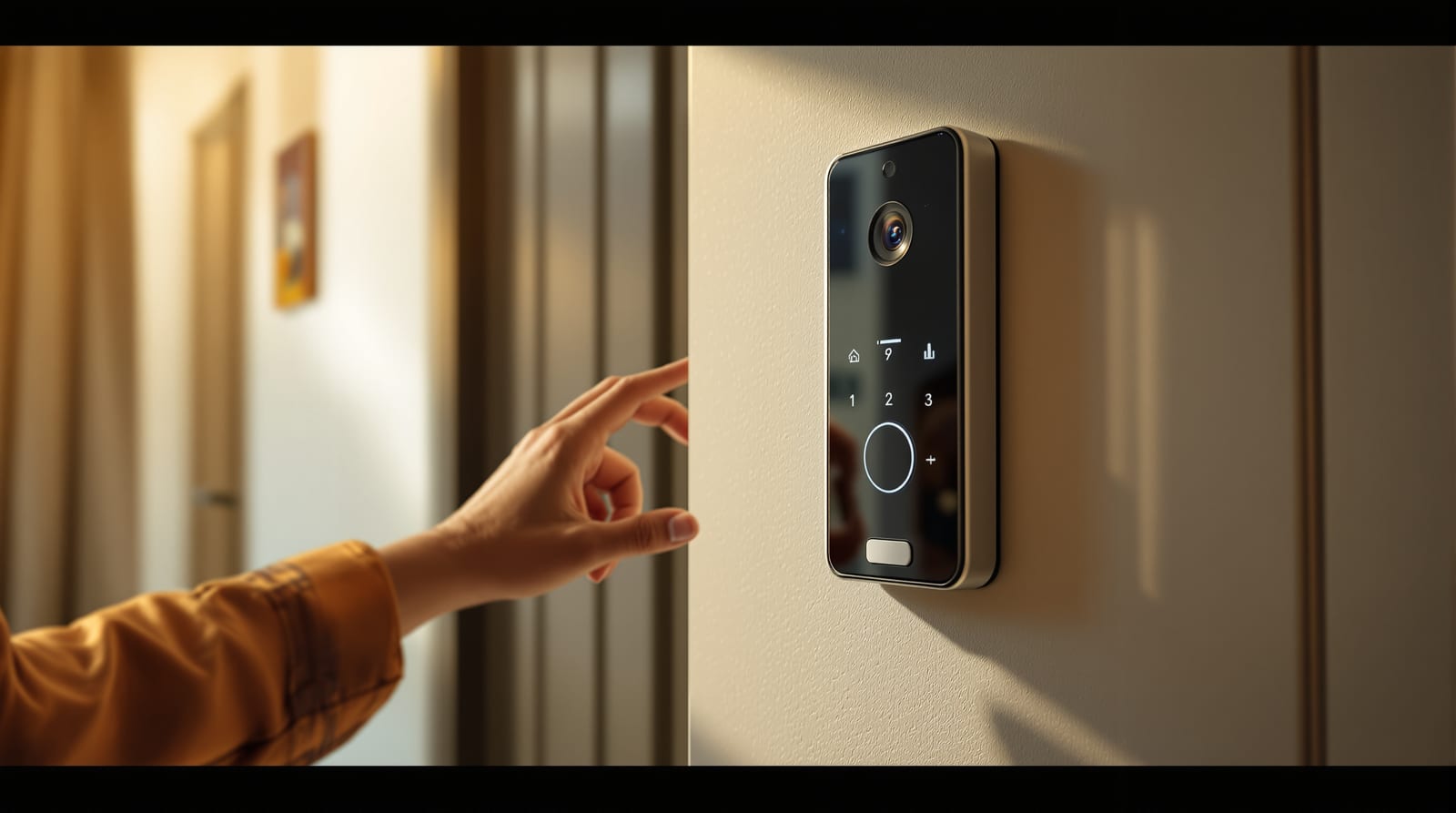
Video Door Phones for Indian Homes (2026): Wired vs Wireless, App/Wi-Fi vs Standalone, Brands and Prices
How video door phones and smart doorbells actually work in Indian flats and houses, wired vs wireless, standalone monitor vs app/Wi-Fi (Qubo, Godrej, CP Plus, Hikvision), night vision, recording and cloud, motion alerts, apartment intercom integration, who should buy what, install reality and 2026 price ranges.
The single most important security decision at your front door is not the lock. It is whether you can see who is outside before you open it. A peephole shows one blurry face at one angle; a video door phone shows the visitor, the landing, the parcel and anyone standing just out of frame, on a screen indoors and increasingly on your phone from anywhere in the world. For Indian homes, where domestic help, couriers, salespeople and society staff come and go all day, that visibility is the difference between a controlled entry and opening the door to a stranger on trust. This guide explains exactly how video door phones and smart doorbells work, the real wired-versus-wireless and standalone-versus-app choices, what the popular brands cost in 2026, and which type genuinely suits a flat, an independent house or a joint family.
Video door phone vs smart doorbell — they are not the same thing
The market lumps everything under "video door phone", but there are two distinct product families, and confusing them leads to disappointment.
A classic video door phone (VDP) is a two-piece system: an outdoor unit (camera, microphone, speaker and a call button) mounted by the door, wired to an indoor monitor (a 4.3" to 7" screen with a handset or hands-free speaker) on a wall inside. Press the button outside, the indoor monitor rings, you see and talk to the visitor, and press a button to talk back or to release an electric lock. This is the established Indian apartment standard — Godrej, CP Plus, Hikvision, Commax, Aiphone and Panasonic all build them.
A smart Wi-Fi doorbell is usually a single outdoor device with a camera, that connects to your home Wi-Fi and pushes the video to a phone app instead of a fixed indoor screen. Qubo (a Hero Group brand), Mi/Xiaomi, TP-Link Tapo, Ring and CP Plus's Wi-Fi range fall here. There is often no wall monitor at all — your phone is the monitor.
The practical split: a wired VDP gives you a permanent screen inside that always works, no phone or internet needed; a Wi-Fi doorbell gives you the door on your phone from anywhere but depends on Wi-Fi, the cloud and a charged battery or a power line. Many 2026 systems now blur the line — a wired VDP with an add-on Wi-Fi module, or a Wi-Fi bell paired with an optional indoor chime screen — but understanding the two roots tells you what you are really buying.
Wired vs wireless — the choice that decides everything
Almost every other decision flows from this one.
| Factor | Wired VDP (cabled to indoor monitor) | Wi-Fi / wireless smart doorbell |
|---|---|---|
| Reliability | Very high — works during internet/power-cut (with inverter/UPS) | Depends on Wi-Fi signal + router + cloud uptime |
| Where you see the visitor | Fixed indoor monitor (always on) | Your phone (and optional chime/screen) |
| Answer from outside home | Only with add-on Wi-Fi module | Yes, anywhere with data |
| Wiring needed | 2–4 core cable from door to monitor + power | Battery, or tap doorbell wire / nearby socket |
| Best for | New construction, renovation, apartments with conduit | Rented flats, retrofits, "no drilling" needs |
| Lag / call drop | None (direct wire) | Possible if Wi-Fi is weak at the door |
| Recurring cost | None (local) | Often a cloud subscription for video history |
| Indicative price (2026) | ₹3,500–25,000 | ₹2,500–12,000 |
The honest summary: if you are building or renovating, run the cable and fit a wired VDP — it is the lower-stress, longer-lived choice, and you can add Wi-Fi on top. If you rent, or the door is far from any cable run, or you simply want the door on your phone when you are at the office, a Wi-Fi doorbell is the pragmatic pick. The classic failure case for Wi-Fi bells in India is a router parked in a back bedroom and a thick RCC wall between it and the main door — the signal dies, and the device that promised "live anywhere" can't even reach your own hall. Test signal strength at the exact door location before you commit.
Standalone vs app/Wi-Fi — and the cloud question
Within wired systems too, there is a standalone-versus-connected split:
- Standalone (local only): everything stays inside your home. Footage, if recorded, sits on a local SD card or the monitor's memory. No app, no account, no subscription, no data leaving the house. Maximum privacy, zero recurring cost, but you can only see the door when you are physically home.
- App / Wi-Fi connected: the system links to a cloud service so you get push notifications, remote two-way talk and recorded clips on your phone. Convenient, but it means your door video passes through a vendor's servers, and many brands gate the useful features (recorded history, person detection) behind a monthly or yearly plan.
For Indian buyers the cloud subscription is the hidden cost. A ₹3,000 doorbell can quietly cost ₹1,500–3,000 a year if you want it to actually save clips. Always check three things before buying a connected device: (1) does it support local SD-card recording as a free alternative to cloud; (2) what does the cloud plan cost after the free trial; (3) are basic alerts free even without a plan. Qubo and Mi devices, for example, offer local recording so you can skip the subscription; some imported brands make cloud nearly mandatory.
What the popular brands offer (2026)
The Indian shelf, roughly from value to premium:
| Brand | Typical type | Notable strengths | Indicative price (device) |
|---|---|---|---|
| Qubo (Hero Group) | Wi-Fi smart doorbell | Local + cloud, made-for-India app, person alerts, good support | ₹4,000–9,000 |
| Mi / Xiaomi, TP-Link Tapo | Wi-Fi smart doorbell | Cheapest entry, local SD, big ecosystems | ₹2,500–6,000 |
| CP Plus | Both wired VDP & Wi-Fi | Huge service network, CCTV integration | ₹3,500–15,000 |
| Hikvision / Ezviz | Wired VDP & Wi-Fi | Strong IP/PoE systems, multi-apartment | ₹5,000–25,000 |
| Godrej Security Solutions | Wired VDP | Trusted brand, apartment-grade monitors | ₹6,000–20,000 |
| Commax / Aiphone / Panasonic | Wired VDP | Apartment intercom standard, multi-storey | ₹8,000–25,000+ |
Prices are device-only and indicative — they vary by city, vendor and model, and most exclude installation, frame cutting and any electric lock. Add roughly ₹800–2,500 for fitting a doorbell and ₹2,000–5,000 for a full wired VDP install with cable pulling. Add 18% GST.
Brand reputation matters less than three boring specifics: the camera's field of view (look for 120°+ so you see the whole landing, not just a nose), night vision quality, and after-sales service in your city. A famous logo with no local service centre is worse than a modest brand whose technician answers the phone.
Night vision, motion alerts and recording — read the spec, not the box
These three features separate a useful device from a toy.
Night vision. Most Indian landings are dim, and break-ins favour the dark. Infrared (IR) night vision is now standard and gives usable black-and-white video to a few metres. "Starlight" or colour night vision (on higher Hikvision/CP Plus models) is far better if there is any ambient light. Check the stated IR range and whether the LEDs are visible (a glowing red ring can deter, or alternatively can be defeated by covering — trade-offs both ways).
Motion alerts. A basic device pings you every time a leaf blows past. Good ones offer human / person detection and adjustable detection zones so you are alerted only when someone actually approaches the door, not at every passing neighbour. On a shared apartment landing this matters enormously — undisciplined motion alerts get muted within a week, defeating the point.
Recording. Decide where footage lives:
- Local SD card / monitor memory — free, private, but lost if the device is stolen or fails.
- Cloud — survives theft and lasts the plan's retention window, but recurring cost and a privacy trade-off.
- NVR / CCTV integration — best for houses already running cameras; the door feed records to the same recorder.
For evidence value, aim for at least 1080p (Full HD); 2K/4MP is increasingly common and worth it for reading faces and number plates at the gate.
How a wired video door phone is wired (anatomy)
The outdoor unit needs a flush or surface mounting box beside the door at about 1400–1500 mm height (eye level, FOV clearing the landing). The indoor monitor sits at a convenient hall or kitchen wall, also near a power point. The connecting cable runs through conduit — which is why running it is far easier during construction than after. If you want the door released remotely, an electric strike or magnetic lock wires into the monitor; this is common at apartment main gates and society lobbies, less so at individual flat doors.
Apartment intercom integration — the part that trips people up
In a multi-storey society, the door phone is rarely a solo gadget — it plugs into the building's intercom backbone. There are two layers:
1. Society / lobby panel to your flat: a common outdoor panel at the building entrance dials your flat's indoor monitor; the guard or visitor selects your flat number, you see them and buzz the gate open. This is a multi-apartment VDP system (Commax, Aiphone, Hikvision, CP Plus) installed building-wide by the developer or association.
2. Your flat door to your monitor: a second outdoor unit at your own door for visitors who reach your landing.
The big caution: if your building already has a wired intercom system, a random Wi-Fi doorbell will not integrate with it. It will work as a standalone bell for your door but won't dial the lobby or open the society gate. If lobby integration matters, buy the same-protocol system the building uses, or talk to the association's vendor. For most flat owners the practical setup is: keep the society's wired intercom as-is, and add a personal Wi-Fi doorbell at your own door for remote/phone convenience. The two coexist happily because they do different jobs.
Who should buy what
- Rented flat, no drilling, want it on your phone: a battery or plug-in Wi-Fi smart doorbell (Qubo, Mi, Tapo). Takes minutes, comes with you when you move. Pick one with free local SD recording.
- Owned flat in a society: keep the building intercom; add a Wi-Fi doorbell at your own door, or a wired VDP if you are renovating. Confirm intercom compatibility before changing the lobby side.
- Independent house / bungalow: a wired VDP with a gate outdoor unit and one or two indoor monitors (hall + bedroom), ideally tied into your CCTV/NVR. Add an electric gate lock for remote release.
- Joint family / multi-generation home: wired VDP with two indoor monitors so elders need not walk to one screen, plus an app so working members can answer the door from outside — useful when only an elderly parent is home and a stranger calls. Person-detection alerts reduce notification fatigue.
- Elderly-only or security-priority home: prioritise a permanent indoor monitor (no phone dependency), loud chime, wide FOV and good night vision over fancy app features.
If you are already planning the entrance hardware, fold the door phone in alongside the lock and viewer — see our door security guide for the full leaf-frame-lock-viewer system, and the smart door locks guide if you want keyless entry to pair with remote viewing. A video door phone and a smart lock together let you both see and admit a visitor without touching the door.
Installation and the practical reality
A Wi-Fi doorbell is genuinely DIY: mount the bracket, charge or wire it, pair to the app, test signal at the door. Budget ₹2,500–12,000 for the device and an optional ₹800–1,500 if you want a technician.
A wired VDP is a small electrical job. The installer pulls cable from door to monitor (easy in new conduit, messier as a retrofit needing surface trunking or chasing the wall), terminates the units, sets up power, and if fitted, wires the electric lock. Budget ₹2,000–5,000 for fitting on top of the device. Two field truths worth insisting on: put the indoor monitor and any router on the inverter/UPS circuit so the door phone survives a power cut, and for Wi-Fi bells, verify the router reaches the door before the technician leaves — a mesh node or extender near the entrance often pays for itself.
Mount the outdoor camera so it sees the whole standing area and cannot be easily reached and covered. Avoid pointing it straight into harsh backlight (a west-facing door at sunset will silhouette every visitor) — angle it or choose a model with strong WDR/HDR.
A note on privacy and the law
Your door camera will inevitably capture the shared landing, the corridor and possibly a neighbour's door. In Indian apartments this is a recurring source of friction and even association complaints. Keep the field of view focused on your own door and approach, not aimed into a neighbour's entrance or window. For societies, the building-wide intercom and CCTV are usually governed by the association's rules and India's evolving data-protection norms (the Digital Personal Data Protection Act framework) — recorded footage should be access-controlled and not shared casually. A personal doorbell is your data, but courtesy and good fences make for fewer disputes: tell immediate neighbours, angle the camera fairly, and avoid audio recording into others' homes. Privacy lost at the front door is hard to claw back, so set it up considerately from day one.
Frequently asked questions
Does a video door phone work during a power cut or when the internet is down?
A wired VDP keeps working in a power cut if its monitor and outdoor unit are on your inverter or UPS — and it never needs the internet, because the video travels on a direct cable. A Wi-Fi doorbell, by contrast, goes dark the moment your router loses power or the broadband drops, even if the doorbell itself has battery. This is the strongest argument for a wired system or, at minimum, keeping your router on backup power.
Can I add a video door phone to my apartment without disturbing the society intercom?
Yes. A standalone Wi-Fi doorbell at your own flat door works independently of the building's wired intercom — the two do different jobs and coexist fine. What a Wi-Fi bell cannot do is dial the lobby panel or open the society gate; only a system using the building's own protocol can integrate that lobby side. If lobby integration matters, use the association's vendor; if you just want to see and talk to visitors at your landing on your phone, the standalone bell is perfect.
Do I have to pay a monthly cloud subscription?
Not always. Many India-focused brands such as Qubo and Mi support local SD-card recording, so you can store footage for free and skip the cloud plan. Subscriptions buy you off-site backup (footage survives theft) and longer history. Before buying any connected device, confirm it records locally, check the plan price after the free trial, and verify which alerts stay free without a plan.
What screen size, resolution and field of view should I look for?
For a wired indoor monitor, a 7" screen is comfortable and a 4.3" is the budget minimum. For the camera, aim for at least 1080p Full HD (2K/4MP is better for reading faces and plates) and a field of view of 120° or wider so you see the whole landing, not a narrow keyhole. Night vision range and adjustable motion/person-detection zones matter as much as resolution for everyday usefulness.
Wired VDP or Wi-Fi doorbell — which should I choose?
Choose a wired VDP if you are building or renovating, want a permanent indoor screen that works without internet, or own an independent house — it is the more reliable, longer-lived choice. Choose a Wi-Fi doorbell if you rent, cannot run cable, or want the door on your phone from anywhere. Many homes end up with both: the building's wired intercom plus a personal Wi-Fi bell at their own door.
Export this guide
Related Guides — Deep-dive reading
CCTV vs Video Door Phone: Which Does Your Home Need?
They look similar and get confused constantly, but a CCTV camera and a video door phone do different jobs — one watches the whole property and records, the other answers your door and controls who comes in. This guide settles CCTV vs video door phone for Indian homes: what each is for, where they overlap, real rupee costs, apartment versus villa relevance, and why most homes end up wanting both.
Smart HomePoE vs Wi-Fi CCTV: Which Home Security Cameras Are Better?
One camera type runs power and video down a single Cat6 cable to an NVR and almost never drops out; the other clips to a wall in minutes and streams over your home Wi-Fi. This guide settles PoE vs Wi-Fi CCTV for Indian homes — reliability, video quality and bandwidth, cabling and power, retrofit versus new-build effort, NVR versus SD and cloud storage, hacking risk, real rupee costs, scalability and outdoor use — and gives a clear verdict for each kind of home.
Smart HomeLocal versus Cloud Security for Security Systems in India (2026): Where Should Your Footage Live?
The most important cyber choice you make about a camera or alarm is where its footage and control actually live: on-site in your hands, in a vendor's cloud, or both. This even-handed guide weighs privacy, resilience in India's outages, convenience and cost, and shows why a hybrid design is often the safest home answer.
SecurityRelated Tools — Try Free
Video Door Phone Type Selector
Answer a few questions about your building, cabling, budget and internet and get the right video door phone — analog / wired / wireless / IP, single-home or multi-apartment, monitor or app.
Door Phone SelectorApartment Video Door System Planner
Enter flats, entrances, floors and guard desk for a first-pass building intercom plan — door stations, indoor monitors, guard station, the right architecture and an indicative cost band.
Building PlannerSecurity Backup Power Calculator
Size a UPS/inverter and battery to keep CCTV, NVR, router and alarm running through a power cut — load, Ah, VA and cost.
Backup Power