
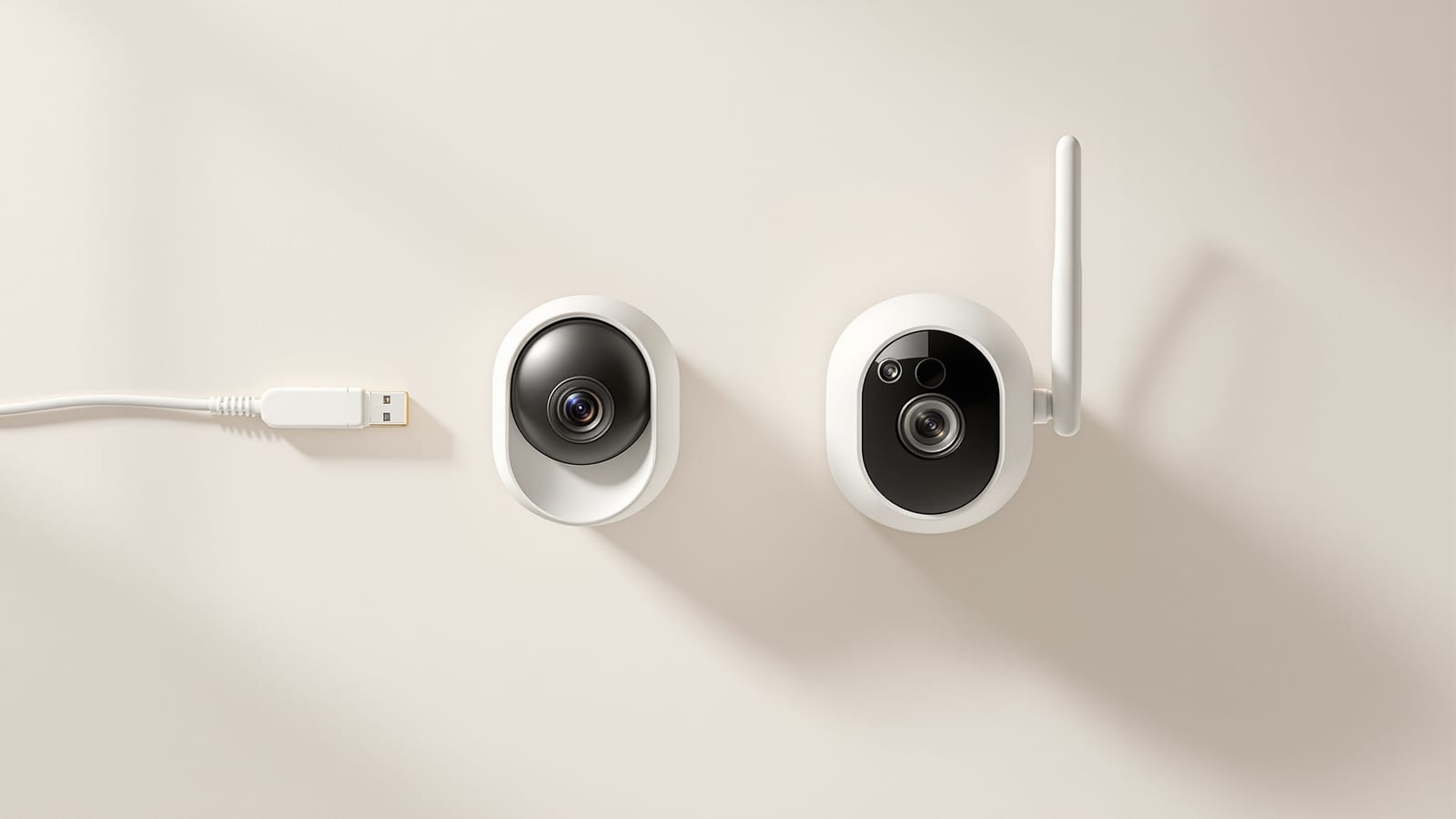
PoE vs Wi-Fi CCTV: Which Home Security Cameras Are Better?
One camera type runs power and video down a single Cat6 cable to an NVR and almost never drops out; the other clips to a wall in minutes and streams over your home Wi-Fi. This guide settles PoE vs Wi-Fi CCTV for Indian homes — reliability, video quality and bandwidth, cabling and power, retrofit versus new-build effort, NVR versus SD and cloud storage, hacking risk, real rupee costs, scalability and outdoor use — and gives a clear verdict for each kind of home.
Ask two installers to secure your home and you will hear two philosophies. One wants to pull Cat6 cable to every corner, terminate it at a boxed NVR, and hand you a system that runs on power cuts and never buffers. The other opens an app, pairs a palm-sized camera to your Wi-Fi in ninety seconds, and points out there is no drilling and no wiring bill. Both are selling CCTV, but they are selling opposite trade-offs. PoE — Power over Ethernet — is the wired, professional path; Wi-Fi cameras are the wireless, plug-and-play path. This guide compares them honestly for Indian homes so you buy the one that fits your walls, your budget and your patience, not the one the shop is keenest to sell.
PoE gives you one cable per camera and a system that behaves like plumbing — dull, wired-in and reliable. Wi-Fi gives you freedom from cables and a system that behaves like an app — quick, flexible and only ever as steady as your router and your power.
If you are still deciding what cameras to buy at all, read this next to choosing CCTV in India and installing CCTV in India. For how cameras fit a layered home defence, see smart home security systems in India; and if you are weighing a doorbell against fixed cameras, CCTV vs video door phone settles that separate question.
The quick verdict
If you want one line: for a serious, whole-home or new-build installation, choose PoE — it is more reliable, records to a proper NVR, scales cleanly and survives India's power and Wi-Fi realities. For a renter, a retrofit into finished walls, or just a couple of cameras, choose Wi-Fi — you avoid cabling, drilling and an electrician, and you can take it with you when you move. Everything below is really about which side of that line your home sits on. A hybrid — PoE where you can run cable, Wi-Fi where you cannot — is a perfectly respectable answer and, for many upgrading homes, the honest one.
What PoE and Wi-Fi CCTV actually are
The names describe how the camera gets power and moves video, and that one difference cascades into everything else.
PoE CCTV. Each IP camera connects to a network video recorder (NVR) — or a PoE switch feeding the NVR — with a single Ethernet cable, usually Cat6. That one cable carries both the video data and the power (the IEEE 802.3af/at standard delivers power down the same wires), so the camera needs no separate adapter at its location. Footage records continuously to the NVR's hard drive. This is the setup you see in shops and offices, and it is what CP Plus, Hikvision, Dahua and TP-Link VIGI sell as kits.
Wi-Fi CCTV. Each camera has a mains power plug at its own location and sends video wirelessly over your home Wi-Fi to a router, then to a phone app and often a cloud account or a local SD card in the camera. There is no NVR box and no data cabling — only a power point near each camera. TP-Link Tapo, Qubo, Mi/Xiaomi, Imou and CP Plus EZYKam are the familiar Indian names.
Reliability: PoE's biggest win
This is where wired earns its price. A PoE camera's video never competes with your streaming, video calls or the neighbour's Wi-Fi for airtime — it has its own dedicated wire. It does not drop when the router reboots, when microwave interference spikes, or when the camera sits three walls and a staircase away from the router. Wi-Fi cameras, by contrast, are only as steady as the weakest link between them and the router, and Indian homes are full of weak links: thick brick and RCC walls, a single router in the drawing room, and cameras banished to the far gate or terrace where signal is thin. A distant Wi-Fi camera that shows "offline" every evening is the single most common complaint with wireless kits. If reliability at the edge is the whole point of CCTV, PoE is structurally better at it. (A strong mesh network narrows the gap — see smart home networking in India — but it rarely closes it.)
Power cuts cut both ways. A PoE NVR plus its cameras can all sit behind one UPS, so a single battery keeps the entire system recording through an outage. Wi-Fi cameras each need their own local power to survive a cut, and your router and internet must also stay up for remote viewing — three separate things to back up instead of one.
The head-to-head comparison
| Dimension | PoE (wired) | Wi-Fi (wireless) |
|---|---|---|
| Power + data | One Cat6 cable does both | Mains plug at camera + Wi-Fi for video |
| Reliability | Very high, dedicated wire | Depends on Wi-Fi and router range |
| Video quality | 4MP to 8MP, steady bitrate | Often capped, compressed under weak signal |
| Recording | NVR, continuous, days to weeks | SD card and/or cloud subscription |
| Installation | Cabling + drilling, often an installer | DIY, minutes per camera |
| Best for | New-build, whole-home, owners | Renters, retrofit, a few cameras |
| Scalability | Add cameras to NVR/switch easily | Each camera loads the Wi-Fi more |
| Outdoor / long runs | Excellent, up to ~100 m per cable | Limited by signal reach |
| Power-cut resilience | One UPS covers everything | Per-camera power + router needed |
| Ongoing cost | None after hardware | Optional cloud plan per camera |
| Typical cost (4 cams) | ₹18,000 to ₹45,000 installed | ₹8,000 to ₹24,000 |
Video quality and bandwidth
On paper both go up to 4MP, 5MP and 8MP (4K). In practice PoE holds its quality because the wire has bandwidth to spare — a 4MP stream needs a few Mbps, and Cat6 carries a thousand of those. Wi-Fi cameras deliver full resolution only when the signal is strong; as it weakens, they quietly drop bitrate, increase compression, or lower the frame rate to keep the stream alive, so the footage you actually get at a far corner can be softer than the box promised. Multiply that by several cameras all sharing one router and the same home Wi-Fi your family is using, and the wireless setup is doing constant triage. For continuous high-resolution recording across many cameras, PoE simply has the headroom.
Storage: NVR versus SD card and cloud
How each stores footage shapes both reliability and running cost.
| PoE + NVR | Wi-Fi camera | |
|---|---|---|
| Where footage lives | Central NVR hard drive | microSD in camera and/or cloud |
| Continuous recording | Yes, 24x7 across all cameras | Usually motion clips; continuous drains SD/cloud |
| Retention | Days to weeks (size the drive) | Days on SD; cloud plan sets the rest |
| If the camera is stolen | Footage already saved on the NVR | SD card walks away with the camera |
| Recurring cost | None | Often a monthly/annual cloud plan per camera |
| Scales to many cameras | Yes, one box | Each camera is its own island |
A PoE NVR is the more robust story: footage lands on a central drive that a thief cannot pocket, and you can size the drive for the retention you want. Wi-Fi cameras lean on a microSD card (which is lost if the camera is stolen or fails) or a cloud subscription that quietly adds a per-camera monthly cost. To size either sensibly — days of retention against resolution and drive or plan size — run the numbers through the CCTV camera storage calculator before you buy.
Installation effort: new-build versus retrofit
This is where Wi-Fi punches back hard. Running Cat6 to four corners of a finished home means chasing walls, drilling, conduit and usually a paid installer — disruptive and dear in an already-built house. In a new build or during renovation, though, cable runs are trivial and cheap: you pull Cat6 while the walls are open and terminate later, and PoE becomes the obvious, tidy choice. A Wi-Fi camera, by contrast, needs only a power point and five minutes with an app, which is why it dominates retrofits and rentals. The rule of thumb: if you can run cable without tearing up finished walls, run it; if you cannot, or you may move, go wireless. For the practical walkthrough of mounting, angles and cabling either way, see installing CCTV in India.
Hacking and security
Both are IP devices and both can be hacked if you are careless, but the exposure differs. A PoE system can run entirely local — cameras to NVR with no internet at all — giving a smaller attack surface, and if you keep it offline, footage never leaves your premises. Wi-Fi cameras are inherently network- and usually cloud-connected, so a weak default password or an unpatched app is a real risk, and CERT-In has repeatedly flagged compromised home IP cameras. Whichever you choose, the basics are non-negotiable: change default passwords, update firmware, put cameras on a separate network or VLAN, and prefer brands that patch. Wired is not automatically safe and wireless is not automatically doomed — but an air-gapped PoE NVR is the easiest way to a genuinely private setup. The wider privacy picture, including where you may lawfully point a camera, sits in smart home security systems in India.
Cost, scalability and outdoor use
Cost. Wi-Fi wins the sticker price: a two-to-four camera wireless setup runs ₹8,000 to ₹24,000 with no installer, while a PoE kit with an NVR and cabling runs ₹18,000 to ₹45,000 installed. But PoE has no recurring fee, whereas Wi-Fi cameras often nudge you toward a per-camera cloud plan, so over three or four years the gap narrows. Pressure-test either against the rest of your smart-home budget with the smart home cost calculator.
Scalability. Adding a camera to a PoE system is a new cable into a spare NVR or switch port — clean and linear. Adding a Wi-Fi camera loads the same router and airspace a little more each time, so wireless systems degrade as they grow; four is comfortable, twelve is asking for trouble.
Outdoor and long runs. PoE shines outdoors and over distance — a single Ethernet run reaches roughly 100 m, and an IP66/IP67 bullet camera on a wired feed at a far gate is rock solid. A Wi-Fi camera at the same gate is fighting for signal and needs a weatherproof power point out there anyway. For gates, boundary walls and terraces, wired is usually the sturdier answer.
Which should you choose?
Match the system to your home rather than the spec sheet.
- New build or mid-renovation: run Cat6 and go PoE, whatever the camera count. You will never get a cheaper, cleaner chance to wire it, and you inherit reliability for the life of the home.
- Owned, finished home, wanting real whole-home coverage: PoE still, accepting the cabling cost — or a hybrid, wiring the gate and main runs while adding a Wi-Fi camera or two in spots where cable is impractical.
- Renting, or just one to three cameras: Wi-Fi. The flexibility, the zero drilling, and the ability to unmount and take it when you move outweigh the reliability edge at that small scale.
- Far gate, terrace or long outdoor run: wired PoE for that feed even if the rest is wireless — signal and power out there are the wireless system's weakest point.
The framing to drop is "wired is better, full stop." Wired is better at reliability, storage and scale; wireless is better at cost, speed and flexibility. Pick the axis your home actually cares about. For how either fits alongside alarms, sensors and door locks in a complete plan, continue with smart home security systems in India and the installing CCTV walkthrough.
References
- IEEE 802.3 Ethernet Working Group — the standards (802.3af/at/bt) that define how Power over Ethernet delivers power and data down one cable.
- Bureau of Indian Standards (BIS) — safety and quality standards for CCTV and electronic security equipment sold in India.
- CERT-In — Indian Computer Emergency Response Team — advisories on securing IP cameras, NVRs and home networks against compromise.
- TRAI — Telecom Regulatory Authority of India — broadband context relevant to cloud-connected and remotely viewed cameras.
- Bureau of Energy Efficiency — energy guidance for always-on recorders and cameras.
Export this guide
Related Guides — Deep-dive reading
Complete Guide to Security System Cybersecurity in India (2026): Protecting the Systems That Protect You
The cameras, locks, alarms and door phones you install to feel safer are internet-connected computers that can themselves be attacked, and an insecure one is worse than none. This pillar maps the whole attack surface — devices, network, accounts and data, operations — and points to every guide that hardens it.
SecurityCloud CCTV in India: Footage That Survives a Stolen Recorder
How cloud-stored CCTV works, its genuine advantages for Indian homes and shops, the real trade-offs of subscriptions, upload bandwidth and third-party data, and why hybrid local-plus-cloud is usually the smart middle.
SecurityWired vs Wireless CCTV in India (2026): Which One Should You Choose?
A cabled system on an NVR or DVR is rock-solid but needs drilling and runs; a Wi-Fi system goes up in an afternoon and is renter-friendly but leans on your router and power. An even-handed, India-grounded head-to-head that ends in a clear which-suits-whom verdict.
SecurityRelated Tools — Try Free
CCTV Cloud vs Local Cost Calculator
Compare cloud CCTV subscription against a local NVR + HDD — upfront, 5-year total, monthly fee and break-even.
Cloud vs LocalCCTV Camera Coverage & Count Calculator
Estimate how many CCTV cameras you need, the NVR channels, storage in TB for your retention period, and an indicative all-in cost with GST.
CCTV CalculatorCCTV Bandwidth Calculator
Total network bandwidth an IP CCTV system needs, camera-to-recorder on the LAN and the internet upload for remote viewing.
Bandwidth