
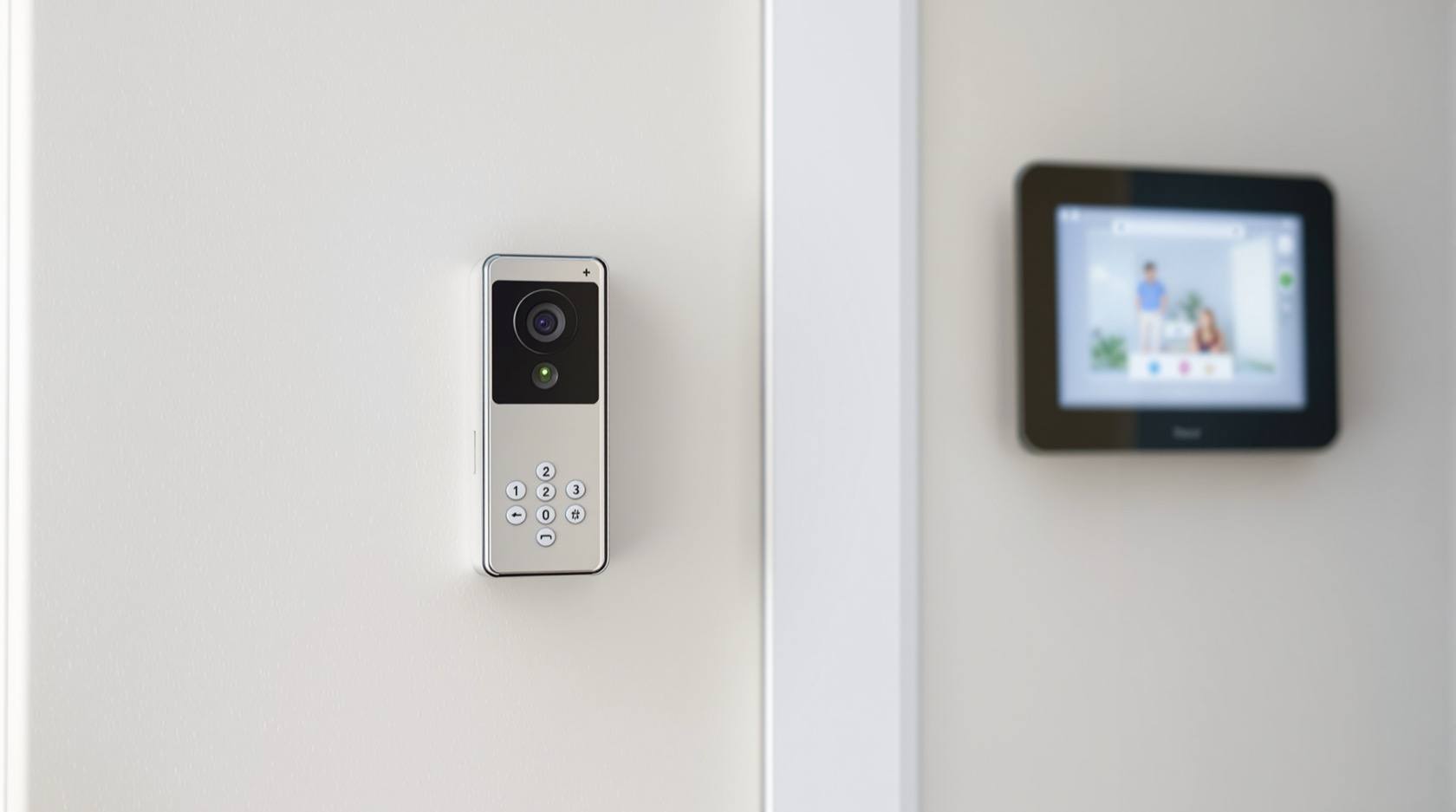
Video Door Phone Not Ringing (2026): Why the Indoor Monitor Stayed Silent and How to Fix It
Someone pressed your video door phone but the indoor monitor never chimed and you missed them. A calm, ordered diagnostic for Indian homes and flats: check volume and do-not-disturb first, then power, the call button, the wiring, and the app, with a clear line between safe DIY and when to call a technician.
It is one of the small, deflating moments of modern Indian home life. A relative, a delivery rider, or a friend stands at your gate, presses the video door phone button, waits, presses again, and leaves. Inside, the indoor monitor never chimed. You only learn about it from a missed call or a "I came, you were not home" message. The camera and the panel look perfectly fine, which makes it more baffling: if the door station has power and a lens, why did nobody hear the ring?
The reassuring truth is that a silent video door phone is almost always a simple, cheap fix, and very often not a fault at all. The single most common cause, by a wide margin, is that the indoor monitor's volume was turned down or a "do not disturb" or silent mode was left on, sometimes by a child, a house help dusting the panel, or your own thumb the night before. This guide takes you calmly from the embarrassing-but-easy causes to the rarer hardware ones, in the order worth checking, and marks clearly where safe do-it-yourself ends and a technician begins.
Scope and safety. This is a diagnostic guide for homeowners and residents, not an installation manual. The fixes here are limited to what is genuinely safe: changing a volume or do-not-disturb setting, power-cycling, re-seating an accessible plug or wire terminal, checking your Wi-Fi and app notifications, and weatherproofing an exposed button. Anything inside a wall, at height, or involving the mains supply is for a qualified technician or your building's AMC. This is not a price or buying guide; for repair-versus-replace numbers and for choosing a new unit, follow the cost and maintenance links below.
First, narrow the symptom
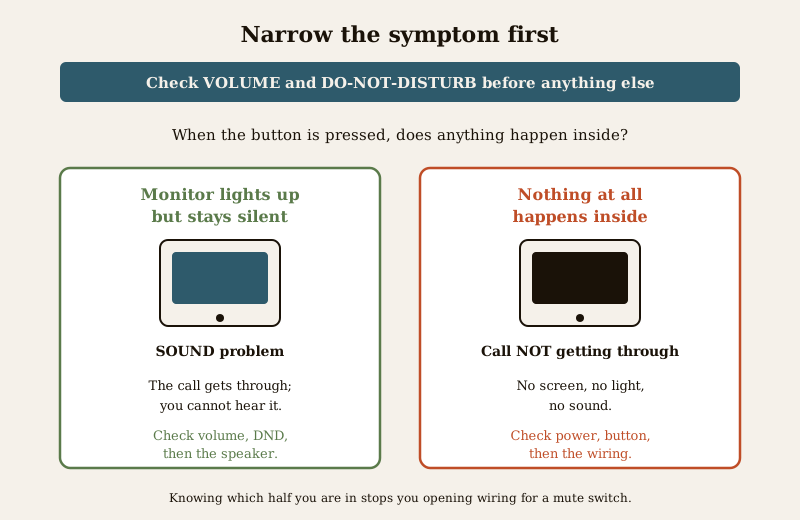
Before touching anything, answer one question, because it splits the whole problem in two: when someone presses the button, does anything at all happen inside, or is it completely dead?
- The monitor lights up, shows the camera, or buzzes faintly, but there is no proper ring or chime. This points to a sound problem: volume, do-not-disturb, or a failing speaker. The call is getting through; you just are not hearing it.
- Nothing happens inside at all. No screen, no light, no sound. This points to power, the button itself, or the wiring between the door and the monitor. The call is not getting through.
Keeping this split in mind stops you from opening up wiring when the real problem was a mute switch.
Likely causes, most common first
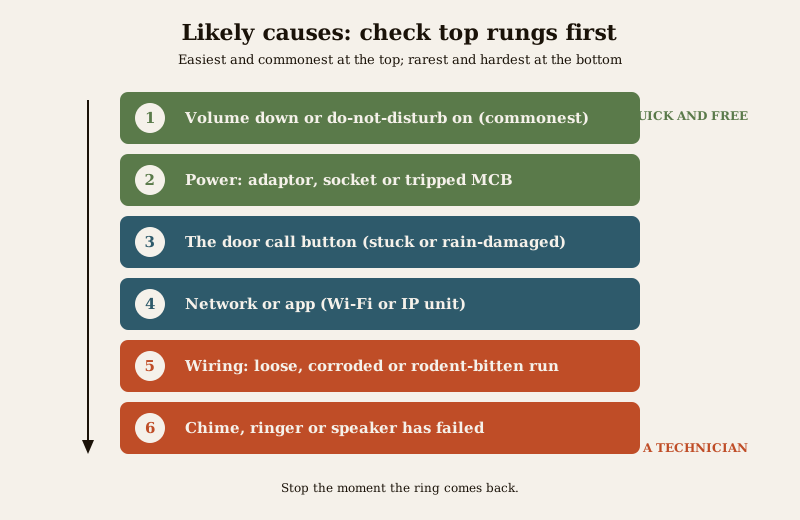
Work down this list in order. The top entries cost nothing and take a minute; the lower ones are rarer and some need a professional.
| Cause | Why it happens | First fix |
|---|---|---|
| Volume down or do-not-disturb on | The commonest cause by far; a setting nudged by a person or a stray press | Raise volume, turn off silent or DND on the monitor |
| Power to the monitor or door station | Adaptor unplugged, socket switched off, tripped MCB, loose barrel plug | Check and re-seat the adaptor, check the socket and MCB |
| The call button at the door | Stuck, worn, or water-damaged after monsoon rain | Look for damage, press firmly, protect from rain |
| Wiring between door and monitor | Loose two-wire or four-wire terminal, corrosion, rodent bite, water ingress | A technician re-seats or replaces the run |
| Network or app, for a Wi-Fi or IP unit | App notifications off, Wi-Fi down, app logged out, phone in silent | Re-enable notifications, reconnect Wi-Fi, log back in |
| Ringer or monitor speaker failed | The chime component or speaker has genuinely died | Test all settings first; then a technician or replacement |
| Wrong configuration in a multi-flat system | The door panel is mapped to the wrong flat or extension | Building technician re-checks the addressing |
The diagnostic path, step by step
Follow this as a decision tree. Stop the moment the ring comes back.
1. Check volume and do-not-disturb on the monitor first. Look for a speaker or bell icon on the screen or a physical volume dial or button on the side of the monitor. Turn the ring volume up. Look for a "do not disturb", "silent", "mute", or moon icon and turn it off. On many units a small crescent-moon symbol on the display is the DND giveaway. This one step resolves the majority of "not ringing" complaints.
2. Make a test call. Press the door button yourself, or have someone press it, and watch and listen at the monitor. Does the screen wake and show the camera? Does it ring now? If it rings after step 1, you are done, and the cause was the setting.
3. If nothing happens inside at all, check power. Confirm the indoor monitor's screen is on. If it is dark, check that its adaptor is firmly plugged in, the wall socket is switched on, and the household MCB has not tripped. Do the same for the outdoor door station if you can reach its adaptor safely without opening anything or using a ladder. A loose barrel connector at the back of the monitor is a classic culprit; push it in gently until it seats.
4. If the monitor has power but a press does nothing, look at the door button. Go to the door station. Is the button cracked, sunken, jammed, or wet? In Indian conditions the button takes sun and monsoon rain year-round, and water behind it is a frequent killer. Press firmly and evenly. If a stuck or waterlogged button is the problem, keep reading to the fixes section.
5. For a Wi-Fi or IP video door phone, check the network and the app. Many modern units ring your phone through an app rather than, or as well as, an indoor monitor. If the app is where the ring should land, check that the app is logged in, that notifications for it are enabled in your phone's settings, that your phone is not on silent or in its own do-not-disturb, and that your home Wi-Fi and internet are up. A router that rebooted or a changed Wi-Fi password very often silences a smart doorbell.
6. If the call clearly reaches the monitor but you still hear no chime, suspect the speaker or ringer. Only after volume and DND are confirmed correct does a dead speaker become likely. This usually needs a technician's judgement or a replacement unit; defer the repair-versus-replace decision to the cost and maintenance guides linked below.
7. In a flat with a common building panel, consider mapping. If your standalone door button works but the lobby or main-gate panel never reaches your flat, the panel may be addressed to the wrong flat or the extension wiring may be off. That is for the building's technician, not a resident.
What you can safely fix yourself
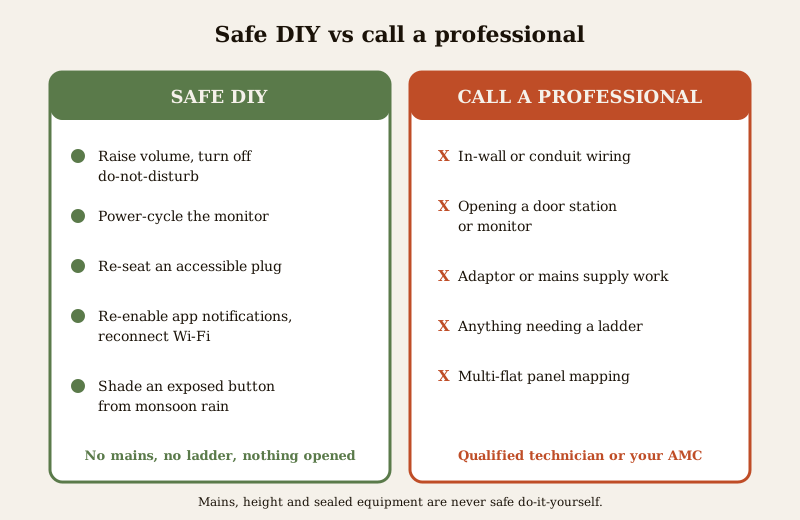
These are all safe for any resident. None involves the mains, a ladder, or opening a sealed unit.
- Unmute and raise the volume; turn off do-not-disturb. The first and best fix. Learn where your model's volume and silent controls live so you can rule this out in seconds every time.
- Power-cycle the monitor. Switch the monitor's adaptor off at the socket, wait ten seconds, and switch it back on. A stalled monitor often wakes up ringing again.
- Re-seat an accessible plug or terminal. If you can reach the adaptor or a plug-in connector at the back of the indoor monitor without tools, push it firmly home. Do not pull wires out of screw terminals or strip anything.
- Re-enable app notifications and reconnect Wi-Fi. For a smart video door phone, turn notifications back on in both the app and your phone's settings, sign back in if you were logged out, and reconnect the unit to Wi-Fi if the network changed.
- Protect a weather-exposed button. If the door button sits in the open, a small rain hood, canopy, or shade over the outdoor station keeps monsoon water off it. Wipe a wet panel dry. Do not dismantle the station to do this.
When to call a professional. Stop and call a qualified technician or your building's AMC if: the fault is in wiring inside a wall or a conduit; the door station or monitor needs opening; the adaptor needs replacing or the supply is suspect; the work needs a ladder or any height; or a common building or apartment panel is mapped to the wrong flat. Mains electrical work, height work, and opening sealed equipment are never safe do-it-yourself. If your unit is under an annual maintenance contract, a call is included, so use it.
Preventing the silent doorbell
A few habits stop this recurring and stop you missing another visitor.
- Do a monthly test press. Once a month, press the button yourself and confirm the monitor rings at a volume you will actually hear from the next room. This catches a creeping fault or a nudged setting before a guest does.
- Set a volume you can hear, and leave DND off during the day. If you use do-not-disturb at night, build a habit of turning it off in the morning, or use a schedule if your unit offers one.
- Weatherproof the outdoor station before the monsoon. A rain hood over the door panel and button is the single best preventive step in Indian conditions; water behind the button is a leading cause of a dead call.
- Keep the app healthy on a smart unit. After any phone update, router reboot, or Wi-Fi password change, open the app and confirm a test ring still reaches your phone.
- Note your model's controls. Keep a photo of where the volume and silent settings live, so the next "it did not ring" takes seconds to rule out.
Quick checklist
- Volume up and do-not-disturb off on the monitor?
- Monitor screen on, adaptor and socket confirmed, MCB not tripped?
- Door button undamaged, dry, and pressing firmly?
- For a smart unit: app logged in, notifications on, Wi-Fi and internet up, phone not silent?
- Still silent after all that? Book a technician or your AMC.
A video door phone that will not ring is, nine times out of ten, a setting or a plug, not a broken device. Rule out volume and do-not-disturb first, work down the ladder, and keep the wall and the ladder work for a professional.
For the wider picture, this guide sits within the security system troubleshooting pillar and the troubleshooting hub. To keep your unit healthy, see video door phone maintenance; for repair-versus-replace numbers and what a new unit costs, see the video door phone cost guide. Explore related devices in the video door phones hub, and if your smart lock is the thing acting up instead, see smart lock not opening.
Export this guide
Related Guides — Deep-dive reading
Alarm Siren Not Working (2026): Why It Triggers but Stays Silent in India
Your burglar alarm detects and the panel reacts, but the siren does not sound, or sounds weak and thin. A calm, ordered diagnostic for Indian homes: the settings, power, backup battery, wiring and hardware faults that leave an alarm that cannot be heard, what you can safely check yourself, and when to call your installer.
SecurityBoom Barrier Not Operating (2026): Diagnose a Stuck or Dead Parking Gate Arm
A calm, ordered diagnostic path for a facility or security team when an apartment, office or parking boom barrier will not raise or lower, is stuck up or down, or will not respond — starting with the manual release so a jammed arm never traps a vehicle or blocks a fire lane, then power, trigger, safety loop and mechanical causes, and a clear line between safe checks and technician-only work.
SecurityCCTV Camera Not Working (2026): A Calm, Step-by-Step Fix for Indian Homes
A black screen, no feed or a dead camera almost always traces back to power or a loose connection long before the camera itself has failed. This guide walks a homeowner through diagnosing the cause in order, the safe fixes you can do yourself, and exactly when to call a technician.
SecurityRelated Tools — Try Free
Apartment Video Door System Planner
Enter flats, entrances, floors and guard desk for a first-pass building intercom plan — door stations, indoor monitors, guard station, the right architecture and an indicative cost band.
Building PlannerElectrical Safety & Load Audit
Home electrical audit — 10 categories, 65+ checkpoints across earthing, RCCB, MCB, wiring, switchboards, appliance circuits, DG/inverter backup.
Safety AuditMonsoon-Readiness Checklist
Pre-rain home audit across 9 categories — terrace, drains, waterproofing, electrical, HVAC, pest, vehicles, documents.
Seasonal Audit