
Smart Home Power Backup in India: Keeping It Running During Power Cuts
Load-shedding is a fact of Indian life. Here is how to make sure your router, hub, cameras and locks survive an outage — for surprisingly little money.
Ask any Indian homeowner what happens to their shiny smart home during a power cut and you often get a rueful laugh. The lights go dark, and so does everything meant to be clever about them — the app spins, the voice assistant goes silent, the camera feed dies, and the smart lock either stops responding or, worse, will not open. In a country where scheduled load-shedding, monsoon trips and grid instability are routine, a smart home that only works while the mains is on is a fragile thing. The good news is that fixing this is cheap and, once done, genuinely transformative.
This guide walks through exactly what stops working in an outage and what keeps going, how to size a small UPS or inverter for the parts that matter, how to keep CCTV and locks alive, and how to fold solar and voltage protection into the plan. It sits alongside the ultimate guide to smart homes in India and the smart home networking guide; read those for the wider setup, and treat this as the resilience layer on top.
A smart home is only as smart as its least-backed-up device. The mains will fail — the question is whether your home notices for a second or for an hour.
What actually stops working in an outage
The uncomfortable truth is that a modern smart home has a lot of single points of failure, and almost all of them are mains-powered. When the grid drops, this is the cascade that follows within seconds:
- Your router and Wi-Fi vanish. Every Wi-Fi smart plug, bulb, camera and speaker loses its network instantly. Even cloud automations stop, because the packets have nowhere to go.
- The ONT / fibre modem dies. On a JioFiber, Airtel Xstream or ACT Fibernet line, the little optical network terminal is mains-powered too. No ONT means no internet, even if the router had backup.
- Your hub goes dark. A mains-powered Echo, Google Nest or SmartThings hub stops coordinating anything. Scenes, routines and voice control all fall silent.
- Cameras and the NVR shut off. A CCTV system with a mains DVR/NVR records nothing during exactly the window when you might most want it.
- Mains-powered smart locks can become unresponsive, and depending on their design may fail to a locked or unlocked state — a critical safety question we return to below.
The point to internalise is that these devices die together. It is not that one gadget struggles; the whole nervous system collapses because it all hangs off the same wall socket cluster. That is also why the fix is so leveraged: back up a tiny number of central components and a large share of the home stays coherent.
What keeps working — and why
Not everything goes dark, and understanding what survives shapes a smart buying strategy. Two categories keep going through an outage on their own.
Battery-powered devices carry their own energy. A battery smart lock, a Wi-Fi video doorbell with an internal cell, a battery motion sensor, a battery-and-SIM camera — these keep operating regardless of the mains. The catch is that many of them still need the network to be useful: a battery camera that cannot reach a dead router can record locally but cannot alert your phone.
Local-protocol mesh devices are the quiet heroes. Zigbee and Thread devices talk to each other over their own low-power radios, and a well-designed local automation can keep running even when the internet is down — provided the hub coordinating them has power. This is the strongest argument for the local vs cloud smart home approach: a locally-processed automation on a backed-up hub survives an ISP outage that would freeze a cloud-only setup. For the radio landscape behind this, see the smart home protocols guide and Matter vs Zigbee.
The diagram below sorts a typical home into what dies and what survives when the mains drops and nothing has been backed up.
The single best upgrade: a mini-UPS for router, hub and ONT
If you do one thing after reading this guide, do this. A small dedicated UPS for your networking corner is the highest-value resilience upgrade in the whole house, and it costs less than a mid-range smart bulb pack.
The trick is that routers, ONTs and most hubs are tiny loads — they run on 12V DC and draw only a handful of watts. A purpose-built mini-UPS (also sold as a "router UPS" or "DC UPS") holds a small lithium or lead cell and outputs 9V/12V DC directly, so there is no bulky inverter and no fan noise. Brands such as Cuzor, Resonate (RouterUPS), APC and Zebronics sell these across India.
| What to back up | Typical draw | Why it matters |
|---|---|---|
| Fibre ONT | 5-10 W | No ONT = no internet at all |
| Wi-Fi router | 6-12 W | The network every device needs |
| Smart hub (Echo / Nest / SmartThings) | 3-8 W | Keeps local automations coordinating |
| Total | ~15-30 W | A mini-UPS runs this for 4-8 hours |
A mini-UPS rated around 8,800-10,400 mAh will typically keep a router-plus-ONT pair alive for four to eight hours — comfortably through most Indian outages — and they cost roughly ₹1,200 to ₹2,500. Step up to a larger 12V lithium DC-UPS (around ₹3,000-₹6,000) if you also want to carry a hub and a switch. Because the load is so small, the runtime you buy per rupee is enormous compared with backing up big appliances.
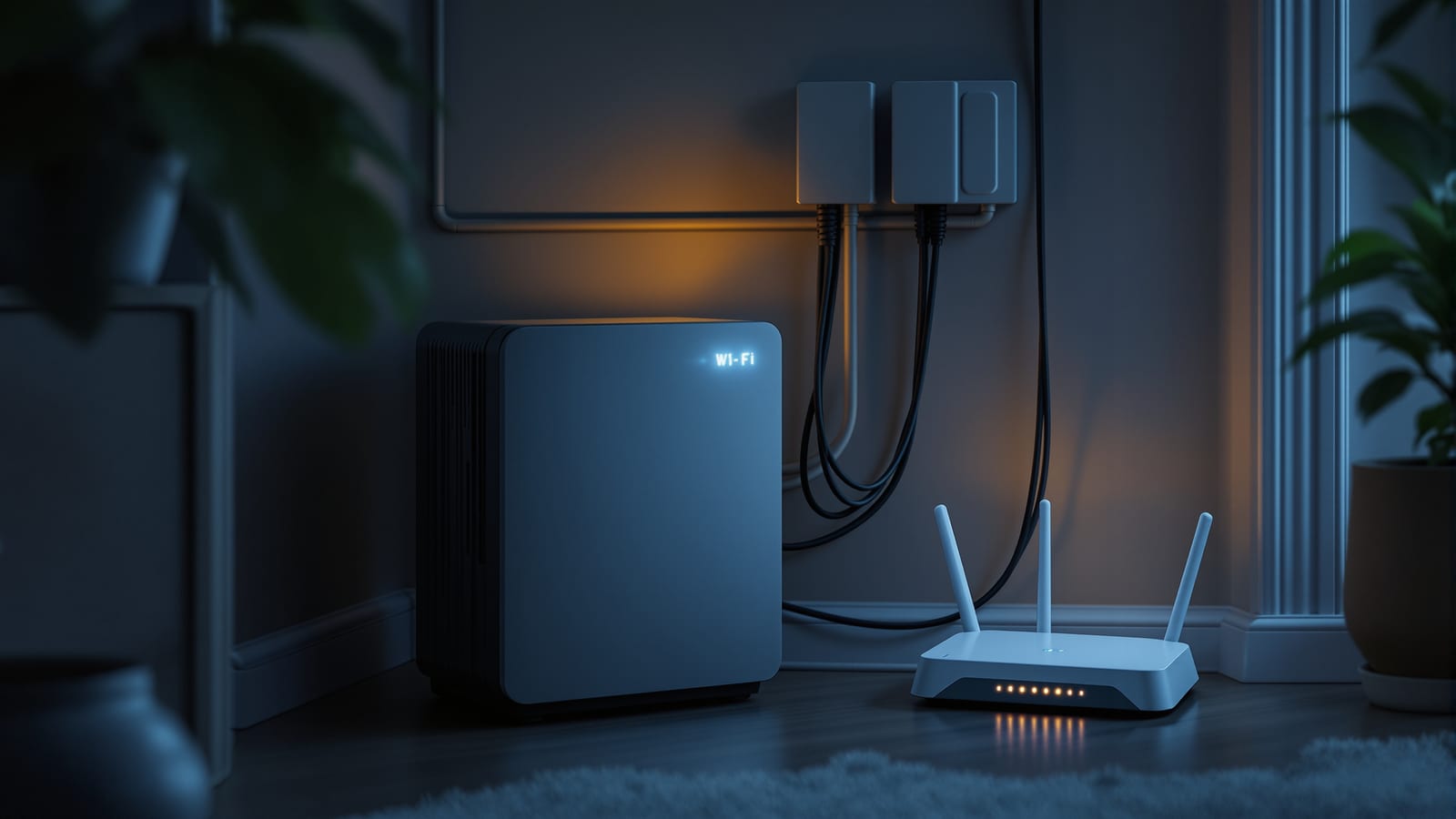
A word on the ONT specifically: many people back up the router and forget the modem, then wonder why they still have no internet. On a fibre connection the ONT is a separate box and must be backed up too. Check its voltage (usually 12V) and confirm your mini-UPS has a matching output tip. The wiring concept below shows the whole networking corner on one small battery.
Keeping CCTV and the NVR alive
Cameras are the classic resilience gap. A smart security setup that goes blind during a cut is exactly backwards — outages are when you might most want eyes on the property. There are two clean approaches, and often you combine them.
PoE cameras plus a backed-up NVR. In a Power-over-Ethernet system the cameras draw power from the recorder over the network cable, so you only need to keep one box alive — the NVR and its PoE switch. Put the NVR on a small line-interactive UPS (a 600-1,000 VA APC or Zebronics unit, roughly ₹3,000-₹6,000) and the whole camera set keeps recording. This is the tidiest option and a strong reason to prefer PoE; see the PoE vs Wi-Fi CCTV comparison for the trade-offs.
Battery or 4G cameras for critical angles. For the front gate or main door, a battery camera with a 4G SIM keeps recording and alerting even when both mains and broadband are down, because it does not depend on your router at all. Use these as a resilient backstop for the two or three angles that matter most, not for the whole house.
| CCTV approach | Survives mains cut? | Survives internet cut? | Rough cost to back up |
|---|---|---|---|
| Wi-Fi cameras, mains NVR | No (all die) | No | Needs UPS on NVR + router |
| PoE cameras + NVR on UPS | Yes | Local recording yes; alerts no | ₹3,000-₹6,000 UPS |
| 4G battery camera | Yes | Yes (own SIM) | ₹4,000-₹9,000 per camera |
Smart locks and the fail-safe question
Locks deserve special care because they touch physical safety. The critical concept is fail-safe versus fail-secure, and it is not marketing jargon — it decides whether a door locks or unlocks when power is lost.
- Fail-safe locks unlock on power loss. They are used where escape must never be blocked — for example on some office and fire-egress doors. In a home, a fail-safe electric strike that loses power could leave a door unsecured.
- Fail-secure locks stay locked on power loss. This is what most homeowners want for an entry door — a cut should not throw your front door open.
For home use, the cleanest answer is a battery-powered smart lock (Godrej, Yale, Qubo, Ultraloc and others sell these in India). It carries its own AA or lithium cells, so a mains cut does not affect it at all — it simply keeps working on battery, and warns you weeks in advance when the cells run low. Most also keep a physical key override and a keypad, so even a fully dead lock can be opened. Avoid designs that depend solely on mains power with no battery and no mechanical override; that combination can literally lock you out during an outage. Our guide on installing smart locks covers the specific models and their backup behaviour.
Voltage stabilisers for expensive gear
Indian power is not just intermittent — it is often dirty, with sags, surges and spikes that quietly shorten the life of electronics. A smart home concentrates a lot of sensitive gear (NVRs, hubs, TVs, AVRs) in a few spots, so voltage protection earns its place.
- A voltage stabiliser (V-Guard, Microtek, Servo) smooths incoming voltage to a safe band and protects against the brownouts common in many Indian localities. Use one on the entertainment rack and the CCTV cabinet.
- A surge protector guards against the sharp spikes that follow when the grid restores after an outage — a notorious killer of electronics. A basic spike guard on every cluster of expensive devices is cheap insurance.
- Better inverters and UPS units include stabilisation built in; check the spec before adding a separate box.
Solar and inverter integration
Many Indian homes already run a whole-house inverter (Luminous, Microtek, Su-Kam) or a rooftop solar-plus-battery system. If you have one, the smart move is to make sure your networking corner and CCTV are on the backed-up circuit, not a raw-mains circuit. During installation, ask the electrician to route the router, ONT, hub and NVR sockets onto the inverter side of the changeover. That way the home UPS you already own covers the smart infrastructure for free.
If you are planning a new inverter, size it with the smart loads in mind — they are small, so they barely move the calculation, but a modest headroom means the network rides through cuts along with your fans and lights. For homes leaning into automation, pairing this with the smart home energy management guide helps you monitor battery state and shed non-essential loads during a long outage.
What to prioritise, in order
Money spent on resilience has sharply diminishing returns, so spend it in this order:
1. Mini-UPS on router + ONT + hub (~₹1,200-₹2,500). The single biggest gain: keeps the whole network and local automations alive.
2. Battery smart lock with key override. Removes the scariest failure mode — being locked out or unsecured.
3. UPS on the CCTV NVR (~₹3,000-₹6,000). Keeps recording through the window that matters.
4. Surge + stabiliser protection on expensive clusters. Cheap insurance against dirty power.
5. A 4G battery camera on the one critical angle, so you have eyes even in a total blackout.
6. Inverter/solar integration — route smart loads onto the backed-up circuit if you already have one.
Use the smart home cost calculator to fold these resilience items into your overall budget; they add only a few thousand rupees to most projects but change the character of the home entirely.
The resilience checklist
Run this list before you call a smart home "done":
| Check | Backed up? |
|---|---|
| Router on UPS or inverter circuit | Yes / No |
| ONT / fibre modem on backup | Yes / No |
| Hub (Echo / Nest / SmartThings) on backup | Yes / No |
| Key automations run locally (not cloud-only) | Yes / No |
| Smart lock is battery-powered with key override | Yes / No |
| CCTV NVR on UPS | Yes / No |
| At least one critical camera on 4G/battery | Yes / No |
| Expensive gear on surge + stabiliser | Yes / No |
| One angle covered even in total blackout | Yes / No |
If most of those read "yes", your home will shrug off a two-hour cut instead of collapsing. That is the difference between a gadget collection and a genuinely dependable smart home. To take the resilience mindset further into vendor independence, read local vs cloud smart home in India — the two ideas reinforce each other.
References
- Bureau of Indian Standards (BIS) — Indian standards for UPS, inverters, batteries and low-voltage electrical safety.
- Central Electricity Authority (CEA) — India's power-sector regulator and source on grid reliability, supply norms and safety regulations.
- Connectivity Standards Alliance — Matter — on Matter's local-control design that keeps automations running when the cloud is unreachable.
- Thread Group — the low-power self-healing IP mesh whose local operation aids outage resilience.
- APC by Schneider Electric — India — reference specifications for line-interactive UPS units used to back up NVRs and networking gear.
Export this guide
Related Guides — Deep-dive reading
Video Door Phone Power Backup in India (2026): Keeping the Door Alive Through Power Cuts
How to keep the indoor monitor, door station and — for app kits — the router and ONT running through India's power cuts, using a small UPS, the home inverter circuit, or a built-in battery, so you can still see and answer the door.
SecuritySmart Security Hubs for Indian Homes: Choosing the Brain of the System
The hub is the controller at the centre of a smart security system — it speaks the device radios, runs the automations and links you to your phone. What it is, the connectivity choices explained plainly, and why local-over-cloud and backup power decide whether it survives an Indian power cut.
SecuritySmart Security Systems Guide for Indian Homes
The connected side of home security — smart cameras, locks, sensors, hubs and app alerts, and the automation that helps protect you. Clear-eyed about the trade-offs: what smart adds, what it can break, and how to build a system that still works in a power cut or internet outage.
SecurityRelated Tools — Try Free
Security Backup Power Calculator
Size a UPS/inverter and battery to keep CCTV, NVR, router and alarm running through a power cut — load, Ah, VA and cost.
Backup PowerAccess-Control Battery-Backup Calculator
Size the standby battery so an access system keeps running through a power cut, with an egress life-safety note.
Battery BackupCCTV Cloud vs Local Cost Calculator
Compare cloud CCTV subscription against a local NVR + HDD — upfront, 5-year total, monthly fee and break-even.
Cloud vs Local