
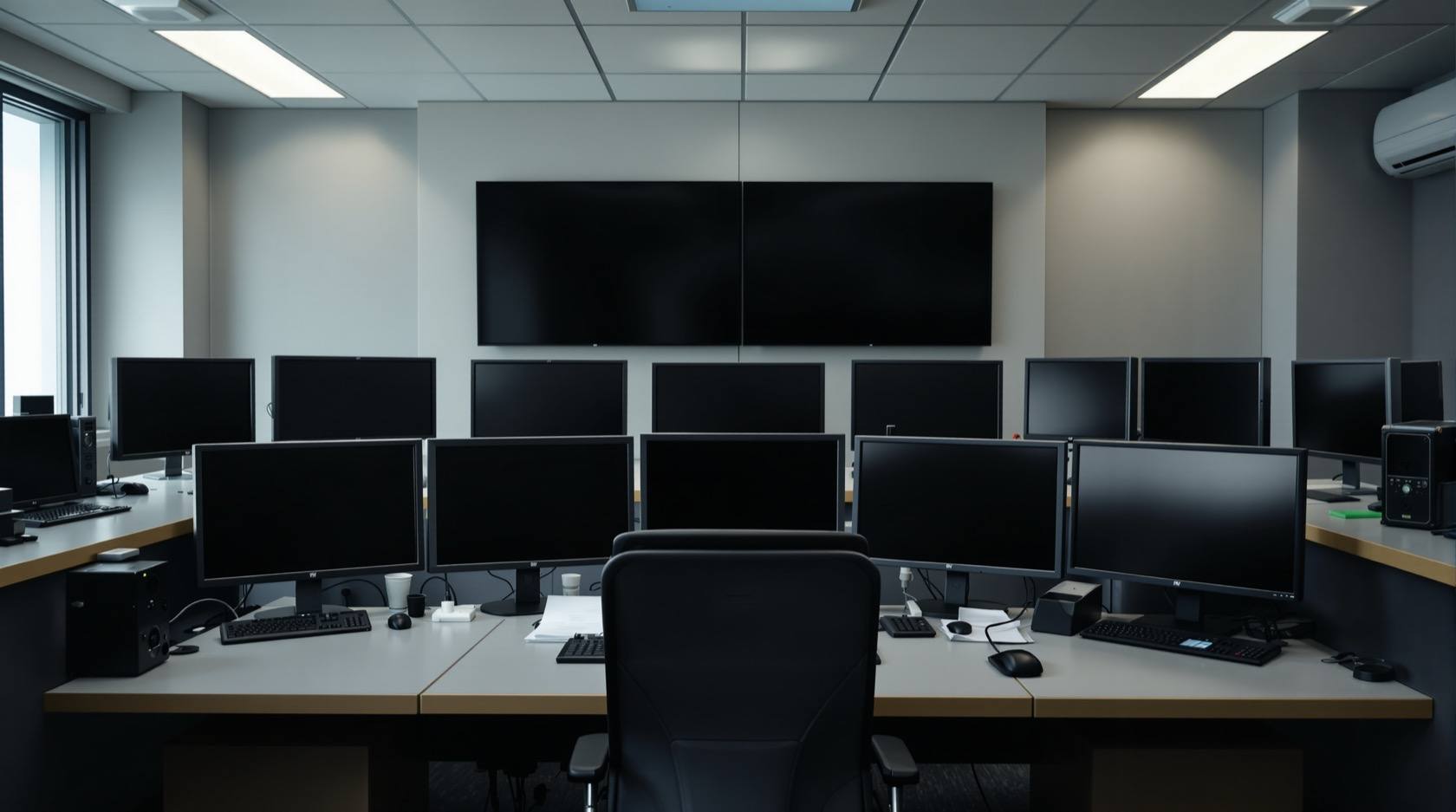
Security Control Room Checklist for India (2026): Setting Up the Nerve Centre
A ready-to-adapt checklist for designing, commissioning and readiness-auditing a security control room or monitoring centre — the room, the systems, the power, the operators, the procedures and the data — for an RWA campus, a business or a larger site.
A security control room is the nerve centre of a site. Cameras, alarms, access control, intercom and public address all report to one place, and one or two people sitting there are supposed to see a problem early, decide what to do, and get the right help moving. When that room is set up well it turns scattered hardware into a working security system. When it is set up badly it is an expensive way to record footage nobody watches.
This page is a security control room checklist — a ready-to-adapt professional deliverable a consultant, PMC, architect or facility manager can fill in when designing and commissioning a control room, and again as a periodic readiness audit. It sits late in the project lifecycle: after the security system architecture diagram fixes what connects to what, and alongside commissioning, it checks that the place those signals land is fit to run the site. It lives in the wider professional security resources library.
Scope and how to read this. This is a ready-to-adapt professional template, not authoritative, legal or contractual wording. It does not set any standard: the actual requirements, staffing levels, room dimensions and equipment ratings for your project come from the brief, the site, the manufacturers, the code and the authority having jurisdiction (AHJ) — verify locally. Nothing here states a fabricated ratio, dimension or clause number as a requirement. Get professional and legal review for contract documents.
What the checklist is and when you use it
The checklist has two jobs. First, at design and commissioning, it is the readiness gate you run before the control room goes live — you walk the room, tick each line, and every item that is not a clean "OK" becomes an action with an owner and a date. Second, as a periodic readiness audit, you run the same list at a sensible interval (quarterly or half-yearly, you decide) so the room does not quietly decay: a dead spare screen, a UPS battery past its life, an SOP nobody has read, a shift left with one exhausted operator.
The document is grouped by area so nothing gets forgotten. Right-size every area to the site — a small campus and a large business use the same headings at different depth. Do not copy a large corporate control room onto a housing society; do not run a business on a guard with a single monitor.
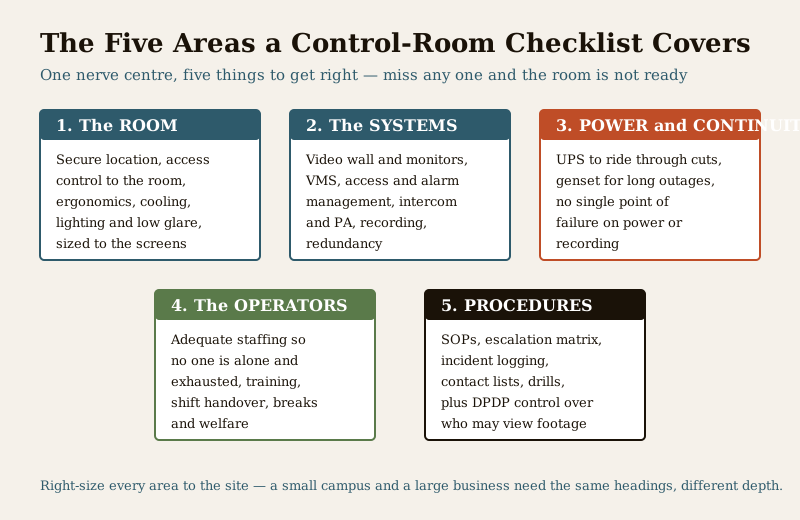
The areas the checklist covers
The ROOM. Location and the security of the room itself — the nerve centre is a target, so it needs access control on its own door and should not be casually visible or entered. Ergonomics: seating, console height, sight lines to the video wall, reach to controls. Environment: cooling and ventilation so equipment and people stay comfortable through a shift. Lighting and glare: enough to work, low enough that reflections do not wash out the screens. And the room sized to the number and size of screens, with a viewing distance that lets an operator actually read them.
The SYSTEMS. The video wall and operator monitors; the video management software (VMS) that ties cameras together; access-control and alarm management, so door events and alarms surface here, not just on a distant panel; communications — intercom, telephone, and public address or a talk-down channel where used; recording that is running and retained; and redundancy built into the parts that matter.
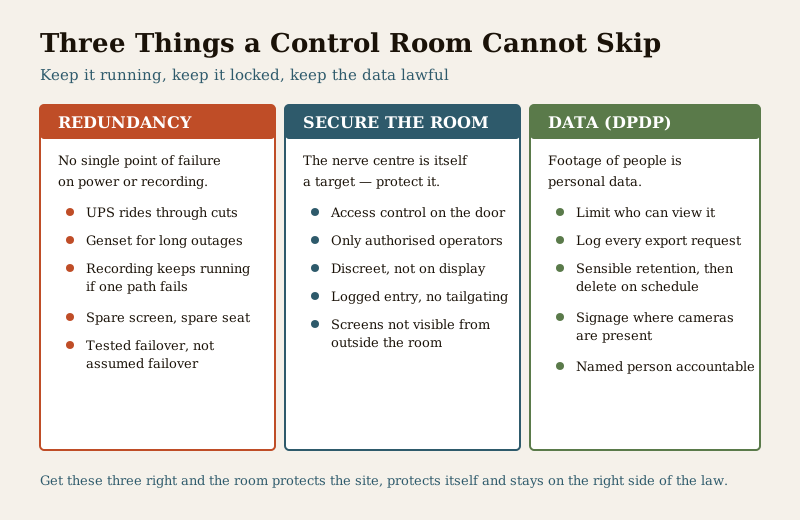
POWER and continuity. A UPS to ride through short cuts without losing the room, and a genset for long outages — India runs on both. The guiding rule is no single point of failure on power or on recording: if one path drops, the room and the recording keep going. Test the failover; do not assume it.
The OPERATORS. Adequate staffing so no shift runs on one exhausted person; training on the systems and the procedures; a proper shift handover so nothing is lost at the change; and welfare — breaks, relief, reasonable hours — because a tired operator watching nothing is not security. Do not invent a headcount from a template: the right number comes from the site, the hours of cover, the number of screens and alarms, and the response expected.
PROCEDURES. Standard operating procedures (SOPs) for the routine and the exceptional; an escalation matrix that says who to call and when; incident logging so events are recorded and can be reviewed; current contact lists; and drills so the procedures are practised, not just filed.
DATA PROTECTION (DPDP). Footage that identifies people is personal data under the Digital Personal Data Protection (DPDP) Act, 2023. Control who can view live and recorded footage, log export requests, keep signage up where cameras are present, retain footage on a sensible cycle and delete it on schedule, and name a person accountable. Coordinate the retention numbers with your CCTV storage schedule.
Worked example: a readiness checklist
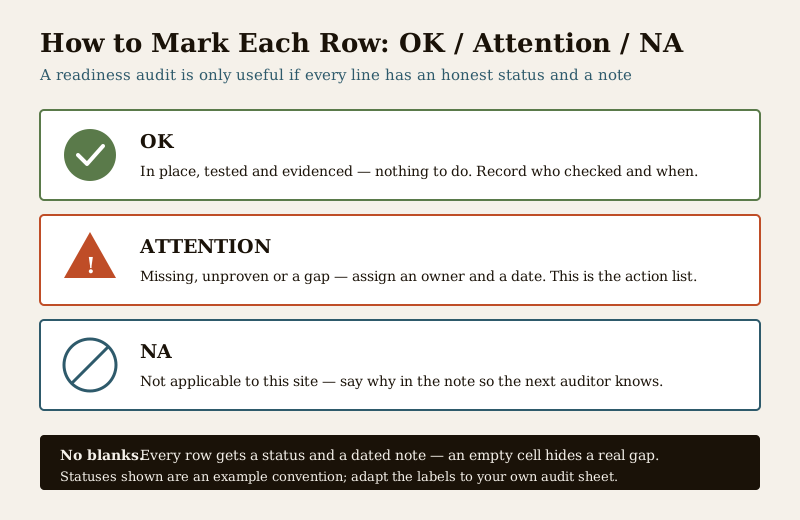
Below is a filled example for an illustrative RWA campus control room, grouped by area, using an OK / Attention / NA status. It shows how the finished document reads.
Example only — adapt to your project. Values are generic and illustrative. Substitute your own rooms, systems and findings; the actual pass criteria come from your brief, the manufacturers, the code and the AHJ.
| Area | Item | Check | Status | Notes |
|---|---|---|---|---|
| Room | Room security | Access control on the control-room door; only authorised operators enter | OK | Reader fitted; entry logged |
| Room | Sizing and sight lines | Room sized to the screens; operator can read the video wall from the console | Attention | Add one seat before second shift starts |
| Room | Environment | Cooling adequate for equipment and operator through a full shift | OK | Split AC plus spare fan |
| Room | Lighting and glare | Light level lets work continue without washing out screens | Attention | Reposition one fixture to cut reflection |
| Systems | Video wall and VMS | Wall and monitors live; VMS shows all cameras; layouts saved | OK | Verify camera count against schedule |
| Systems | Alarm and access management | Door and alarm events surface in the room, not only at a remote panel | OK | Tested with a live door forced-open event |
| Systems | Communications | Intercom, phone and PA or talk-down reachable from the console | Attention | PA to gate pending; specify by handover |
| Systems | Recording | Recording running and retained per the storage schedule | OK | Retention set per site policy |
| Power | UPS | Room and recording ride through a short cut on UPS | OK | Runtime confirmed on test; verify locally |
| Power | Genset | Long outages covered; changeover tested, not assumed | Attention | Schedule a live changeover test |
| Power | No single point of failure | One failed path does not stop the room or the recording | OK | Dual path on recorder confirmed |
| Operators | Staffing | No shift runs on one exhausted operator; relief planned | Attention | Night shift relief to be rostered |
| Operators | Training | Operators trained on systems and SOPs; competence recorded | OK | Refresher due each cycle |
| Operators | Shift handover | Structured handover so nothing is lost at the change | OK | Handover log in use |
| Procedures | SOPs and escalation | SOPs available; escalation matrix current with names and numbers | Attention | Update after guard agency change |
| Procedures | Incident logging | Every incident logged and reviewable | OK | Register plus VMS bookmarks |
| Procedures | Drills | Procedures practised, not just filed | Attention | First drill to be scheduled |
| Data (DPDP) | Access to footage | Only authorised people view live and recorded footage | OK | Access list held by two custodians |
| Data (DPDP) | Retention and requests | Retention on schedule; export requests logged; signage up | Attention | Publish the access-request process |
Every "Attention" row is now a small action list with an owner and a date — that is the point of the audit.
Blank template: copy this
Copy the empty table below into your own sheet, add rows to suit the site, and mark each line OK, Attention or NA. Do not leave a blank status — an empty cell hides a real gap.
| Area | Item | Check | Status (OK / Attention / NA) | Notes |
|---|---|---|---|---|
| Room | ... | ... | ... | ... |
| Room | ... | ... | ... | ... |
| Systems | ... | ... | ... | ... |
| Systems | ... | ... | ... | ... |
| Power | ... | ... | ... | ... |
| Power | ... | ... | ... | ... |
| Operators | ... | ... | ... | ... |
| Operators | ... | ... | ... | ... |
| Procedures | ... | ... | ... | ... |
| Procedures | ... | ... | ... | ... |
| Data (DPDP) | ... | ... | ... | ... |
DPDP note. This checklist itself may capture access lists, camera locations and contact details — treat the completed document as sensitive, hold it with named custodians, and share it only with people who need it.
Field guide: getting a control room right
- Right-size to the site. Match the room, screens, staffing and procedures to what the site actually is. The headings are universal; the depth is not. Do not scale a corporate operations centre down onto a small campus or a single guard up onto a large business.
- Redundancy on power and recording. UPS for short cuts, genset for long ones, and no single point of failure on the recording path. Test the failover so you know it works before you need it.
- Trained and rested operators. A control room is only as good as the person watching it. Adequate staffing, real training, a clean shift handover and genuine welfare beat one exhausted operator every time. Set the headcount from the site and the hours of cover, not from a borrowed ratio.
- Clear SOPs and a live escalation matrix. Write what to do and who to call, keep the names and numbers current, and drill it so it is muscle memory, not a filed document.
- Secure the room and the data. Access control on the door, only authorised operators inside, screens not visible from outside, and DPDP-grade control over who views and exports footage.
- Integrate with the architecture. The control room only works if the security system architecture diagram actually routes signals to it. Check the diagram and the room together.
Common mistakes to avoid
- No redundancy — one UPS, no genset, a single recording path, and the room goes dark with the next power cut.
- One exhausted operator — a night shift covered by a single tired person watching a wall of screens is a system on paper only.
- No SOPs — capable hardware, no agreed procedure, so every incident is improvised and escalation is slow.
- An unsecured room — anyone can walk into the nerve centre, and the screens are visible to passers-by.
- No DPDP control — footage viewed and exported freely, no access list, no retention discipline, no accountable person.
How this connects to the other documents
The control-room checklist does not stand alone. Read it with the security system architecture diagram — the diagram decides what reports to the room, this checklist confirms the room can run it. Set the recording retention against the CCTV storage schedule so the numbers match. If the site is watched from elsewhere, or the SOPs hand off to a monitoring provider, coordinate with remote security monitoring and, for alarm response, alarm monitoring services. And if you are still deciding how the room itself should be laid out and run day to day, the CCTV control room and monitoring explainer is the companion to this template. Find the full set in the professional security resources library.
References
- Digital Personal Data Protection (DPDP) Act, 2023 — footage identifying people is personal data; keep access controlled, purpose legitimate and retention limited.
- Manufacturer documentation for your VMS, video wall, recorders, UPS and genset — the authoritative source for ratings, runtimes and failover behaviour; follow it over any generic figure.
- Bureau of Indian Standards catalogue — verify the current edition of any electrical, fire or life-safety standard referenced in your install at https://www.services.bis.gov.in/
This is an educational template to adapt, not authoritative, legal or contractual wording. Staffing levels, room dimensions and equipment ratings come from your brief, the manufacturers, the code and the AHJ — verify locally, and consult a professional for legal or data-protection questions.
Export this guide
Related Guides — Deep-dive reading
Access Control Testing Checklist for India (2026): Every Door Opens and Locks as Designed
A ready-to-adapt per-door and system checklist to verify an access-control installation at commissioning and as a periodic check, with the egress and fire-to-release life-safety tests that must always pass before sign-off.
SecuritySecurity Audit Checklist for India (2026): Is the System Actually Working?
A ready-to-adapt, fill-in security audit checklist that walks an installed system subsystem by subsystem — CCTV, access control, intrusion alarm, the fire-safety interface, perimeter and lighting, power and backup, documentation and DPDP, and AMC status — and turns every finding into a scored, prioritised action list.
SecurityCCTV Testing Checklist for India (2026): Checking Every Camera Delivers
The ready-to-adapt per-camera and system checklist that verifies a CCTV installation actually works and meets the design at commissioning, and again as a periodic health check, covering field of view, focus, day and night imaging, recording, storage, retention, remote access, time sync and documentation.
SecurityRelated Tools — Try Free
Access-Control Battery-Backup Calculator
Size the standby battery so an access system keeps running through a power cut, with an egress life-safety note.
Battery BackupInterior Contract Clause Checklist
16 sections and 98 checkboxes covering scope, BOQ, milestones, penalties, warranty, and disputes.
Contract ChecklistSecurity Backup Power Calculator
Size a UPS/inverter and battery to keep CCTV, NVR, router and alarm running through a power cut — load, Ah, VA and cost.
Backup Power