
Door Sensor Not Responding (2026): Fix a Contact That Won't Report in India
Your door or window contact sensor stops telling the alarm when it opens and closes, or shows offline, open-fault or tamper. A calm, ordered diagnostic for Indian homes: a magnetic reed contact is a simple device, so the causes are simple. The flat battery, the misaligned halves, the lost pairing, the loose wire and the zone setting, what you can safely fix yourself, and when to call your installer.
A door or window contact is the humblest device in your whole security system, and when it stops responding it feels alarming out of all proportion. The panel no longer lights up when that door opens, or it stubbornly shows the door as "open" when it is shut tight, or it flashes "offline", "tamper" or "fault" against that zone and will not arm. Because the contact is so simple, though, the reasons it fails are simple too, and almost all of them are cheap and quick to fix yourself.
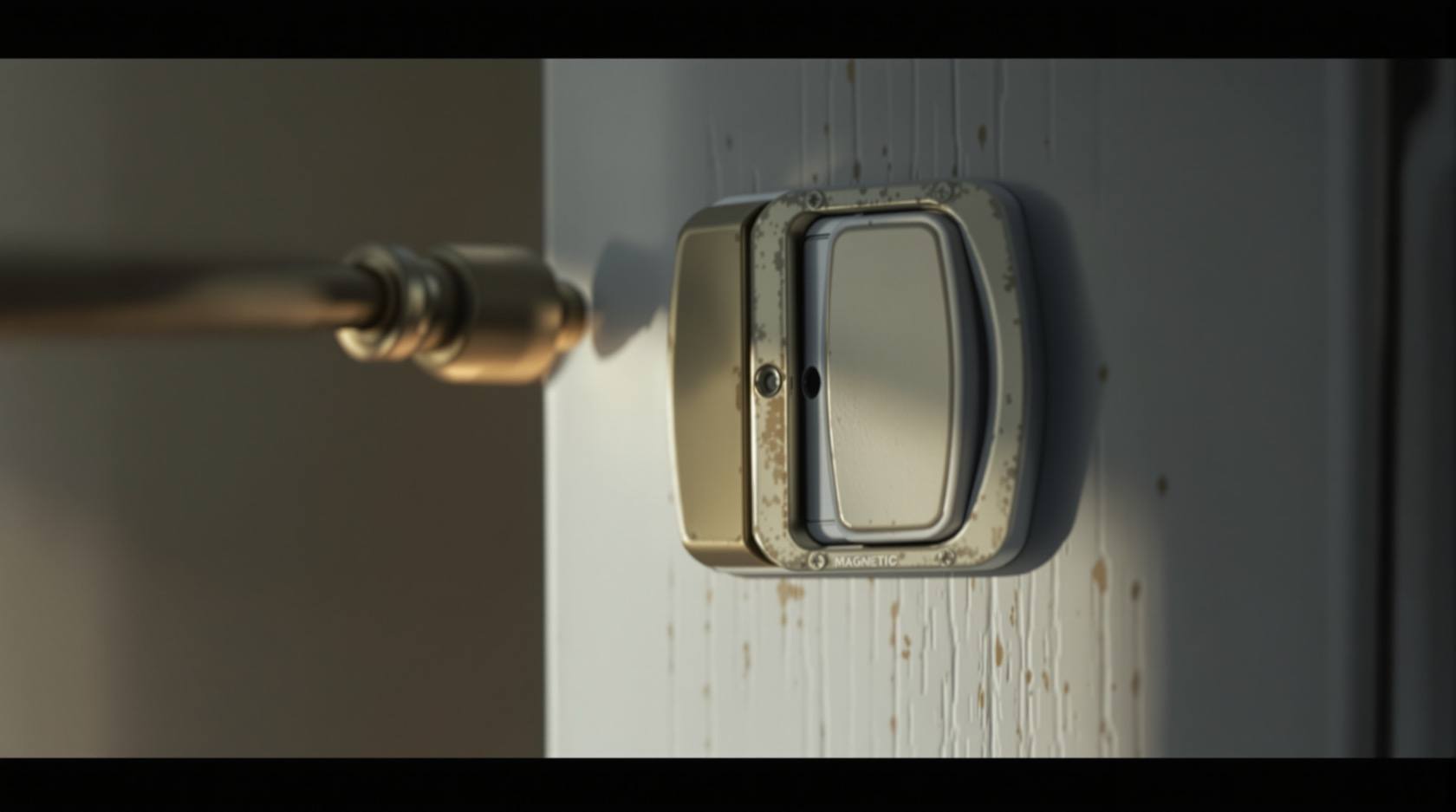
Understand what the device actually is and the whole thing becomes clear. A magnetic contact is two halves: a small magnet, mounted on the moving door or window, and a switch (a sealed glass reed, or in wireless units a reed plus a tiny radio and a battery) mounted on the fixed frame beside it. When the door is shut the magnet sits next to the switch and holds it in one state; when the door opens the magnet moves away and the switch flips. The alarm simply watches that switch. So a contact "not responding" means one of a short list of things: the switch has no power to report with, the two halves are no longer close enough to talk, the report is not reaching the panel, or the panel has been told to ignore it. This guide walks that list in order, from the commonest and cheapest to the rare and hardware-deep.
Scope and safety. This is a diagnostic guide for a homeowner with an intruder (burglar) alarm, not an installation manual and not a price or buying guide. The safe do-it-yourself checks here are limited to swapping an accessible battery, realigning or re-sticking the two halves, re-pairing a wireless sensor, reseating a loose plug-in terminal you can reach, and checking a setting or zone in the app or keypad. Anything involving mains, in-wall wiring, a sensor mounted at height on a ladder, or a suspected failed unit belongs to a qualified alarm technician or your annual maintenance (AMC) contractor. When "repair versus replace" comes up, defer the numbers to a cost or lifecycle guide. Nothing here is a fire-alarm instruction; a life-safety detector fault must be diagnosed and fixed by a competent person, never simply disconnected to make it quiet.
First, read what the panel is telling you
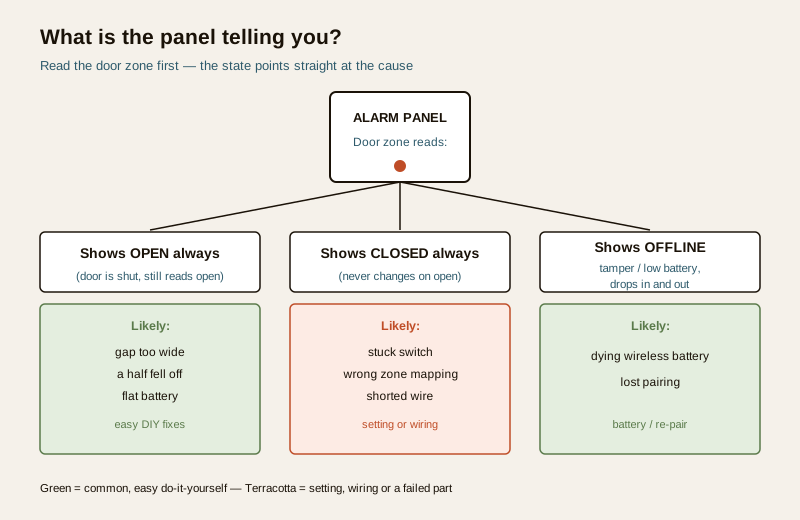
Before you touch anything, look at exactly how the sensor is misbehaving, because the symptom points straight at the family of causes. Arm yourself with the panel display or the app and ask which of three states you are in.
- The zone shows OPEN all the time, even with the door firmly shut. The switch is not seeing its magnet, or a wired circuit is broken open.
- The zone shows CLOSED all the time, and never changes when you open the door. The switch is stuck, mismapped, or a wired circuit is shorted closed.
- The zone shows OFFLINE, tamper, "supervision" or "low battery" and drops in and out. This is almost always a wireless sensor whose battery is dying, or whose radio link to the panel has been lost.
That single reading saves you most of the work. A permanently open contact is usually a widened gap, a fallen half or a flat battery; a permanently closed one is usually a mapping or wiring quirk; an offline or fault flag is almost always the battery or the pairing.
The likely causes, ordered common to rare
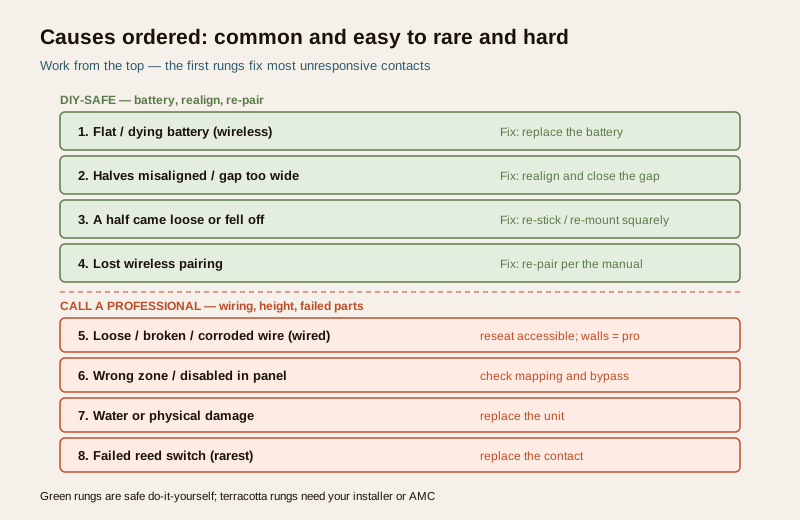
Work top to bottom. The first two rows fix the large majority of unresponsive contacts and cost almost nothing.
| Likely cause | Why the contact stops responding | The fix |
|---|---|---|
| Flat or dying battery (wireless) | A battery-powered contact with a weak cell drops off the network or reports a fault; the single commonest cause | Replace the battery with the correct type |
| Halves misaligned or gap too wide | The door dropped, warped or settled in the monsoon, so the magnet no longer comes close enough to hold the switch | Realign the two halves and close the gap |
| A half came loose or fell off | The mounting tape failed in heat, or a screw worked loose, and one half is hanging or gone | Re-stick or re-mount the half squarely opposite its partner |
| Lost wireless pairing | The sensor was un-enrolled after a panel reset, moved out of range, or is being jammed by interference | Re-pair the sensor to the panel per the manual |
| Loose, broken or corroded wire (wired) | A wired contact's terminal has worked loose, a cable is rodent-chewed, or damp has corroded a joint | Reseat an accessible terminal; in-wall runs are professional |
| Wrong zone or disabled in the panel | The sensor is mapped to the wrong zone, bypassed, or switched off after programming | Check the zone assignment and un-bypass it |
| Water or physical damage | Rain, a slammed door or a knock has cracked or soaked the unit | Replace the damaged unit |
| Failed reed switch | The sealed glass switch itself has finally failed, the rarest cause | Replace the contact (professional if fixed or at height) |
The step-by-step diagnostic path
Follow this as a decision tree. Each step tells you where to go next. If your system lets you put a single zone into a walk-test or chime mode, use it, so you can watch one door respond without arming the whole house. The method for proving a sensor cleanly is in the security sensor testing guide.
Step 1 — Is it wireless or wired, and what changed recently?
Look at the sensor. If it has no wires running from it into the frame, it is wireless and has a battery inside; that battery is your first suspect. If a thin cable runs from it into the frame or wall, it is wired. Then ask what changed: a new battery, a door that was rehung or swollen after rain, a recent panel reset or power cut, or a half you notice is hanging loose. Recent change plus symptom usually names the fault on its own.
Step 2 — For a wireless contact, replace the battery first
This is the single highest-value check, because a flat or dying battery is the commonest reason a wireless contact stops responding, shows offline, or throws a low-battery or supervision fault. Open the sensor (most slide or click apart), note the cell type printed inside, and fit a fresh battery of the exact same type. Re-close it and watch the zone as you open and shut the door. A great many "dead" sensors come straight back to life here. If it now reports normally, you are done; move to Prevention.
Step 3 — Check the two halves are aligned and close
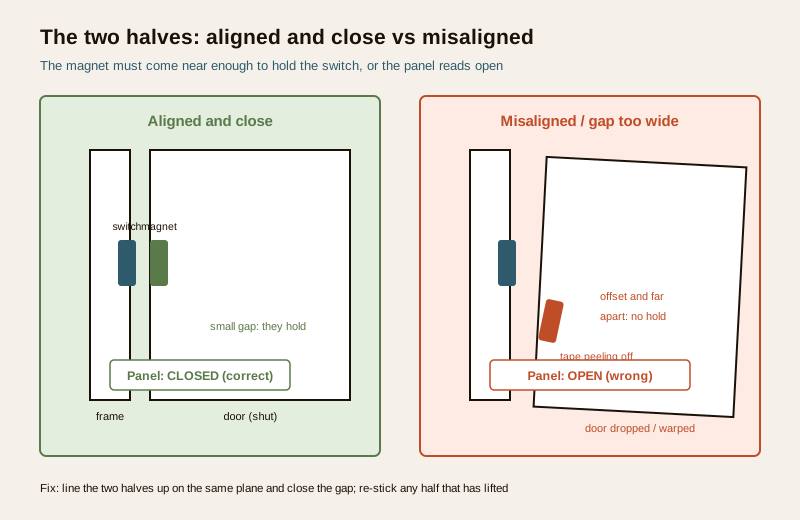
Shut the door and look hard at the pair. The magnet half and the switch half must sit directly opposite each other, on the same plane, with only a small gap between them (a few millimetres; check your manual for the maximum for your model). Indian doors move with the seasons: timber swells and drops in the monsoon, a heavy door sags on its hinges, and a gap that used to be tight opens up until the magnet can no longer hold the switch. Then the panel reads "open" even when the door is shut.
- If the two halves are offset, out of plane, or too far apart — the door has moved, or one half was never square. Loosen and reposition so they line up and nearly touch, then test.
- If one half is hanging, has slipped, or has fallen off entirely — the mounting tape has failed in the heat (very common) or a screw has loosened. Clean the surface and re-stick or re-screw it squarely opposite its partner. If a half is lost, it must be replaced as a matched pair.
Step 4 — For a wireless contact still not reporting, re-pair it
If the battery is fresh and the halves are aligned but the panel still shows the sensor offline or unresponsive, it has probably lost its radio enrolment with the panel, a common outcome after a panel reset, a long power cut, or a battery change on some models. Re-pair (re-enrol) the sensor to its zone following the manufacturer's manual. If it pairs but keeps dropping, the sensor may be too far from the panel or a repeater, or something new (a large metal object, a mesh gateway, a neighbour's device) may be causing interference; move the panel or add a repeater as the manual advises.
Step 5 — For a wired contact, check the connection
A wired contact that reads permanently open or permanently closed usually has a wiring problem, not a sensor problem. Where the wire lands on an accessible, clearly labelled panel or junction terminal, and with the system powered down, check that the terminal screws are tight and the conductors are not broken or green with corrosion, then reseat them. Damp and rodents are the usual culprits in Indian installations. Do not chase wiring inside walls, at height, or anywhere near mains yourself; that is an installer's job.
Step 6 — Check the zone mapping and bypass
If the hardware seems healthy but the door still will not register, the panel may simply have been told to ignore it. In the app or engineer or user menu, confirm the sensor is mapped to the correct zone, that the zone is not bypassed or omitted, and that it has not been disabled or set to a chime-only or non-alarming type during earlier programming. A sensor mapped to the wrong zone will look "unresponsive" for the door you are watching while quietly reporting somewhere else. Correcting a mapping or clearing a bypass often is the whole fix. This kind of setting drift is a frequent hidden cause behind both dead zones and the false burglar alarms at the other extreme.
Safe do-it-yourself versus call a professional
Keep firmly to your side of this line. The split is not about capability; it is about mains, height, in-wall wiring and sealed units.
Safe to do yourself
- Replace the battery in an accessible wireless contact with the correct type.
- Realign the two halves and reduce the gap so the magnet holds the switch.
- Re-stick or re-mount a half whose tape or screw has failed, squarely opposite its partner.
- Re-pair (re-enrol) a wireless sensor to the panel per the manual.
- Reseat a loose, clearly labelled plug-in terminal you can reach with the system powered down.
- Check and correct the zone mapping, bypass and sensor type in the app or keypad.
Call a qualified technician or your AMC
- Any wiring inside walls, cut, rodent-chewed or damp-corroded runs.
- A sensor mounted at height that needs a ladder to reach.
- Re-siting a contact, or drilling and fixing a new mounting.
- A contact you suspect has genuinely failed, or is water-damaged or cracked.
- Deeper panel programming, a zone that will not clear, or a persistent tamper you cannot explain.
- Anything requiring mains work or opening a sealed unit.
Prevention so it does not happen again
An unresponsive contact is nearly always a battery that drained, a gap that crept open, or a half that let go, all of them slow and silent until the door stops reporting. A short, regular habit keeps every contact honest.
- Test your door and window contacts monthly, using a walk-test or chime mode so you prove each one opens and closes the zone. A contact you never test is one you only discover is dead when you needed it. The method is in the security sensor testing guide.
- Replace wireless contact batteries on a schedule, before the low-battery fault, as part of your servicing rather than after a dead zone. This and the wider service rhythm sit in the burglar alarm maintenance guide.
- Check the mounting and the gap on doors that swell in the monsoon, and re-stick any half that is lifting before it falls; hot-weather tape failure is a leading cause here.
- Re-check zones after any panel reset or power cut, since sensors can drop their pairing or a bypass can be left on.
A short checklist
- [ ] Read the panel: is the zone stuck OPEN, stuck CLOSED, or OFFLINE or fault?
- [ ] Wireless? Replace the battery first, then re-test the door.
- [ ] Check the two halves are aligned, on-plane and close; re-stick any that fell.
- [ ] Still offline? Re-pair the wireless sensor per the manual.
- [ ] Wired and stuck? Reseat an accessible terminal; walls and height are professional.
- [ ] Confirm the zone mapping and that it is not bypassed or disabled.
- [ ] Ladder, walls, sealed or failed unit? Call your installer or AMC.
A contact is only doing its job when it reliably reports every open and close, and proving that takes a minute a month. For sensors that report when they should not rather than staying silent, see motion sensor false triggers, and for the wider family of alarm faults start from the security system troubleshooting pillar or the security troubleshooting hub. For the complete home-security picture, see the security guides home.
Export this guide
Related Guides — Deep-dive reading
Alarm Siren Not Working (2026): Why It Triggers but Stays Silent in India
Your burglar alarm detects and the panel reacts, but the siren does not sound, or sounds weak and thin. A calm, ordered diagnostic for Indian homes: the settings, power, backup battery, wiring and hardware faults that leave an alarm that cannot be heard, what you can safely check yourself, and when to call your installer.
SecurityBoom Barrier Not Operating (2026): Diagnose a Stuck or Dead Parking Gate Arm
A calm, ordered diagnostic path for a facility or security team when an apartment, office or parking boom barrier will not raise or lower, is stuck up or down, or will not respond — starting with the manual release so a jammed arm never traps a vehicle or blocks a fire lane, then power, trigger, safety loop and mechanical causes, and a clear line between safe checks and technician-only work.
SecurityFalse Alarm Prevention for Burglar Alarms in India: Causes & Fixes (2026)
Why home alarms cry wolf — ceiling fans, pets, heat, insects, weak batteries, power blips and poor door alignment — and how correct placement, the right sensors and simple upkeep keep the system trusted and armed.
SecurityRelated Tools — Try Free
Window Hardware Cost Calculator
Estimate window hardware cost — hinges, handles, locks, rollers and multipoint gears.
Window CalculatorLift Annual Maintenance Cost Calculator
AMC cost for a home lift — comprehensive vs non-comprehensive, with a 5-year projection.
Lift CalculatorLift Safety Audit Checklist
Interactive checklist that scores your home lift on safety devices, compliance and upkeep.
Checklist