
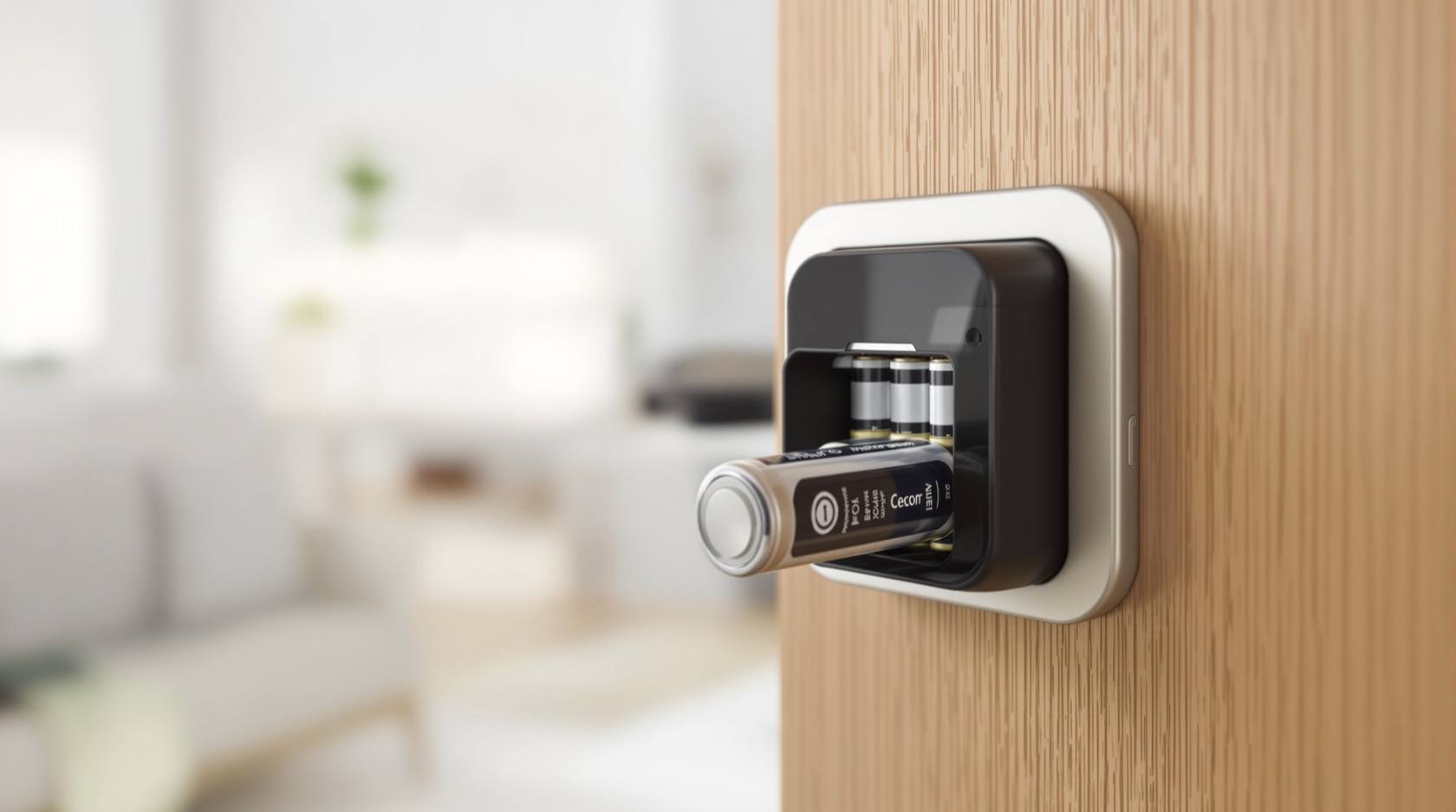
Smart Lock Battery Failure (2026): Why It Keeps Dying and How to Stop It
The most common smart-lock problem in Indian homes — a battery that drains too fast, dies without warning, or corrodes in the monsoon damp. What is really draining it, the emergency power and physical-key rescue so you are never locked out, and how to make a set of batteries last.
The single most common complaint people have about a smart lock is not that it was hacked or that it broke — it is the battery. It keeps dying. It drained in a few weeks when the box promised a year. It gave no warning and left someone standing outside their own front door. If that is you, take a breath: this is the most ordinary smart-lock problem there is, almost always cheap to fix, and very often something in how the lock is set up or how the door hangs rather than a fault in the lock itself.
This guide does two things. First, the part you may need right now — how to get in when the battery is flat, using the emergency power point most locks have and the physical key you should always keep. Then the calm diagnostic part: how fast the battery is really draining, why, and how to make the next set last the way it should. Most of the time the answer is a better battery, a setting turned down, or a door eased so the motor stops fighting it.
Scope & safety. This is a homeowner diagnostic guide for a battery-powered smart lock on a normal residential door — safe things you can do yourself and a clear line for when to call the installer. Safe DIY here means swapping accessible batteries, cleaning light surface corrosion with the power off, changing an app setting, and easing a sticking door. It does not cover opening a sealed lock body, mains wiring, or motor internals — leave those to a qualified technician. This is not a price or buying guide; for what a replacement costs or which lock to choose, follow the cross-links. Keep a working physical key and never rely on the lock as your only way in.
First — how to get in when the battery is dead
A smart lock that has gone completely flat has not trapped you, even though it feels that way. Almost every battery lock in India is designed with a backup, and you have two:
- The emergency power terminal. Look closely at the outside face of the lock, usually just under the keypad or handle. Many locks expose two small metal contacts, a micro-USB or USB-C port, or a spot to press a 9V battery against. Holding a fresh 9V to those terminals (or plugging a power bank into the port) gives the lock just enough power to wake up so you can enter your PIN or present your fingerprint and open it once. It does not recharge anything — it is a jump-start to get you through the door, after which you replace the real batteries.
- The physical key. Nearly every good smart lock keeps a mechanical key override, often behind a small cover or under the handle. This is exactly why you keep a spare key with a neighbour, in your bag, or in the car — not inside the house the lock is guarding.
If your lock has neither an obvious emergency terminal nor a keyway, check the manual before you are ever in this situation, not during it. Knowing your lock's rescue method in advance is the difference between a two-minute annoyance and a genuine lockout.
The one question that sorts everything: how fast is it draining?
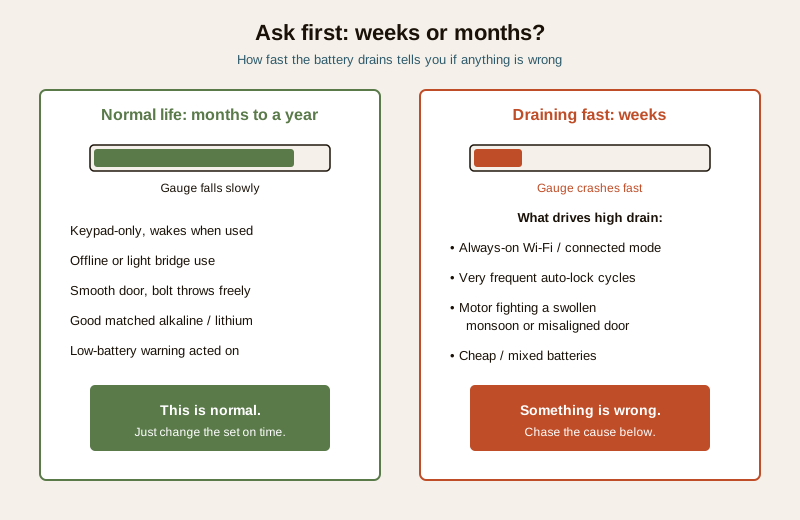
Before you blame the lock, time it. A healthy smart lock on a normal home door should run many months, often close to a year, on a good set of batteries. So the first and most useful diagnostic is simply: is it dying in weeks, or in months?
- Months, then a clean low-battery warning — this is normal. The battery did its job and is depleted. Your only real fault would be ignoring the warnings until it died. Replace the set and move on.
- Weeks, or "it died with no warning" — something is wrong, and it is almost always one of a short list of causes below, ordered from most to least common.
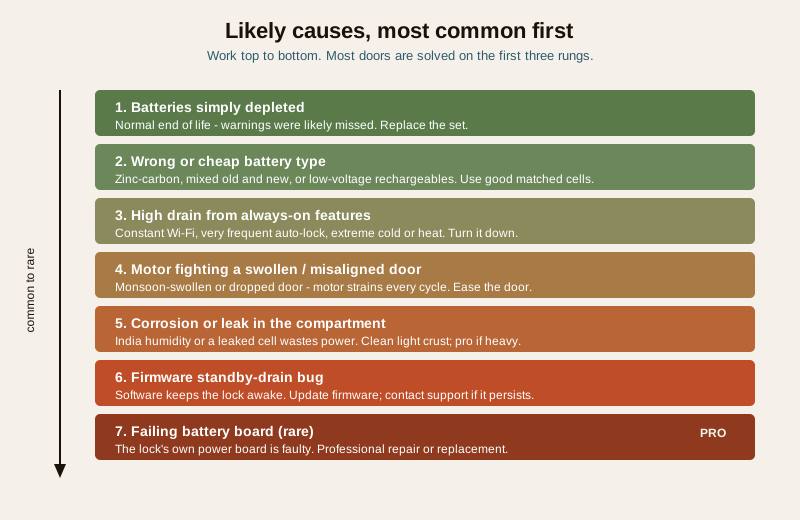
Likely causes, most common first
| Cause | Why it drains the battery | What fixes it |
|---|---|---|
| Batteries simply depleted | Normal end of life; you may just have missed the low-battery warnings | Replace the full set; never ignore the warning again |
| Wrong or poor battery | Cheap zinc-carbon cells, mixing old and new, or low-voltage rechargeables the lock was not designed for | Use fresh, good-quality alkaline or lithium; replace all cells together |
| High drain from features | Constant Wi-Fi or always-connected mode, very frequent auto-lock, extreme cold or heat | Reduce always-on connectivity, ease auto-lock frequency |
| Motor fighting the door | A misaligned or swollen door means the motor strains on every lock, using far more power | Fix the door alignment so the bolt throws freely |
| Corrosion or leak in the compartment | India's humidity and a leaked cell corrode the contacts, so power is wasted or lost | Clean light corrosion with power off; call a pro if heavy |
| Firmware or standby drain bug | A software fault keeps the lock awake or draining in standby | Update firmware; contact support if it persists |
| Failing battery board (rare) | The lock's own power board is faulty | Professional repair or replacement |
The order matters. Work down it, not up — depleted-and-ignored and the wrong battery together explain the large majority of "my battery keeps dying" complaints, long before you reach anything that needs a technician.
The diagnostic path — check this, then this
Move through these in order. Most doors are solved within the first three.
1. Did it warn you first? If the app or lock gave low-battery alerts for days and you carried on, this was normal depletion. Replace the batteries and, this time, act on the very first warning. If it died with no warning at all, keep going.
2. What batteries went in, and how? Were they fresh, good-quality alkaline or lithium — or cheap zinc-carbon, a mix of old and new, or rechargeables? A wrong or tired battery is the most common hidden cause of a "fast" drain. Put in a full set of fresh, matched, good cells and re-time it.
3. Is the compartment clean and dry? Open it and look. Any white or green crust, powder, or a leaked cell means corrosion is stealing power or breaking contact. Light surface corrosion you can clean; heavy corrosion is a call to the installer (see below).
4. Is the door hard to lock — does the motor strain? Operate the lock and listen. If the motor grinds, labours, or the bolt does not throw smoothly, the lock is working far harder than it should on every single cycle, and that is a battery killer. In India this is very often a door swollen by the monsoon or a hinge that has dropped so the bolt no longer lines up with its strike. Ease the door and the drain often halves.
5. What features are always on? A lock held in constant Wi-Fi or always-connected mode, or set to auto-lock very frequently, draws far more than one that wakes only when used. Turn down always-on connectivity and aggressive auto-lock and re-time.
6. Is the firmware current? If batteries are good, the compartment is clean, the door is smooth and features are sensible but it still drains in weeks, check for a firmware update — a standby-drain bug is a known, if less common, cause. If an update does not fix it, contact support; a failing power board is the rare last suspect.
For a lock that will not respond at all even with fresh cells, the problem may be less about drain and more about the lock refusing to open — the companion guide smart lock not opening in India walks that symptom, and the broader smart lock troubleshooting guide covers the full range of faults.
Safe fixes you can do yourself
These are all genuinely homeowner-safe, done with the lock's own accessible parts:
- Use good batteries, and use them right. Fit fresh, good-quality alkaline or lithium cells. Lithium in particular holds up better in India's heat and humidity and in cold hill stations. Never mix old and new, never mix brands or types, and replace the whole set together — a smart lock is only as strong as its weakest cell.
- Respond to the low-battery warning immediately. Treat the first alert as your reminder to change the set within a day or two, not a countdown to ignore. This alone prevents most dead-lock lockouts.
- Clean light corrosion — power off. If contacts show a little surface crust, remove the batteries, and gently clean the terminals dry. If a cell has leaked badly, the crust is heavy, or the contacts are pitted, stop and call the installer.
- Ease a binding door. If the door is swollen or dropped so the bolt fights the strike, a smoother door means a motor that sips instead of gulps. Small alignment easing is fine to do yourself; a warped door or a strike that needs re-cutting is a professional job.
- Turn down always-on features. Reduce constant connectivity and very frequent auto-lock. The general upkeep habits are collected in the smart lock maintenance guide, and choosing a power setup that lasts is covered in smart lock power and battery planning.
When to call a professional
Draw the line clearly. Call the installer or a qualified technician — do not force it — when:
- there is heavy corrosion, a badly leaked cell, or pitted, damaged contacts in the compartment;
- the motor strains even after the door has been eased, or the bolt still will not throw smoothly;
- the door is warped or the frame has moved enough that alignment is not a small fix;
- fresh good batteries, a clean compartment and current firmware still give only weeks of life, pointing to a failing battery board or internal fault;
- the lock body must be opened — never open a sealed lock, cut into the door, or attempt motor or board repairs yourself.
There is no life-safety shortcut worth taking here: never disable, bypass, or wedge a lock to stop the battery problem. Fix the cause and keep the lock working. For the wider set of security-device faults, the security system troubleshooting pillar is the map.
Prevention — so it does not happen again
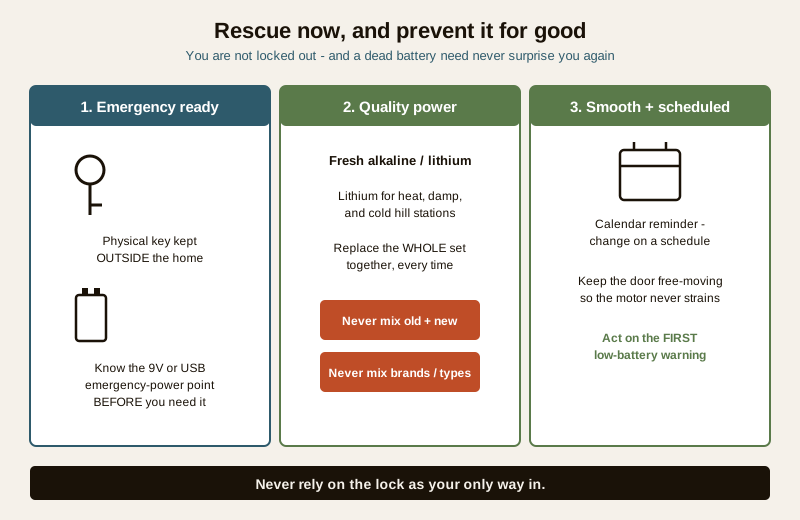
A short checklist keeps the problem gone for good:
- Keep a physical spare key outside the house — with a trusted neighbour, in your bag or car — and know your lock's emergency-power method before you ever need it.
- Buy good batteries and change the whole set on a schedule. Do not wait for the warning as your only trigger; a calendar reminder every several months keeps you ahead of it. Lithium for heat, humidity and cold.
- Never mix old and new, or brands and types. Always a full, matched set.
- Keep the door and mechanism smooth. A door that swells each monsoon should be eased before it starts fighting the lock; a smooth bolt throw is a long battery life.
- Act on the first low-battery warning, every time. It is the cheapest insurance against a lockout.
- Keep firmware current so a known standby-drain bug cannot quietly eat your battery.
Do these and a battery that "keeps dying" simply stops being a problem — you change a known-good set on a known schedule, the door never fights the motor, and you are never caught out.
Key takeaways
- The battery is the most common smart-lock complaint, and almost always a cheap, simple fix — not a broken lock.
- If it is dead right now, use the emergency power terminal (often a 9V or USB point) or your physical key — you are not truly locked out, so long as you kept a spare key.
- Ask one question first: weeks or months? Months with a warning is normal depletion; weeks or no-warning means a real cause to chase.
- Work the causes common-to-rare — depleted-and-ignored, then the wrong or cheap battery, then always-on features, then a motor straining on a swollen monsoon door, then corrosion, then firmware, and only rarely a failed board.
- Safe DIY is good matched batteries, light corrosion cleaning with power off, easing a sticking door, and turning down always-on features — heavy corrosion, a straining motor, a warped door or a persistent fast drain is a professional call.
- Prevent it for good — quality batteries changed on a schedule, a spare key kept outside, a smooth door, and acting on the first warning.
Where to go next
- Smart lock not opening in India and the smart lock troubleshooting guide — the neighbouring symptoms when the lock will not respond.
- Smart lock maintenance and smart lock power and battery planning — keeping the lock healthy and choosing a power setup that lasts.
- The security system troubleshooting pillar — every "it will not work" symptom in one place, and the main security hub for where smart locks sit in the whole home-security picture.
This is an educational homeowner troubleshooting overview, not an installation manual or a repair authorisation for sealed equipment. Keep a working physical key, never rely on the lock as your only way in, and engage a qualified technician or your installer for heavy corrosion, a straining motor, a warped door, or any fault that needs the lock body opened.
Export this guide
Related Guides — Deep-dive reading
Boom Barrier Not Operating (2026): Diagnose a Stuck or Dead Parking Gate Arm
A calm, ordered diagnostic path for a facility or security team when an apartment, office or parking boom barrier will not raise or lower, is stuck up or down, or will not respond — starting with the manual release so a jammed arm never traps a vehicle or blocks a fire lane, then power, trigger, safety loop and mechanical causes, and a clear line between safe checks and technician-only work.
SecuritySmart Lock Not Opening (2026): Locked Out or Locked In? A Calm Fix-It Guide for India
Your smart lock will not open and you are at the door wondering if you are stuck. Stay calm: the cause is almost always a flat battery. This homeowner guide walks the emergency-power trick, the physical key override, the ordered causes and the one life-safety rule that must never break.
SecuritySmart Lock Maintenance in India (2026): Keep It Working for Years
A homeowner's routine for keeping a smart lock alive in Indian dust, heat and monsoon: battery care, cleaning the sensor and keypad, firmware, testing the mechanical override, alignment and a simple maintenance calendar.
SecurityRelated Tools — Try Free
Monsoon-Readiness Checklist
Pre-rain home audit across 9 categories — terrace, drains, waterproofing, electrical, HVAC, pest, vehicles, documents.
Seasonal AuditAccess-Control Battery-Backup Calculator
Size the standby battery so an access system keeps running through a power cut, with an egress life-safety note.
Battery BackupSmart Lock Cost Calculator
Estimate smart door lock cost by access type, tier and number of doors — and compare it to a mechanical lock.
Door Calculator