
Smart Home for Work From Home in India: The Productivity Setup
Power-cut-proof Wi-Fi, video-call lighting, a focus mode that silences distractions, comfort control for AC and fans, and a doorbell that handles deliveries while you are on a call — a smart-home layer built entirely around getting work done.
The Indian work-from-home reality is specific: the internet is usually fine until it is not, the power drops at the worst possible moment, the afternoon heat turns the study into an oven, the doorbell rings mid-presentation, and video-call lighting makes you look like a hostage. A smart home built for productivity does not chase gadgets — it removes exactly these frictions so a working day at home feels like a working day, not an obstacle course.
This guide layers smart-home devices onto a home office with one goal: fewer interruptions, better focus, and a professional presence on camera — all resilient to the two things that reliably wreck an Indian WFH day, power cuts and network drops. It builds on the ultimate guide to smart homes in India and the best smart home devices guide; read this as the office-focused dialect of both.
A work-from-home smart setup is judged by a single test: when the power flickers or the doorbell rings during a client call, does your day break — or does the house quietly handle it while you keep talking?
Start with resilience, not gadgets — Wi-Fi and power that survive a cut
Nothing else matters if your connection dies. The two failure modes are dead spots and power cuts, and both have cheap fixes.
Mesh Wi-Fi eliminates the dead corner where your study happens to be. A two-node TP-Link Deco or Mi mesh blankets a 2BHK and hands your laptop off seamlessly as you move. This is the single highest-value WFH purchase; the full case is in the smart home networking guide.
A mini-UPS on the router is the trick most people miss. Your broadband ONT and Wi-Fi router draw only a few watts, so a small ₹1,500–2,500 lithium mini-UPS keeps them alive for four to six hours through a power cut — long enough for your laptop battery and a mobile hotspot to carry the meeting. Pair it with the smart home power backup guide if you want the study on inverter too.
| Resilience layer | Device | Approx price | What it saves |
|---|---|---|---|
| No dead spots | TP-Link Deco / Mi mesh (2-pack) | ₹6,999 | Dropped calls from a weak-signal room |
| Router stays up in a cut | Mini-UPS for router/ONT | ₹1,500–2,500 | The whole meeting during load-shedding |
| Auto failover to mobile | 4G/5G backup router or hotspot | ₹0–4,000 | Total outages when the ISP is down |
| Desk power monitored | Smart plug with energy meter | ₹1,299 | Knowing your office running cost |
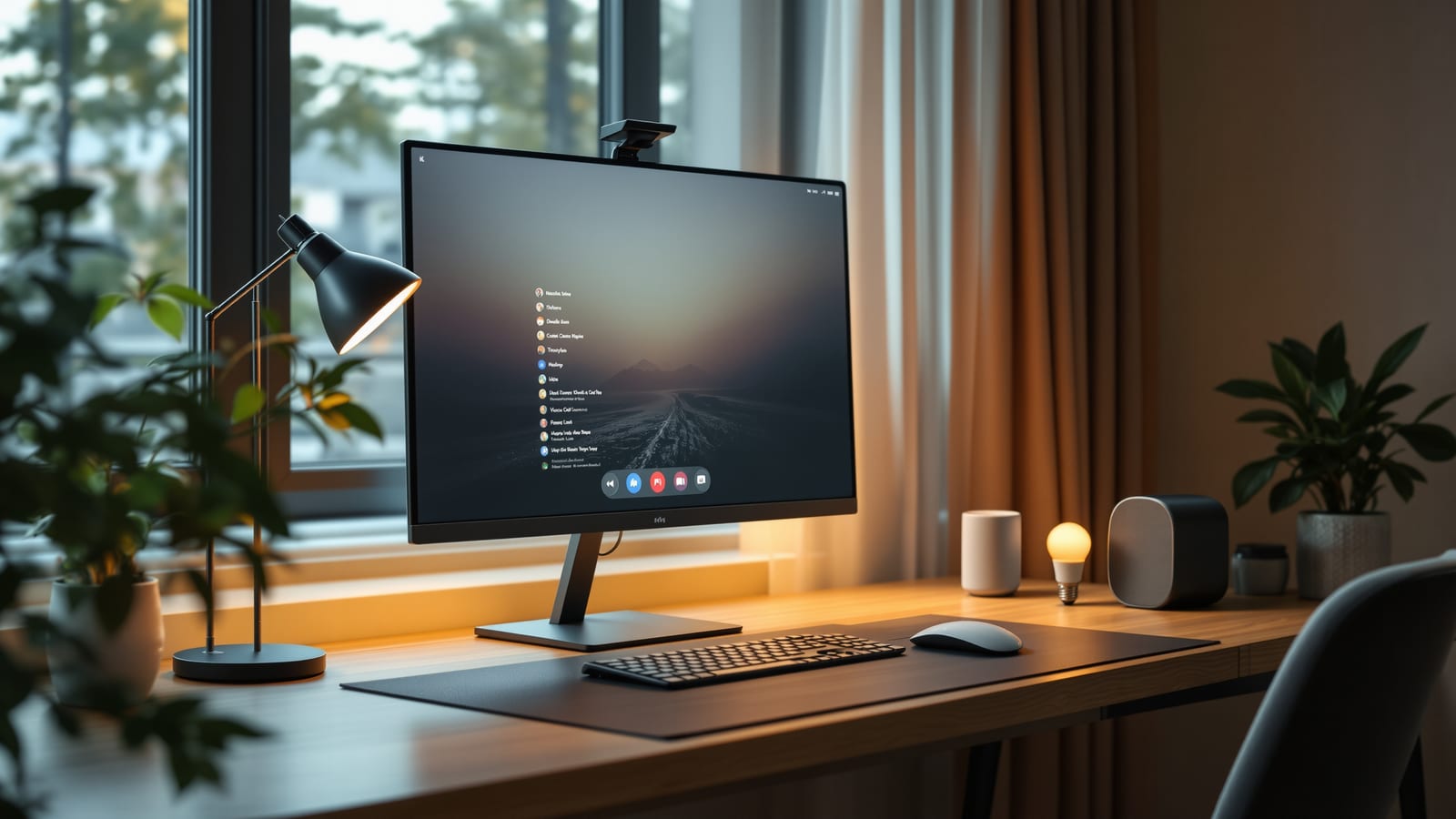
The home-office layout, drawn
Here is where each device sits around a working desk.
Lighting that makes you look professional on camera
Webcam lighting is the fastest, cheapest upgrade to how you show up at work — and smart lighting makes it a one-tap affair. Three layers do the job, and all three can be smart.
- Key light — a soft, front-facing light at roughly 45 degrees, brighter than your screen, so your face is evenly lit instead of a silhouette. A single tunable-white smart bulb in a desk lamp aimed at you does it for ₹599.
- Bias light — a low light strip behind the monitor. It cuts eye strain from staring at a bright screen in a dark room and softens the camera background. A Wipro or Mi smart LED strip works.
- Tunable white, not colour — for work, warmth matters more than colour. Set cool white (around 5000K) for focus and morning calls, warm white (2700K) for the evening wind-down. One scene switches the whole desk.
| Light role | Placement | Product | Setting for calls |
|---|---|---|---|
| Key | Desk lamp, 45 deg, facing you | Wipro/Syska tunable smart bulb | 4000–5000K, ~80% brightness |
| Fill | Ceiling or side, soft | Existing smart bulb | 4000K, ~50% |
| Bias | Behind the monitor | Mi/Wipro smart LED strip | 4000K, ~30% |
Avoid the classic mistake of a window behind you — it turns you into a shadow. Face the window, or draw the curtain and let your key light do the work. Dig deeper in the smart lighting guide.
Focus mode — one tap that silences the distractions
The real power of a WFH smart home is the scene: one command that sets several devices at once so you drop into work without fiddling. A well-built "Focus" scene is worth more than any single gadget.
A typical Indian WFH Focus scene, buildable in the Alexa or Google Home app or via the scenes and automations guide:
1. Desk key and bias lights to cool white at working brightness.
2. Study AC to 25C and ceiling fan to medium via a smart controller.
3. Doorbell and camera alerts routed to your phone only, so the chime does not blare during a call.
4. A gentle chime or smart-plug lamp in the living room signalling the family that you are on the clock.
5. Optionally, non-essential plugs (a second TV, decorative lights) switched off to cut noise and distraction.
Build a mirror-image "End of Day" scene that reverses all of it — warm light, AC off, alerts back to normal — so you psychologically clock out.
Comfort control — AC, fan and the afternoon heat
Focus collapses when the room is 34 degrees. A smart AC controller (Cielo Breez, Sensibo or a brand IR blaster) makes any existing split AC schedulable and voice-controllable, and a smart ceiling fan or fan regulator keeps air moving cheaply. Schedule the study to pre-cool ten minutes before your workday starts, and set the AC to ease off during lunch to save power. Comfort is not a luxury here — it is directly load-bearing for concentration.
| Comfort device | Product | Approx price | WFH benefit |
|---|---|---|---|
| Smart AC controller | Cielo Breez / Sensibo | ₹4,000–6,000 | Pre-cool the study, schedule, voice control |
| Smart fan regulator | Atomberg / Wipro | ₹1,500–3,500 | Fine airflow control without leaving the desk |
| Temperature sensor | Aqara / Tapo | ₹700 | Trigger cooling automatically past a threshold |
The desk smart plug and energy monitoring
A single smart plug with energy metering (Tapo P110) under your monitor-and-charger stack does two useful things: it lets a scene power the whole desk on and off, and it tells you exactly what your home office costs to run. Most WFH desks draw 60–120W; metered over a month you can see the rupee figure and, if you claim a home-office allowance, document it. Read the smart plugs guide and the smart home energy management guide for the wider setup, and size everything against the smart home cost calculator.
Deliveries and the door — without leaving your call
The doorbell mid-meeting is the signature WFH interruption. A video doorbell (Qubo, Mi) lets you see and speak to a delivery agent from your phone without standing up or unmuting to the room — a quick "leave it at the door" typed reply or a two-way voice line handles most drops. Pair it with a smart lock and you can grant one-time entry to a trusted courier or house help without breaking your flow. During Focus mode, route these alerts silently to your phone so the chime never sounds over your audio. The etiquette and device choices are covered in the best smart home devices guide.
Putting it together — a WFH build under one roof
You do not need all of this at once. Sequence it by pain: fix the network and power first, add call lighting next, then build the Focus scene, and layer comfort and the doorbell as budget allows. Confirm your ecosystem with the ecosystem selector so every device answers to one voice assistant.
| Priority | Add this | Why first |
|---|---|---|
| 1 | Mesh Wi-Fi + router mini-UPS | No connection, no work |
| 2 | Key + bias smart lights | Instant professional presence |
| 3 | Focus / End-of-Day scenes | The productivity multiplier |
| 4 | Smart AC + fan control | Comfort sustains focus |
| 5 | Video doorbell + smart lock | Handle deliveries hands-free |
| 6 | Desk smart plug + energy meter | Control and cost visibility |
Build it in that order and your home stops fighting your workday. The power flickers and your meeting survives; the doorbell rings and you never break eye contact with the camera; the afternoon heat is already handled before you feel it. That is what a work-from-home smart home is for — not gadgets, but an office that quietly keeps its promises.
References
1. Bureau of Energy Efficiency — Standards & Labelling Programme — star ratings for ACs, fans and appliances that shape your home-office running cost.
2. TRAI — Telecom Consumer Information — broadband quality-of-service norms relevant to remote-work connectivity.
3. TP-Link India — Deco Mesh Wi-Fi — reference for whole-home mesh coverage.
4. Bureau of Indian Standards (BIS) — safety standards for UPS units, adaptors and electrical devices.
5. CERT-In — Cyber Security Advisories — securing cameras, doorbells and connected office devices on a home network.
6. Qubo (Hero Group) — Video Doorbells & Locks — Indian video-doorbell and smart-lock range referenced above.
Export this guide
Related Guides — Deep-dive reading
Smart Plugs: The Cheapest Way Into a Smart Home (India Guide)
What a smart plug does, the best and worst things to plug into it, the load-rating warning that matters most, energy-monitoring models, Wi-Fi vs Zigbee, scheduling and automations, safety, and brands with real Indian prices.
Smart HomeHome Office & Study Lighting: Bright, Glare-Free & Focused (2026)
The design guide to lighting a home office or study for long-hour focus and eye comfort in an Indian home — a good ambient base, a proper task lamp, no screen glare or reflections, the right colour temperature through the day, and flattering light for the video call.
LightingSmart Home Maintenance & Troubleshooting for Indian Homes
A smart home is not a one-time purchase — it is a small fleet of computers that needs firmware updates, fresh batteries, occasional reboots and a plan for the day a manufacturer switches off the cloud. This guide gives you a maintenance calendar, a troubleshooting flow for the failures Indian homes actually see, and the UPS and security hygiene that keep it all running through power cuts and voltage swings.
Smart HomeRelated Tools — Try Free
Smart Home Cost Calculator
13 device categories across 5 ecosystems (Apple HomeKit, Alexa, Google Home, Mi, Wipro). Live floor-plan that lights up as you add devices, per-room and per-category breakdown.
Smart Home CalculatorCircadian Light Meter
Patient-centric circadian lighting visualizer for Indian healthcare design — time-of-day × intensity → CCT, melanopic lux (EML / mEDI), melatonin suppression, and an alertness curve. Calibrated against WELL v2 L03 Circadian Lighting Design, CIE S 026:2018, Brainard 2001, and Lucas et al. 2014.
Circadian ToolSecurity Backup Power Calculator
Size a UPS/inverter and battery to keep CCTV, NVR, router and alarm running through a power cut — load, Ah, VA and cost.
Backup Power