
Installing Smart Lighting in India: A Step-by-Step Guide (Bulbs & Switches)
The two ways to make your lights smart — screw-in smart bulbs you can fit in five minutes, and in-wall smart switches that need the MCB off, a neutral wire and a licensed electrician. Tools, wiring, pairing, dimmer compatibility, testing and the problems that trip up Indian homes.
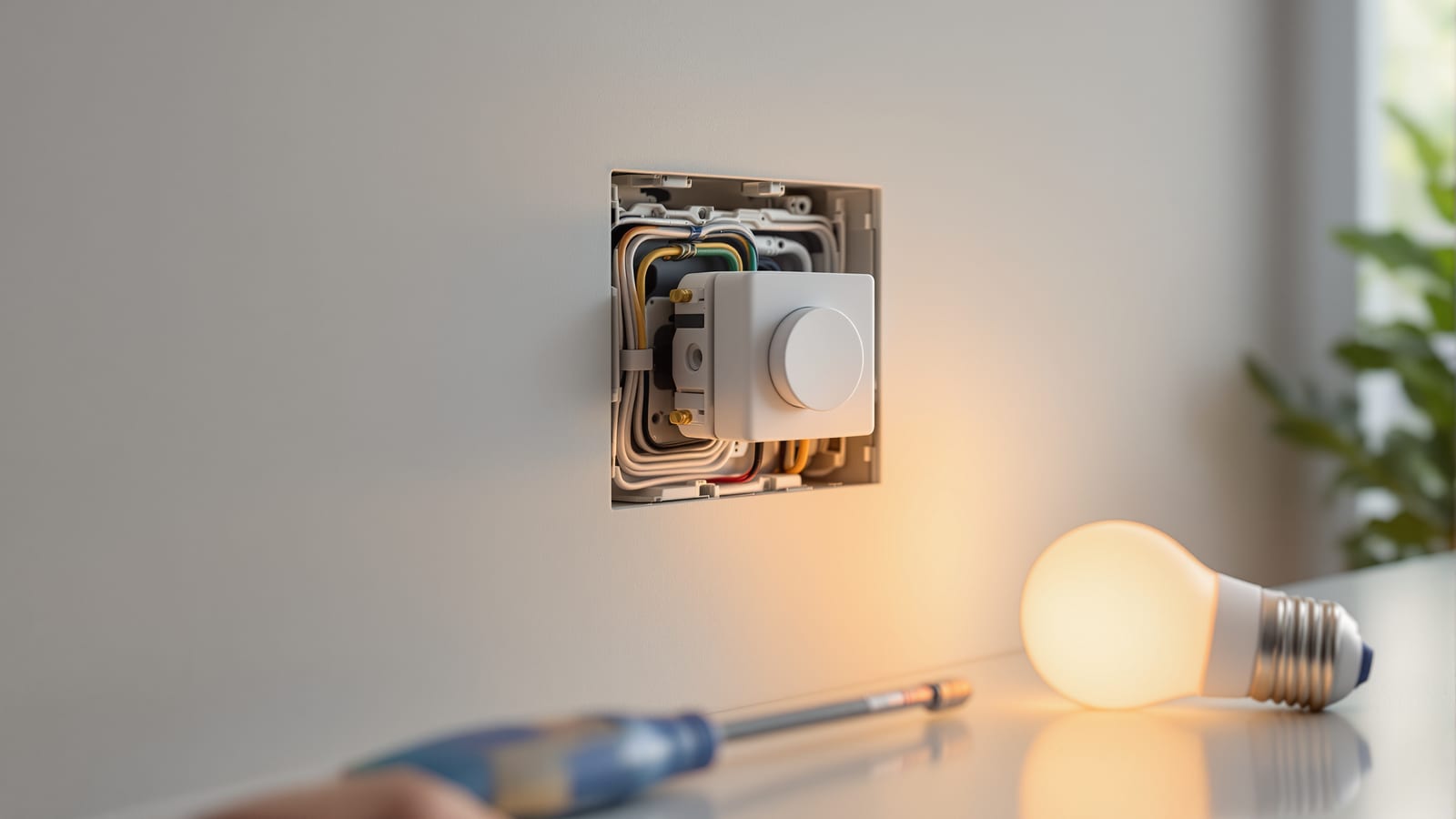
There are exactly two ways to make the lights in an Indian home smart, and they could not be more different to install. The first is a smart bulb — you screw or push it into the fitting you already have, open an app, and you are done in five minutes with no electrician and no risk. The second is a smart switch — an in-wall module that replaces or sits behind your existing switch, keeps your ordinary bulbs, and needs the MCB turned off, a neutral wire, and someone who knows what live, neutral and load mean. This guide walks both paths end to end, honestly, and tells you which one your house is actually ready for.
The bulb path is a DIY afternoon. The switch path is licensed electrical work behind the wall. Knowing which one you are on — before you buy anything — is the whole game.
If you are still deciding what to buy, read choosing smart lighting in India and the trade-offs in smart switches vs smart bulbs first. For the wider setup — network, hub, commissioning — see the smart home installation guide, and if you are fitting into a finished home, the retrofit smart home guide. Size the spend with the smart home cost calculator.
Which path is yours? A 30-second decision
Before you touch a screwdriver, decide which installation you are doing. It changes the tools, the skill, and the safety rules completely.
The single most important thing to know about Indian homes: most switch boxes do not have a neutral wire. Traditional Indian wiring runs live and switched-load to the switch and takes the neutral straight to the light fitting. Smart switches need power all the time to run their radio, so they need a neutral. This one fact decides most installs — which is why smart bulbs are so popular here.
| Factor | Smart bulb | Smart switch |
|---|---|---|
| Electrician needed | No | Yes (mains work) |
| Turn off the MCB | No | Always |
| Neutral wire required | No | Yes (or a no-neutral module) |
| Keeps your existing bulbs | No | Yes |
| Cost per point (₹) | 700–2,500 | 1,200–3,500 + labour |
| Works if someone flips the wall switch off | No — it loses power | Yes — the button is smart |
| DIY-friendly | Fully | No |
| Best for | Renters, quick start, few lamps | Whole-room, chandeliers, tube lights |
Path A — installing smart bulbs (the DIY afternoon)
This is the easy one. You are replacing an ordinary bulb with a Wi-Fi or Zigbee bulb and pairing it to an app. No wall is opened.
Tools and prerequisites
- The smart bulb in the right cap — India uses B22 bayonet most commonly, E27 screw for many decorative and imported fittings, and E14 for small chandelier lamps. Check the old bulb before buying.
- A 2.4 GHz Wi-Fi network in range (most cheap smart bulbs do not join 5 GHz).
- The manufacturer app installed — Philips Hue / WiZ, Wipro Next, Syska SmartLight, Havells, Mi Home / Yeelight, or Tuya / Smart Life for generic bulbs.
- A stable stool or ladder. Nothing electrical — the bulb is the appliance.
Step 1 — Match the cap and wattage
Confirm the cap (B22 / E27 / E14) and that the fitting is not on a fan-regulator-style dimmer or an existing hardware dimmer — a smart bulb must receive full, constant mains, so it must be on a plain on/off circuit. If the fitting is currently dimmed by a wall dimmer, set that dimmer to full or replace it with a normal switch.
Step 2 — Fit the bulb
Switch the light off at the wall, let a hot bulb cool, remove the old bulb, and fit the smart bulb — press-and-quarter-turn for bayonet, clockwise for screw. Then switch the wall switch back ON and leave it on. A smart bulb only obeys the app when it has power; if the family keeps flicking the wall switch off, the bulb goes dark and drops off the network. This is the number-one smart-bulb complaint in Indian homes.
Step 3 — Pair it in the app
Most bulbs enter pairing mode by flashing on power-up, or after you toggle the wall switch on-off-on-off-on. In the app:
1. Choose "Add device" and pick bulb / lighting.
2. Select your 2.4 GHz Wi-Fi and enter the password (Zigbee bulbs pair to a hub or a Hue Bridge instead).
3. Wait for the pulsing bulb to be found, then let it update firmware if prompted.
Step 4 — Name, group and scene
Name each bulb for the room and position — "Living Room Left", not "Bulb 3". Group bulbs in a room so voice and the app control them together, and save a couple of scenes (warm evening, bright work). Then link the app to Alexa or Google Home if you use voice.
Path B — installing smart switches (licensed mains work)
A smart switch keeps your ordinary bulbs and tube lights and makes the switch intelligent. It lives inside the wall box, so it is real electrical work. If you are not a competent, licensed electrician, stop here and hire one. DIY smart lighting in India stops at the plug and the bulb.
Tools and prerequisites
- A line tester / neutral tester and a multimeter, insulated screwdrivers, wire stripper, connectors.
- Deep modular switch boxes. Standard shallow Indian boxes often cannot swallow a module behind the plate — specify or swap to deep boxes.
- Confirmation that a neutral wire is present in the box (blue, usually). If not, buy a no-neutral / L-only smart module designed for that, and expect the limitations noted below.
- The switch's app and, for Zigbee/Z-Wave models, the matching hub or gateway.
Step 1 — Turn OFF the MCB and prove it is dead
Switch off the MCB feeding that circuit at the distribution board — not just the wall switch. Then confirm the wires are dead with a tester at the box before you unscrew anything. This is the safety step people skip and get hurt on. Follow IS 732, India's wiring code, for all of it.
Step 2 — Open the box and identify the wires
Unscrew the existing switch plate and pull it forward gently. Identify:
- Live (L) — the incoming phase, usually red/brown; a tester glows on it when power is on.
- Load — the wire that goes to the light, dead until the switch is closed.
- Neutral (N) — usually blue; often absent in older Indian boxes. Photograph the wiring before you disturb it.
| Wire | Common colour (India) | Role | Tester behaviour (power on) |
|---|---|---|---|
| Live / phase | Red or brown | Feeds the switch | Glows |
| Neutral | Black or blue | Return path; powers the radio | Does not glow |
| Load / switched | Yellow or as run | Goes to the lamp | Glows only when switch closed |
| Earth | Green / green-yellow | Safety earth | Does not glow |
Step 3 — Wire the module
With power off, connect Live to L, Neutral to N, and the light wire to Load on the module, matching the printed terminals exactly. Tighten every terminal — loose connections cause heat and flicker. For a no-neutral module, follow its diagram: it borrows a trickle of current through the lamp, which is why it needs a minimum bulb load and can make some LED bulbs glow faintly.
Step 4 — Restore power and check
Refit the module into the deep box, screw the plate on loosely, restore the MCB, and confirm the switch turns the light on and off manually before you go near the app.
Step 5 — Pair, name and set dimming
Put the module into pairing mode (usually a long-press until the LED blinks), add it in the app on 2.4 GHz Wi-Fi or to its hub, then name and room-assign it. If it is a smart dimmer, only pair dimmable LED bulbs and set the minimum brightness so they do not flicker or buzz at the bottom of the range.
Dimmer and bulb compatibility
Dimming is where smart lighting most often disappoints in India. A smart dimmer switch and a non-dimmable LED bulb will flicker, buzz or refuse to go low.
| You have | Use | Avoid |
|---|---|---|
| Smart dimmer switch | LED bulbs marked "dimmable" | Non-dimmable LEDs, cheap drivers |
| Smart bulb (dimmable built in) | Plain on/off wall switch | Any wall dimmer in the circuit |
| Tube lights / drivers | Smart on/off switch only | Smart dimmer (drivers hate dimming) |
| Chandelier, many lamps | Smart switch on the circuit | Many individual smart bulbs (cost) |
Testing your install
Do not declare victory when the light turns on. Test properly:
1. Manual test — every physical switch still turns its light on and off by hand.
2. App test — on/off and dimming from the app, from another room.
3. Voice test — "Alexa, living room lights off" if you use voice.
4. The wall-switch trap (bulbs) — leave the wall switch on and control only from the app for a day.
5. Power-cut recovery — cut the MCB and restore it; confirm devices come back and rejoin without re-pairing.
Troubleshooting the common problems
| Problem | Likely cause | Fix |
|---|---|---|
| Smart bulb keeps going offline | Family flips the wall switch off | Leave wall switch on; add a switch guard or move to a smart switch |
| Bulb will not pair | On 5 GHz Wi-Fi, or weak signal | Use the 2.4 GHz band; pair near the router |
| No neutral in the switch box | Old Indian wiring | Fit a no-neutral module, or take the bulb path |
| LED flickers on a smart dimmer | Non-dimmable bulb or low min set | Use dimmable LEDs; raise minimum brightness |
| Faint glow when "off" (no-neutral) | Trickle current through lamp | Add the supplied bypass/anti-flicker capacitor or use a higher-load bulb |
| Switch loses connection at night | Weak Wi-Fi at that wall | Add a mesh node; consider Zigbee to a hub |
| Buzzing from the switch | Cheap driver + dimming | Move to on/off, or a quality dimmable driver |
Get the path right for your house — bulbs where the wiring is old or you rent, switches where you want to keep your fittings and have a neutral — and smart lighting stops being a fiddle and becomes something the whole family, grandparents included, can use by hand or by voice. Next, wire it into the wider system with the smart home installation guide and mind the compliance points in the smart home regulations guide.
References
- BIS IS 732: Code of practice for electrical wiring installations
- Central Electricity Authority (Measures relating to Safety and Electric Supply) Regulations
- Philips Hue — installation and getting started support (India)
- Bureau of Energy Efficiency — Standards and Labelling programme
- Connectivity Standards Alliance — Matter setup and commissioning
- IEC 60364 — Low-voltage electrical installations
Export this guide
Related Guides — Deep-dive reading
Smart Switches vs Smart Bulbs: Which Is Right for Your Indian Home?
The honest, room-by-room breakdown of the one lighting decision that shapes your whole system — how each works, the physical-switch problem, the neutral-wire catch in Indian wiring, per-fixture vs per-room cost, colour vs whole-circuit control, and exactly when to mix the two.
Smart HomeLighting Controls & Dimming Design: Zones, Scenes & Switches (2026)
How to plan lighting control so an Indian home's light is flexible — split each room's layers onto separate switches, choose dimmers that actually work with LEDs, add two-way switching where you need it, and layer scenes on top. The design decisions you must settle before the electrician wires.
LightingRetrofit Smart Home India: Automate Without Rewiring
You do not need to break a single wall to make an existing Indian flat smart. Here is the honest, room-by-room retrofit playbook — the neutral-wire problem and its workarounds, wireless-first devices, rental-friendly options, and where retrofit genuinely hits its limits.
Smart HomeRelated Tools — Try Free
Electrical Safety & Load Audit
Home electrical audit — 10 categories, 65+ checkpoints across earthing, RCCB, MCB, wiring, switchboards, appliance circuits, DG/inverter backup.
Safety AuditSmart Home Cost Calculator
13 device categories across 5 ecosystems (Apple HomeKit, Alexa, Google Home, Mi, Wipro). Live floor-plan that lights up as you add devices, per-room and per-category breakdown.
Smart Home CalculatorSmart Curtain Compatibility Checker
Check whether a motorised curtain will work with Alexa, Google, Apple Home, SmartThings or Home Assistant — and what you need.
Checker