
 Lesson 3.1
Lesson 3.1 · Workstations & Work Settings
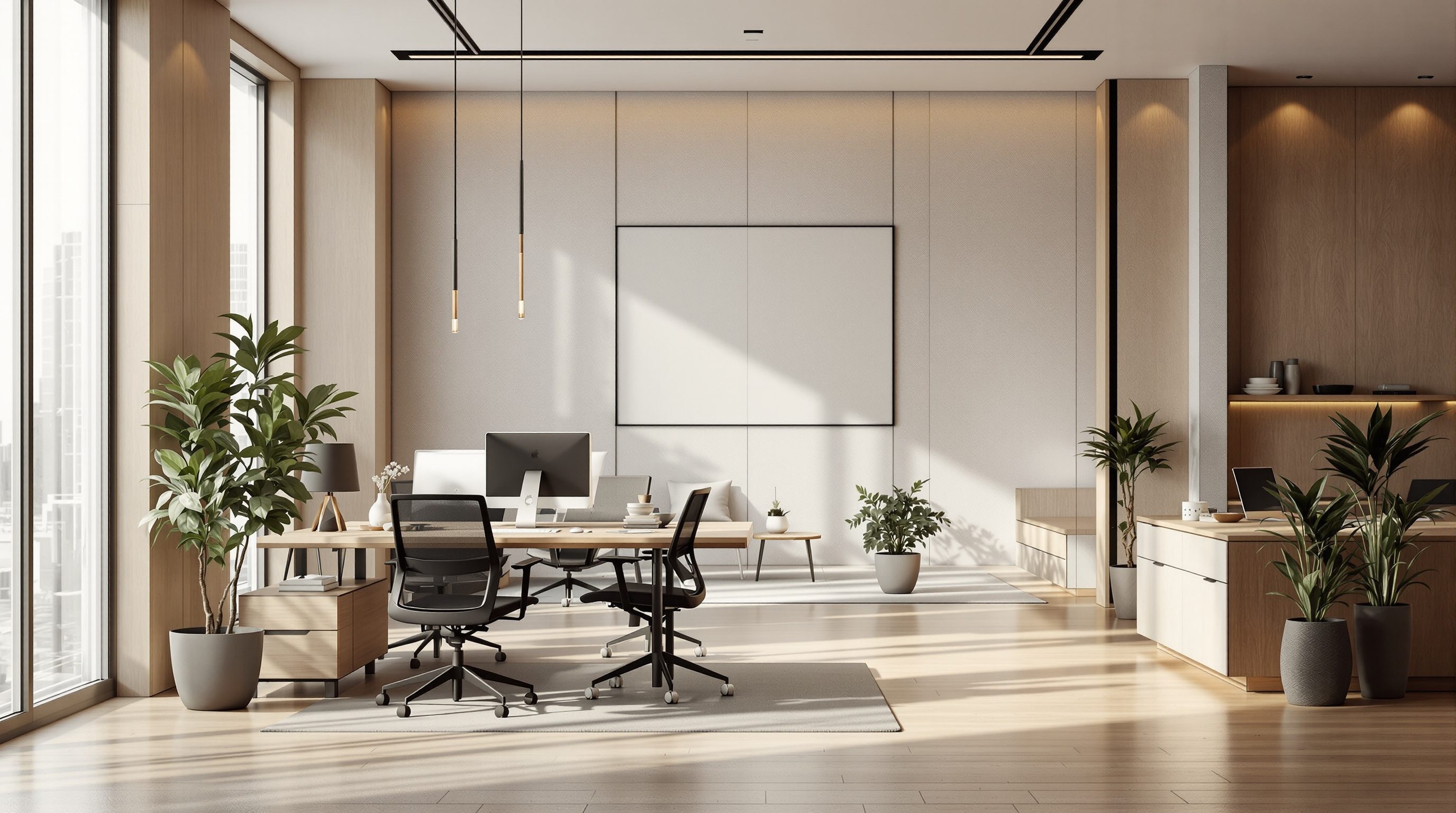
The Workstation & Ergonomics
The desk is the smallest unit of the workplace and the one the body lives in for hours - so getting the chair, the screen and the posture right is not a detail but the foundation of a humane office
Before you plan a floor of hundreds of desks, get one desk right - because a body will sit at it for forty hours a week, and every mistake is multiplied by every person and every hour.
The workstation is the smallest unit of the workplace and, for many people, the one they inhabit most. Whatever grand moves a building makes - the atrium, the cafe, the view - the lived reality of a working day is often a chair, a desk, a screen and a keyboard, held in roughly one position for hours. If that small assembly is wrong, no amount of architectural generosity elsewhere will make the day comfortable; if it is right, it quietly disappears and lets the person get on with their work. Ergonomics is simply the discipline of fitting the work to the human body rather than forcing the body to fit the work, and it starts here, at the desk.
This lesson teaches the ergonomic basics as design judgement - how the chair, desk height, monitor, keyboard and mouse relate to the body, what a neutral posture is and why it matters, and why the real goal is not one perfect fixed pose but easy movement and adjustability. It is deliberately practical and people-first. But ergonomics is also a field with binding standards and real accessibility obligations, so the habit throughout is to explain the principle and defer the exact dimensions, forces and accessibility provisions to the current standards and a qualified specialist - because a number that is right for an average adult can be wrong, or unsafe, for a specific person.
The desk is where the body actually lives all day. Design it as carefully as the atrium.
What ergonomics actually means - and why it is the foundation
Ergonomics, or human factors, is the study of how to design things so they fit the people who use them - their bodies, their reach, their sight, their capacity for sustained effort. In the workplace it answers a deceptively simple question: can a person do their work for hours without the arrangement of furniture and equipment slowly hurting them? The stakes are quietly enormous. A knowledge worker may spend six, eight or more hours a day at a single workstation, largely static, eyes fixed on a screen, hands on a keyboard. Small mismatches that would be trivial for ten minutes - a screen a little too low, a chair with no lower-back support, a desk that forces the shoulders up - become, over months and years, the neck pain, the wrist strain, the sore back and the fatigue that make work miserable and, at scale, cost organisations real money in discomfort and lost days.
This is why the workstation is the foundation of a humane office and the right place to begin the module on where work happens. It is tempting, especially for designers drawn to the big architectural gestures, to treat the desk as a commodity to be bought by the hundred and specified last. That is a mistake. The desk and chair are the part of the office the body actually lives in, and they deserve the same care as the atrium. A beautiful floor full of badly set-up workstations is not a good workplace.
The central principle is in the word itself: fit the work to the body, not the body to the work. The human body is not infinitely adaptable, and it should not be asked to contort itself around fixed, ill-chosen furniture. Instead the furniture and equipment should adjust to the person - and because people come in every shape and size, and because no single posture is good for hours, the practical expression of good ergonomics is adjustability and movement, not a single 'correct' setup imposed on everyone. Keep that lens as we go through the pieces: every element that follows is about letting a real, varied, moving human body work comfortably.
Ergonomics = fit the work to the body. Six to eight hours a day magnifies every small mistake.
The neutral posture and the pieces that support it
Good workstation ergonomics organises itself around one idea: the neutral posture, the relaxed, roughly-aligned position in which the body's joints are near the middle of their range and no muscle group is held in sustained strain. Described from the ground up, the illustrative picture is familiar: feet flat on the floor or a footrest; knees and hips at roughly ninety degrees; the lower back supported by the chair so the spine keeps its natural curve rather than slumping; shoulders relaxed, not hunched up or forward; elbows at roughly ninety degrees with forearms close to horizontal; wrists straight, not bent up, down or sideways; and the head balanced over the spine with the eyes looking slightly down at the screen rather than craning up or down. Treat every one of those angles as an illustrative target to calibrate to the person, not a rule - the point is the absence of strain, not a protractor reading.
Each piece of the workstation exists to make that posture easy to hold and easy to vary. The chair is the most important single item: it should adjust in seat height (so feet reach the floor and knees sit right), ideally in seat depth and armrests, and crucially provide lumbar support for the lower back. The desk height should let the elbows rest at about ninety degrees with shoulders relaxed when typing - too high forces the shoulders up, too low makes people hunch. The monitor should sit so the top of the screen is at or just below eye level, about an arm's length away, so the head stays balanced and the eyes look slightly down; laptop users need a separate keyboard and a stand or riser, because a laptop forces a cruel choice between a good screen height and a good hand height. The keyboard and mouse should sit close and at a height that keeps wrists straight and forearms supported. None of these is independent: raise the chair for the elbows and the feet may leave the floor, so a footrest appears. The workstation is a small system, tuned as a whole to one body.
Movement, sit-stand and the myth of the perfect pose
The single most important and most misunderstood idea in modern workstation ergonomics is this: the best posture is the next one. Even a perfectly set-up neutral posture becomes harmful if it is held rigidly for hours, because the human body is built to move and static loading - any static loading - is the real enemy. A worker frozen in an ideal position all day is worse off than one who shifts, stands, walks and changes through the day. This reframes the designer's goal. We are not trying to engineer one flawless fixed pose and lock people into it; we are trying to make it easy and natural to change position often.
This is where the sit-stand desk earns its place. Its value is not that standing is magically healthy - standing rigidly all day has its own problems - but that it lets the same person alternate between sitting and standing through the day, breaking up the static load and bringing welcome movement into otherwise sedentary work. When it rises, it should reach roughly elbow height for standing work, just as the seated height suits the elbows when down. A common illustrative pattern is to change posture every half hour or so rather than hold either for hours, though the right rhythm is personal. Sit-stand desks are now common in Indian IT and GCC offices and increasingly expected; specify them where budget and use-case justify, but remember the real goal they serve is movement, not standing.
Beyond the desk, movement should be designed into the day and the floor: settings that require people to walk (the printer, the pantry, meeting rooms placed a little away), the freedom to work from different settings, and a culture that does not chain people to one seat. The workstation sits inside the palette of settings this module will build - and the healthiest arrangement is one where no one spends the whole day in a single posture at a single place. Movement is not the enemy of productivity; sustained stillness is the enemy of the body.
The best posture is the next one. Sit-stand desks are really movement machines, not standing machines.
Where principles end and standards begin
Everything above is design judgement you can and should carry into every project: the neutral posture, the adjustable chair, the screen at eye level, the wrists straight, the commitment to movement. But ergonomics is also a field with binding standards, measurable requirements and real legal and accessibility obligations, and the honest designer knows exactly where principle ends and specialist territory begins. The illustrative angles and heights in this lesson - the ninety-degree elbows, the 'about 72 cm' desk - are exactly that, illustrative, drawn from averages; the precise anthropometric dimensions, the adjustment ranges, the acceptable forces for repetitive tasks and the display and furniture specifications live in ergonomics standards and should be verified against the current versions rather than remembered from a course.
Two deferrals matter most. First, accessibility. A workplace must work for people with a very wide range of bodies and abilities - wheelchair users who need knee clearance and a different worktop height, people with low vision, people with chronic pain or conditions that make a 'standard' setup impossible. The inclusive dimensions, clearances and provisions are set by the current accessibility standards and guidelines and should be designed in with an accessibility consultant, not approximated from an 'average' workstation. Module 8 returns to this; here, simply hold the habit that the average is a starting point, never the whole brief. Second, occupational health. Where work is intensive, repetitive or has caused injury, a workstation assessment by a qualified ergonomist or occupational-health professional fitted to the individual is the right tool - far better than any generic rule.
So design the principles with confidence and care, and specify furniture that adjusts generously so it can be tuned to real people. But treat the binding numbers, the accessibility provisions and the individual assessments as the domain of the current standards and the relevant specialists. Good ergonomics in practice is a partnership: the designer creates adjustable, humane, movement-friendly workstations, and the standards and specialists make sure they actually fit the specific, varied, real human beings who will use them.
Ergonomics / human factors standards
Anthropometric dimensions, adjustment ranges, display and furniture specs
The angles and heights here are illustrative averages. Verify precise dimensions, ranges and forces against the current ergonomics standards and a qualified ergonomist.
Accessibility (NBC 2016 / Harmonised Guidelines)
Inclusive, barrier-free workstations - clearances, reach, worktop heights
Provisions for wheelchair users and a full range of abilities come from the current standards plus an accessibility consultant, not from an average workstation. Module 8.
Occupational health assessment
Individual workstation assessment for intensive or injury-affected work
Where work is repetitive, intensive or has caused injury, an individual assessment by an occupational-health professional beats any generic rule.
Workshop - assess and re-set a real workstation
Ergonomics becomes real when you look at an actual person at an actual desk. In this workshop you will assess one real workstation - your own is ideal - against the neutral posture, and work out what to change.
A real workstation you can sit at and adjust, and a notebook or phone camera. No measuring equipment needed - this is about reading posture, not certifying dimensions.
Goal: a practical ergonomic read and re-set of one workstation.
Inputs: a real workstation you can sit at and adjust + this lesson + a notebook or phone camera.
Time: ~35 minutes
- 1Photograph or observe the workstation in normal use from the side. Note the whole setup: chair type and adjustments, desk height, monitor (or laptop), keyboard and mouse, and the lighting and any window glare on the screen.
- 2Read it against the neutral posture from the ground up: are the feet flat, knees and hips near ninety, lower back supported, shoulders relaxed, elbows near ninety, wrists straight, and the top of the screen at or just below eye level? Mark each as OK or off.
- 3Re-set what you can with what is there: adjust the chair height, add a footrest (a box or ream of paper), raise the monitor on books or a stand, move the keyboard and mouse closer. Note how the posture improves.
- 4Identify what furniture or equipment the setup really needs that is not present - for example a chair with real lumbar support, a separate keyboard and laptop stand, a sit-stand desk, or glare control on the window.
- 5Design for movement: write down two or three ways this person could change posture through the day (a rhythm for sit-stand, a walk to a different setting, the printer placed away), and note any accessibility need that would require a specialist rather than a DIY fix.
You’ll walk away with
A one-page workstation assessment: a side-view note of the current posture against the neutral checklist, the changes you made with what was available, a short shopping list of what the setup really needs, and a movement plan - plus a flag of anything that needs an accessibility or occupational-health specialist.
Three altitudes on the same idea
Read the band that fits you — or all three.
Your base-build decisions quietly set the ergonomic envelope before a single desk is chosen. Floor-to-floor height and servicing determine whether sit-stand desks, good task lighting and cable management are easy or awkward; daylight and window position decide whether screens face glare (a major, under-rated ergonomic problem); and slab-to-slab depth affects how many people sit far from a window. Plan power and data generously and flexibly so workstations can be arranged for comfort and view rather than forced by a socket, and coordinate glare control into the facade and blinds. Leave the precise workstation dimensions, adjustment ranges and accessibility clearances to the fit-out designer working to the current standards and an accessibility consultant.
Specifying the workstation is squarely your craft, and it is where ergonomics becomes real. Choose chairs that genuinely adjust - seat height, depth, armrests and lumbar support - rather than the cheapest that photographs well; specify desks at a sensible working height (and sit-stand where justified); and plan the monitor, keyboard and lighting so a neutral posture and straight wrists are the easy default. Design for movement, not a frozen pose, and for a range of bodies, not an average one. Calibrate every illustrative dimension to real people, insist on generous adjustability so the furniture can be tuned, and bring in an accessibility consultant for inclusive workstations and an ergonomist where work is intensive.
Start by understanding the neutral posture and the small system that supports it - chair, desk, screen, keyboard - because you will specify it for the rest of your career. Learn to read a workstation: are the feet flat, the elbows near ninety, the screen at eye level, the wrists straight? Then learn the deeper truth that beats any single rule - the body is built to move, so adjustability and changing position matter more than one 'perfect' setup, and a sit-stand desk is really a movement machine. Treat the tidy numbers as illustrative averages, and get into the habit early of deferring binding accessibility dimensions and individual assessments to the current standards and qualified specialists.
“There is one correct, ergonomically perfect sitting posture, and if you set the chair and desk up to it and sit that way all day, you will be fine - standing desks are just a fashionable health fad.”
Do it yourself
No tools needed - reason it through from the neutral posture.
- 1In your own words, what does 'fit the work to the body, not the body to the work' mean in practice at a desk?
- 2Describe the neutral seated posture from the feet up, and say what each piece of the workstation does to support it.
- 3Where should the top of a monitor sit relative to the eyes, and why is a laptop alone a problem for this?
- 4Why is 'the best posture is the next one' truer than 'there is one correct posture', and what does that mean for sit-stand desks?
- 5Name two things about this lesson's tidy numbers and setups that you must defer to standards or a specialist, and why.
The one line to carry out
Peer-reviewed journals & authoritative standards
- 01Human factors and ergonomics — Wikipedia - Human factors and ergonomics, 2026.
- 02Workstation — Wikipedia - Workstation, 2026.
- 03Office chair — Wikipedia - Office chair, 2026.
- 04Sit-stand desk — Wikipedia - Sit-stand desk, 2026.
A good workstation is only half the question of where work happens. The other half is whether those desks sit in one big open field, behind closed doors, or somewhere in between - the open-versus-cellular debate we take on next.
The author
Amogh N P
Architect, interior designer, and creative polymath. Studio Matrx began in his notebooks — his vision of design made honest, useful, and open to everyone. Its Academy is written and taught in his memory, and free, forever.
More about Amogh →