
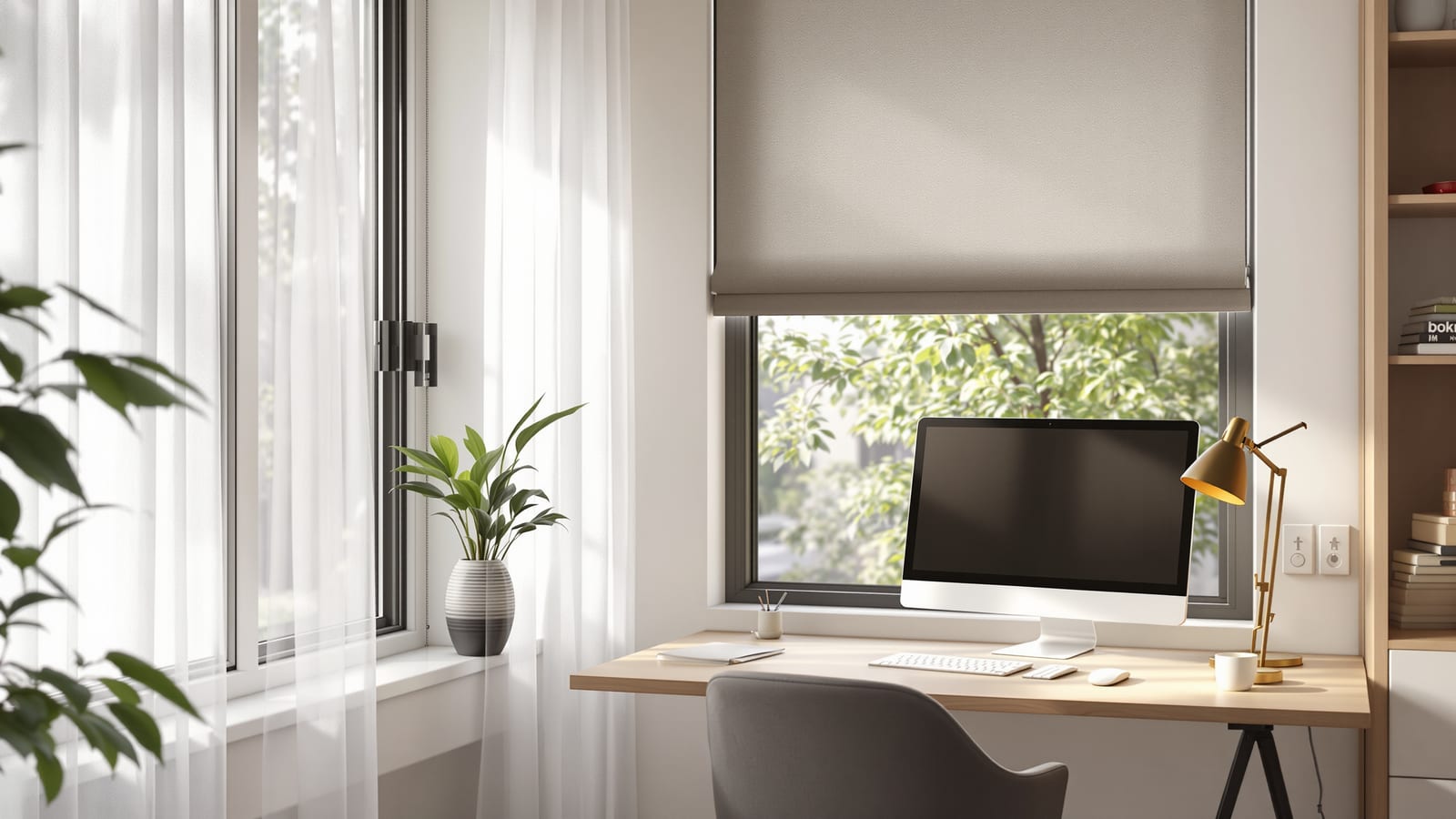
Home Office Curtains: Screen Glare & Light Control (India 2026)
The WFH window done right — kill screen glare and video-call backlight without going dark, with a sheer-plus-roller combo, the orientation rules that decide everything, and honest Indian costs.
The home office is the one room where curtains stopped being decoration and became equipment. Since the work-from-home boom, millions of Indian homes have a desk wedged against a window — and that window, left bare, quietly sabotages every working day. Harsh sun throws a white blaze across your monitor by mid-morning. A bright window behind you turns every video call into a silhouette where colleagues see a dark blob instead of your face. By afternoon the same glass is pumping heat onto your keyboard hand. The instinct is to block it all out and work in a cave. That is exactly the wrong answer. The goal for a WFH window is not darkness — it is controlled, even, glare-free daylight, and it takes a specific two-part setup to get there.
A home office window has two enemies, and they are opposites: glare that washes out your screen, and a bright backdrop that turns you into a silhouette on calls. You cannot fix both by going dark. You fix them by diffusing and adjusting the light, not killing it.
The two problems a WFH window creates
Name the enemies before you shop, because the solution for each is different.
- Screen glare and reflections. Direct sun, or even a bright sky, hitting your monitor washes out contrast and bounces off the glass as reflections. You squint, lean in, and end the day with a headache. This is worst when the window is beside or in front of your desk.
- Backlight on video calls. A window behind you is brighter than your face, so the camera exposes for the window and your face falls into shadow. You become an anonymous dark shape — the single most common WFH-on-camera mistake.
- Heat and fatigue. West and south glass loads the room with afternoon heat that no amount of AC fully hides from the person sitting right next to it.
- The over-correction. Block everything with a blackout and you now work under artificial light all day, which is tiring and wastes the free, mood-lifting daylight you are paying for.
The right setup beats all four without ever making the room dark. Working out which problem dominates is exactly what the window treatment selector helps you do for your specific desk and window.
The winning combination: sheer plus a sunscreen roller
For almost every home office, the answer is a two-layer system: a soft sheer for diffusion, and an adjustable roller blind in a sunscreen (solar-screen) fabric for control. This is the WFH equivalent of the sheer-plus-blackout combo that dresses the rest of the house, tuned for screens instead of sleep.
- The sheer diffuses harsh sun into a soft, even wash. It kills the hard hotspot that reflects off your monitor while keeping the room bright and the view alive. A pale voile is ideal.
- The sunscreen roller blind is the hero. Unlike a blackout, a solar-screen fabric has a fine open weave (a 3–5% openness factor is the sweet spot for offices) that cuts glare and a big chunk of heat while you can still see out and daylight still comes through. You lower it as far as the sun demands and no further.
Why a roller rather than just a heavier curtain? Because a roller is infinitely adjustable on a vertical axis — you drop it to exactly the height of the sun's glare line and stop. A curtain only opens sideways, which is useless against a low sun streaming over the top of your screen. The roller blinds guide covers the fabric grades and mechanisms in depth; the short version is: ask for a sunscreen / solar-screen fabric, light colour, 3–5% openness for a desk window.
If you would rather use a curtain than a blind for the front layer, or you are weighing the two, curtains versus blinds lays out the trade-offs — but for precise vertical glare control on a working desk, the roller almost always wins.
Orientation decides everything
The same window dressing behaves completely differently depending on which way the glass faces. This is the part most people skip, and it is the part that matters most. Check your desk window's aspect — the window orientation planner maps it for you — then read the row that applies.
| Window faces | The problem | What it does to your day | Best setup |
|---|---|---|---|
| East | Hard, low morning sun | Blinding glare 7–11 am, then fine | Sheer + sunscreen roller you drop only in the morning |
| West | Hard, low evening sun + heat | Glare and heat build through afternoon calls | Sheer + denser sunscreen roller (3% openness), motorise to schedule |
| South | High, strong sun much of the day | Steady glare and heat, manageable | Sheer + sunscreen roller; a deep chajja helps a lot |
| North | Soft, even, indirect light | The dream office window — almost no glare | Sheer alone is often enough; add a roller only for the rare low sun |
The headline: a north-facing desk is a gift — soft, consistent light with little glare, often needing only a sheer. East and west are the hard cases because the sun sits low and rakes straight under any top-mounted treatment and across your screen; they are exactly where the adjustable roller earns its place. If you are planning a workspace and can choose the wall, put the desk so the window is to your side, not in front or behind — side-light is the most flattering for both screen and camera.
The video-call rule: light on your face, not behind it
This deserves its own section because it is the most-searched and least-understood WFH window question.
For a flattering, professional video call, the camera needs more light on your face than behind you. A bright window behind your head guarantees a silhouette. The fix is simple and is mostly about positioning plus a controllable window:
- Best: sit so the window is in front of you or to your side — daylight falls on your face, and you look naturally lit with no extra equipment.
- If the desk must have the window behind you: you need to be able to knock the window down to roughly match your face brightness on a call. A sunscreen roller or a dim-out blind you can lower does exactly this — drop it during calls, raise it after. A bare window or a sheer alone cannot, which is why the controllable second layer is non-negotiable for a behind-you window.
A calm, slightly-out-of-focus backdrop reads as professional. A blown-out white window reads as "I dialled in from a cave." The cheapest upgrade to how you look on camera is a blind you can lower behind you.
A pale, plain sheer or a softly textured blind also makes a calm, neutral backdrop — no busy print or harsh contrast competing with your face. That is the professional look, and it costs nothing extra to choose.
Colour, calm and the backdrop
Beyond glare, your office window is the visual anchor of every call and every hour you spend there. Keep it calm and pale: white, oat, soft grey or a muted sage diffuse light cleanly and photograph well. Avoid bright whites that themselves glare, and busy prints that distract on camera. A matte, light, neutral fabric is the professional default. If you want a little warmth or personality, bring it in at the floor or wall, not on the window behind your head. The sheer curtains guide goes deeper on which pale fabrics hold up and read best.
Motorise the schedule, not the gadget
A home office is one of the best places in the house to motorise, because the sun arrives on a schedule and so does your glare problem. A motorised roller or curtain that you set to drop at 9 am on an east window, or at 3 pm on a west one, means the glare is handled before it ever hits your screen — you never break focus to fight the blind.
- East office: schedule the sunscreen roller to lower for the morning sun and lift mid-morning when the sun climbs away.
- West office: schedule it to come down for the afternoon glare-and-heat window that always coincides with end-of-day calls.
- Ecosystem: pick a motor that speaks Alexa, Google Home or a Matter/Zigbee hub so a single "good morning" or a sunset trigger handles it. The zebra (day-night) blinds guide is worth a look here too — a motorised zebra blind lets you dial between sheer-like and dim-out with one tap, which suits an office that swings between focused work and video calls.
Motorise the one or two windows you actually work beside. The rest of the house can stay manual.
What it costs in India
Treat these as honest ranges, not quotes — fabric grade, size, brand and city all move the number, so price your own with the curtain cost calculator:
| Item | Indicative cost (per window) | Notes |
|---|---|---|
| Pale voile sheer (custom, 2.5x fullness) | ₹1,500 – ₹4,000 | The diffusing front layer |
| Sunscreen / solar-screen roller blind | ₹250 – ₹600 per sq ft | Branded solar-screen fabric costs more; worth it |
| Manual chain roller, small desk window | ₹2,000 – ₹5,000 | A typical study window |
| Motor add-on (battery roller) | ₹6,000 – ₹15,000+ | Per window, plus optional hub |
| Smart hub (one-time) | ₹3,000 – ₹8,000 | Shared across all motorised blinds |
A practical, good-looking WFH window — sheer plus a quality manual sunscreen roller — commonly lands in the ₹4,000 – ₹10,000 range. Add motorisation and you are typically ₹10,000 – ₹25,000 per window, which only the desk windows you use daily justify.
Honest caveats
- A sunscreen roller is not a blackout. Its open weave is the point — it cuts glare and heat while keeping the view. If you also nap or watch films in this room, that is a second, separate dim-out layer, not a substitute.
- Cheap solar-screen fabric varies wildly. Openness factor and UV stability differ a lot between a no-name roll and a known brand; on a bright west window the cheap fabric sags and discolours faster. Buy the better fabric for the window that takes the most sun.
- No window dressing fixes a badly placed desk. If your monitor faces the glass, you will fight reflections no matter what. Moving the desk so the window is to one side beats any blind.
- Costs and dimensions here are indicative. Measure your own window and price fabrics locally before committing.
The five-second summary
1. The WFH goal is even, glare-free daylight — not darkness.
2. The winning setup is a pale sheer plus an adjustable sunscreen roller (3–5% openness).
3. Orientation rules everything — north is easy, east and west need the adjustable roller, behind-you windows need a layer you can lower for calls.
4. For video calls, light your face, not your background, and keep the backdrop calm and pale.
5. Motorise the schedule on the one or two windows you work beside; price the rest yourself.
Set up your work-from-home window the right way with Studio Matrx. Let the window treatment selector match the right layers to your desk and aspect, check which way your window faces with the window orientation planner, and size and price the job with the curtain cost calculator. For the full system behind these choices, read the complete curtain guide and explore the rest of the window treatments cluster.
Export this guide
Related Guides — Deep-dive reading
Window Design for Natural Light (India): A Brighter, Evenly Lit Home
How to size, place and glaze windows so every room is bright and evenly lit, without glare or gloom
Windows & GlazingSmart Blinds Guide: Motorised & App-Controlled Shades (India 2026)
Which blind types motorise well, wired versus rechargeable and solar motors, the ecosystem to commit to, automations that earn their keep, and the honest reliability and battery caveats — the blinds side of a smart home.
Window TreatmentsUV-Protection Curtains: Stop Fading, Glare and Heat (India 2026)
How the right curtains and solar-screen blinds block ultraviolet, why your sofa and floor are fading, and how to protect valuables without living in the dark.
Window TreatmentsRelated Tools — Try Free
Daylight Control Planner
Get the fabric openness and layering to control daylight and glare without losing the view.
PlannerWindow Orientation Planner
Pick the best window type, glass and shading by wall direction — north, east, south and west.
Window ToolCurtain Cost Calculator
Get the fabric metres you need plus the total curtain cost by window size, fabric, pleat, lining and hardware.
Curtain Calculator