
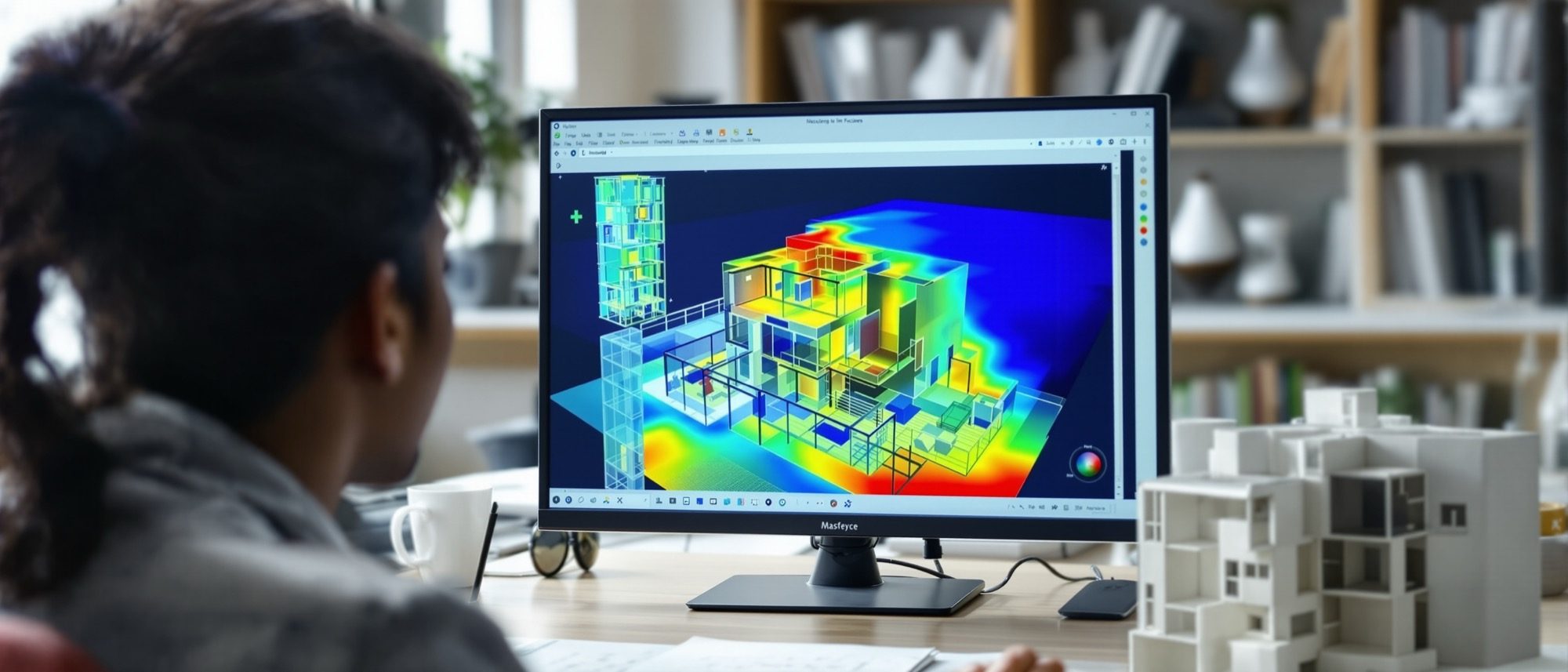
Environmental Simulations
Turning daylight, energy and wind into design feedback — before anything is built.
The computer can do more than draw a building — it can test one. This unit uses simulation as performance-based design feedback: daylight and solar analysis, energy modelling, and wind and CFD for ventilation and comfort. Learn what each study outputs and in what units — lux, kWh/m²/yr, m/s — and the honest caveats. (It connects to the climate physics of Climatology & Building Physics.)
Learning objectives
By the end of this lesson, you will be able to — mapped to the course outcomes for Computer Studio III:
Explain performance-based design and how simulation informs, not just validates, a design.
Describe daylight, solar and energy simulation — Radiance, Ladybug Tools, EnergyPlus — and their outputs and units.
Explain CFD and what wind simulation reveals about ventilation and comfort — and its limits.
Read the metrics — daylight factor, sDA, ASE, kWh/m², m/s — correctly.
Daylight, solar & energy
Performance-based design uses simulation to drive design early. Daylight runs on Radiance (lux, sDA/ASE); energy on EnergyPlus (kWh/m²/yr); both read the hourly EPW weather file.[3, 2] Flag it: the toolkits are interfaces — the engines do the physics.
Simulation as a design driver
Performance-based design uses simulation to GENERATE and inform design decisions early — not merely to validate a finished design against code. The shift is from analysis-as-checkpoint to analysis-as-driver: massing, orientation, window ratios, shading depth and envelope are iterated against simulated daylight, energy and airflow targets in a fast feedback loop. It is a method and mindset, not a single tool.[4, 1]
Wind, CFD & the rest
CFD solves the Navier–Stokes flow equations on a mesh for wind comfort and ventilation (m/s, Pa) — powerful, but only as good as the mesh and boundary conditions.[4] Shadow, radiation and view analyses each answer a different question.
Solving the flow on a mesh
Computational Fluid Dynamics (CFD) numerically solves the governing fluid-flow equations — the Navier–Stokes equations (conservation of mass, momentum, energy) — over a domain discretised into a MESH of cells, solving iteratively for the velocity, pressure and temperature in each cell. FLAG: results are only as good as the mesh quality, the turbulence model and the boundary conditions; CFD is computationally expensive and easy to get plausibly wrong — an approximation, not ground truth.[4]
At a glance
| Aspect | One | The other |
|---|---|---|
| Daylight metric | Daylight factor: one overcast sky (a %) | sDA / ASE: a full year of weather (climate-based) |
| Who does the physics | Radiance (daylight) & EnergyPlus (energy) | Ladybug/Honeybee: the interface that calls them |
| Output & unit | Daylight: lux; energy: kWh/m²/yr; radiation: kWh/m² | Wind/CFD: air speed m/s, pressure Pa |
| Climate input | EPW file — hourly, 8,760 h, a TMY | Real sky vs standard overcast sky |
| CFD accuracy | Bounded by mesh + turbulence model + boundaries | Expensive; an approximation, not ground truth |
Key terms
Using simulation to drive design decisions early, not merely to validate a finished design.
The free, validated, physically-based daylight engine (LBNL) underneath most daylight tools.
Spatial Daylight Autonomy (≥300 lux, ≥50% hours) and Annual Sunlight Exposure (direct sun >250 h) — per LM-83.
The older ratio of indoor to outdoor illuminance under a standard overcast sky — a percentage.
The US DOE open-source whole-building energy simulation engine (the calculation kernel).
EnergyPlus Weather — a standard hourly (8,760 h) climate file for a location, usually a TMY.
Computational Fluid Dynamics — solving the Navier–Stokes flow equations on a mesh of cells.
Grasshopper plugins (Ladybug, Honeybee) that interface to Radiance and EnergyPlus — not engines themselves.
Studio task
For one room, list which simulation you would run for each question — “is it bright enough?”, “does it overheat?”, “will it ventilate?” — naming the engine, the output and its unit. Then say, in one line, what could make a CFD result misleading.
Self-assessment
1. In the daylight toolchain, what actually runs the physics?
2. CFD computes airflow by —
3. sDA (spatial Daylight Autonomy) measures the area receiving —
Recap
References & further reading
- [1]Ladybug Tools — Honeybee (the Radiance + EnergyPlus interface for Grasshopper). https://www.ladybug.tools/honeybee.html
- [2]US DOE — EnergyPlus & OpenStudio (whole-building energy simulation). https://www.energy.gov/eere/buildings/articles/energyplus
- [3]US DOE / LBNL — Radiance (physically-based daylight simulation); ANSI/IES LM-83 (sDA & ASE). https://www.energy.gov/eere/buildings/articles/radiance
- [4]Ladybug Tools / OpenFOAM (Butterfly CFD); and CFD fundamentals (Navier–Stokes, meshing, boundary conditions).
- [5]ANSI/IES LM-83 — Approved Method for Spatial Daylight Autonomy (sDA) and Annual Sunlight Exposure (ASE).
Further reading
- Christoph Reinhart, Daylighting Handbook I & II. Building Technology Press.
- Ladybug Tools, EnergyPlus and Radiance official documentation.
- Autodesk CFD / OpenFOAM user guides — the CFD working references.
Sources gathered and fact-checked June 2026. Published values vary by source, sample and method — treat as indicative and confirm against the cited standard before structural use.
The author
Amogh N P
Architect, interior designer, and creative polymath. Studio Matrx began in his notebooks — his vision of design made honest, useful, and open to everyone. Its Academy is written and taught in his memory, and free, forever.
More about Amogh →