
Computational Design & BIM
Designing with parameters and code — and the data-rich model behind the geometry.
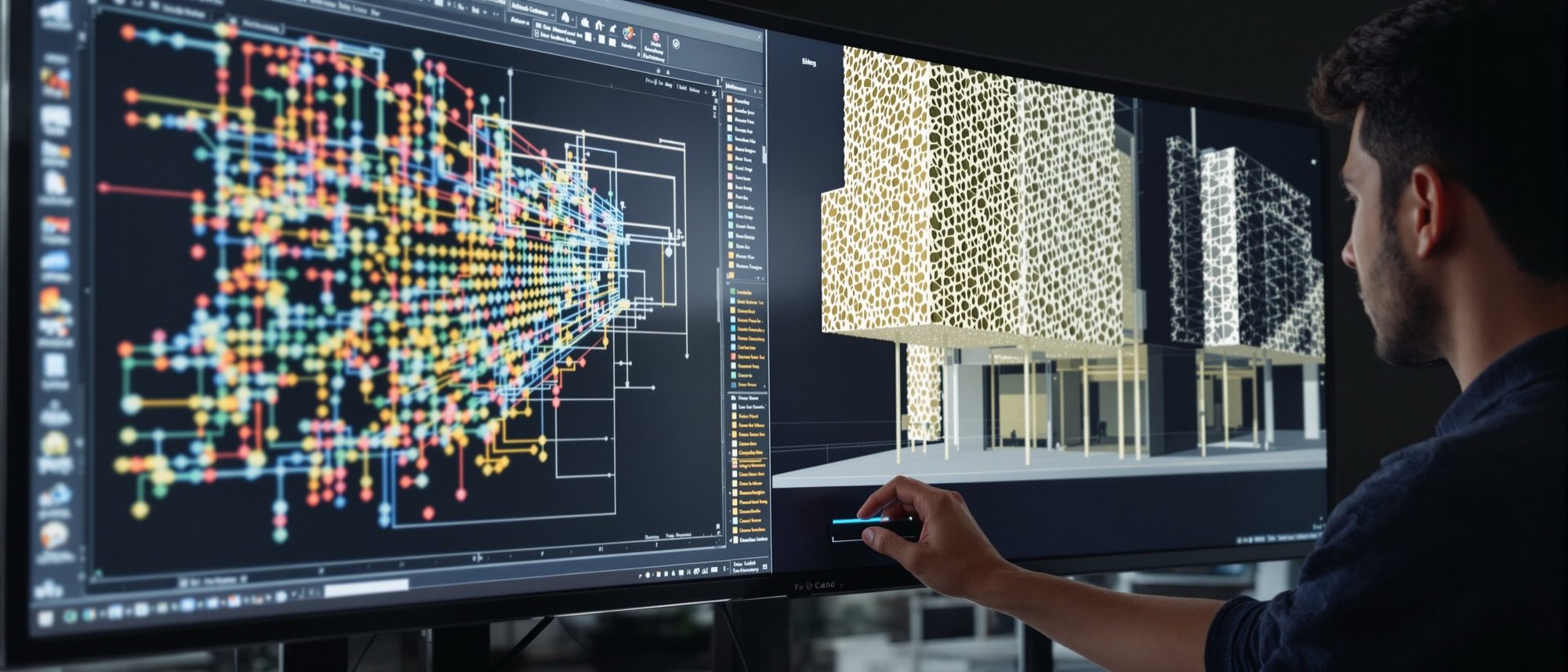
Two ideas change how a building is made in the computer. First, computational design: a parametric model driven by parameters and rules, so changing one input updates the whole design — built visually in Grasshopper or Dynamo, and extended with a little Python. Second, BIM: a data-rich model where a wall is an intelligent object carrying information, not just lines — and BIM is a process, not a piece of software.
Learning objectives
By the end of this lesson, you will be able to — mapped to the course outcomes for Computer Studio III:
Define parametric and generative design and how changing a parameter updates the whole model.
Describe visual programming (Grasshopper, Dynamo) and the role of Python coding in architecture.
Define BIM precisely and distinguish CAD, plain 3D modelling and BIM.
Explain IFC/openBIM, the BIM dimensions and the LOD scale.
Designing with parameters & code
A parametric model is built from rules — change a parameter and the whole design regenerates; generative design adds goal-driven option generation (not “AI designs it”). Build it in Grasshopper (Rhino) or Dynamo (Revit), and script it with Python.[1, 3]
Driven by parameters and rules
A PARAMETRIC model defines geometry by relationships rather than fixed coordinates, so changing an input value propagates and updates the whole design — you build the logic once, then explore endless variants by adjusting sliders. The contrast with direct modelling: there you draw and re-draw each element (static); here the model remembers how it was made (associative). This is the shift from explicit to associative geometry.[1, 3]
Parametric façade · drive it with the sliders
One model, endless variants. Change a parameter and the whole façade regenerates — you never re-draw a single opening. That is parametric design.
BIM — the data-rich model
BIM is a process for a data-rich model of intelligent objects — and Revit is just one authoring tool, the “I” (information) is the point.[6, 2] Know the distinctions: CAD (lines) vs 3D (shape) vs BIM (information); IFC for interchange; the dimensions; and LOD = Level of Development.
A process, not a program
BIM (Building Information Modelling) is a PROCESS of creating and managing a shared, data-rich digital model of a building across its lifecycle. The model is object-based and parametric — a wall, door or window is an intelligent object that CARRIES INFORMATION (material, thermal property, cost, manufacturer, relationships), not just lines. FLAG the three classic myths: BIM is not software (Revit ≠ BIM — it is one BIM authoring tool); BIM is not just 3D (the 'I', information, is the point); and LOD means Level of DEVELOPMENT, not Level of Detail.[6, 2]
At a glance
| Aspect | One | The other |
|---|---|---|
| What the element is | CAD: lines/text (a drawing); 3D: geometry only | BIM: an intelligent object carrying information |
| How you design | Direct modelling: draw & re-draw (static) | Parametric: build the logic once, vary by slider |
| Tooling | Grasshopper (Rhino, free geometry) | Dynamo (Revit, the BIM database) |
| BIM is… | Myth: a piece of software (Revit = BIM) | Reality: a process; the 'I' (information) is the point |
| LOD means | Myth: Level of Detail (how it looks) | Reality: Level of Development (how reliable the info is) |
Key terms
A model driven by parameters and rules — changing an input updates the whole design (associative geometry).
Goal-and-constraint-driven generation of many options with optimisation — not 'AI designs the building'.
Node-and-wire visual programming inside Rhino — the dominant architectural parametric tool.
Visual programming for Revit — scripts the BIM model through nodes (and Python).
Building Information Modelling — a process; a data-rich model of intelligent, information-carrying objects.
The neutral, vendor-agnostic BIM interchange standard (buildingSMART, ISO 16739).
3D (model), 4D (time), 5D (cost), 6D (sustainability), 7D (facility management) — the later Ds are conventions.
Level of Development — how reliable an element's info is (100 → 500), per AIA / BIMForum. Not 'Level of Detail'.
Studio task
Using the parametric façade above, find a setting you find beautiful and note the four parameter values that made it. Then take one building element and describe it three ways — as a CAD line, a 3D shape and a BIM object — listing what information the BIM version would carry.
Self-assessment
1. The defining feature of a parametric model is that —
2. Which statement about BIM is correct?
3. In the BIM specification, LOD stands for —
Recap
References & further reading
- [1]Robert Woodbury, Elements of Parametric Design. Routledge, 2010.
- [2]buildingSMART — IFC / openBIM (ISO 16739); and the BIMForum LOD Specification (AIA 100–500 + BIMForum 350). https://www.buildingsmart.org/about/openbim/
- [3]Mode Lab — The Grasshopper Primer (3rd ed.); McNeel Rhino + Grasshopper documentation. https://developer.rhino3d.com/guides/scripting/
- [4]Autodesk — 'What Is Generative Design' (constraint-and-goal-driven option generation). https://www.autodesk.com/solutions/generative-design
- [5]DynamoBIM — visual programming for Revit (and Python). https://dynamobim.org/
- [6]Sacks, Eastman, Lee & Teicholz, BIM Handbook (3rd ed.). Wiley, 2018.
Further reading
- Robert Woodbury, Elements of Parametric Design. Routledge.
- Sacks, Eastman, Lee & Teicholz, BIM Handbook. Wiley.
- Mode Lab, The Grasshopper Primer (free, open-source).
Sources gathered and fact-checked June 2026. Published values vary by source, sample and method — treat as indicative and confirm against the cited standard before structural use.
The author
Amogh N P
Architect, interior designer, and creative polymath. Studio Matrx began in his notebooks — his vision of design made honest, useful, and open to everyone. Its Academy is written and taught in his memory, and free, forever.
More about Amogh →