
Prompt craft for architecture & interiors
The difference between a generic AI building and the exact one in your head is the prompt. This is the lesson where you learn to write like a brief, not a wish.
Lesson byAmogh N P· Architect & interior designer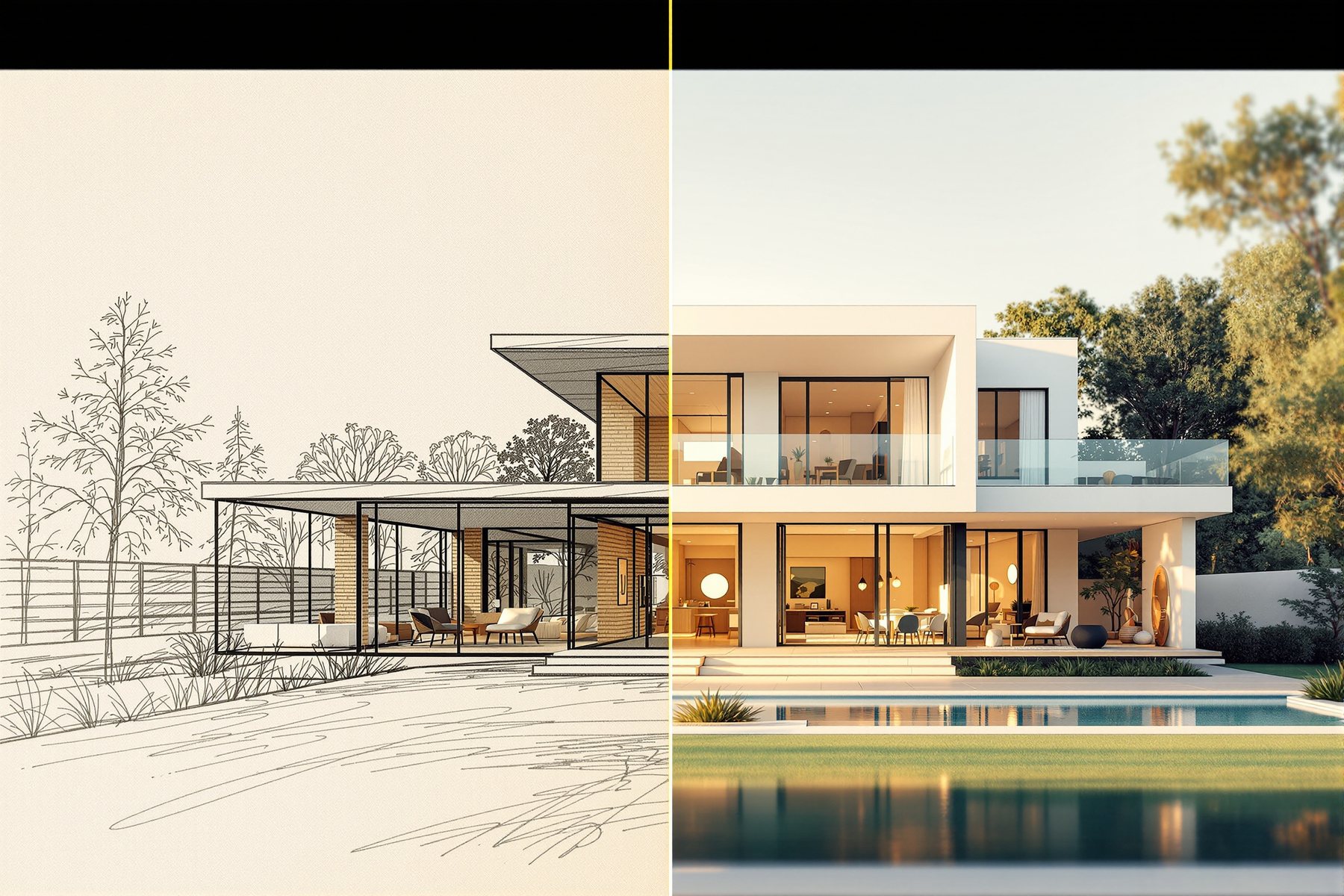
"Modern house, nice" gets you a stock photo. A brief gets you your building.
Here is the move every beginner makes: they type "modern villa, beautiful, 4k" and get back something generic and faintly American, then conclude the AI 'doesn't get' Indian architecture. The AI got exactly what it was asked - nothing specific. A diffusion model is a plausibility machine; feed it a vague wish and it averages every villa it has ever seen. Feed it a _brief_ - subject, style, materials, light, camera, mood, parameters - and it converges on the building in your head. The gap between a tourist's prompt and a practitioner's prompt is the most valuable skill in this module, and it's learnable in one sitting.
The seven-part prompt: subject, style, materials, light, camera, mood, parameters
Seven slots, in order, and the picture sharpens
A strong architectural prompt is a brief with seven parts. Fill them in order and you go from average to specific.
Subject - what it is, concretely: 'a two-storey villa', 'a 12ft-wide living room', not 'a building'. Style - the architectural language: 'tropical modernism', 'Chettinad vernacular', 'Scandinavian minimal'. Materials - the ones you actually mean: 'exposed concrete and burnt-brick screen, kota stone floor', 'teak joinery, lime-plaster walls'. Light - the single biggest lever on mood: 'soft 7am side light', 'golden-hour rake', 'overcast monsoon diffusion'. Camera - tell it the shot: 'eye-level two-point perspective, 24mm wide', 'low-angle hero', 'flat elevation, orthographic'. Mood - the feeling: 'calm, lived-in, editorial'. Parameters - the technicals: aspect ratio, and engine flags like `--ar 16:9`.
You won't always use all seven, but knowing the slots means you always know what to add next when an image is close-but-not-right. A render too flat? Add light. Too generic? Add materials. Wrong feeling? Add mood.
Materials and light do more work than any adjective. 'Beautiful' tells the model nothing; 'burnt-brick jali in raking 4pm light' tells it everything.
A villa and a living room, built up slot by slot
Watch the formula turn a wish into a brief.
The villa. Weak: "modern Indian villa, nice." Strong: "two-storey contemporary villa in tropical-modern style, exposed board-marked concrete with a burnt-brick jali screen, kota stone plinth, deep cantilevered shading, soft 8am side light casting jali shadows, eye-level two-point perspective at 24mm, calm and grounded mood, lush frangipani in foreground, photorealistic --ar 3:2". Every clause is a decision a designer would make anyway - you're just saying them out loud.
The living room. Weak: "cozy living room." Strong: "15ft-wide living room in warm minimal style, lime-plaster walls, teak-veneer joinery, kota stone floor, a low linen sofa and a jute rug, large window with sheer curtains, soft diffused north light, eye-level wide shot at 28mm, calm lived-in editorial mood, photorealistic --ar 16:9".
Notice both prompts read like the opening of a real design brief. That's the secret: a good prompt is a brief, and writing it sharpens your own thinking about the space before a single line is drawn.
One change at a time, and read the result
Your first prompt is a hypothesis, not an answer. The craft is in the loop after it.
The rule that saves hours: change one variable at a time. If you rewrite the whole prompt every round you can never tell what worked. Get the composition right first (subject + camera), then lock the materials, then tune the light, then the mood. Use the engine's tools - vary a strong result, use negative prompts in Stable Diffusion and FLUX to remove what you don't want ('no people, no clutter'), and feed your best output back as a reference to push further in that direction.
And hold the spine: even a perfect prompt produces the most plausible image, not a buildable one. You're using the loop to diverge - to find the direction - then you converge with your judgement and design the real thing. The prompt is how you steer the intern; it is not how you sign the drawing.
Build a prompt 'house style' for your studio: a saved skeleton with your default materials palette, your preferred camera language and your light defaults, so every concept image looks like _your_ practice, not generic AI. Lead with subject and camera to lock the geometry of the shot, then layer materials and light. Keep a small library of prompts that worked, tagged by building type. And remember the parameters slot carries no compliance - a great prompt makes a persuasive image, never a sanctioned drawing.
Materials and light are your whole game, and they're slots four and five of the formula - so spend your words there. Name the real finish family you're chasing ('honed Kota', 'fluted teak', 'micro-cement') and the exact quality of light ('soft north light', 'warm 3000K evening lamps'). Build worked prompts per room - living, bedroom, kitchen - that you can drop a client's keywords into live in a meeting. Then translate the winning image into a real, sourced, costed FF&E schedule; the prompt aligns taste, the schedule builds the room.
Prompt craft is the cheapest skill with the highest return in this course - it costs nothing but attention and it's the difference between embarrassing and impressive output. Memorise the seven slots. Keep a text file of your best prompts and reuse them ruthlessly; great practitioners copy their own past work. Change one variable at a time so you actually learn what each word does. Within a week you'll write briefs-as-prompts faster than most studios, and that's a real, sellable edge.
Midjourney v7
Best for evocative prompts
Responds beautifully to mood, style and material language and the --ar flag. Honest limit: less literal than FLUX, so very precise instructions can get 'interpreted' rather than obeyed.
FLUX.1.1 Pro
Best for literal, photoreal prompts
Follows detailed material and camera instructions closely and renders photoreal fast (about 4.5s). Supports negative-style control. Great when you need the prompt obeyed, not reinterpreted.
GPT Image 2 (OpenAI)
Best for complex multi-instruction prompts
Strongest at long prompts with many distinct instructions and at rendering legible text in the image - useful for signage or labelled concept boards. Successor to DALL-E 3 / GPT Image 1.5.
AskDesignAI (Studio Matrx)
Guided prompting for designers
Studio Matrx's own design-AI seam - a live example of prompting framed for real interiors work rather than raw model access.
“Longer, keyword-stuffed prompts with words like 'masterpiece, 8k, ultra-detailed, award-winning' always give better results.”
Past a point, stuffing in trophy words muddies the signal - the model can't weigh thirty competing adjectives. A clear, ordered brief (subject, style, materials, light, camera, mood, parameters) beats a wall of buzzwords. Specificity wins, not length: 'burnt-brick jali in raking 4pm light' does more than 'beautiful, stunning, masterpiece, hyperdetailed, 8k'.
Workshop — turn a one-line wish into a seven-part brief
Take a real space you're working on and build its prompt slot by slot, watching each addition sharpen the image. Twenty-five minutes.
Free: any image AI. Better: Midjourney or FLUX so you can feel literal vs evocative.
THE SEVEN-SLOT SKELETON (fill each slot, in order):

[SUBJECT] + [STYLE] + [MATERIALS] + [LIGHT] +
[CAMERA] + [MOOD] + [PARAMETERS]

WORKED VILLA PROMPT (study, then write your own):
"two-storey contemporary villa, tropical-modern style,
board-marked concrete with burnt-brick jali screen, kota
stone plinth, soft 8am side light casting jali shadows,
eye-level two-point perspective 24mm, calm grounded mood,
photorealistic --ar 3:2"

WORKED LIVING-ROOM PROMPT:
"15ft living room, warm minimal style, lime-plaster walls,
teak-veneer joinery, kota floor, low linen sofa, jute rug,
soft diffused north light, eye-level 28mm, lived-in editorial
mood, photorealistic --ar 16:9"
- 1Pick a real room or building you're designing. Write its prompt by filling each of the seven slots - no skipping; if you don't know a slot, that's a design decision to make.
- 2Generate the full seven-slot prompt. This is your baseline.
- 3Now run a deliberately weak version - just subject + 'beautiful' - and put the two outputs side by side. Feel the gap the formula bought you.
- 4Iterate one slot at a time on the strong version: change only the light clause and regenerate; then only the camera; then only the materials. Note what each move did.
- 5Remove what you don't want using a negative prompt or 'no _' (FLUX / Stable Diffusion): 'no people, no clutter, no logos'.
- 6Save your final prompt as a reusable template with the slots labelled, so next time you start from a brief, not a blank box.
You’ll walk away with
A labelled, seven-slot prompt template for one of your real spaces, plus a before/after pair proving the formula's value - the start of your personal prompt library.
Two fast experiments.
- 01Take a winning render and change only the light clause across four versions (dawn, noon, golden hour, night). One prompt, four moods - this is how you present a scheme's day.
- 02Give the exact same detailed prompt to Midjourney and FLUX. Notice Midjourney 'interprets' it while FLUX obeys it more literally - that tells you which to reach for when precision matters.
A great prompt is a brief, not a wish: subject, style, materials, light, camera, mood, parameters. Specificity beats length, and materials plus light do the heaviest lifting. Iterate one variable at a time so you learn what each word does. The prompt steers the intern toward your vision - your judgement still designs the real thing.
Seven slots, in order: subject, style, materials, light, camera, mood, parameters. Write it like the opening of a brief. Iterate one variable at a time; use negatives to subtract; feed your best output back as a reference. Specificity beats buzzword-stuffing, and the prompt diverges - your judgement converges.
What is the best prompt structure for architecture renders?
A seven-part brief, in order: subject (what it concretely is), style (the architectural language), materials (the real ones you mean), light (time, direction, quality), camera (angle and lens), mood (the feeling), and parameters (aspect ratio and engine flags). You won't always use all seven, but the slots tell you exactly what to add next when an image is close but not right.
Why does my AI render look generic and not like Indian architecture?
Because the prompt was generic. A vague wish averages every building the model has seen, which skews to the most common training images. Name specifics: the style ('Chettinad vernacular', 'tropical modernism'), the real materials ('burnt-brick jali', 'kota stone', 'lime plaster'), and the light. Specificity, not more buzzwords, is what pulls the output toward the architecture you actually mean.
Should I use negative prompts, and how?
Yes, when an engine supports them (Stable Diffusion and FLUX do; Midjourney has a --no flag). Negatives subtract what you don't want - 'no people, no clutter, no text, no logos' - which is often faster than describing what you do want. Use them to clean up recurring problems, but add them one at a time so you can tell which negative actually fixed the image.
The author
Amogh N P
Architect, interior designer, and creative polymath. Studio Matrx began in his notebooks — his vision of design made honest, useful, and open to everyone. Its Academy is written and taught in his memory, and free, forever.
More about Amogh →_You can now describe a single space precisely. Next: aiming that skill at a whole language of taste - building mood boards and exploring styles like Scandinavian-meets-Chettinad at the speed of thought._