
Text-to-image, the basics
Four engines, one keyboard. This is the lesson where you stop watching AI renders on Instagram and make your own first useful image of a building.
Lesson byAmogh N P· Architect & interior designer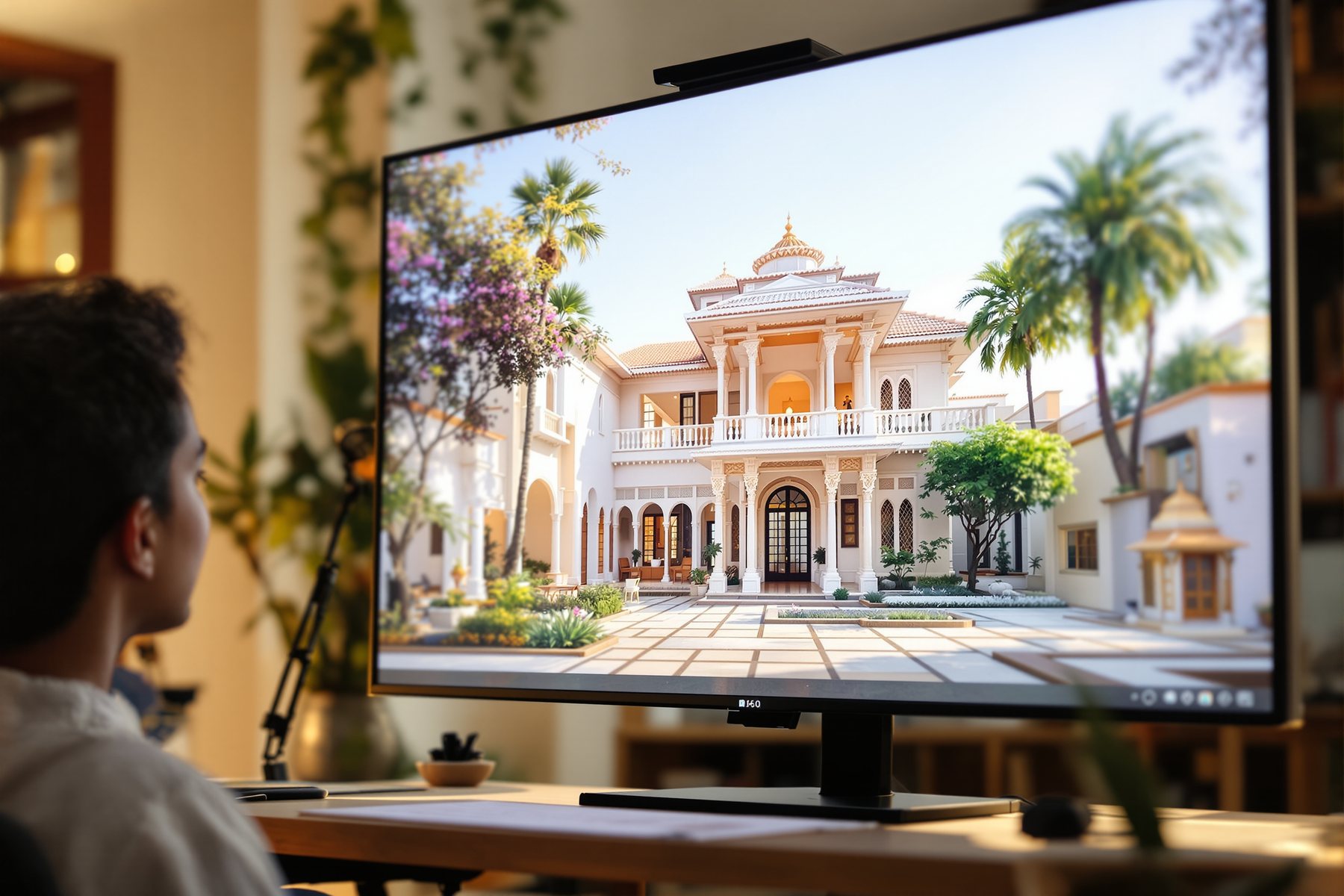
Same four words, four engines, four completely different buildings.
Type "sunlit Kerala courtyard house" into Midjourney, FLUX, Stable Diffusion and Adobe Firefly and you get four versions of the same idea, each with its own accent. Midjourney hands you a magazine cover. FLUX hands you a photograph. Stable Diffusion hands you whatever you can wrestle out of it locally, for free, with total control. Firefly hands you something you can legally put in a paid pitch deck without a knot in your stomach. None of them know what a courtyard is. All four are useful — once you know which one to reach for, and how to ask. That is the whole of this lesson.
Four engines, the aspect ratio, the reference, the iterate loop
Pick the engine for the job, not the engine everyone tweets about
As of 2026 there are four engines under almost everything you'll touch, and each has a personality you can predict.
Midjourney (v7, with v8 emerging) is the king of aesthetics and mood. Reach for it when you want atmosphere, a striking concept image, a board that makes a client lean in. It is weaker at faithfully redesigning a specific building you give it. FLUX (Black Forest Labs) is the realism engine - FLUX.1.1 Pro renders photoreal images in about 4.5 seconds and is licensed for commercial use; FLUX Kontext does context-aware editing, which is exactly what Studio Matrx uses to recolour a single wall without touching the rest. Stable Diffusion is the open-source one you can run on your own machine, free, and the base for the control tricks in Module 3. Adobe Firefly is trained on commercially-safe data and lives inside Photoshop's Generative Fill - the safe choice when the image is going into paid work.
The spine of this whole course applies here: tools date fast. v7 becomes v8, FLUX.1.1 becomes FLUX.2. Learn the categories - aesthetic engine, realism engine, open engine, safe engine - and you'll always know which slot the new release fills.
Don't marry one engine. Most working studios keep two open: one for mood, one for realism.
Aspect ratio, reference image, and the iterate loop
Forget the hundred parameters for now. Three controls do 90% of the work.
Aspect ratio decides the shape of your image, and architecture is rarely square. A building elevation wants wide - 16:9 or 3:2. An interior vignette or a tall facade wants portrait - 2:3 or 9:16. A mood board tile wants square - 1:1. In Midjourney you set it with `--ar 16:9` at the end of the prompt; FLUX and Firefly give you a dropdown. Getting this right first saves you re-cropping a beautiful render that's the wrong shape for your sheet.
The reference image. Every engine lets you feed it a picture alongside your words - a site photo, a sketch, a precedent you love. The model uses it as a starting point or a style anchor. This is how you stop getting generic AI buildings and start steering toward your project. Module 3 goes deep on this; for now, just know the button exists.
The iterate loop. You will never get the image in one shot, and you shouldn't try. Generate four, pick the closest, vary it, re-roll, nudge the words. The first lesson of this whole course - diverge with AI, converge with your judgement - is literally what the iterate loop is for.
A beautiful first image is plausibility, not architecture
Your first good render will feel like magic. Hold the magic at arm's length.
The engine produced the most plausible courtyard house from millions of captioned images - it has no idea about your plot's orientation, your climate, your setback, your budget, or whether that cantilever could stand. It will happily give you a west-facing glass wall that turns the room into an oven and a beam that floats. That's fine: at concept stage you want plausible and fast. The image is concept art to think with and to align a client, not a drawing to build from.
So the discipline you build from image one: enjoy the divergence, then converge with everything this platform teaches you about light, climate, proportion and code. The render is the brilliant intern's first sketch. You're still the architect of record.
Treat text-to-image as the new trace-paper-over-a-site-photo: fast, disposable, exploratory. Start in Midjourney for the mood of a scheme, switch to FLUX when you want something photoreal enough to put in front of a client. Keep one rule from day one: an AI image never carries a dimension, a real material spec or a compliance claim. It sets a direction; your stamped drawings build the building. If the image is going into a paid proposal, prefer Firefly or check the engine's commercial licence first.
This is your fastest win in the entire course. Most early interiors work is mood, palette and 'what if we tried...' - exactly what these engines do best. You can show a client three directions for a living room before the chai goes cold. Midjourney for the seductive board, FLUX for a near-photoreal staged shot, Firefly when it's a paid deck. Just say out loud to the client: these are mood images to align taste - the actual sofa, the actual marble, gets sourced, measured and costed for real.
Start free and start today. Stable Diffusion runs on a decent laptop or a free Colab and costs nothing; Firefly has a free tier inside Adobe; Midjourney is roughly a paid subscription but the lowest tier is enough to learn on. Don't buy four tools. Pick one aesthetic engine and one realism engine, learn the iterate loop cold, and you can match a big studio's concept output single-handed. The platform's guides will keep your light, proportion and materials honest while AI accelerates the picture-making.
Midjourney v7 (v8 emerging)
Aesthetic / mood engine
Unmatched for atmosphere, concept images and mood boards. Honest limit: weaker at faithfully redesigning a specific building you give it, and you must check its licence for paid commercial work.
FLUX.1.1 Pro / FLUX.2 (Black Forest Labs)
Photoreal / realism engine
Fast (about 4.5s), photoreal, commercially licensed. FLUX Kontext does context-aware editing. Best realism + controllable edits; it's the engine under Studio Matrx's wall-only recolour.
Adobe Firefly
Commercially-safe engine
Trained on commercially-safe data and lives inside Photoshop Generative Fill. The low-risk choice for paid decks; less aesthetically wild than Midjourney.
Stable Diffusion (open-source)
Open / local engine
Runs on your own machine, free, and is the base for ControlNet and LoRA control later. Honest limit: a steeper setup and a less polished interface than the hosted engines.
“Midjourney is simply the best AI image tool, so I should just use it for everything.”
Midjourney is the best at one thing - aesthetics and mood - and weaker at others. It struggles to faithfully redesign a specific building you hand it, and it isn't your first pick when commercial licensing matters. FLUX is stronger for photoreal realism and controllable edits; Firefly is the commercially-safe choice; Stable Diffusion gives open, local control. 'Best' is always 'best for this job'.
Workshop — your first four-engine bake-off
Run one architectural prompt through every engine you can reach and feel the personalities for yourself. Twenty minutes, mostly free tools.
Free: Stable Diffusion (Colab/local) or Firefly free tier. Better: Midjourney (entry sub) + FLUX. Even two engines is enough.
BASE PROMPT (paste as-is into each engine):

"single-storey Kerala courtyard house, laterite stone walls,
sloping clay-tile roof, central open courtyard with a tulsi,
soft morning light, monsoon-green garden, photorealistic"

Midjourney: add  --ar 3:2  at the very end
FLUX / Firefly: set aspect ratio 3:2 in the dropdown

VARIATION TO TRY (swap the last line):
  "...editorial mood, dramatic shadows, architectural magazine"
- 1Paste the base prompt into each engine you have. Set the aspect ratio to 3:2 every time (Midjourney `--ar 3:2`).
- 2Generate four images per engine. Don't refine yet - just look at the raw first output side by side.
- 3Rank them on three things you'll write down: most atmospheric, most photoreal, most buildable-looking. Notice they're rarely the same engine.
- 4Now iterate on your favourite: pick the single closest image, run a variation, and tweak two words (e.g. swap 'morning' for 'monsoon evening'). Watch it converge.
- 5Hunt the lie in your best render: find one thing that couldn't be built - a floating beam, a roof that doesn't drain, a courtyard with no way in. The engine never noticed.
- 6Save one image per engine into a single board and label each with the engine, the aspect ratio, and one honest note on what it nailed and what it faked.
You’ll walk away with
A one-board comparison of the same Kerala courtyard house across every engine you tried, with your own notes on which engine wins for mood, realism and architectural honesty - your personal cheat-sheet for picking an engine on real projects.
Two quick five-minute experiments.
- 01Run the identical prompt twice in the same engine. Notice you get two different buildings - there's no single 'right' image inside it, only plausible ones.
- 02Feed the engine a reference photo of a real site or a precedent you love alongside the words, and watch how much more 'yours' the output becomes.
Text-to-image gives you four engines with four personalities - Midjourney for mood, FLUX for realism, Firefly for safety, Stable Diffusion for open control. Master three controls (aspect ratio, reference, iterate loop) and you can make a useful concept image in minutes. The image is plausible, not buildable - diverge with it, converge with your judgement.
Four engines, named and dated: Midjourney (mood), FLUX (realism + editing), Firefly (commercially safe), Stable Diffusion (open/local). Set the aspect ratio, add a reference, and iterate - never expect the right image in one shot. A beautiful render is plausibility, not architecture.
Which AI image tool is best for architects in 2026?
There's no single best - there's a best for each job. As of 2026, use Midjourney for mood and concept images, FLUX for photoreal realism and editing, Adobe Firefly when the image goes into paid commercial work, and Stable Diffusion when you want free, local, controllable generation. Most working designers keep two open: one aesthetic engine and one realism engine.
Can I use AI-generated images commercially in client work?
It depends entirely on the engine's licence, so check it. Adobe Firefly is trained on commercially-safe data and is the low-risk choice; FLUX.1.1 Pro is commercially licensed; some others are not, or carry restrictions. Separately, in India a purely AI-generated image may have no valid copyright owner - Module 9 covers this. For paid pitches, prefer Firefly or a clearly-licensed engine and add your own creative work.
What aspect ratio should I use for architectural renders?
Match the subject. Wide (16:9 or 3:2) for elevations, street views and landscapes; portrait (2:3 or 9:16) for tall facades or interior vignettes; square (1:1) for mood-board tiles. Set it before you generate - in Midjourney with --ar 16:9 at the end of the prompt, in FLUX and Firefly via the dropdown - so you don't have to crop a great render into the wrong shape.
The author
Amogh N P
Architect, interior designer, and creative polymath. Studio Matrx began in his notebooks — his vision of design made honest, useful, and open to everyone. Its Academy is written and taught in his memory, and free, forever.
More about Amogh →_You can now summon images at will - but a vague prompt gives vague pictures. Next: the craft of the prompt itself, the difference between a generic AI building and exactly the one in your head._