
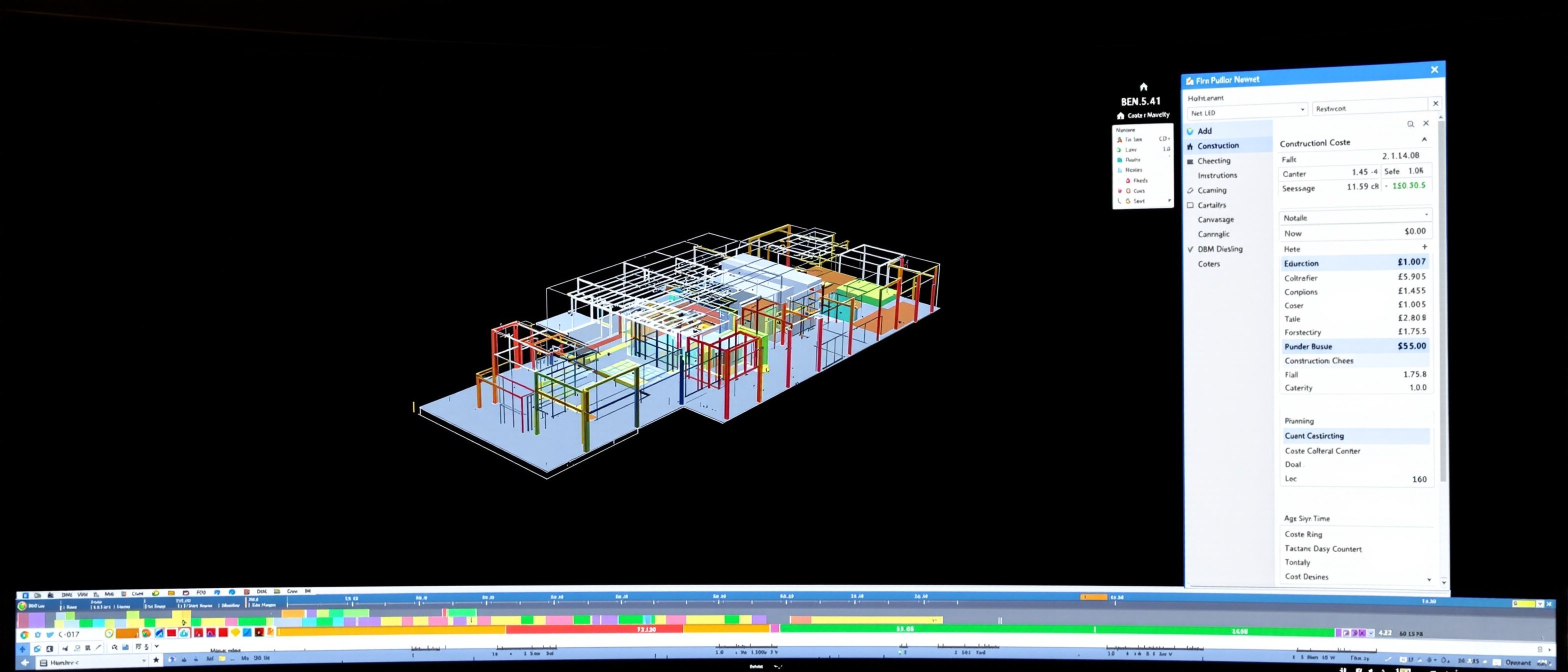
Impacts & Functions of BIM
Sequencing in 4D, costing in 5D — the model at work.
This is where BIM earns its place in CONSTRUCTION management. Learn how 4D — linking the model to the programme — lets you sequence and simulate the build and catch logistics problems before site; how 5D — linking the model to quantities — lets cost flow from the model and update live; and the ladder of BIM dimensions from 3D through 4D and 5D to 6D and 7D. The drawing becomes a manager. Try the BIM-dimensions explorer.
Learning objectives
By the end of this lesson, you will be able to — mapped to the course outcomes for BIM-Based Construction Management:
Explain the impact of BIM on construction management functions.
Explain 4D scheduling and construction sequencing/simulation.
Explain 5D cost estimating from the model.
Place a BIM use on the dimension ladder (3D–7D).
4D & 5D — time and cost
4D links the model to the programme to sequence and simulate the build; 5D links it to quantities and rates so cost flows from the model and updates as the design changes.[1]
Sequence and simulate the build
4D BIM links each model object to a task in the construction PROGRAMME, so the build can be SEQUENCED and animated over time. You watch the building rise week by week, test different sequences, and spot SPACE, ACCESS and LOGISTICS conflicts — where will the crane stand, where does the material lay down, does this trade block that one — before they happen on site. It turns the schedule from an abstract bar chart into a visible, testable simulation. MISCONCEPTION→correct: '4D is just an animation' — the value is rehearsing and validating the SEQUENCE and site logistics, not the pretty fly-through; it finds workflow clashes a Gantt chart hides.[1]
The dimensions & the impact
BIM uses form a ladder of dimensions — uses of one model, not separate programs; and BIM's biggest construction-management value is during the build and beyond, not at tender.[1, 2]
3D to 7D
BIM uses are often described as DIMENSIONS that build on the 3D model: 3D (geometry and coordination), 4D (time/scheduling), 5D (cost), 6D (sustainability/energy) and 7D (facility management/operation). Each adds a layer of DATA and a new use of the same model. MISCONCEPTION→correct: 'the dimensions are extra software' — they are USES of the one model's data, not separate programs; and beyond 5D the numbering is NOT fully standardised (some teams swap 6D and 7D), so name the use, not just the number.[1]
Explore the dimensions
Pick a BIM dimension — 3D, 4D, 5D, 6D or 7D — and read what it adds to the model and what it is used for.
BIM dimensions · pick one
4D — time
+ scheduleLinking model objects to the construction PROGRAMME, so the build can be sequenced and SIMULATED over time — you watch the building rise, test the phasing, and spot space and logistics conflicts before site.
Each dimension is a USE of the one model's data — not a separate program. Beyond 5D, name the use.
At a glance
| Aspect | Detail | Note |
|---|---|---|
| 3D | Geometry + coordination | The model |
| 4D | + time / schedule | Sequence & simulate the build |
| 5D | + cost / quantities | Live cost feedback |
| 6D / 7D | + sustainability / FM | Numbering not fully standardised |
| The shift | One shared source of truth | Fewer RFIs, less rework |
Key terms
Model linked to the programme — sequence and simulate the build over time.
Model linked to quantities and rates — cost that updates as the design changes.
Visualising and validating the build sequence and site logistics.
Uses of the model — 3D, 4D (time), 5D (cost), 6D (sustainability), 7D (FM).
Measuring quantities from the model — largely automated in 5D.
One shared model the whole team manages from.
Studio task
For a small office build, describe one thing a 4D simulation would reveal that a normal Gantt chart hides, and one decision a 5D live cost would change during design. Then list the BIM dimensions 3D–7D and name the real use of each in your own words.
Self-assessment
1. 4D BIM adds, to the 3D model, the dimension of —
2. 5D BIM gives live cost feedback because it —
3. Beyond 5D, the BIM dimension numbering (6D, 7D) is —
Recap
References & further reading
- [1]Sacks, Eastman, Lee & Teicholz, BIM Handbook — 4D, 5D and BIM's impact on construction management.
- [2]NBS / industry BIM guides — the BIM dimensions (3D–7D) and their uses (noting non-standard higher dimensions).
- [3]Autodesk Navisworks / 4D-5D tooling documentation — scheduling, sequencing and model-based cost.
Further reading
- Sacks, Eastman, Lee & Teicholz — BIM Handbook.
- Bilal Succar et al. — BIM maturity / framework writings.
- RICS — BIM for cost managers (5D).
Sources gathered and fact-checked June 2026. Published values vary by source, sample and method — treat as indicative and confirm against the cited standard before structural use.
The author
Amogh N P
Architect, interior designer, and creative polymath. Studio Matrx began in his notebooks — his vision of design made honest, useful, and open to everyone. Its Academy is written and taught in his memory, and free, forever.
More about Amogh →