
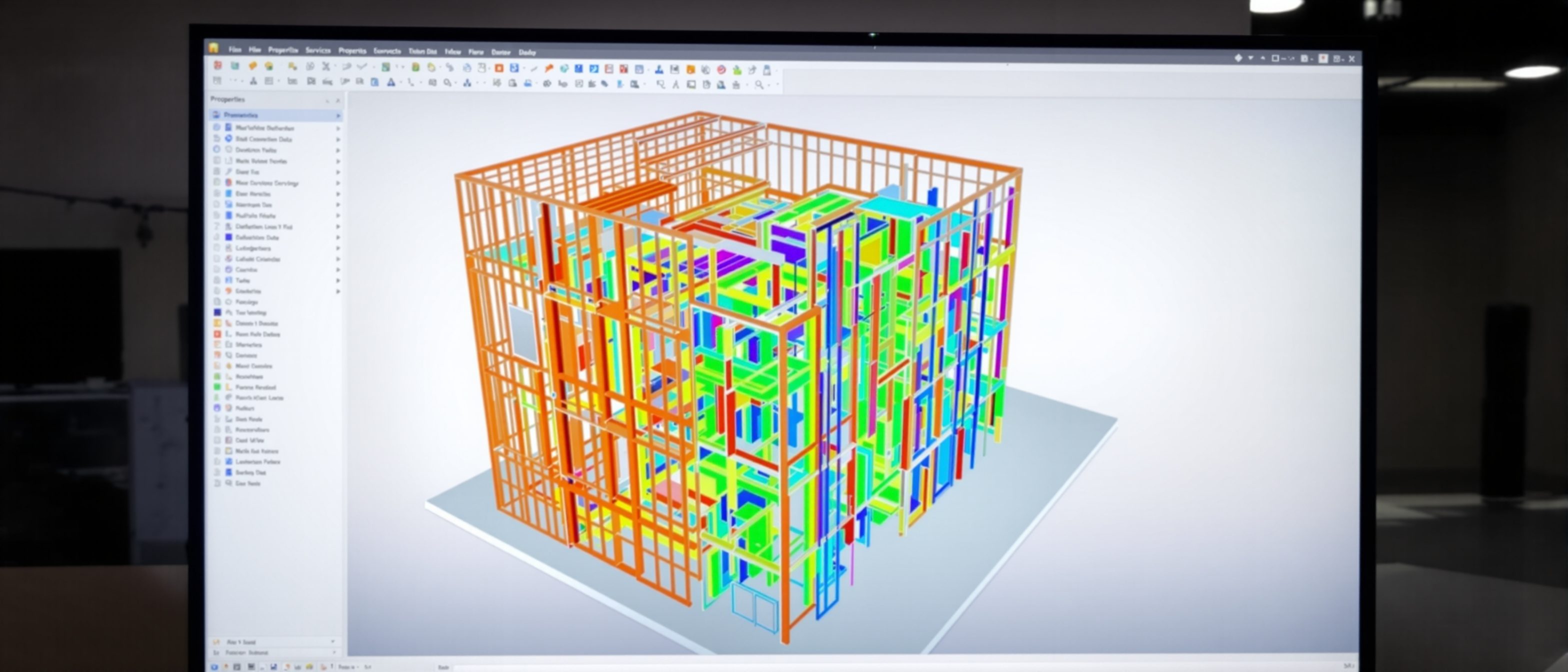
Fundamentals of BIM
Not a 3D drawing — a data-rich model and a process.
BIM is the biggest change in delivering buildings since the drawing board — and it is widely misunderstood as "fancy 3D". Learn the fundamentals: BIM is a shared, object-based, data-rich model where a wall is an intelligent object that knows its material, cost and fire rating; how that differs fundamentally from CAD; the Level of Development (LOD); and that BIM is a process, not merely software you buy.
Learning objectives
By the end of this lesson, you will be able to — mapped to the course outcomes for BIM-Based Construction Management:
Define BIM as a shared, object-based, data-rich model.
Distinguish BIM from CAD.
Explain the Level of Development (LOD) of model elements.
Explain why BIM is a process and methodology, not just software.
A model that knows things
In BIM every element is an intelligent object carrying data, so one change updates every view; the Level of Development says how reliable each element is.[1, 2]
A model that knows things
BUILDING INFORMATION MODELLING is a shared, OBJECT-BASED digital model of a building in which every element is an intelligent OBJECT carrying DATA. A wall is not four lines — it is a 'wall' object that knows its type, layers, material, U-value, fire rating, cost and more. Change it once and every plan, section, schedule and quantity updates. The 'I' — INFORMATION — is the point: BIM is a single source of truth that the whole team shares. MISCONCEPTION→correct: 'BIM is fancy 3D' — 3D geometry is the visible part; the value is the DATA and the shared process behind it. A flat 2D BIM model is still BIM; a beautiful 3D render with no data is not.[1]
BIM is a process
The deepest point: BIM is a methodology for sharing building information across the team and the building life — the software (Revit, ArchiCAD) is only the tool.[1, 3]
Not a software you buy
The deepest misconception is that BIM is a SOFTWARE. It is not — it is a PROCESS and a METHODOLOGY for creating and sharing building information across the whole team and the whole building life. Revit, ArchiCAD and the rest are TOOLS that support the process; you can own the software and still not be 'doing BIM' if the information is not shared and managed. Standards like ISO 19650 govern the PROCESS — the Common Data Environment, the BIM Execution Plan, who produces what information when. MISCONCEPTION→correct: 'we bought Revit, so we do BIM' — BIM is how information is structured, shared and used across the team; the software is only the tool.[1, 3]
At a glance
| Aspect | Detail | Note |
|---|---|---|
| CAD | Geometry — lines that know nothing | Separate drawings, manual changes |
| BIM | Objects with data + relationships | One model, views stay consistent |
| The value | The information ('I') | Not just the 3D |
| LOD | 100 (concept) → 500 (as-built) | How much to trust an element |
| BIM is | A process / methodology | Software is only the tool |
Key terms
A shared, object-based, data-rich digital model — and the process of using it.
An intelligent element (wall, duct) that carries data and relationships.
The data the model holds — the real value of BIM, beyond geometry.
A virtual building of data-rich objects vs drawings of lines that know nothing.
How reliable a model element is — LOD 100 (concept) to 500 (as-built).
A methodology for sharing information, not merely a software you buy.
Studio task
Take a single wall and list five pieces of DATA a BIM wall object could carry that a CAD line cannot. Then explain, in three sentences, why "we bought Revit, so we do BIM" is wrong — what else does it take to actually be doing BIM?
Self-assessment
1. The fundamental difference between BIM and CAD is that BIM —
2. The Level of Development (LOD) of a model element tells you —
3. 'We bought Revit, so we do BIM' is —
Recap
References & further reading
- [1]Sacks, Eastman, Lee & Teicholz, BIM Handbook (Wiley) — the fundamentals and definition of BIM.
- [2]BIMForum Level of Development (LOD) Specification — LOD 100–500.
- [3]ISO 19650 / buildingSMART — BIM as an information-management process (CDE, BEP).
Further reading
- Sacks, Eastman, Lee & Teicholz — BIM Handbook.
- Karen Kensek — Building Information Modeling.
- ISO 19650 (parts 1–2) — Information management using BIM.
Sources gathered and fact-checked June 2026. Published values vary by source, sample and method — treat as indicative and confirm against the cited standard before structural use.
The author
Amogh N P
Architect, interior designer, and creative polymath. Studio Matrx began in his notebooks — his vision of design made honest, useful, and open to everyone. Its Academy is written and taught in his memory, and free, forever.
More about Amogh →