
Presentation & Visualization
The design only exists once you can show it — models, drawings, renders.
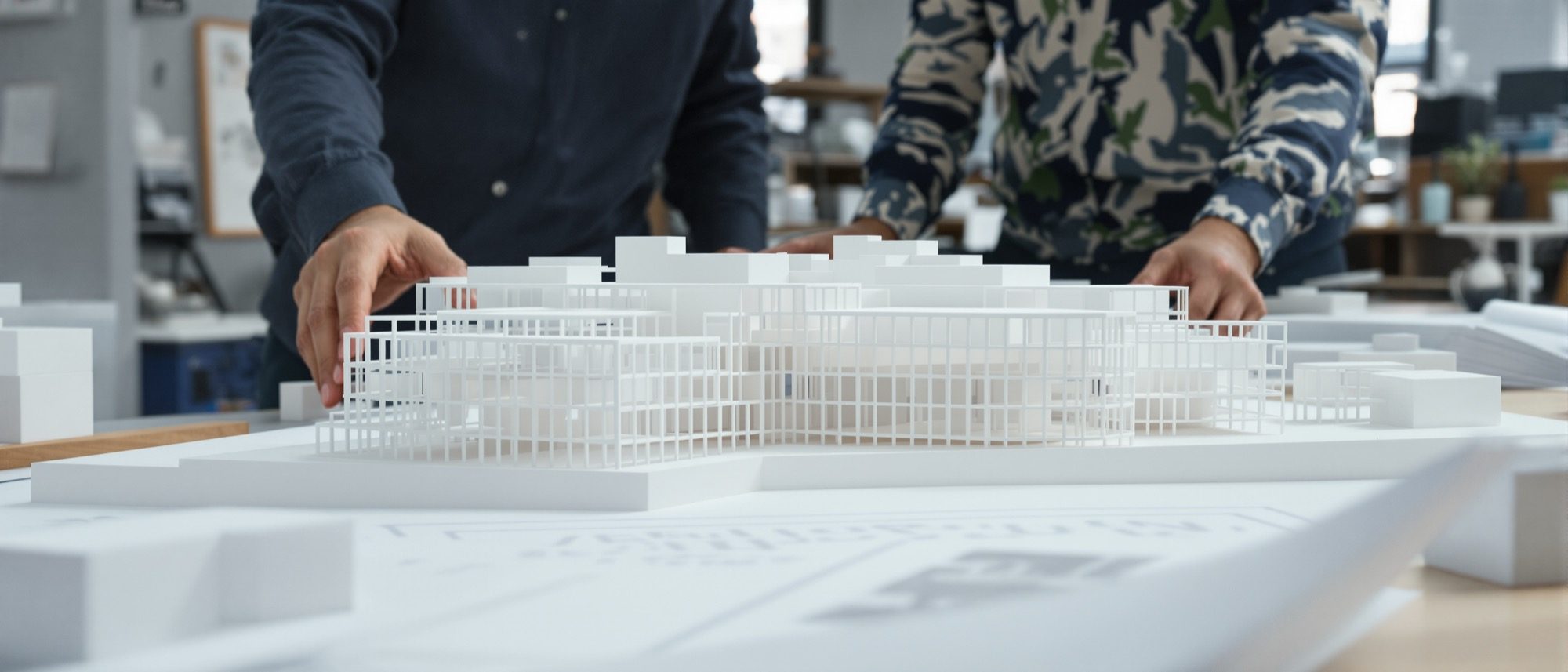
A design is only as good as your ability to show it. This closing module is the studio's presentation craft: scaled physical models — study models to think with, presentation models to convince with — the drawing set and diagrams, perspective and walkthroughs, and digital and AI rendering, which Computer Studio II covers in depth. A scaled model is also where you finally test that accessible route in three dimensions.
Learning objectives
By the end of this lesson, you will be able to — mapped to the course outcomes for Design of Structures I:
Communicate a design through scaled models, the drawing set and diagrams.
Choose the right model type, scale and materials for study and for presentation.
Use perspective views, walkthroughs and rendering to convey experience.
Render a model with AI tools to demonstrate the design (see Computer Studio II).
Scaled models
A study model is fast and cheap, to think with; a presentation model is refined and accurately scaled, to convince with. Choose the scale by purpose, the materials to suit, and always add figures for scale.[1, 2]
Think with one, convince with the other
A study or massing model is fast and cheap (card, foam) to explore form, massing and site — often rough or unscaled, made to be cut up and remade. A presentation model is refined, in finished materials and accurate scale, made to communicate the resolved design.[1]
Drawings, diagrams and the sheet
The measured drawing set (plans, sections, elevations) and explanatory diagrams carry the argument; the presentation sheet composes them into a readable hierarchy; perspective, walkthroughs and rendering convey experience.[3, 4]
Plans, sections, elevations
The measured drawing set — plans, sections and elevations, all to scale — is the backbone of architectural communication. Each describes the building differently; together they let it be built and understood.[3]
At a glance
| Aspect | One | The other |
|---|---|---|
| Two model types | Study/massing: fast, cheap, disposable | Presentation: refined, scaled, finished |
| Scale by purpose | 1:500–1:200: site and form | 1:100–1:50: building and detail |
| Drawing vs diagram | Drawing: measured, to scale | Diagram: abstracted idea, not measured |
| Abstraction vs realism | Plan/section: abstract, precise | Perspective/render: experiential, realistic |
| Physical vs digital | Scaled model: real 3D, light, touch | Render (Computer Studio II): photoreal image |
Key terms
A quick, cheap model to explore form, massing and site.
A refined, accurately-scaled model in finished materials to communicate the design.
The ratio of model (or drawing) size to real size — e.g. 1:100 = 1 cm per metre.
The overall three-dimensional bulk and volume composition of a building.
Plan, section or elevation drawn to scale without perspective.
A scaled human, car or tree placed in a model or drawing to convey size.
The composed layout of drawings, diagrams and text that tells the design story.
A moving or sequential view simulating how a person experiences the building.
Studio task
Lay out a single presentation sheet for one of your designs: choose the drawings and the model photographs, decide the reading order, and add the one diagram that best explains the idea. Then build a study model at an appropriate scale and add a figure for scale.
Self-assessment
1. Which scale best shows the detailed elements of a single building or interior?
2. A rough, cheap model made early to explore massing and site is a —
3. Why place a scaled human figure in a model or drawing?
Recap
References & further reading
- [1]Architectural model scales and types — study vs presentation models. https://architecturalmodels.net/architectural-model-scales/
- [2]Model-making materials and the figure for scale. https://en.wikipedia.org/wiki/Architectural_model
- [3]Steen Eiler Rasmussen, Experiencing Architecture; Juhani Pallasmaa, The Eyes of the Skin.
- [4]Studio Matrx — Computer Studio II (3D modelling, rendering and AI visualization). https://www.studiomatrx.org/students/computer-studio-2
Further reading
- Juhani Pallasmaa, The Eyes of the Skin — Architecture and the Senses.
- Steen Eiler Rasmussen, Experiencing Architecture.
- Sam F. Miller, Design Process: A Primer for Architectural and Interior Design.
Sources gathered and fact-checked June 2026. Published values vary by source, sample and method — treat as indicative and confirm against the cited standard before structural use.
The author
Amogh N P
Architect, interior designer, and creative polymath. Studio Matrx began in his notebooks — his vision of design made honest, useful, and open to everyone. Its Academy is written and taught in his memory, and free, forever.
More about Amogh →