
AI floor-plan & layout generation
Type the constraints in plain English, get fifty plans back in a minute. Useful for exploring, dangerous if you mistake the picture for a buildable drawing.
Lesson byAmogh N P· Architect & interior designer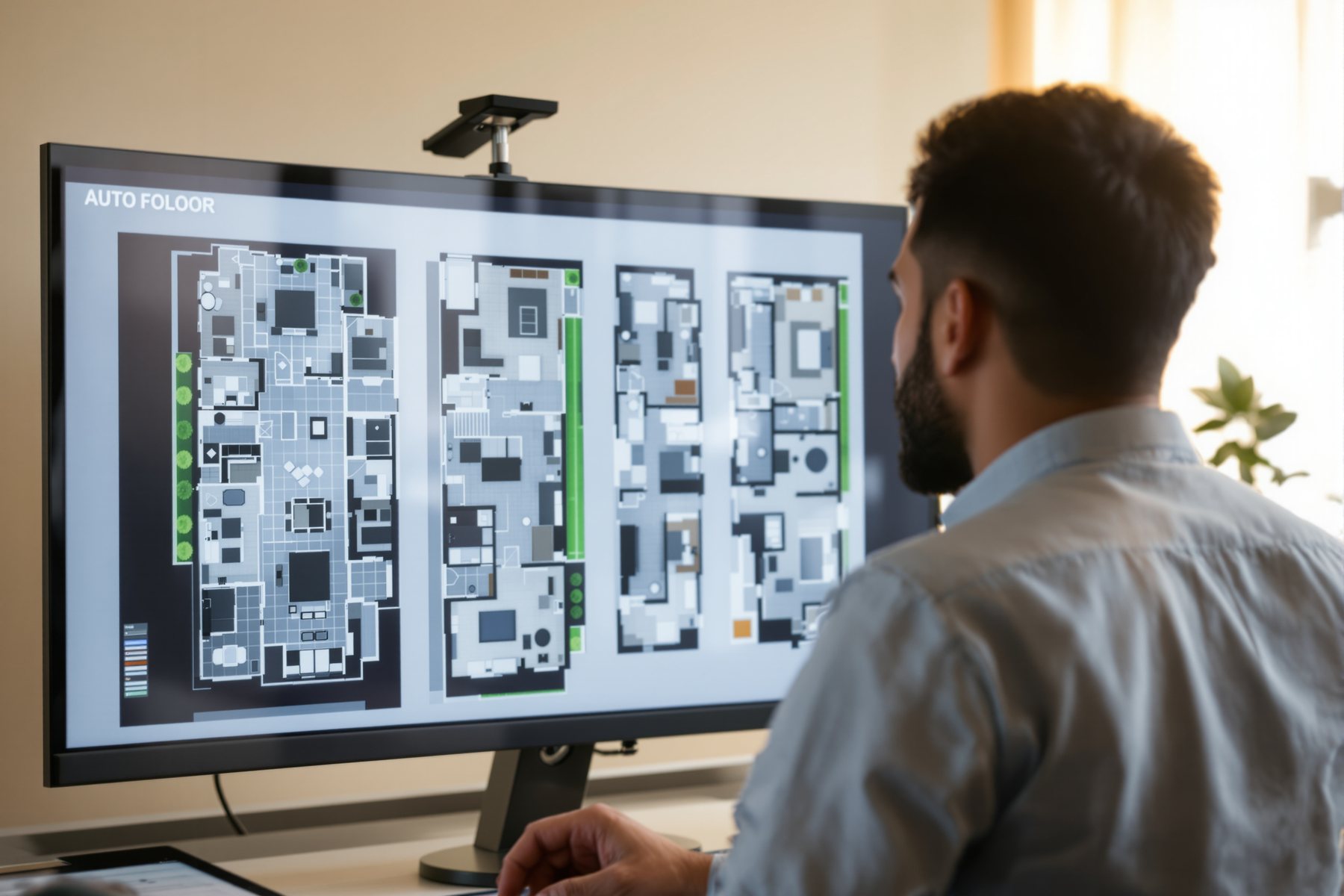
It drew forty G+2 layouts before your tea went cold. Now: which one can you actually build?
A young architect in Pune types a single line into Maket.ai: '30x50 ft north-facing plot, G+2, 3BHK, two-car parking, vaastu-aware.' Forty layouts come back in under a minute, each with rooms placed, circulation drawn, areas tagged. It feels like magic, and for divergence it nearly is. Then she measures one. The staircase is 2.4 ft wide. The toilet has no window. The setback the tool assumed is not her city's setback. The machine gave her forty plausible plans and zero buildable ones — and that is exactly the right way to use it, once you know that going in.
Plain-English in, plausible plans out — and the NBC gap in the middle
You write constraints; the model arranges rooms that usually go together
An AI floor-plan generator is the plausibility machine pointed at layout. You feed it constraints in plain language or a form: plot size, orientation, floors, room programme, parking, sometimes a vaastu or style preference. It returns many candidate plans, fast.
Underneath, these tools are doing constrained pattern arrangement — placing rooms in the adjacencies that usually appear together (kitchen near dining, toilets stacked, bedrooms off a corridor) and fitting them to your footprint. Maket.ai does this from plain-English residential requirements and will even spin a plan into 3D; it has a free tier. ARCHITEChTURES aims at multi-family schematic design, optimising the layout toward targets you set, also with a free tier to start. Finch3D gives graph-based, instant feedback as you tweak. ArkDesign.ai focuses on schematic-plus-feasibility for multi-family and mixed-use, producing optimised floor plans.
What unites them: they are superb at producing options and terrible at guaranteeing any single option is real, dimensioned and legal.
Ask the tool how many plans it can make per minute. Then ask yourself how many of them you'd seal. The two numbers are the whole lesson.
Trust it for the parti, never for the dimension or the clause
Map it to the green/red split. Genuinely useful: exploring layout directions, testing 'what if the stair moved here', comparing unit yields on a multi-family plot, showing a client three spatial parti options in the first meeting, breaking your own blank-page block. Errors here are cheap and visible.
Needs a professional's check — every time: the actual dimensions (an AI plan's '1200mm corridor' is a suggestion, not a survey); area statements and FAR; National Building Code (NBC) of India requirements like stair width, tread-riser, ventilation, light, habitable-room minimums; and your city's local bye-laws and setbacks, which most global tools simply do not know. The landscape is blunt about this: most generative tools do not encode NBC or local bye-laws, so the human check is mandatory.
The trap is that the output looks like a working drawing — tagged, scaled, confident. It is concept art with grid lines. Treat the dimensions as zero until your own drawing re-derives them.
There is no red underline under a 2.4 ft staircase. The tool will draw it as cheerfully as a legal one.
Use these at concept and feasibility to widen your option set and pressure-test a plot's programme fast, then drop the winning parti into your real CAD/BIM and re-draw it to NBC and local bye-laws line by line. A practical rule: nothing from a floor-plan generator enters a sanction set without you re-deriving every dimension, stair, setback and area. The generator gives you the _idea_ of the plan; your registration and your checked drawing give it the right to be built.
For fit-outs and space planning, layout generators are a fast way to test furniture arrangements and circulation in a 3BHK before you commit to joinery — six living-room layouts to align the client's taste in minutes. But the clearances, real furniture dimensions and services routing are yours to fix. The tool will happily place a 7-foot sofa where only 5 feet exist. Use it to agree a _direction_, then draw the real thing against actual product sizes and ergonomic clearances.
This is a genuine leveller: a one-person studio can now generate the kind of option-rich feasibility study that used to need a team, often on a free tier (Maket and ARCHITEChTURES both start free). The catch is that you are the only check. Build the habit early: every generated plan gets a 'verify' pass against NBC stair/ventilation minimums and your local setback before it goes near a client. Lean on this platform's house-plan library and guides to anchor your dimensions in something real.
Maket.ai
Residential generative layouts from plain English
Type requirements (type, sq ft, lot, vaastu) and get many residential layouts plus 3D from plans; free tier to start. Strong for options; dimensions and NBC/bye-law compliance are yours to verify.
ARCHITEChTURES
Multi-family schematic design + optimization
Optimises multi-family schematic layouts to targets you set; free tier. Great for unit-mix and yield exploration; does not know your local development control rules — check FAR and setbacks locally.
Finch3D
Graph-based early-stage layout optimization
Instant graph-based feedback as you adjust constraints — excellent for fast iteration. It optimises arrangement, not legality; treat outputs as study models, not sanction drawings.
ArkDesign.ai
Schematic + feasibility, multi-family/mixed-use
Produces optimised floor plans with feasibility for multi-family and mixed-use; individual plans roughly $30-150/mo in 2026. Feasibility numbers still need a professional's verification against Indian codes.
“If an AI floor-plan tool gives me a tagged, dimensioned, professional-looking plan, it must be code-compliant and ready to build.”
A tagged plan with dimensions is evidence of pattern-arrangement, not of compliance. Most generative floor-plan tools do not encode India's NBC or your municipality's bye-laws at all — they place rooms in plausible adjacencies and print numbers that look authoritative. The plan can show an illegal stair width, an unventilated toilet and a wrong setback with total confidence. Buildability is something you verify in your own drawing, not something the tool certifies.
Workshop — generate, then audit, a real layout option set
You will take one real plot, generate a set of layouts in plain English, then run a hard verification pass that turns 'pretty plan' into 'plan I'd actually develop'. Forty minutes, free tier.
Free: Maket.ai or ARCHITEChTURES free tier. A real plot brief (yours, or the one below). Your city's bye-laws/NBC stair + ventilation rules to check against.
Paste this constraints brief into the generator (edit the bracketed bits):

PLOT: 30 x 50 ft, [north]-facing, corner: no
BUILD: G+2 residential, single family
PROGRAM: 3BHK; living + dining; pooja; kitchen with utility;
  2 covered car parks; 1 staff toilet
MUST: parents' bedroom on ground floor; cross-ventilated kitchen
PREFERENCE: vaastu-aware where possible; flat roof
GENERATE: 6 layout options, tag areas, show circulation
- 1Generate at least 6 options from the brief. Skim for the 2-3 that read best spatially — good adjacencies, sensible circulation, a parti you actually like.
- 2Pick your favourite and measure it like a sceptic: corridor widths, the staircase width and going, every door swing, the smallest toilet. Write the numbers down.
- 3Check those numbers against NBC minimums (stair width, tread-riser, habitable-room and ventilation minimums) and your local setback/FAR. Mark each: legal, marginal, or illegal.
- 4Find the invented constraint — almost every tool assumes a setback, a wall thickness or a structural grid. Name the one assumption that doesn't match your real site.
- 5Redraw just the failing parts to code (widen the stair, add the toilet window, correct the setback) and watch how the 'free' plan now needs real area it didn't show.
- 6Write a one-line verdict for this tool on this task: what you'll trust it for (the parti) and what you'll always re-derive (every dimension and clause).
You’ll walk away with
An option set plus a marked-up audit of your chosen plan — proof, in your own hand, of exactly where an AI layout is useful divergence and where it quietly breaks the code.
Two quick experiments if you have ten minutes.
- 01Give the same brief to two different tools (say Maket and ARCHITEChTURES). Note how differently they place the stair and parking — there is no single 'right' plan inside either, only plausible ones.
- 02Ask the tool for the assumed setback and floor-to-floor height, then check both against your actual development control rules. Note whether it flagged any uncertainty (it won't).
AI floor-plan generators turn plain-English constraints into many plausible layouts in seconds — a superb divergence engine at concept and feasibility. But they arrange rooms, they do not certify buildings: the dimensions, areas, NBC requirements and local bye-laws are yours to re-derive. Diverge with the tool, converge with your drawing.
Plain-English constraints in, many tagged plans out, in seconds. Trust it for the parti and the option set; verify every dimension, area, stair, ventilation rule and setback yourself, because most tools don't know NBC or your bye-laws. The plan is concept art with grid lines.
Are AI-generated floor plans accurate enough to build from in India?
No — not directly. AI floor-plan tools are excellent for generating layout options fast, but their dimensions are suggestions and most do not encode India's National Building Code or local municipal bye-laws. Treat every generated plan as concept art with grid lines: pick the parti you like, then re-draw and verify every dimension, stair, ventilation rule, FAR and setback in your own CAD/BIM before it goes anywhere near a sanction set.
Which AI floor-plan generator is best for residential work?
As of 2026, Maket.ai is the most accessible for single-family residential — plain-English requirements in, many layouts (and 3D) out, with a free tier. ARCHITEChTURES leans multi-family and optimisation; Finch3D is strong for instant graph-based iteration; ArkDesign.ai adds feasibility for multi-family and mixed-use. None of them knows your local code, so the 'best' tool is the one whose options you verify fastest.
Will AI floor-plan tools replace the architect who lays out plans?
They replace the blank-page first-draft, not the architect. Generating options is now near-instant, but choosing the right one, making it compliant, dimensioning it, coordinating services and signing it off remain professional judgement under your registration. The architects who pull ahead use these tools to explore far more options than they could draw by hand, then bring trained judgement to the one that gets built.
The author
Amogh N P
Architect, interior designer, and creative polymath. Studio Matrx began in his notebooks — his vision of design made honest, useful, and open to everyone. Its Academy is written and taught in his memory, and free, forever.
More about Amogh →_Generating options is half the job — next we learn to generate hundreds and rank them, so the machine sorts the trade-offs and you judge the winners._